Warehouse Feature Guide
Warehouse Feature Introduction
Warehouse is the central feature in the Products module, allowing administrators to manage the entire product list, inventory, selling prices, and product display status on the system.
This feature fully supports the following operations:
- Managing the product list
- Adding, editing products
- Importing / exporting product data via Excel files
- Tracking inventory and product status
Accessing the Warehouse Feature
From the left menu, select:
Products → Warehouse
The Product List screen will be displayed.
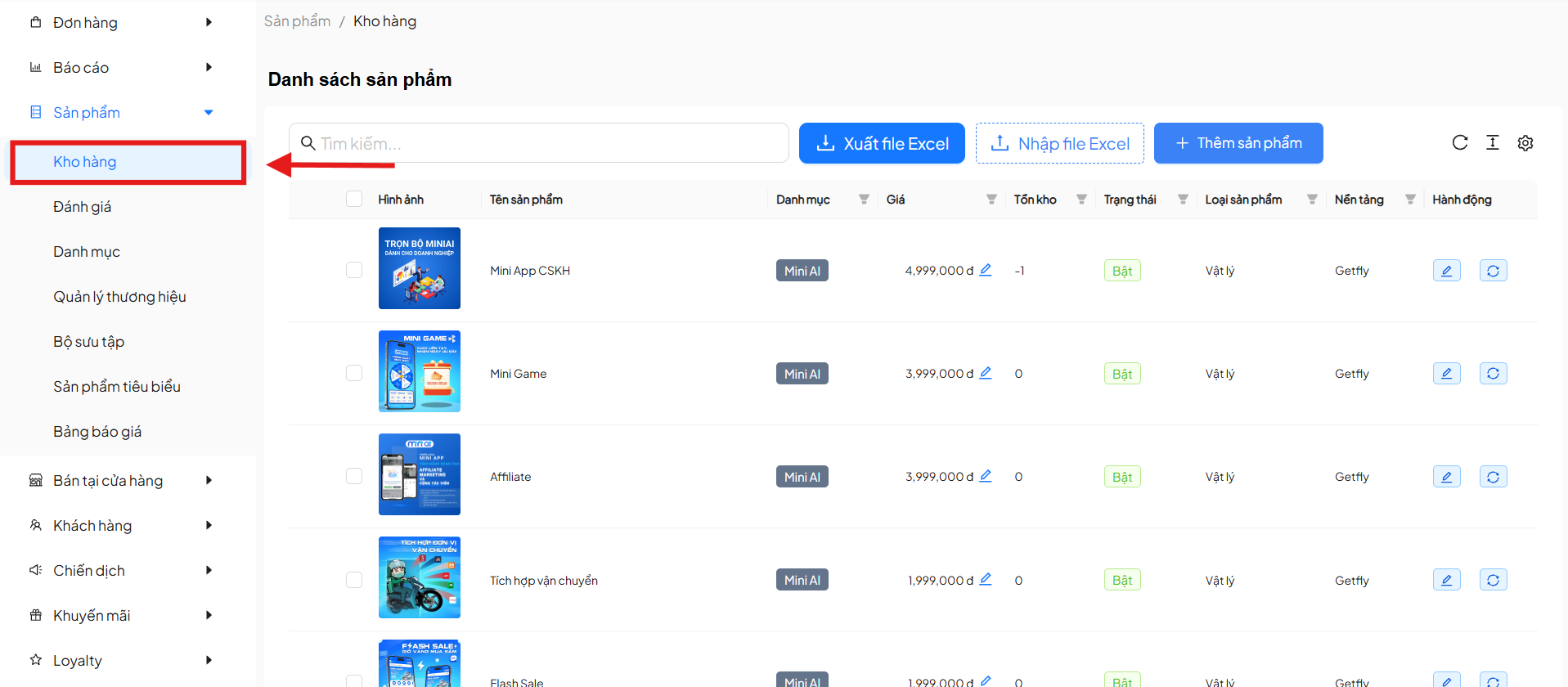
Product List Interface
The product list screen includes the following main sections:
1. Search Bar
- Allows quick product search by product name
- Supports filtering the list when there are many products
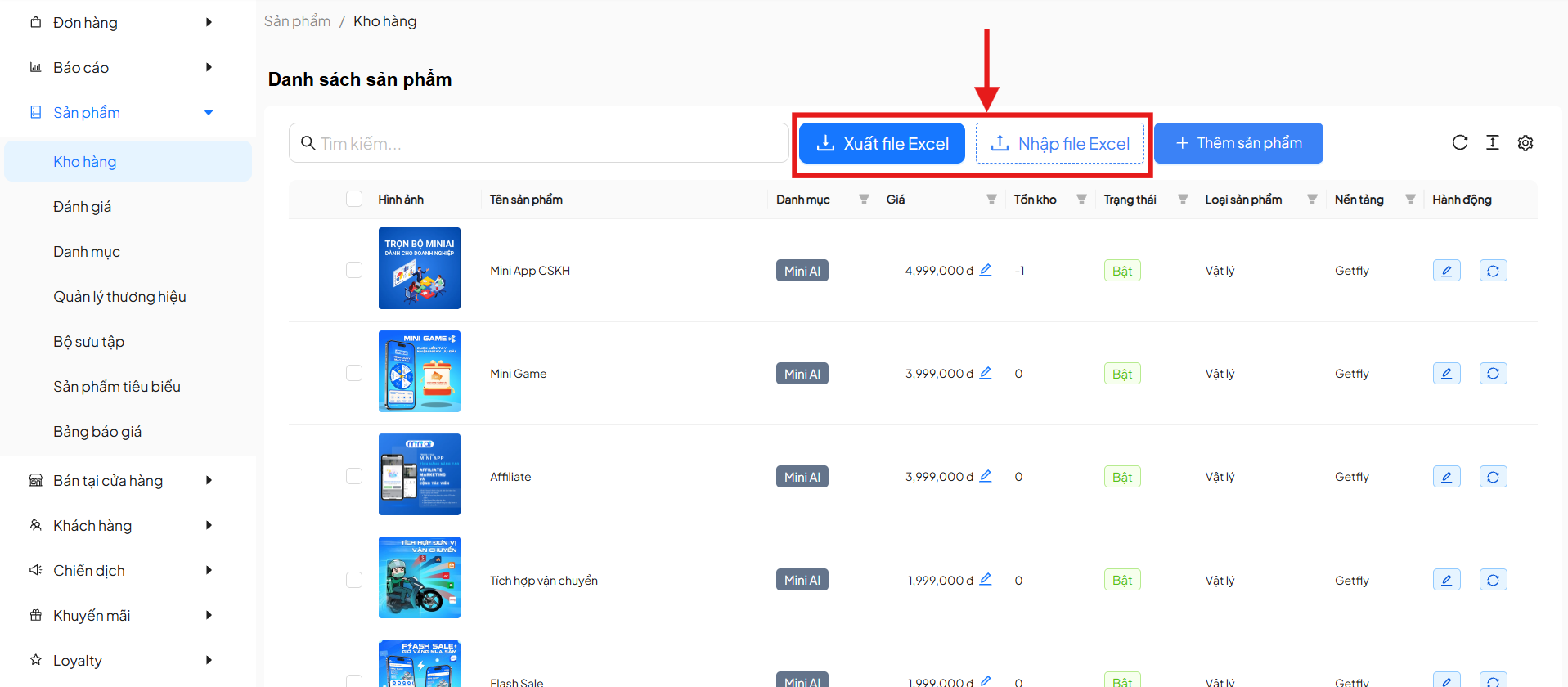
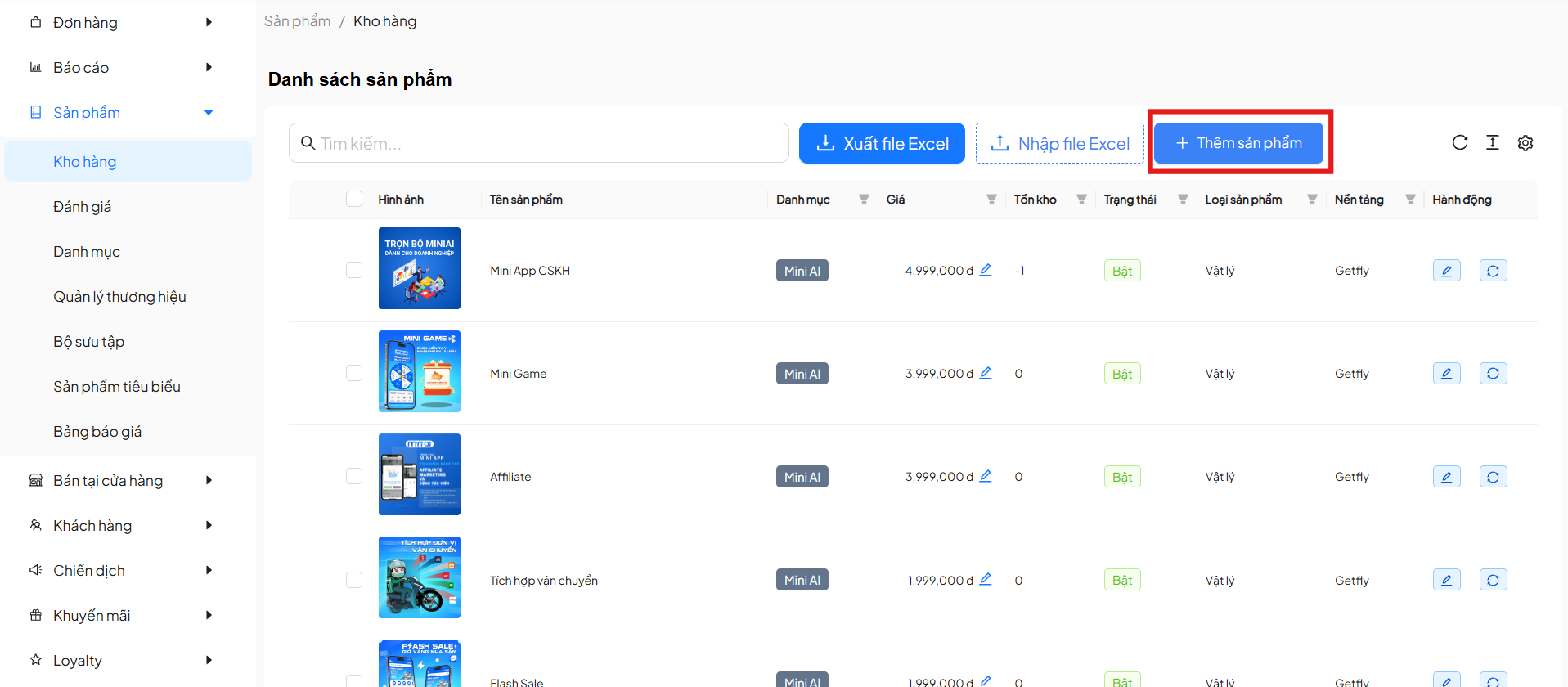
2. Quick Action Buttons
| Button | Description |
|---|---|
| Export to Excel | Download the current product list as an Excel file |
| Import from Excel | Import product list from an Excel file |
| Add Product | Create a new product in the warehouse |
3. Product List Table
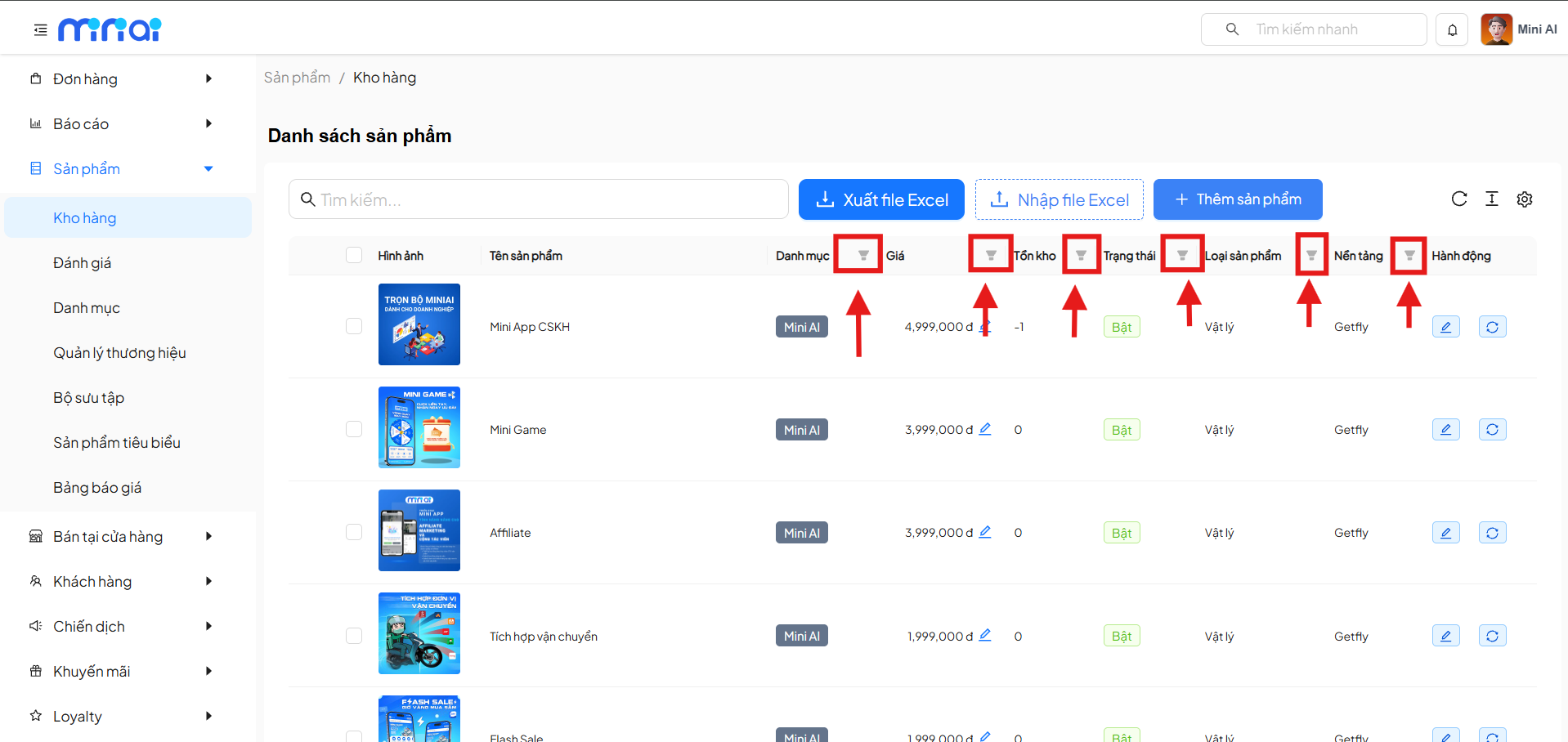
The product list is displayed in table format with the following columns:
| Column | Description |
|---|---|
| Checkbox | Select one or multiple products |
| Image | Product representative image |
| Product Name | Product display name |
| Category | Product category |
| Price | Product selling price |
| Inventory | Current stock quantity |
| Status | Product on/off status |
| Product Type | Physical / Service |
| Platform | Integration platform (e.g., Getfly) |
| Action | Edit, refresh product |
- Click on the product name to open the detail and edit screen.
- The Price, Inventory, Status, Product Type, Platform columns support quick filtering.
Bulk Product Operations
When selecting one or more products, the system displays the Update Product Status block.
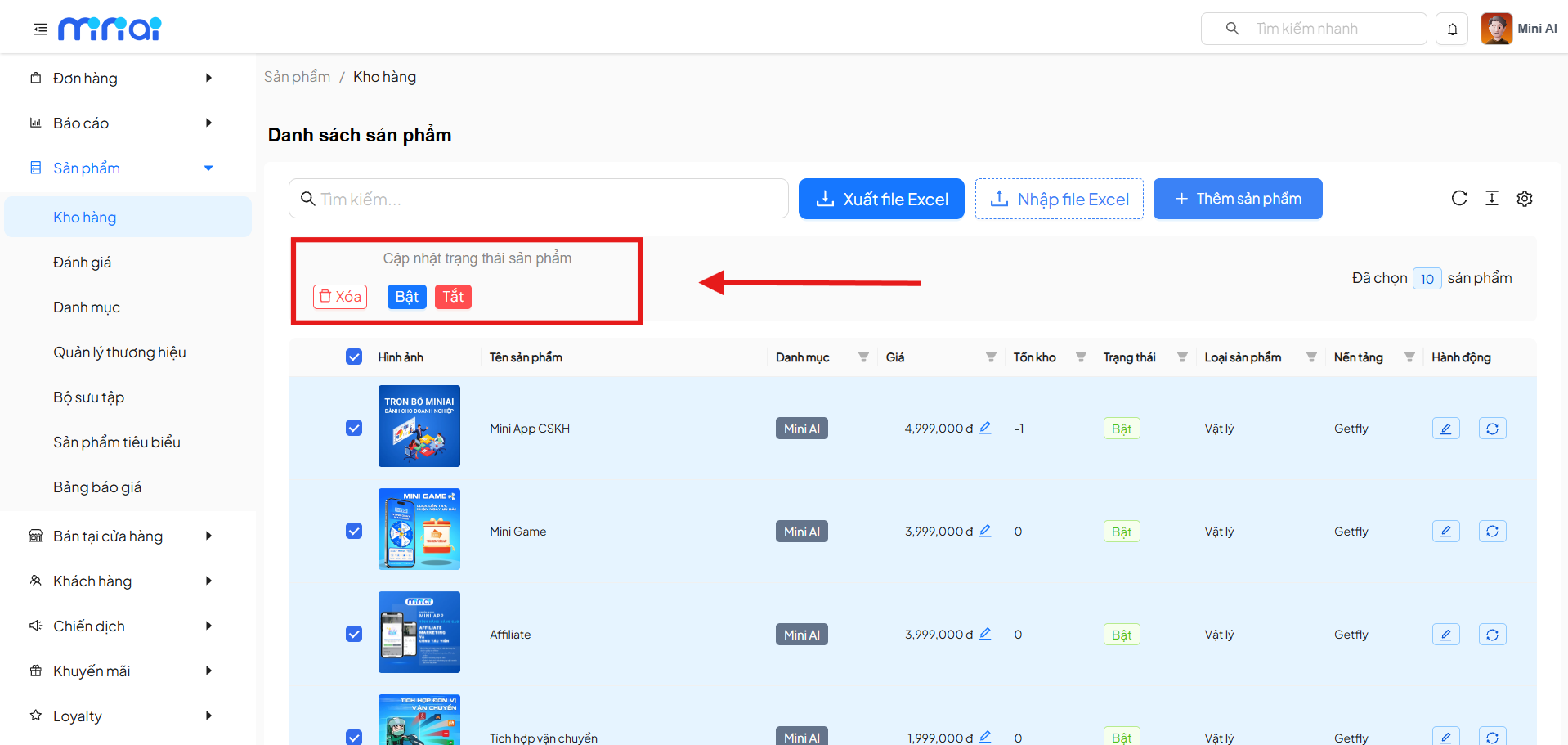
Supported Operations:
- Delete: Delete selected products
- Enable: Enable product display status
- Disable: Disable products from the system
Suitable for managing large numbers of products at once.
- The Delete operation cannot be undone. Please check carefully before confirming.
Add New Product
Click Add Product to open the new product creation screen.
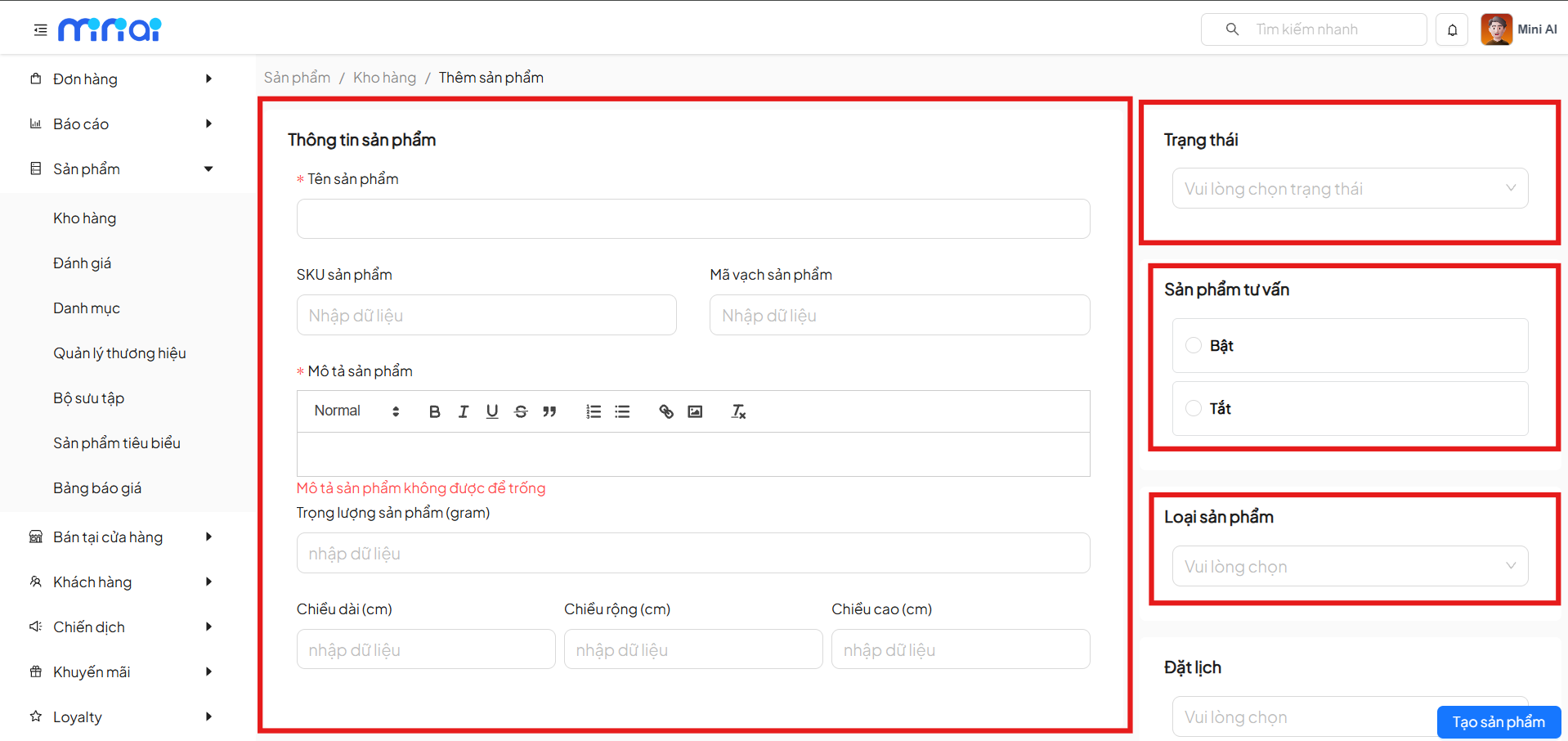
1. Product Information
| Field | Description |
|---|---|
| Product Name | Required |
| Product SKU | Internal SKU code |
| Product Barcode | Barcode |
| Product Description | Detailed content (required) |
| Weight | Product weight (grams) |
| Dimensions | Length, width, height (cm) |
2. Status & Configuration
| Field | Description |
|---|---|
| Status | On / Off |
| Consultation Product | On / Off |
| Product Type | Physical / Service / Accommodation Service |
| Booking | Allow booking / Do not allow booking |
3. Category & Brand
- Select Product Category
- Select Brand
Create categories and brands before adding products for easy classification. Products will display corresponding to the configured categories and brands.
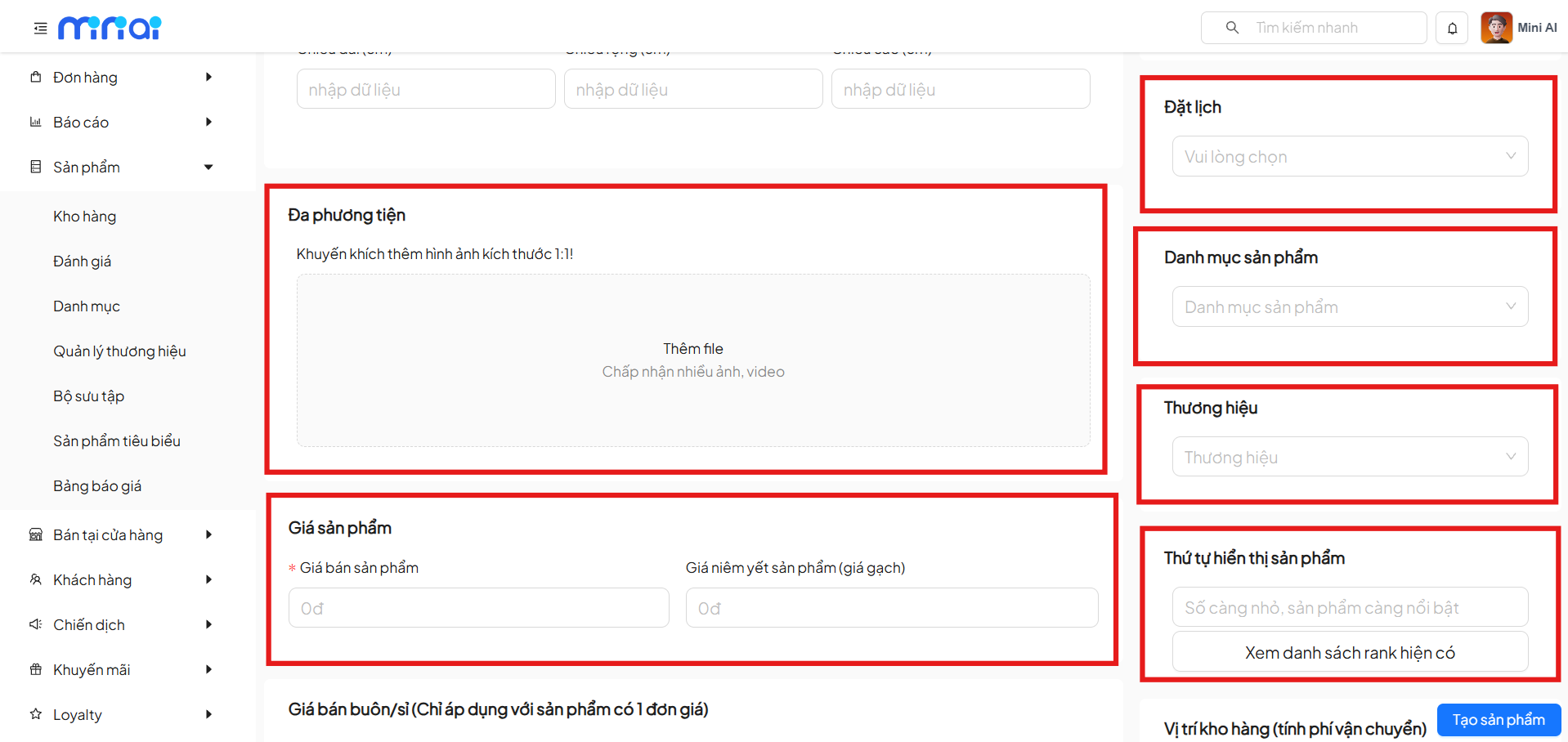
4. Media
- Add product images and videos
- Supports multiple files
- High-quality images recommended
- Recommended ratio: 1:1
5. Product Price
| Field | Description |
|---|---|
| Product Selling Price | Main selling price |
| Listed Price | Strikethrough price (comparison) |
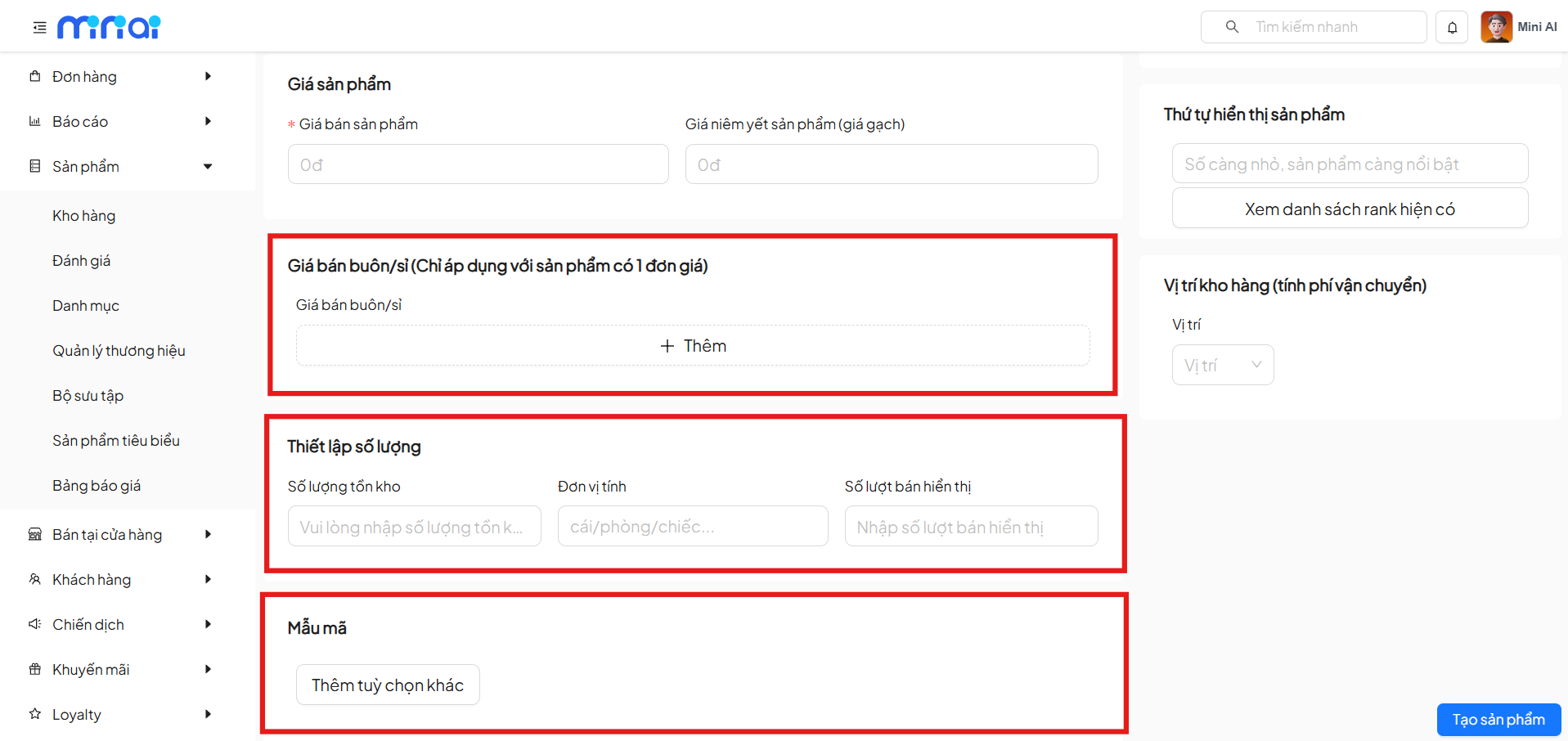
6. Wholesale Price
- Applies to products with a single unit price
- Allows adding multiple wholesale price tiers
- Suitable for wholesale customers
7. Quantity Settings
| Field | Description |
|---|---|
| Inventory Quantity | Number of products in stock |
| Unit of Measure | Example: piece, set, unit |
| Displayed Sales Count | Value shown on the interface |
8. Product Variants
- Add options such as color, size, material
- For managing product variations
9. Product Display Order
- Smaller numbers → product is more prominent
- Supports viewing existing ranking list
10. Warehouse Location
- Select warehouse location
- Used for calculating shipping fees
11. Complete Product Creation
Click Create Product to save the data.
Benefits of Using the Warehouse Feature
- Centralized, clear product management
- Accurate inventory control
- Supports fast data import/export via Excel
- Suitable for both retail and wholesale
- Optimized operations and product management
Conclusion
The Warehouse feature helps businesses manage the entire product lifecycle from creation, classification, pricing to inventory tracking. Proper and complete use of warehouse features will help optimize business operations and system management.