Price List Management
Overview
Price Lists are tools that support businesses in providing product lists and specific pricing to customers based on individual needs. The Price List Management feature allows:
- Creating and editing multiple different price lists
- Tracking customer price list viewing history
- Managing orders generated from price lists
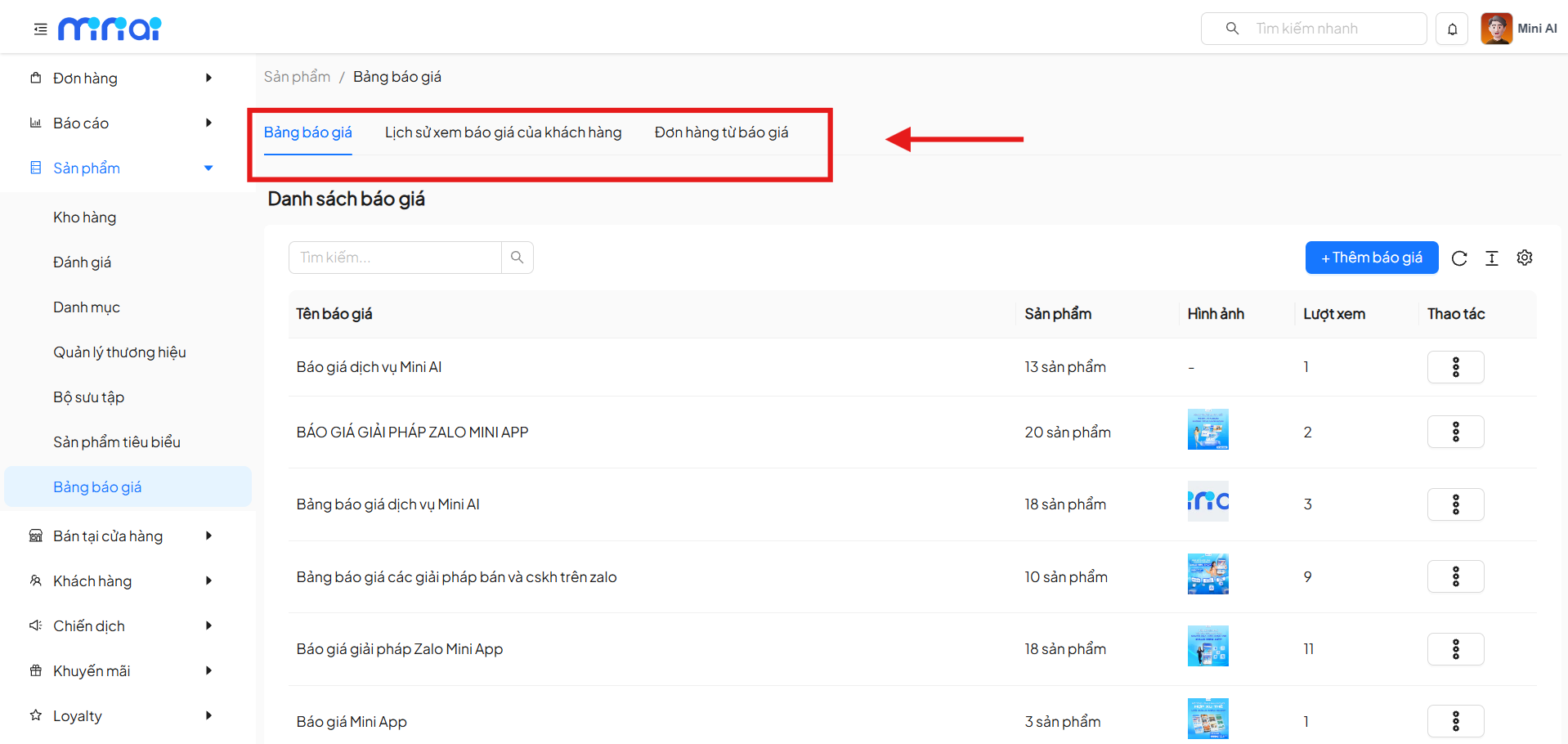
The system is divided into 3 main subsystems:
- Price list directory
- Customer price list viewing history
- Orders from price lists
Accessing the Feature
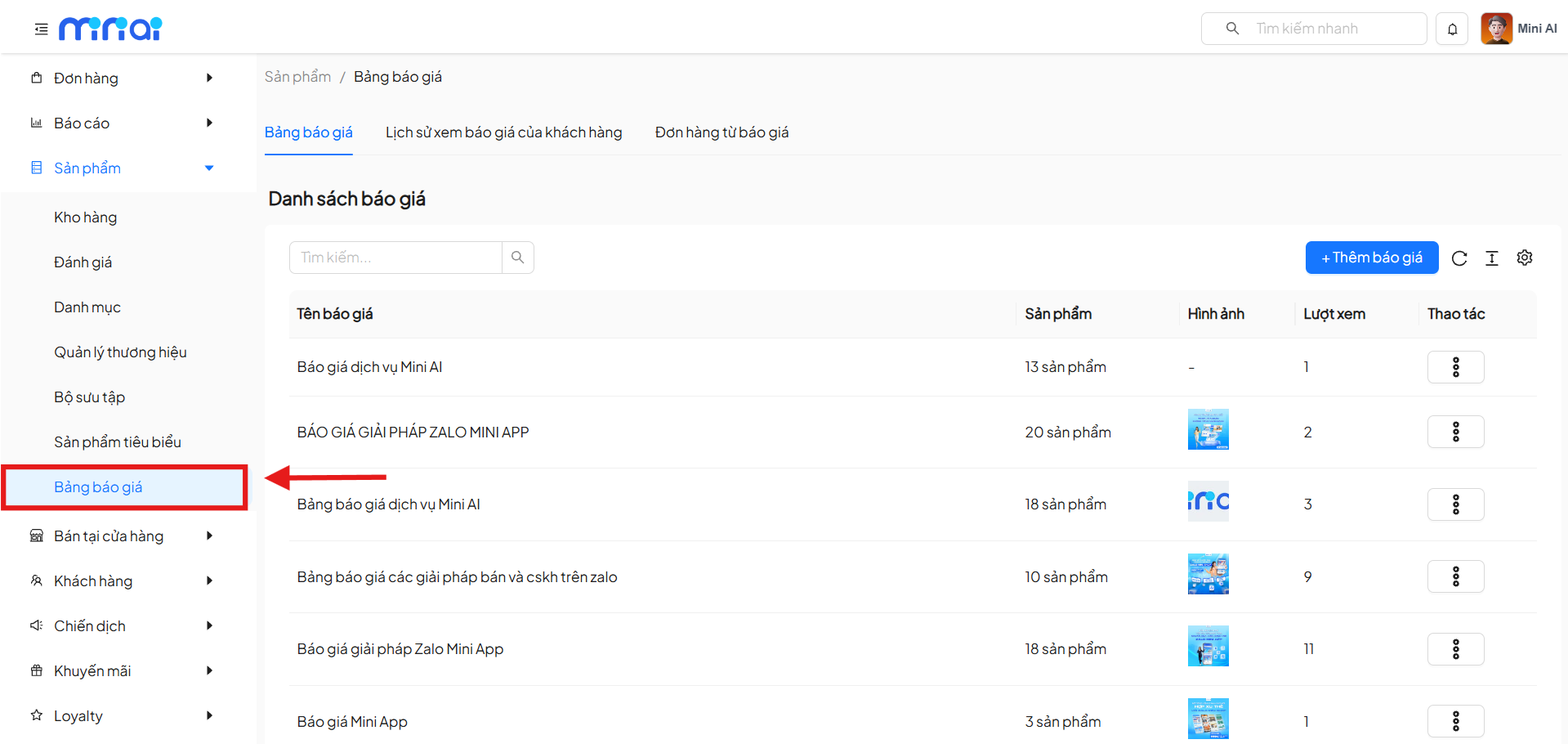
From the left menu, navigate to:
Products → Price List
1. Price List Directory
Description
The Price List tab displays all price lists created in the system.
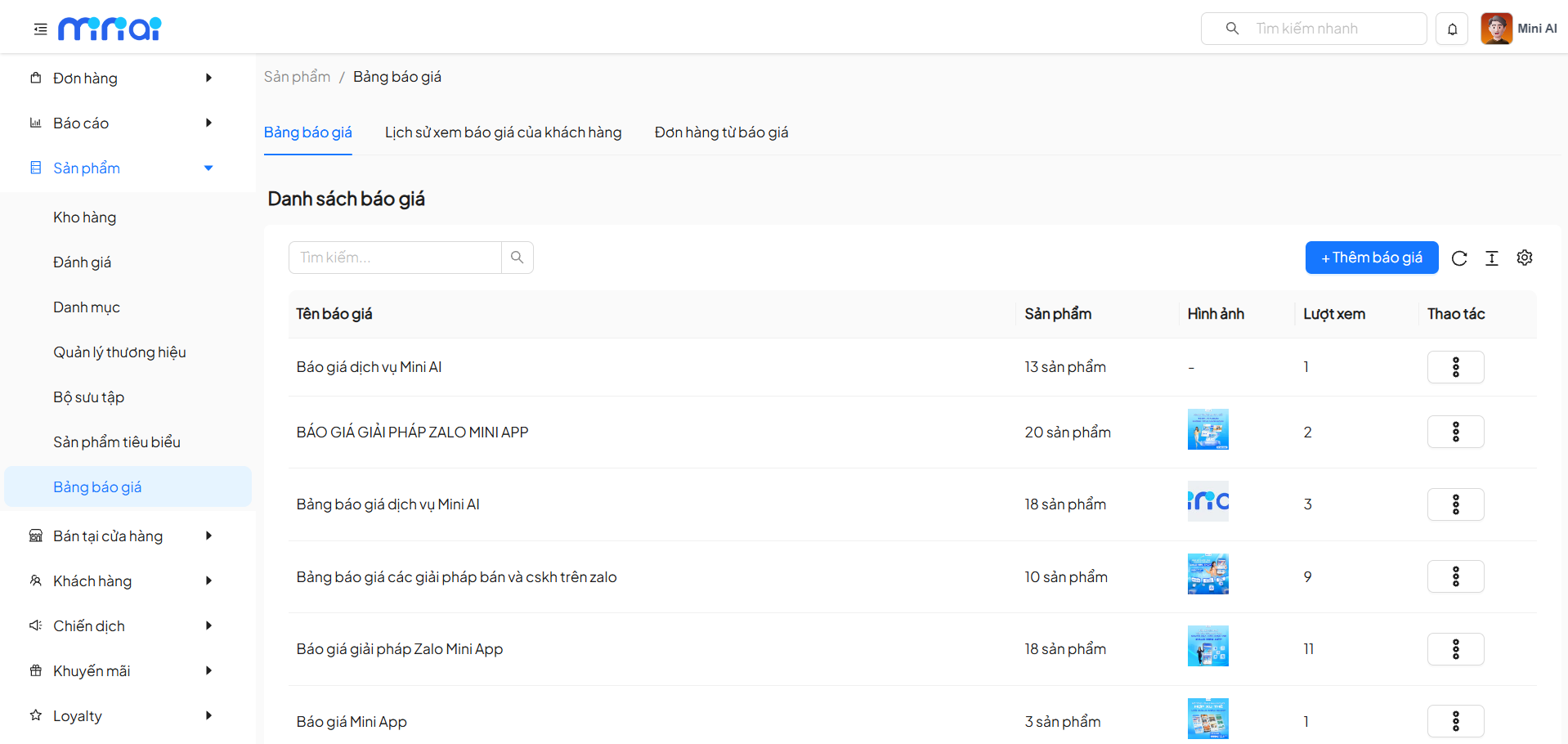
Displayed Information
| Column | Description |
|---|---|
| Price List Name | Identifier name of the price list |
| Products | Number of products in the price list |
| Image | Representative image of the price list |
| Views | Number of customer views |
| Action | Edit, delete, or view QR Code |
Add New Price List
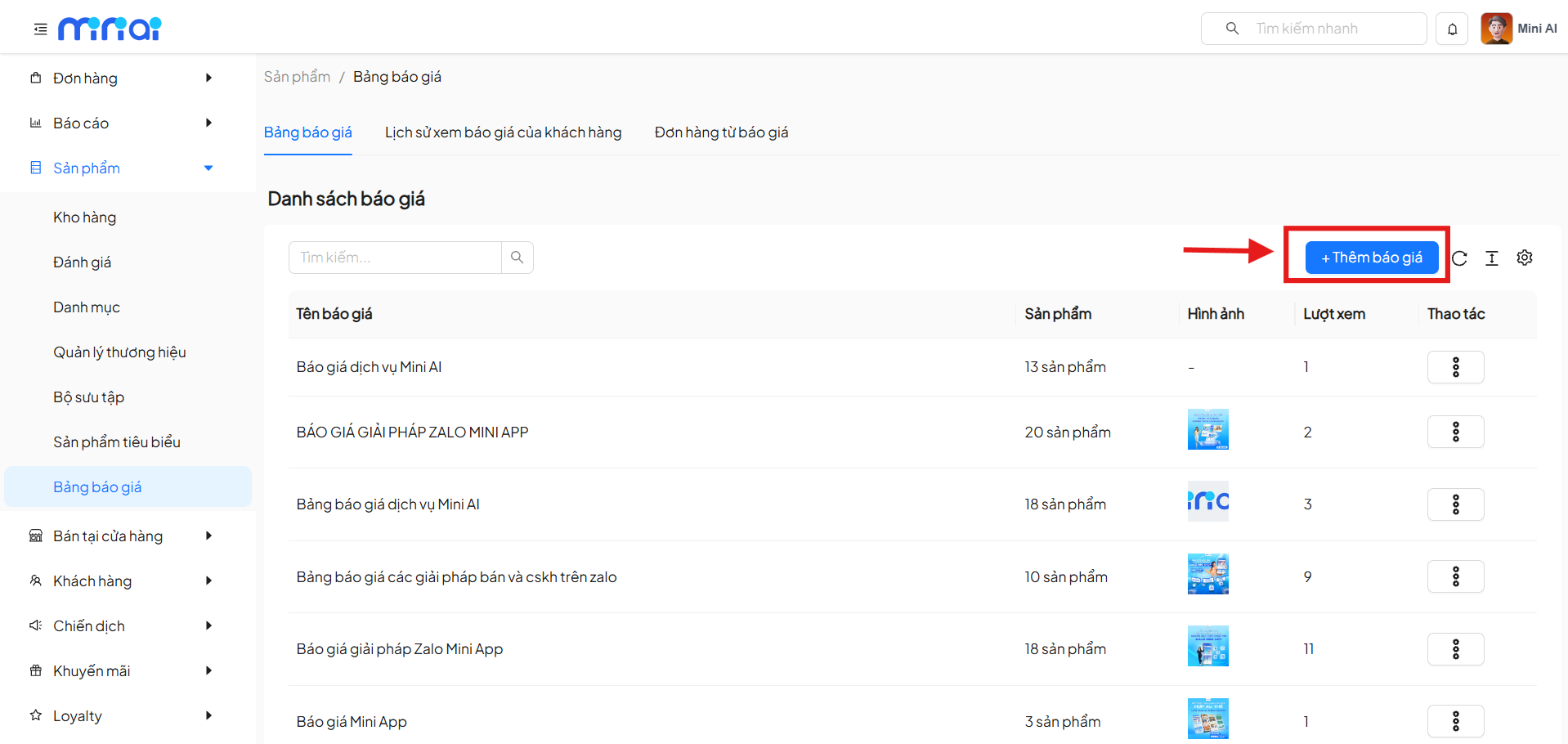
- Click the + Add Price List button
- Enter the following information:
Basic Information
| Field | Required | Description |
|---|---|---|
| Price List Name | Yes | Display name of the price list |
| Description | No | Description of the content or purpose |
| Image | No | Representative image for the price list |
Contact CTA
| Field | Required | Description |
|---|---|---|
| Phone Number | Yes | Consultation contact phone number |
| External Link | No | Zalo, Messenger, Google Sheet, etc. |
Service Price Setup
- Add custom price tiers (retail, wholesale, etc.)
- Can add multiple price data rows
- Supports deleting individual price rows
Add Products to Price List
There are 2 ways:
- Select products directly from the system
- Upload product list from Excel
Configuration for each product:
| Field | Description |
|---|---|
| Selling Price | Price applied in the price list |
| Discount (%) | Discount rate |
| Minimum Purchase Quantity | Application condition |
| Order | Display order |
| Action | Delete product |
Click Create or Save to complete.
Price List Actions
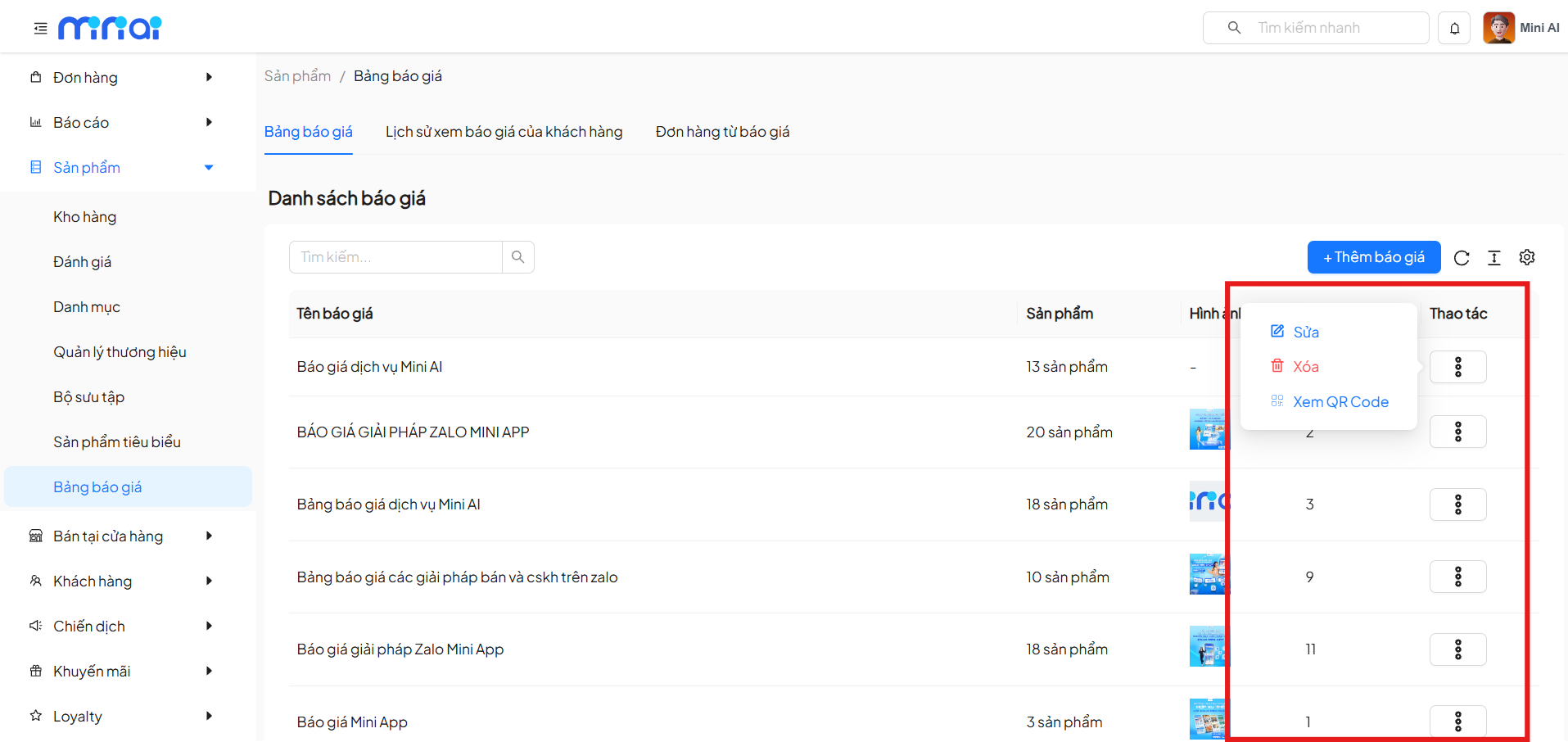
In the Action column, you can:
- Edit: Edit price list information
- Delete: Remove the price list from the system
- View QR Code: Quickly share the price list with customers
2. Customer Price List Viewing History
Description
The Customer Price List Viewing History tab helps track customer behavior when accessing price lists.
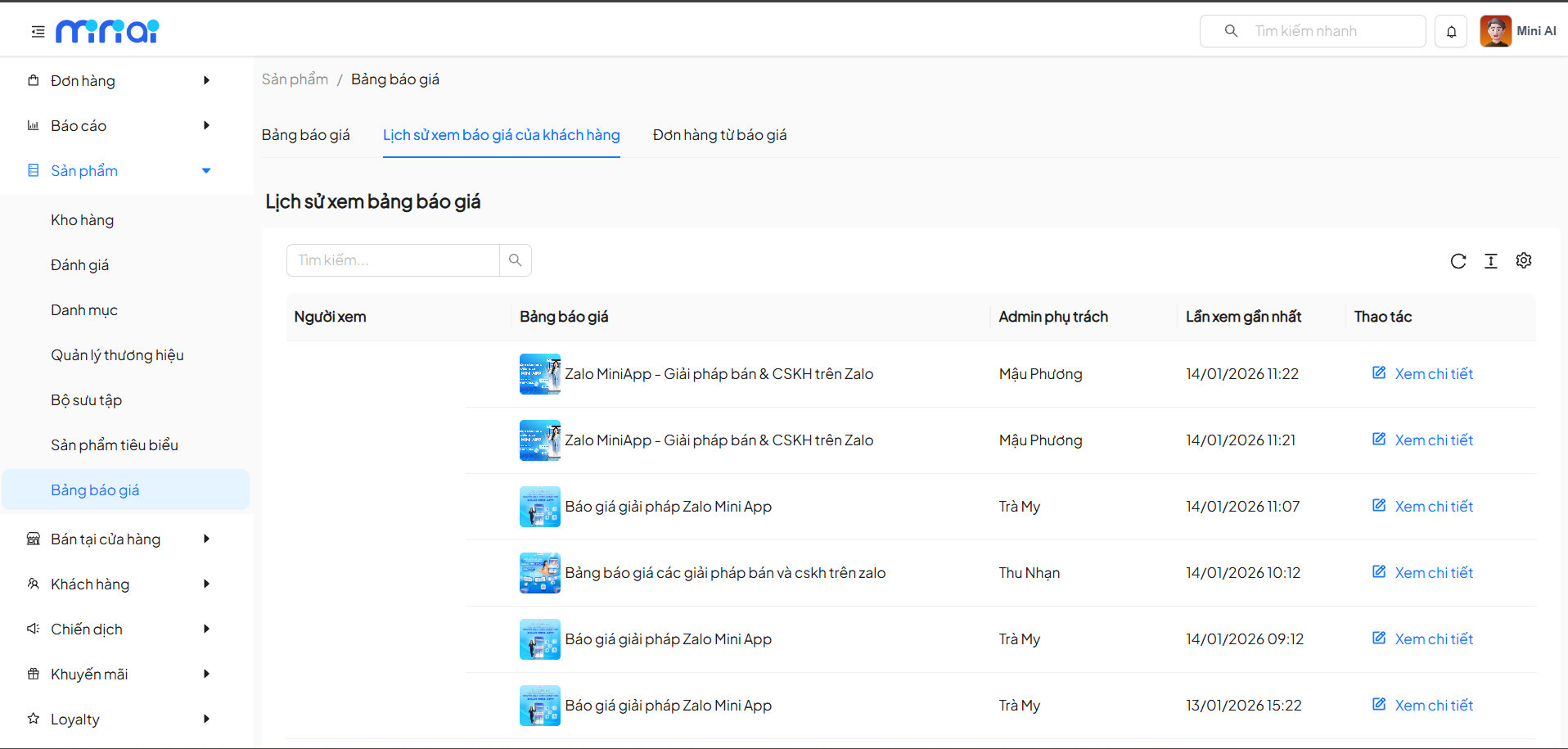
Displayed Information
| Column | Description |
|---|---|
| Viewer | Customer who viewed the price list |
| Price List | Price list name |
| Assigned Admin | Staff in charge |
| Last Viewed | Most recent access time |
| Action | View details |
View Detailed Views
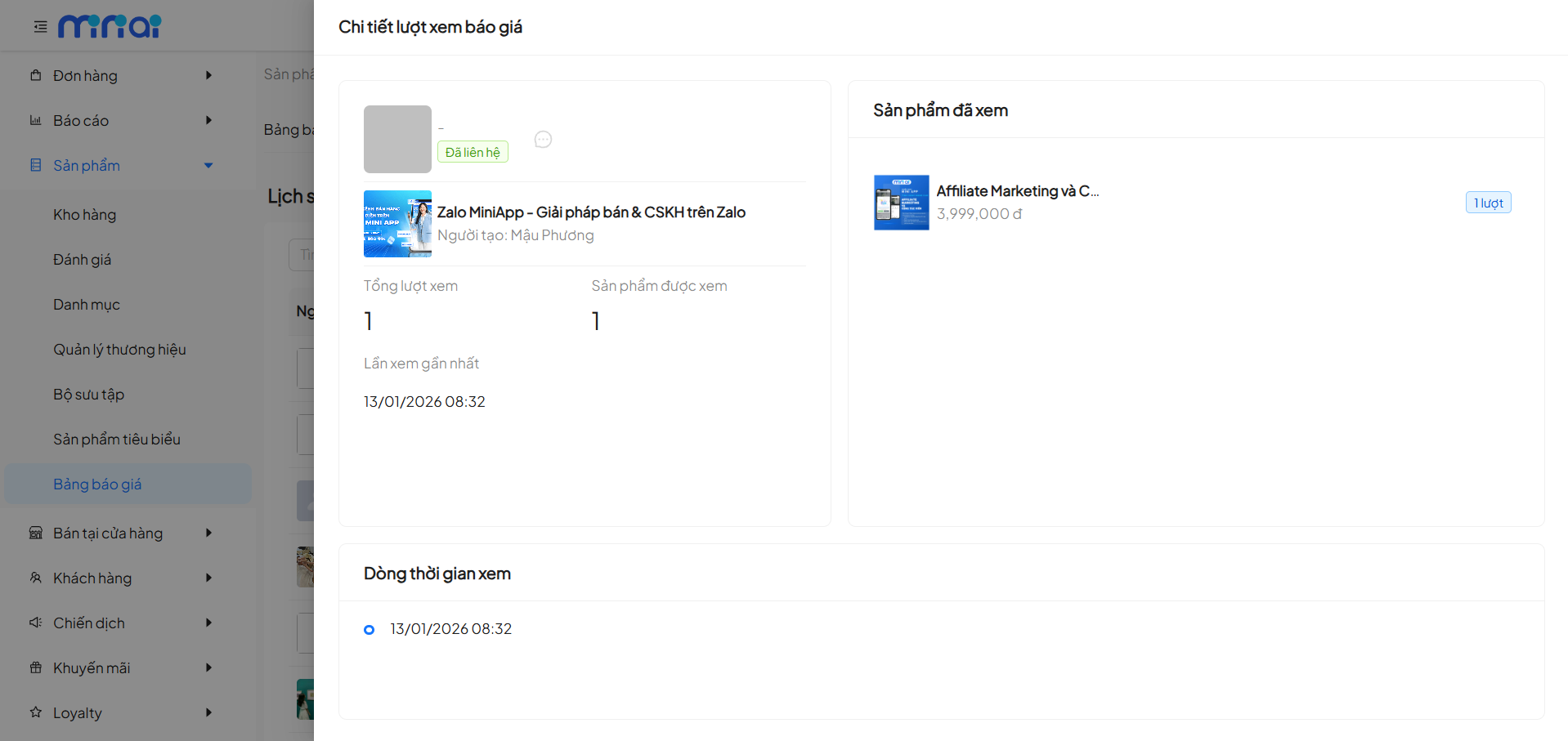
On the view detail screen, the system displays:
- Contact status (Contacted / Not Contacted)
- Total views
- Number of products viewed
- Most recent viewing time
- List of products the customer has viewed
- Detailed viewing timeline
This information helps the team:
- Evaluate customer interest level
- Prioritize consulting at the right time
3. Orders from Price Lists
Description
The Orders from Price List tab displays orders created directly from price lists.
Benefits
- Track the effectiveness of each price list
- Measure conversion rate from price list to order
- Support sales performance analysis
Notes When Using Price Lists
- Name price lists clearly according to purpose or customer group
- Update prices and products regularly
- Use QR Code for quick sharing via Zalo, Email
- Monitor viewing history to optimize customer care
Conclusion
The Price List Management feature helps businesses:
- Standardize the quotation process
- Track customer behavior in detail
- Increase sales conversion effectiveness
Proper and regular use of price lists will provide a significant advantage in business operations and customer care.