Brand Management Guide
Brand Management Introduction
Brand Management is a feature that allows stores to create and manage brands associated with products. Setting up brands helps:
- Classify products by brand
- Increase credibility and brand recognition
- Support brand display on product pages
- Manage product quantities by brand
Accessing the Brand Management Feature
From the left menu, select:
Products → Brand Management
The Brand List screen will be displayed.
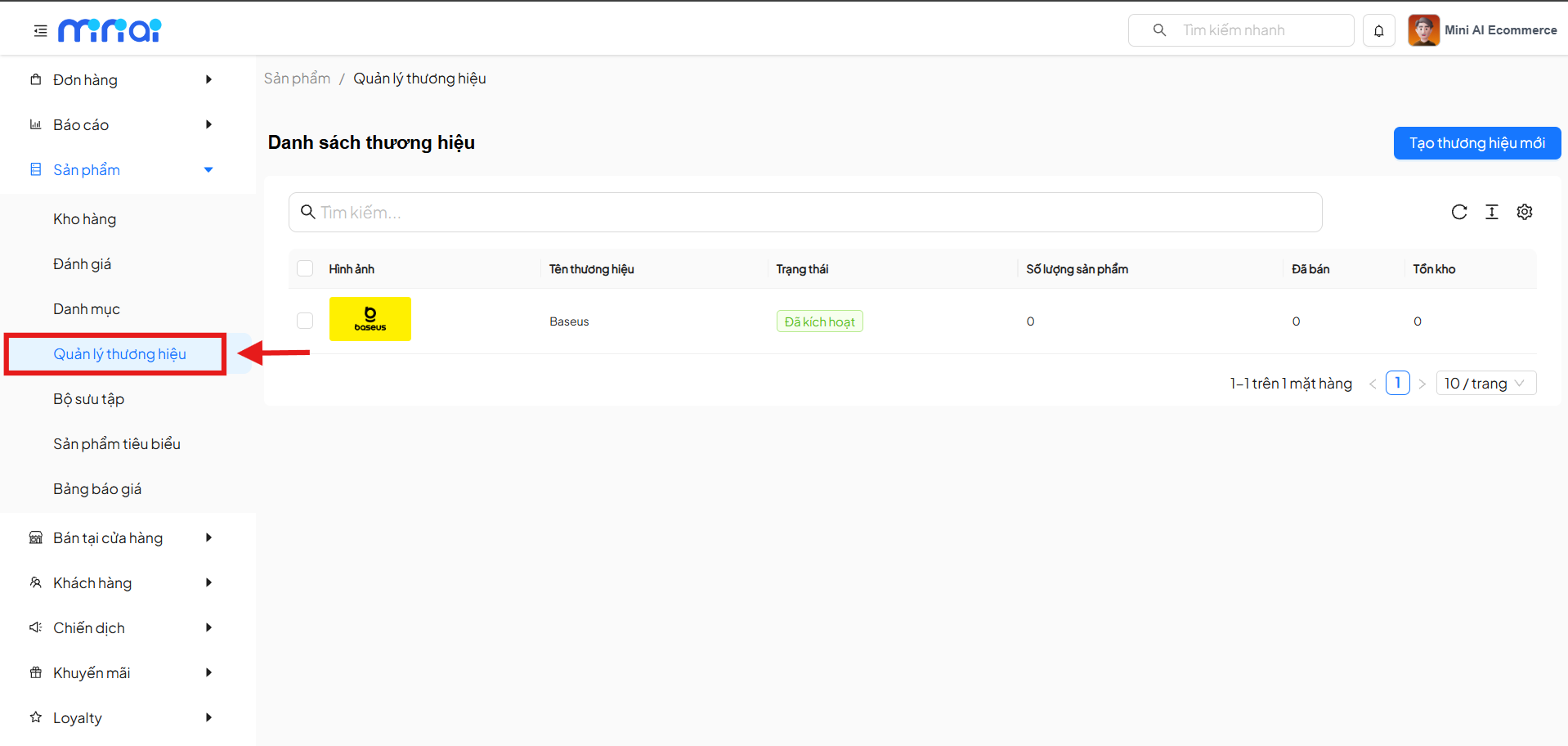
1. Brand List
1.1 Screen Components
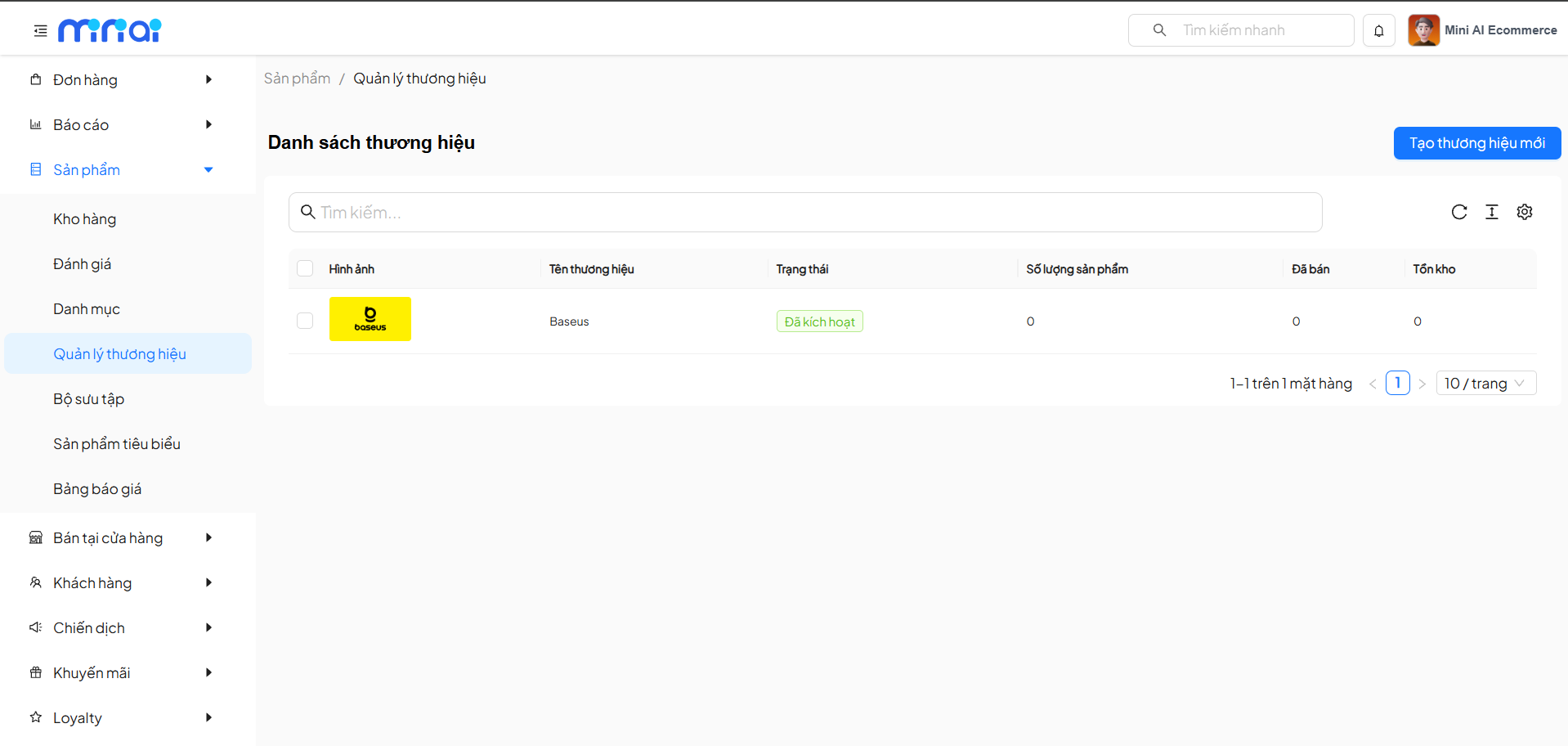
The brand list table includes the following columns:
| Column | Description |
|---|---|
| Image | Brand representative logo |
| Brand Name | Brand label name |
| Status | Activity status |
| Product Count | Total products under the brand |
| Sold | Number of products sold |
| Inventory | Total inventory |
1.2 Brand Status
| Status | Meaning |
|---|---|
| Activated | Brand is active |
| Deactivated | Brand is hidden |
- Brands with Deactivated status will not be visible to users.
- Products belonging to deactivated brands remain in the system.
1.3 Search Brands
Use the Search box to:
- Quickly find brands by name
- Manage efficiently when there are many brands
2. Create New Brand
2.1 Creating a Brand
Click the Create New Brand button in the upper right corner of the screen.
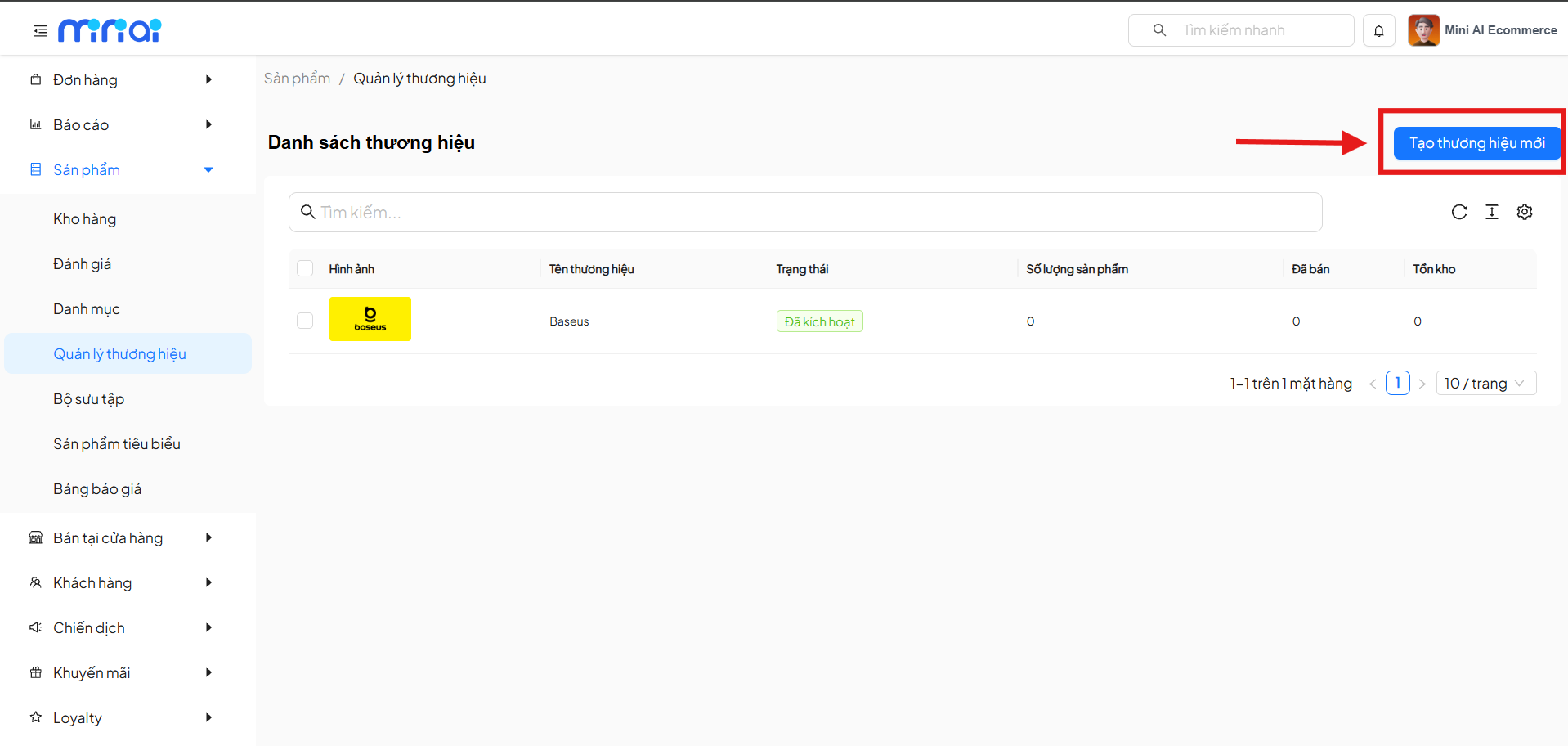
2.2 Brand Information
On the Add Brand screen, enter the following information:
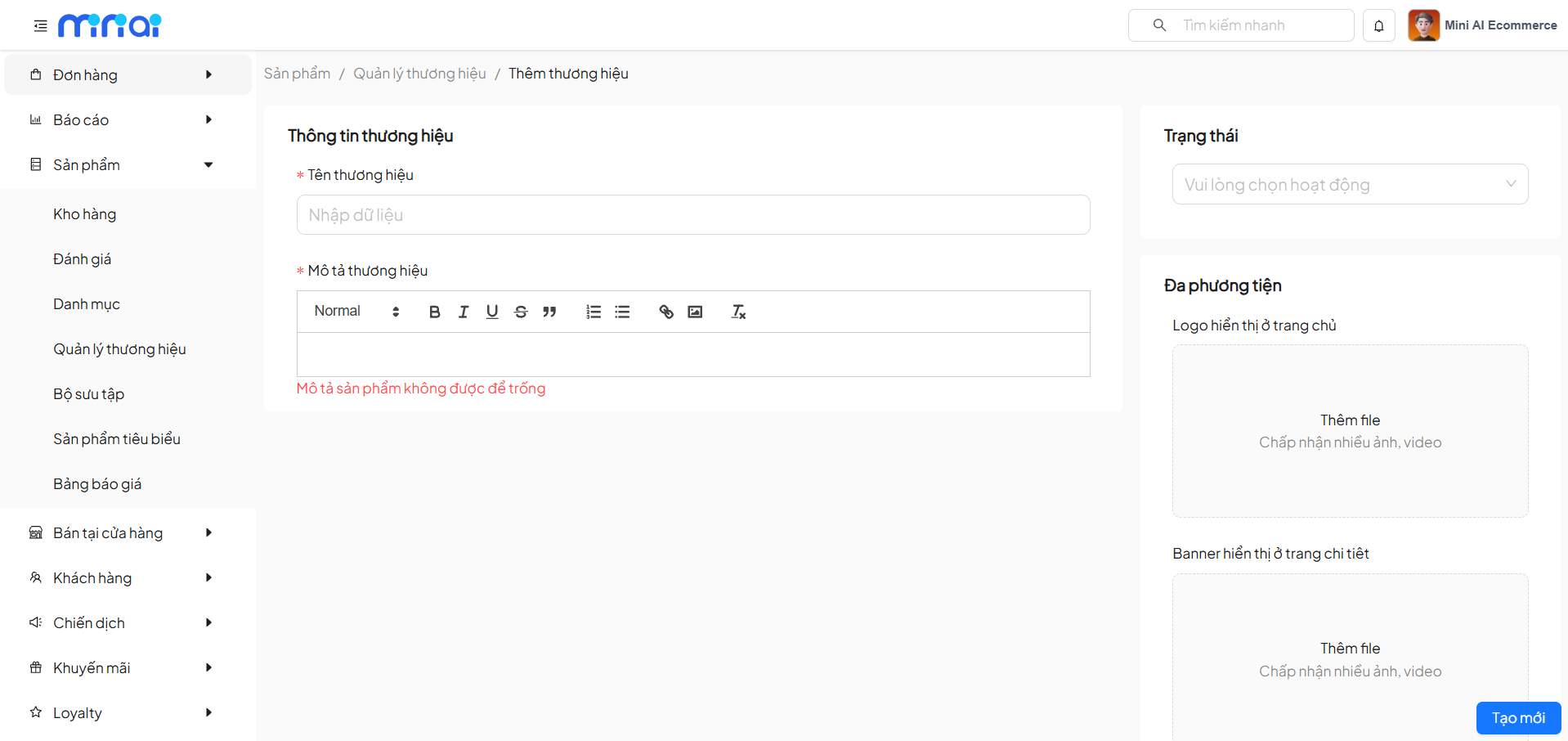
Required Information
- Brand Name: Display name of the brand
- Brand Description:
- Detailed description content
- Cannot be left empty
Status
- Active: Brand is activated
- Inactive: Brand is hidden
2.3 Brand Media
The following content can be uploaded:
| Type | Description |
|---|---|
| Brand Logo | Displayed on the homepage |
| Brand Banner | Displayed on the detail page |
| Supporting Files | Images or videos |
After entering all information, click Create to save the brand.
3. Delete Brand
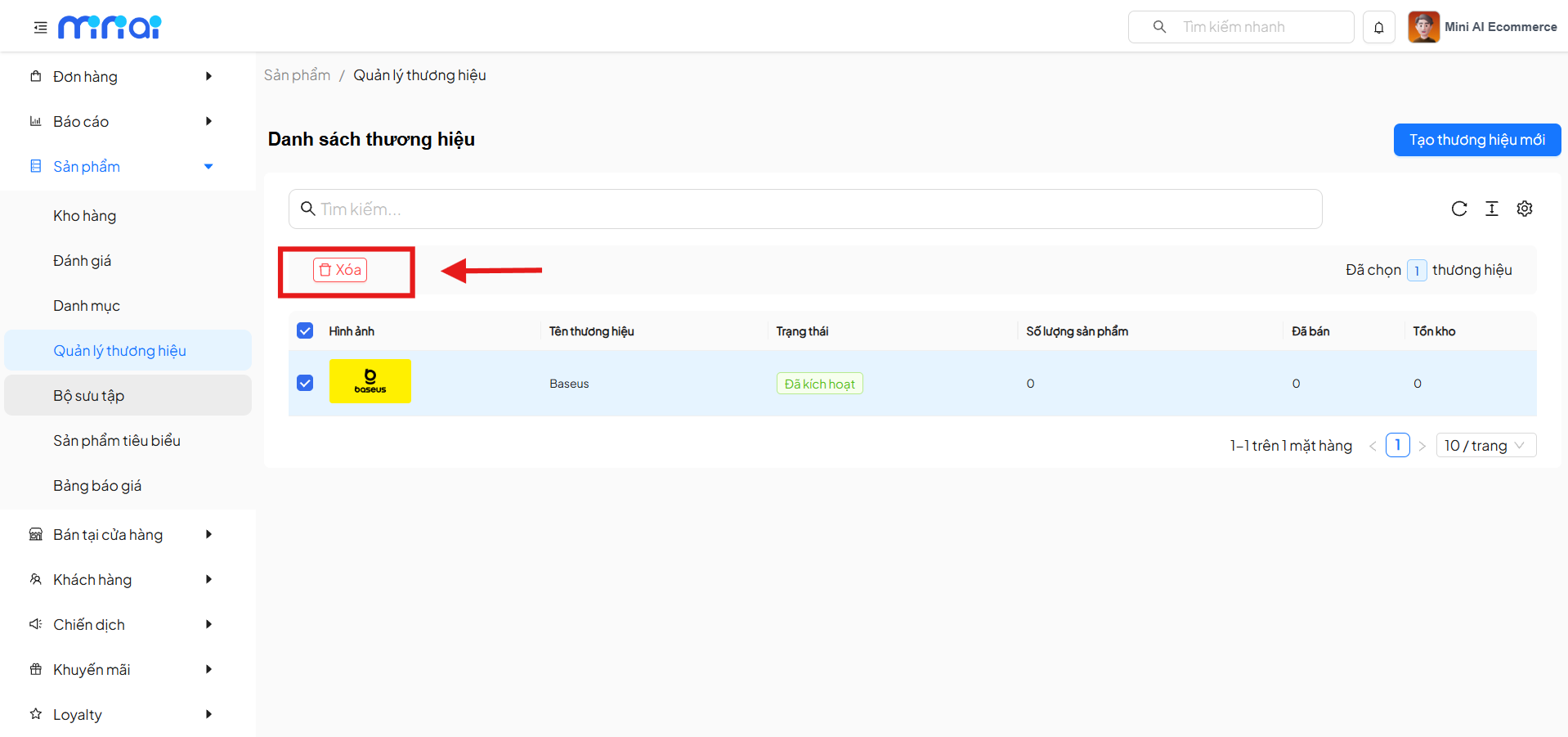
3.1 Delete One or Multiple Brands
- Select the checkbox for one or more brands
- Click the Delete button
- The system will delete the selected brands
- The Delete operation cannot be undone.
- Please check carefully before confirming.
4. Product Count Management by Brand
In the brand list, the system displays:
- Total number of products
- Quantity sold
- Current inventory
- Track performance of each brand
- Analyze inventory
- Develop appropriate business strategies
Benefits of Brand Management
- Increase professionalism for the store
- Enhance brand recognition
- Efficient product management by brand
- Better user experience support
- Suitable for stores with multiple product lines
Conclusion
The Brand Management feature plays an important role in organizing and developing the product system. Clear brand setup with complete information and reasonable status management will help stores optimize operations and build a credible image with customers.