Product Reviews Feature Guide
Product Reviews Feature Introduction
Product Reviews is a feature that helps stores manage, moderate, and display product-related reviews. This feature includes:
- Reviews submitted by customers
- Reviews created by the store
- Content moderation before display
- Managing display status on the Mini App
Effective review management helps:
- Increase product credibility
- Improve buyer experience
- Limit inappropriate content
Accessing the Reviews Feature
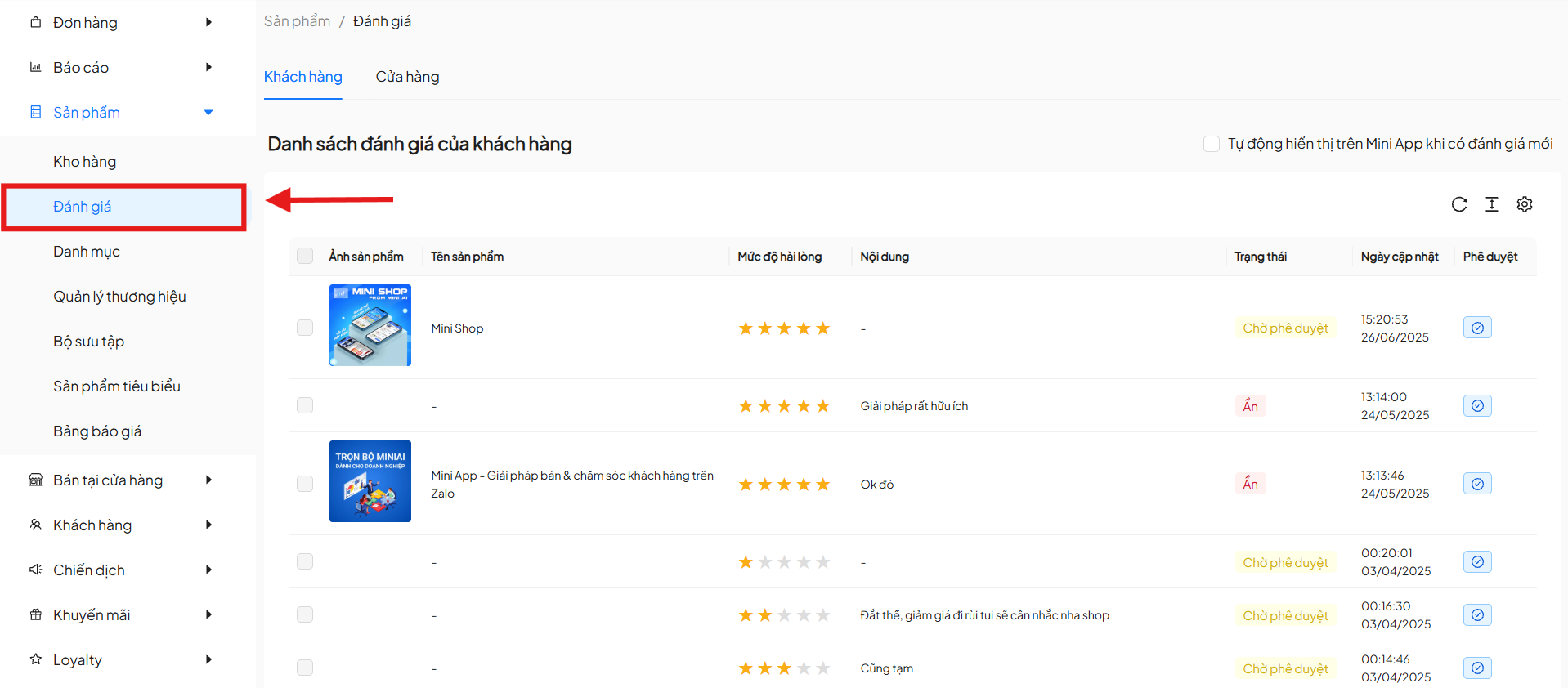
From the left menu, select:
Products → Reviews
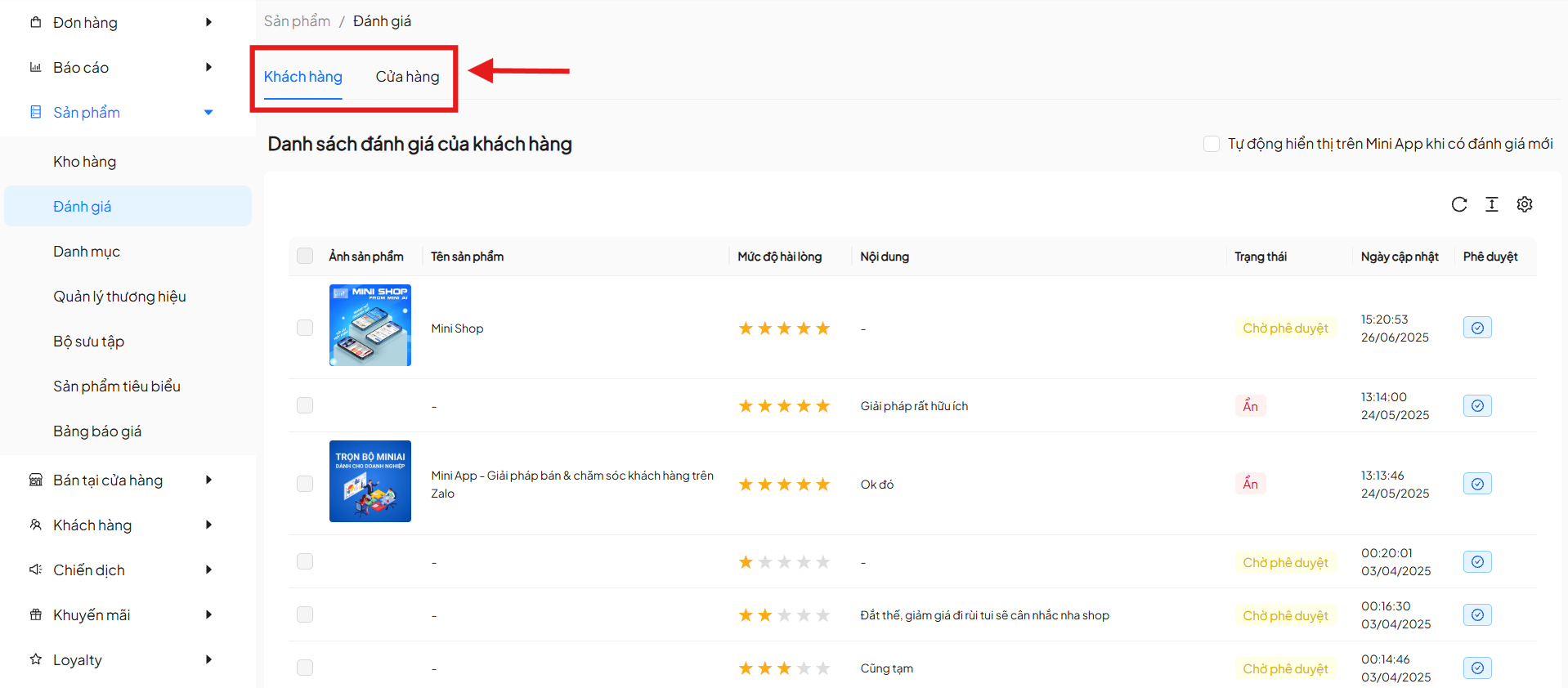
The Reviews screen will display with 2 tabs:
- Customer
- Store
1. Customer Reviews
The Customer tab displays all reviews submitted by customers after purchasing products.
1.1 Customer Review List
The list table includes the following columns:
| Column | Description |
|---|---|
| Product Image | Reviewed product |
| Product Name | Product name |
| Satisfaction Level | Star rating |
| Content | Review content |
| Status | Processing status |
| Updated Date | Review time |
| Approval | Approval action |
Review Statuses
| Status | Meaning |
|---|---|
| Pending Approval | Review not yet approved |
| Hidden | Review not displayed |
| Visible | Review is displayed |
1.2 Auto-Display New Reviews
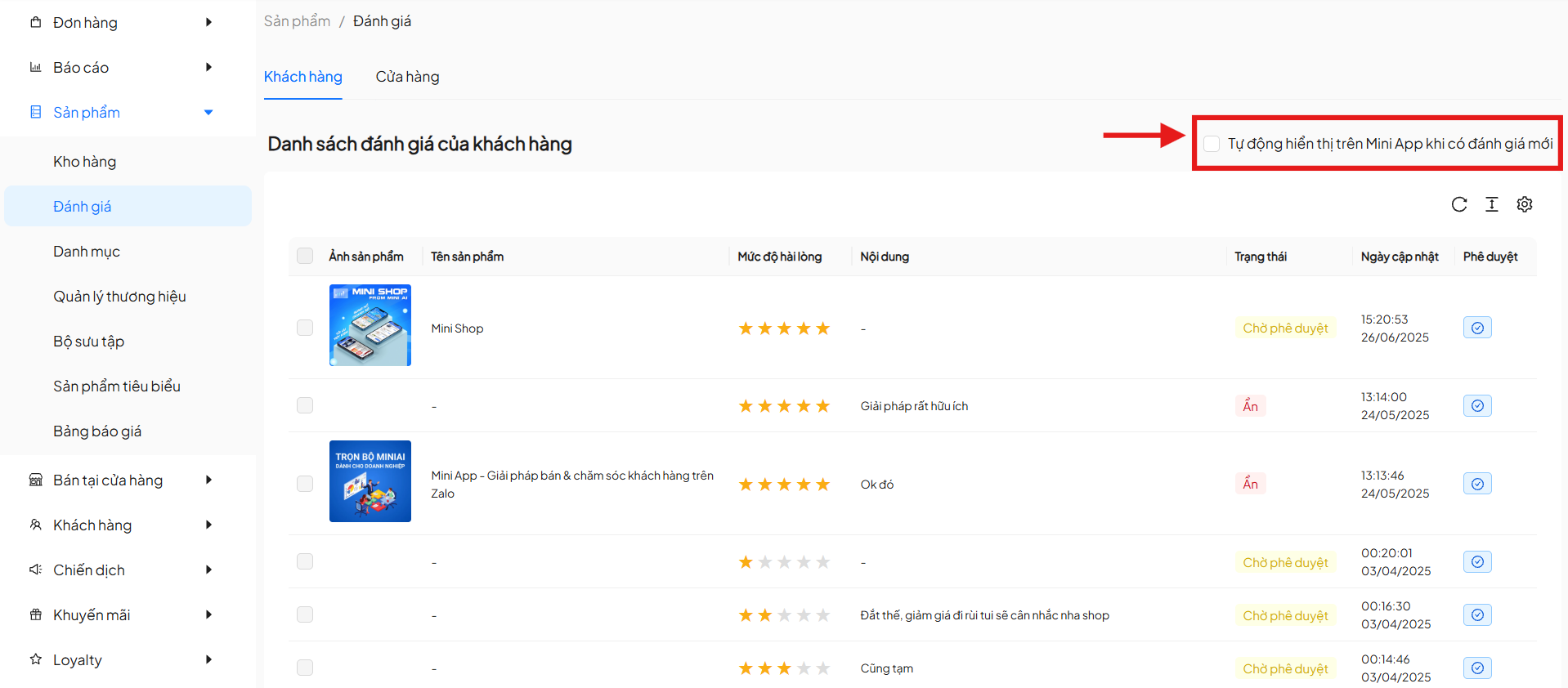
The option "Automatically display on Mini App when new reviews are received" allows:
- Automatically approve and display new reviews
- Reduce manual moderation work
- Using this option may result in displaying inappropriate or negative reviews. Consider carefully before enabling this feature.
- Only enable when the store trusts customer review content.
1.3 View Details & Approve Reviews
Click the Approve icon to view Review Details.
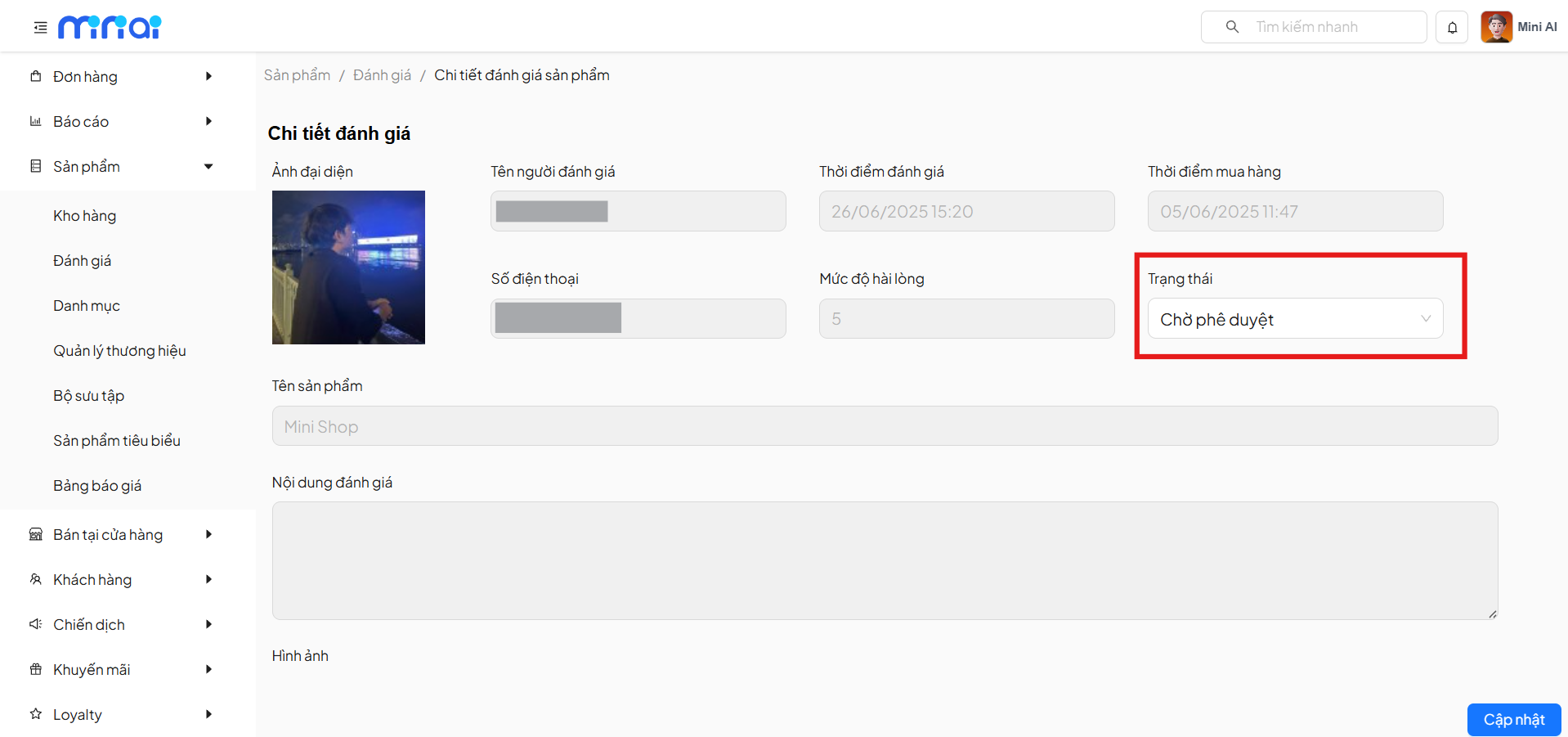
Detail information includes:
- Reviewer avatar
- Reviewer name
- Phone number
- Purchase date
- Review date
- Satisfaction level (star rating)
- Review content
- Attached images (if any)
- Review status
Administrators can:
- Update status (Visible / Hidden)
- Save changes with the Update button
2. Store Reviews
The Store tab allows the store to proactively create reviews for products.
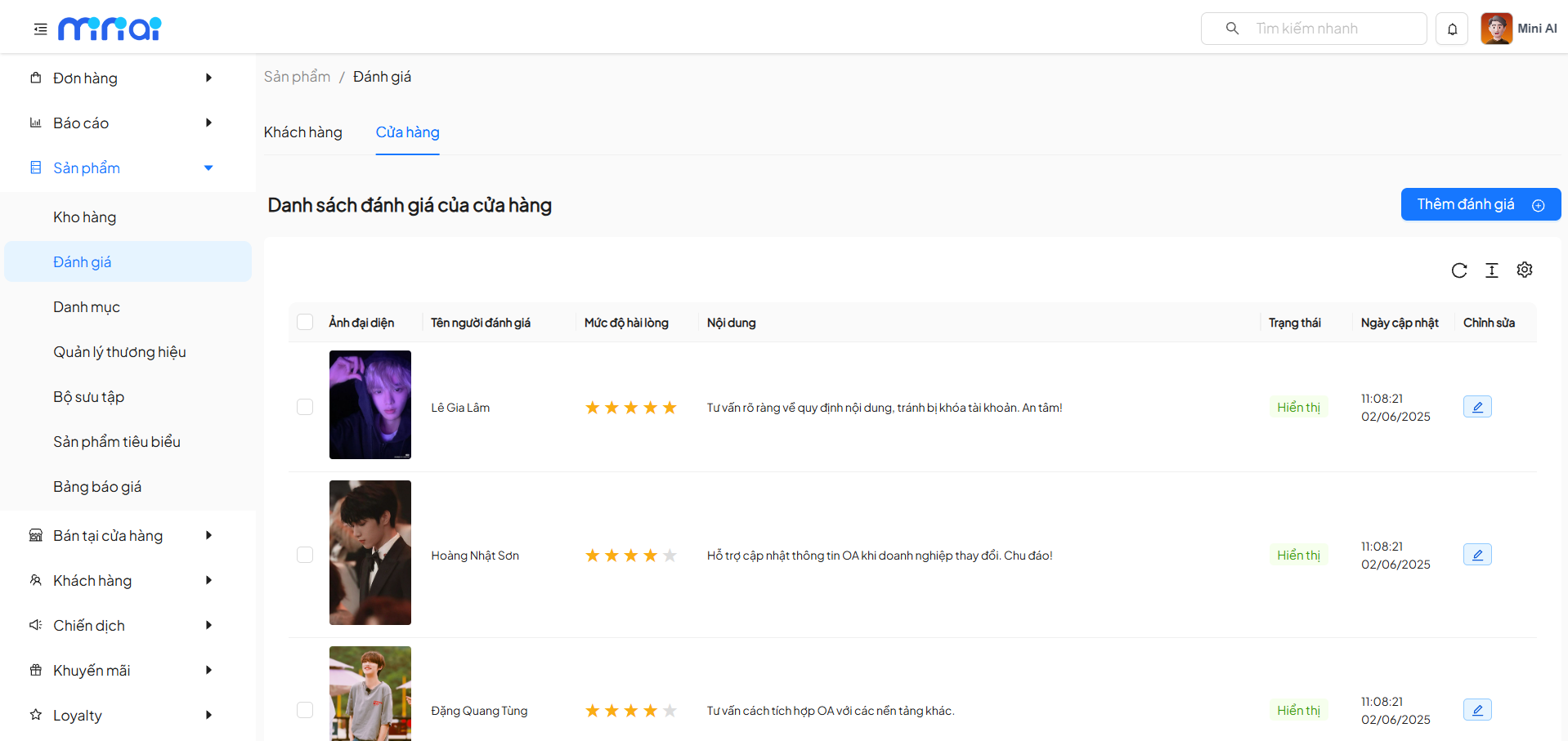
2.1 Store Review List
The list includes the following information:
| Column | Description |
|---|---|
| Avatar | Reviewer photo |
| Reviewer Name | Display name |
| Satisfaction Level | Star rating |
| Content | Review content |
| Status | Visible / Hidden |
| Updated Date | Edit time |
| Edit | Update review |
2.2 Add New Store Review
Click Add Review to create a new review.
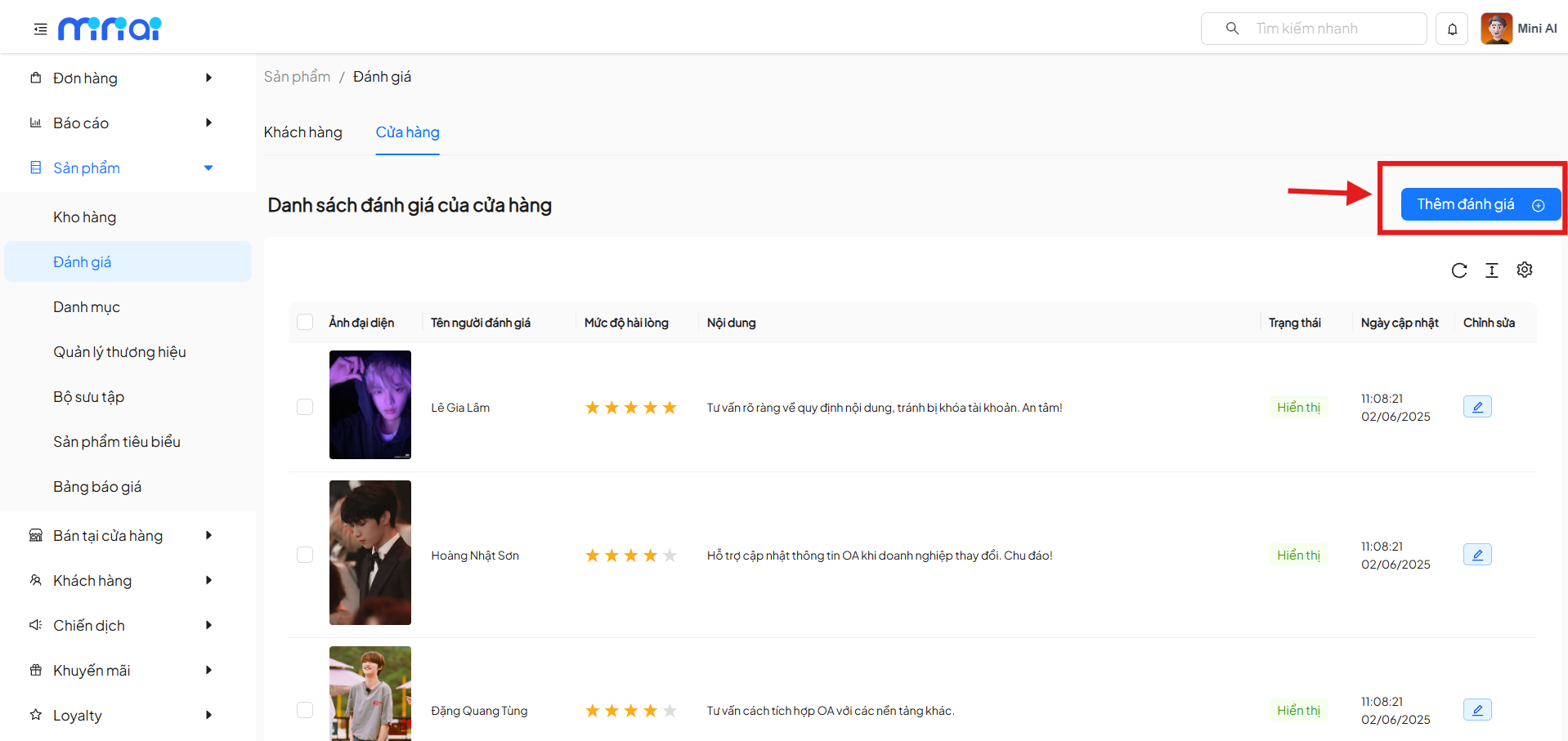
2.3 Required Information Fields:
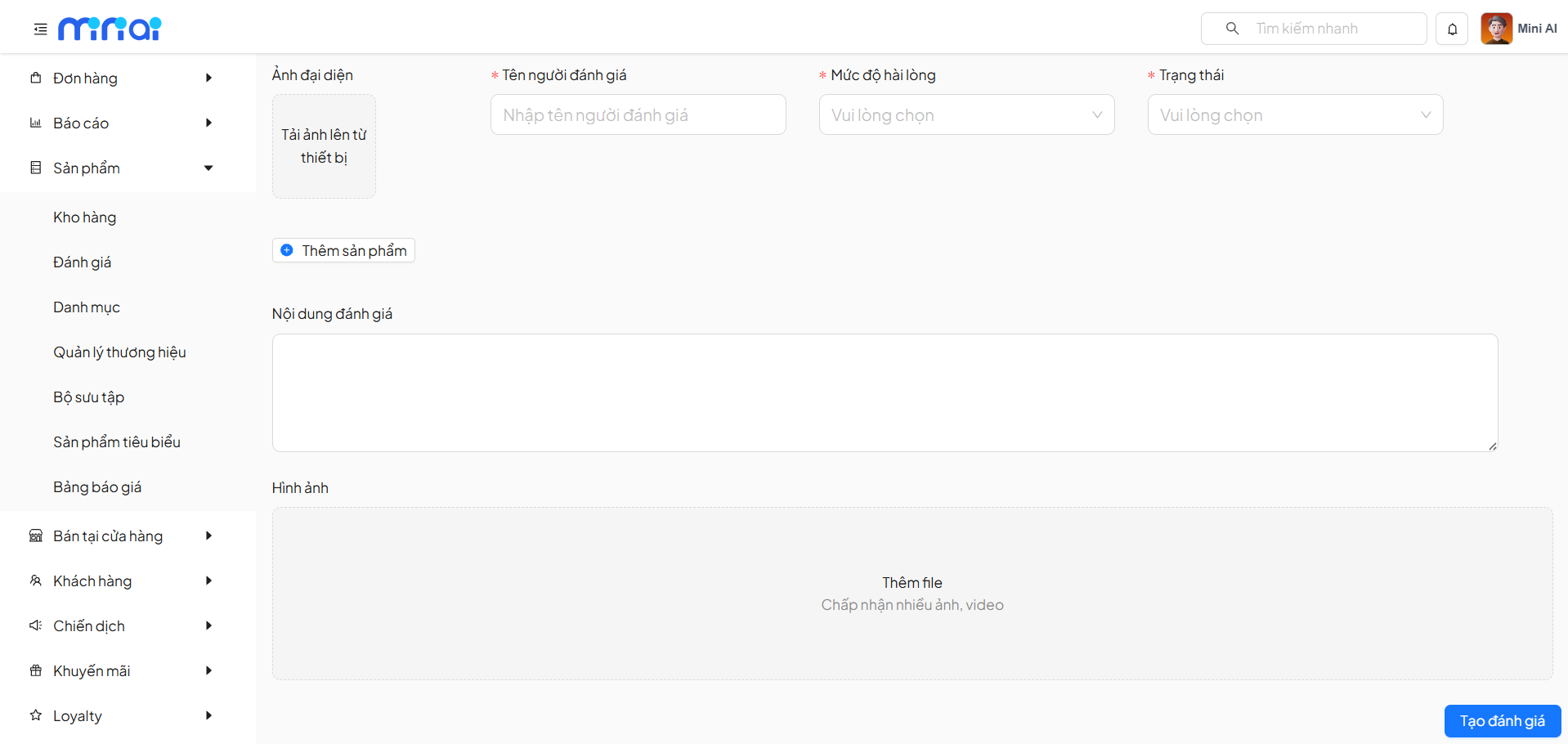
| Field | Description |
|---|---|
| Avatar | Upload image from device |
| Reviewer Name | Required |
| Satisfaction Level | Star rating |
| Status | Visible / Hidden |
| Product | Select product to review |
| Review Content | Detailed content |
| Images | Illustrative photos / videos |
After entering all information, click Create Review to save.
3. Review Display Rules
- Only reviews with Visible status will appear on the Mini App
- Customer reviews may require approval
- Store reviews can be proactively enabled / disabled
Benefits of the Product Reviews Feature
- Increase product credibility
- Improve purchase decisions
- Efficient review content management
- Proactively build product image
- Enhance user experience
Conclusion
The Product Reviews feature helps stores control and effectively leverage customer feedback as well as store-created content. Proper management will contribute to enhancing credibility, driving conversions, and improving service quality.