Product Collection Management
Product Collection Overview
Collections are a feature that allows sellers to group related products by theme, campaign, or display purpose. Using collections helps:
- Organize the product catalog more systematically
- Easily promote products by campaign
- Enhance the product discovery experience for customers
- Support prominent display on the sales page
Accessing Collection Management
From the left menu, navigate to:
Products → Collections
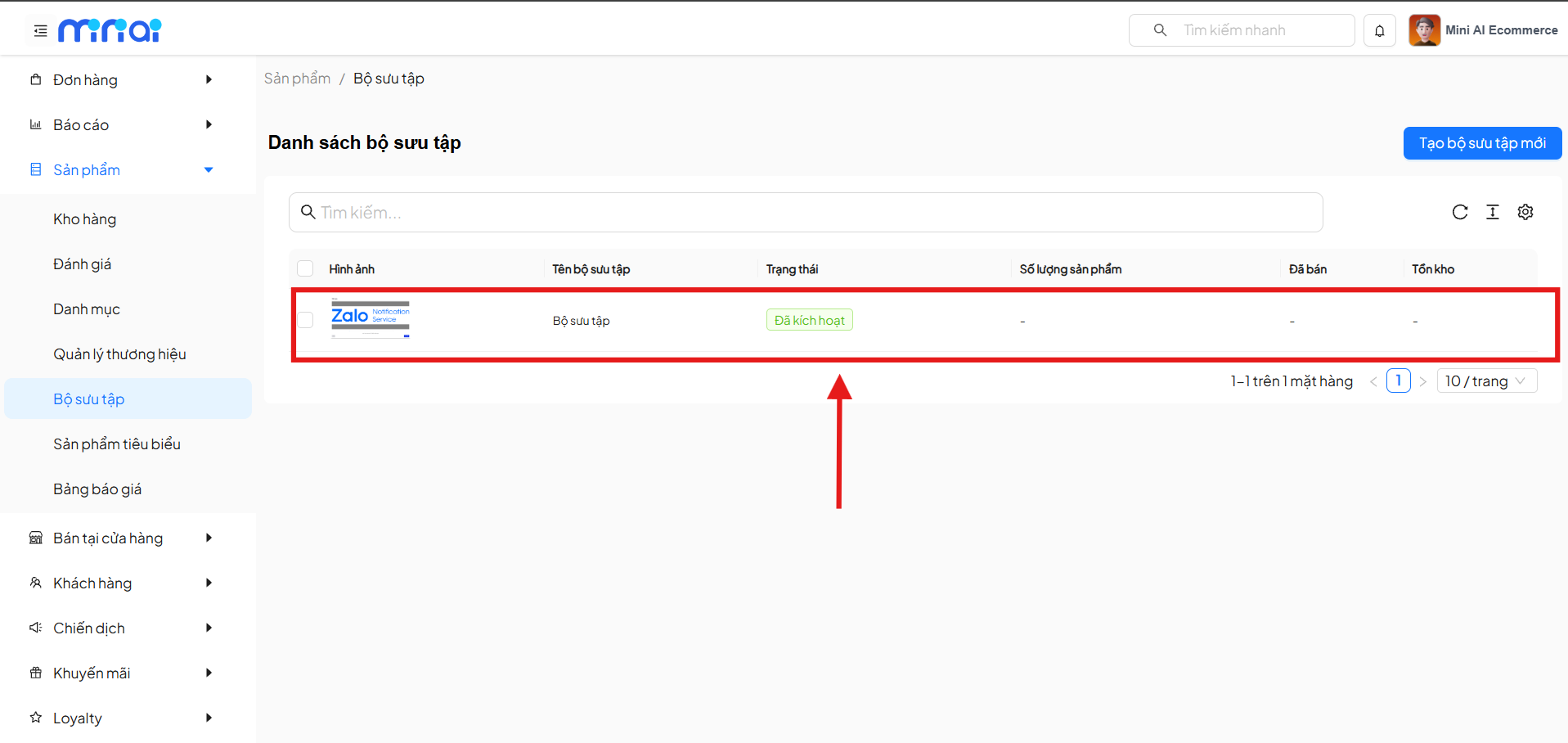
Here, the system displays the Collection List currently available in the store.
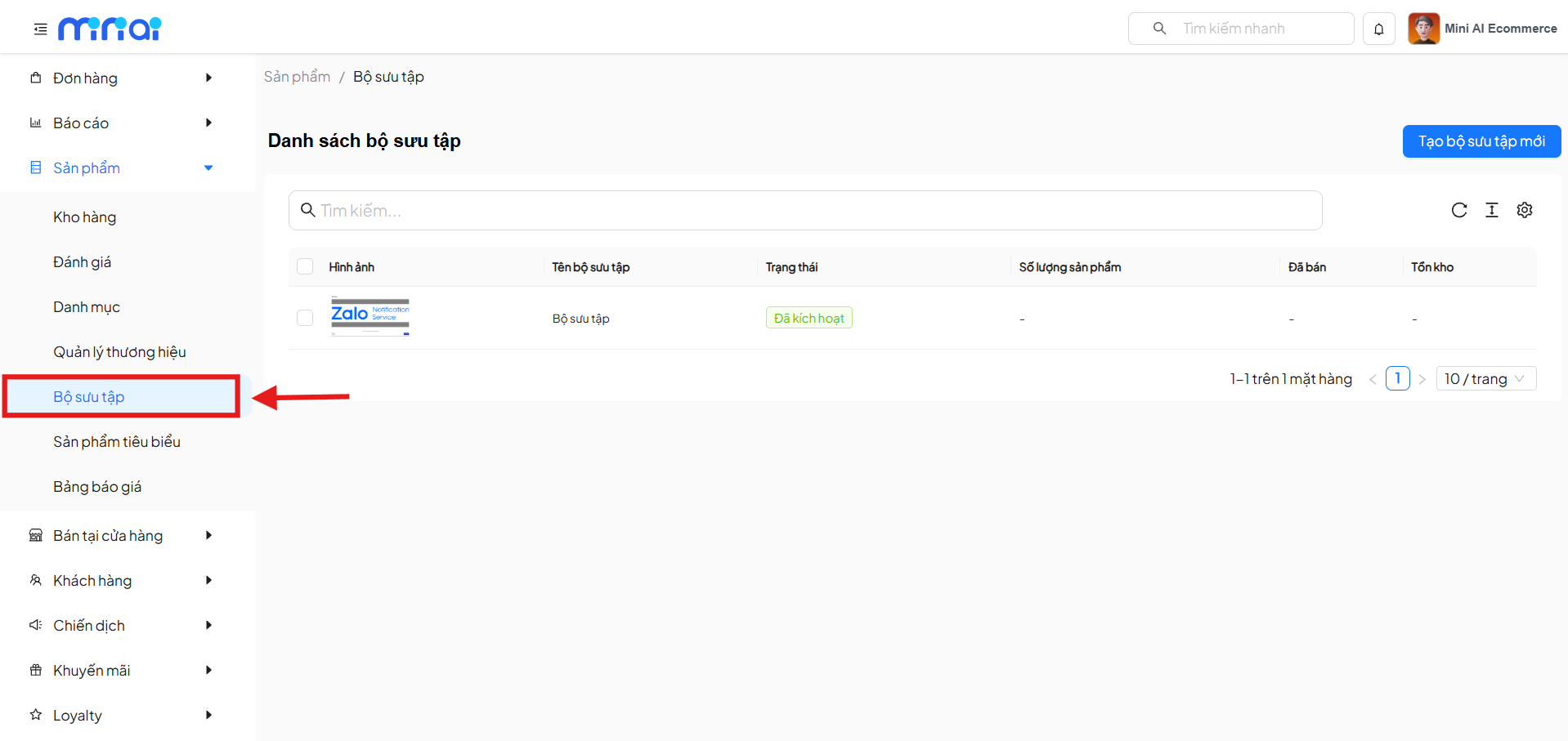
Collection List
The list screen allows you to:
- View all created collections
- Track the activity status of each collection
- Manage representative images
- Monitor the number of products in each collection
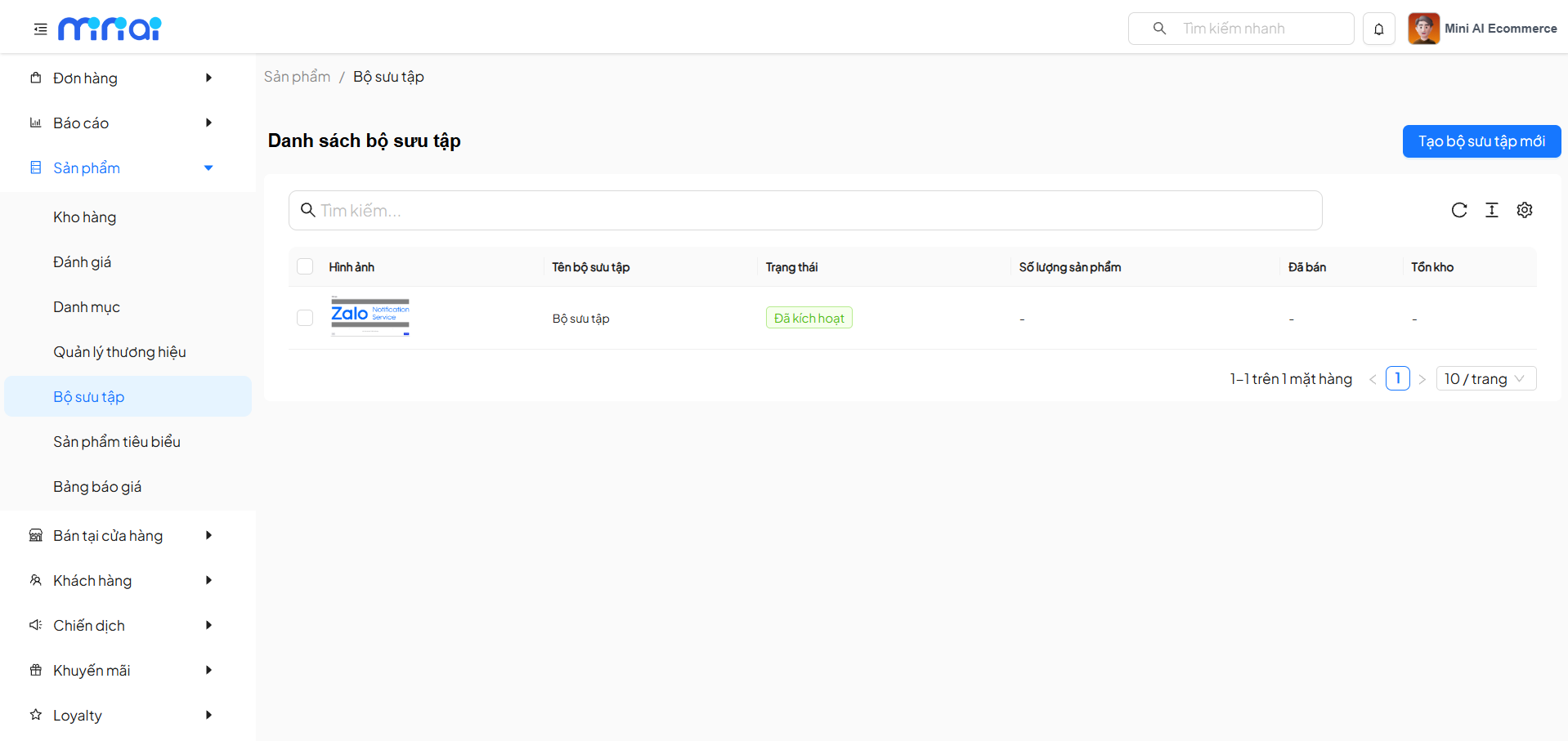
Displayed Information
| Data Column | Description |
|---|---|
| Image | Collection representative image |
| Collection Name | Collection display name |
| Status | Activity status (On / Off) |
| Product Count | Total products in the collection |
| Sold | Number of products sold |
| Inventory | Total inventory of products in the collection |
Create New Collection
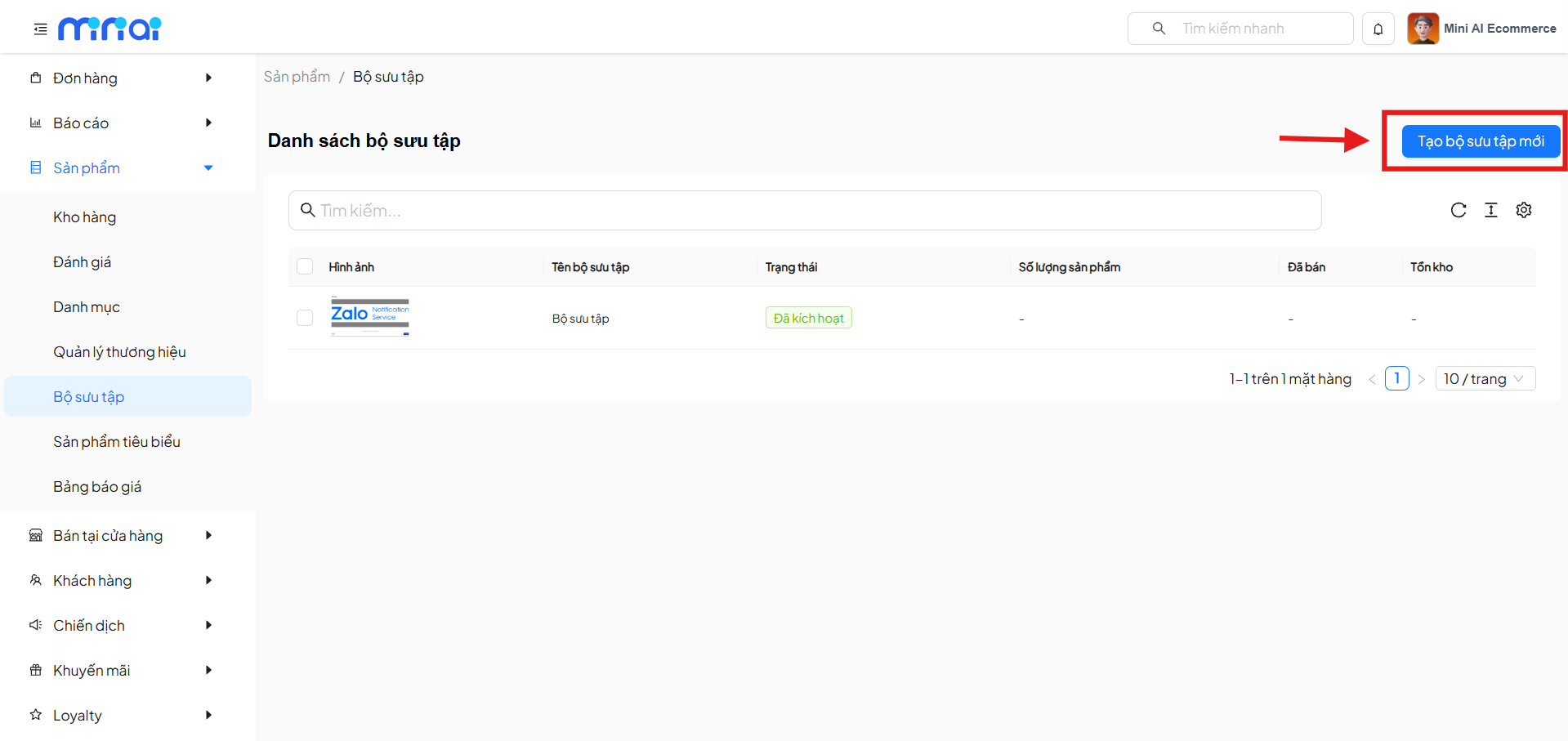
To create a new collection, follow these steps:
Step 1: Open the Collection Creation Screen
On the Collection List screen, click the Create New Collection button in the upper right corner.
Step 2: Enter Collection Information
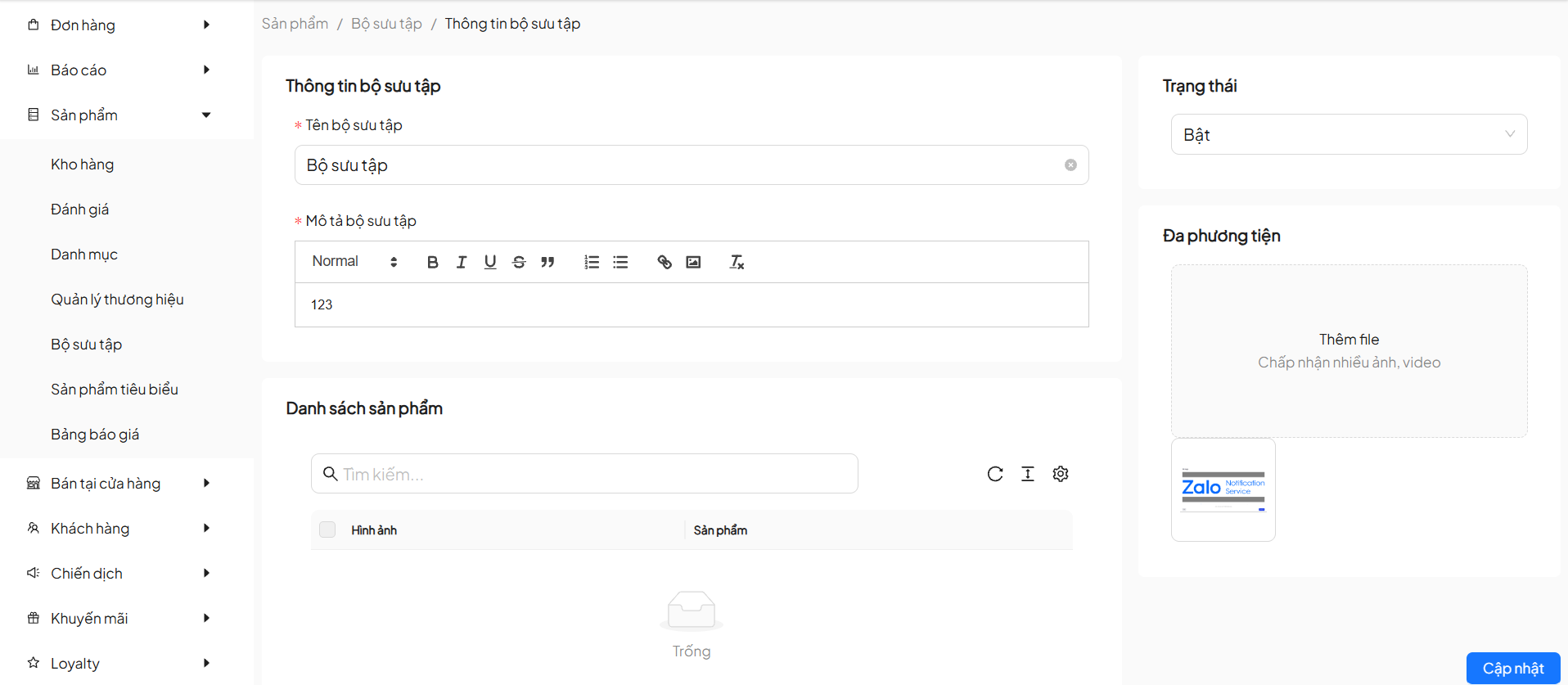
Required Information
| Field | Description |
|---|---|
| Collection Name | Collection display name |
| Collection Description | Detailed description content (cannot be empty) |
Optional Information
| Field | Description |
|---|---|
| Status | On to display, Off to hide the collection |
| Media | Upload images or videos for the collection |
Managing Products in Collections
On the collection detail screen, you can:
- View the list of products in the collection
- Quick product search
- Manage product display by collection
- A product can belong to multiple different collections.
- Managing products in collections helps optimize the shopping experience for customers.
- If there are no products, the system will display an Empty status.
Update Collection
After editing collection information or content:
- Review all data
- Click Update to save changes
The system will update the collection information immediately.
Collection Status
| Status | Meaning |
|---|---|
| On | Collection is displayed on the sales page |
| Off | Collection is hidden, not visible to customers |
Notes When Using Collections
- Name collections clearly and understandably
- Use high-quality representative images
- Avoid creating too many collections with overlapping content
- Regularly check status to avoid incorrect display
Conclusion
The Collection Management feature helps sellers build a flexible, visual, and more effective product system. Proper use of collections will strongly support marketing activities and increase conversion rates.
Leverage collections to optimize the shopping experience for your customers!