MiniAI SCRM System Overview Dashboard
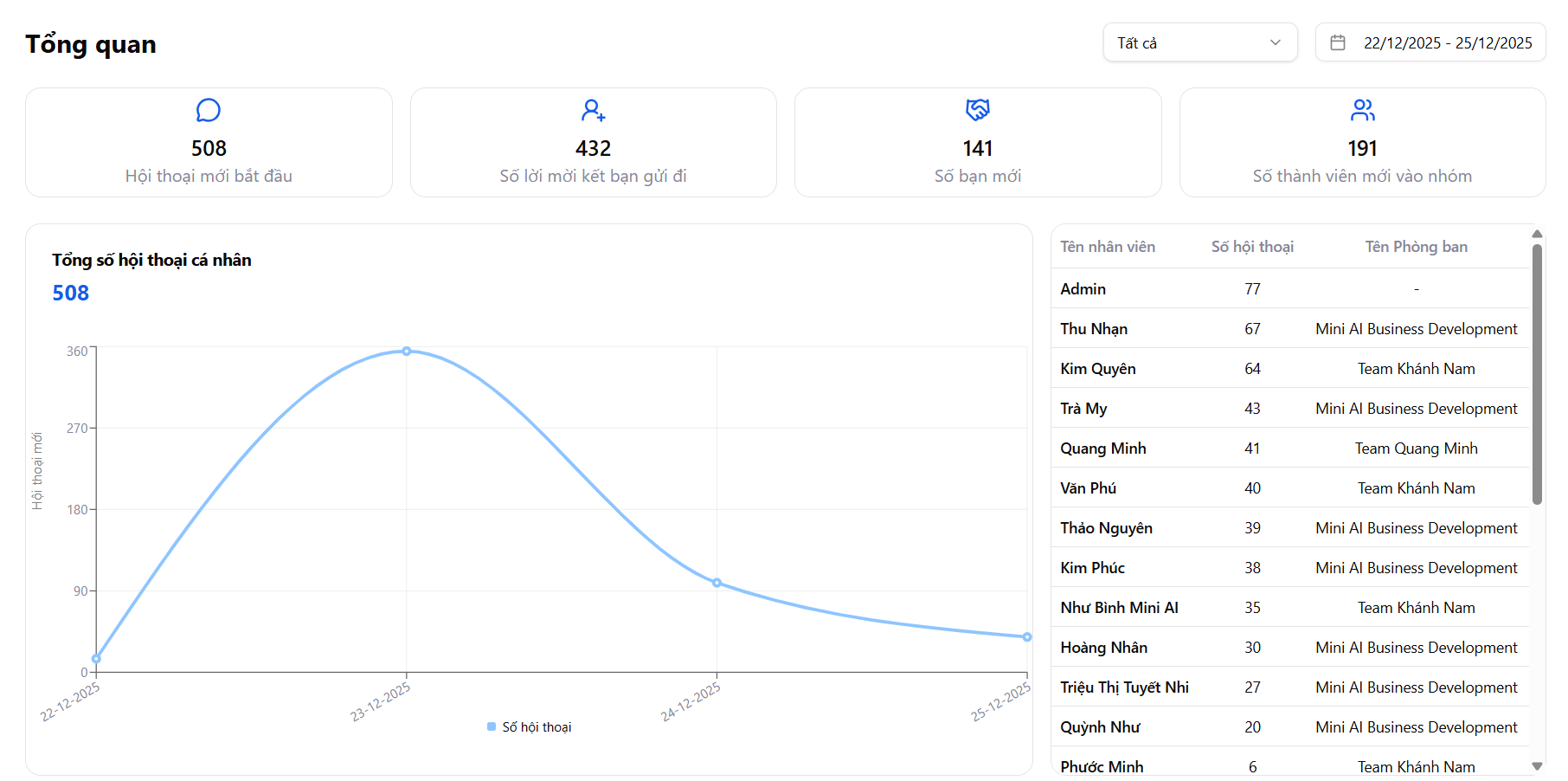
The Overview screen of MiniAI SCRM is the central hub for tracking all Zalo operational activities in real-time, helping managers and team leaders quickly grasp:
- Team work performance
- Conversation and message volume
- Customer interaction levels
- Friend list and group growth
This gives businesses a clear data foundation to make accurate and timely decisions.
Time filter & data scope
At the top of the screen, users can:
- Select data scope (All / by channel)
- Filter by specific time range
This provides flexibility to track performance by:
- Day
- Week
- Campaign
- Work shift
Overview of key KPI metrics
The top section displays key KPI metrics, including:
-
New conversations started Total number of new conversations within the period
-
Friend requests sent Measures the level of proactive customer outreach
-
New friends Number of customers who accepted friend requests, reflecting outreach quality
-
New group members Evaluates the effectiveness of driving traffic to Zalo groups
These metrics help businesses quickly evaluate the effectiveness of customer care & list expansion in just seconds.
Conversation chart over time
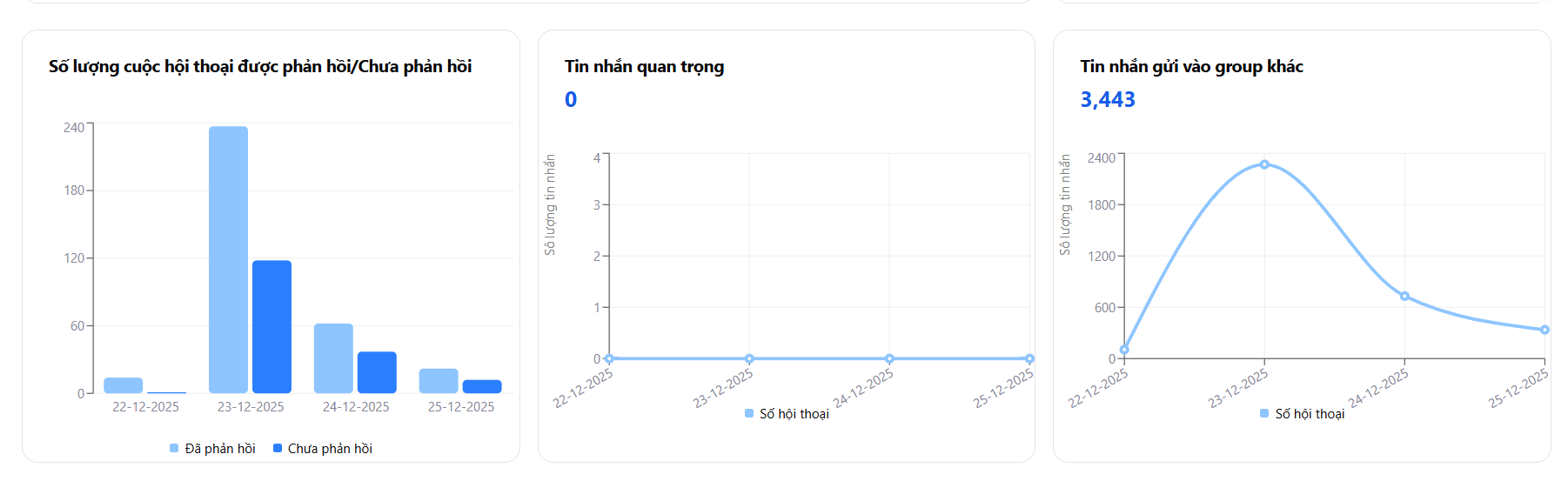
MiniAI SCRM provides a visual chart showing:
- Total personal conversations per day
- Trend of increasing / decreasing customer messaging
Through this chart, managers can:
- Identify peak days
- Detect operational anomalies early
- Evaluate the impact of:
- Marketing campaigns
- Staff allocation
- Process changes
Responded / not responded conversation statistics
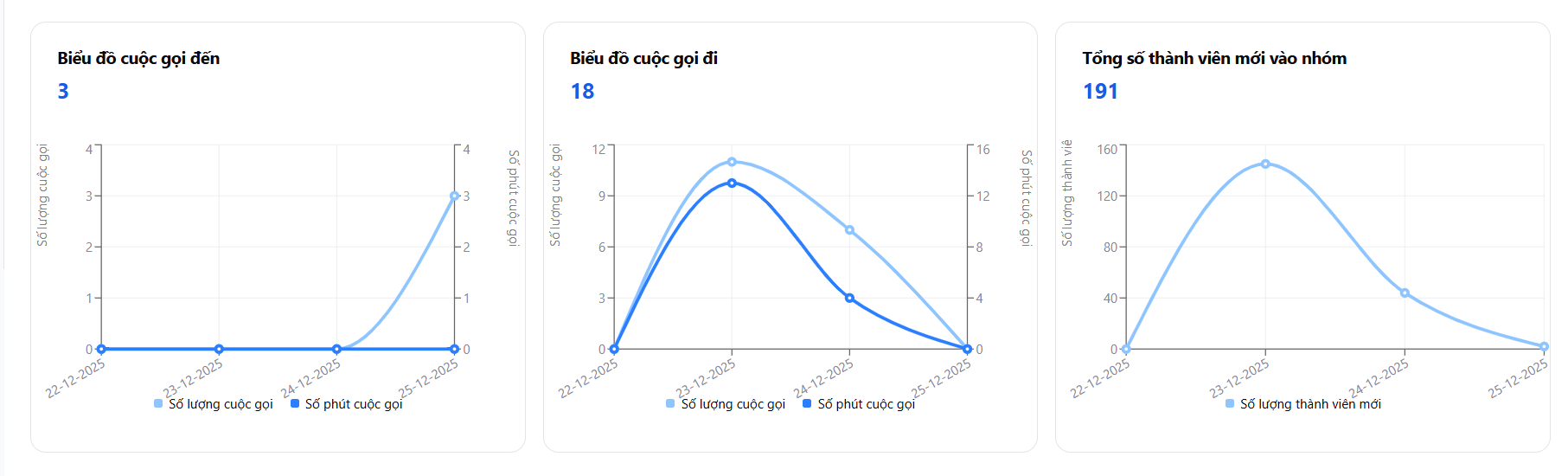
Comparison chart between:
- Responded conversations
- Not responded conversations
Helps managers:
- Monitor customer service quality
- Detect missed customers
- Adjust workload between employees in a timely manner
Message & group interaction statistics
The system displays separate metrics:
- Important messages
- Messages sent to other groups
These metrics reflect deep interaction levels, showing the team is not only replying to inboxes but also:
- Participating in group consultations
- Nurturing customers in communities
- Building brand trust
Incoming / outgoing call statistics
MiniAI SCRM tracks in detail:
- Number of incoming calls
- Number of outgoing calls
- Call duration
This allows businesses to evaluate:
- In-depth customer care levels
- Sales closing ability via phone calls
- Follow-up effectiveness after messaging
New group member statistics
The chart shows new members joining groups over time, helping:
- Measure traffic-driving strategy effectiveness
- Evaluate content & consultation quality
- Compare performance between periods
Detailed statistics by employee
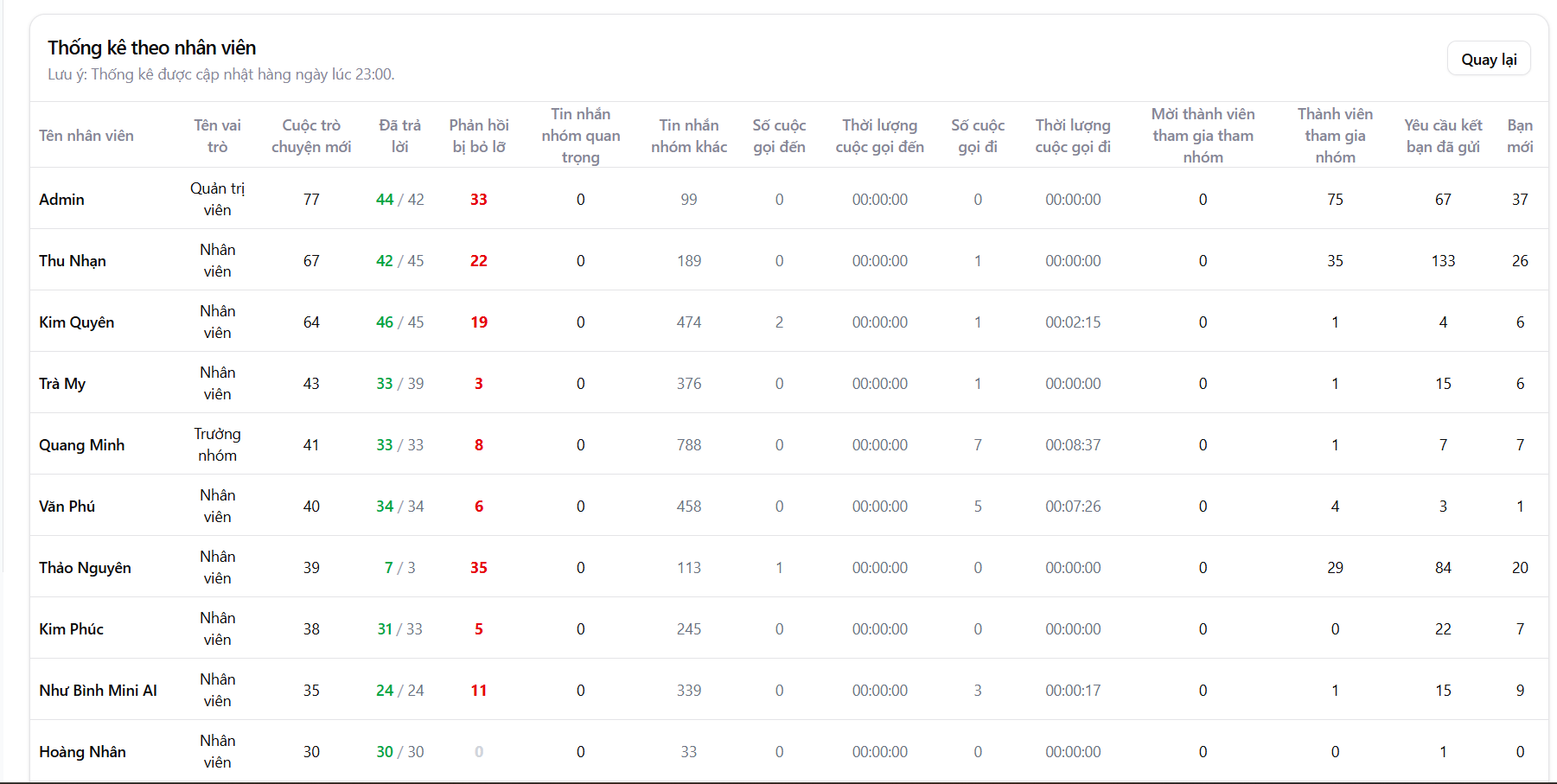
The Employee Statistics section is the most important area for managers, displaying complete data:
- Number of new conversations
- Conversations replied / missed
- Important group messages & other group messages
- Incoming / outgoing calls & duration
- Members invited to groups
- Friend requests sent
- New friends
Data is updated automatically daily, ensuring accuracy and transparency. Managers can easily compare performance between employees, enabling informed decisions on task allocation, rewards, or appropriate training.
Management value the MiniAI SCRM Dashboard provides
The Overview screen helps businesses:
- Evaluate actual performance, not based on gut feeling
- Compare between employees – groups – roles
- Serve as a basis for:
- KPI scoring
- Transparent rewards and penalties
- Operational process optimization
MiniAI SCRM helps managers see the full picture in a single screen, enabling Zalo team operations that are efficient – controlled – easy to scale.