Zalo Message Management on MiniAI SCRM
To manage all conversations from personal Zalo accounts, users navigate to the "Messages" section on the MiniAI SCRM system. The system will then redirect to the conversation list page, where all chat inboxes are centralized to begin operations and customer care.
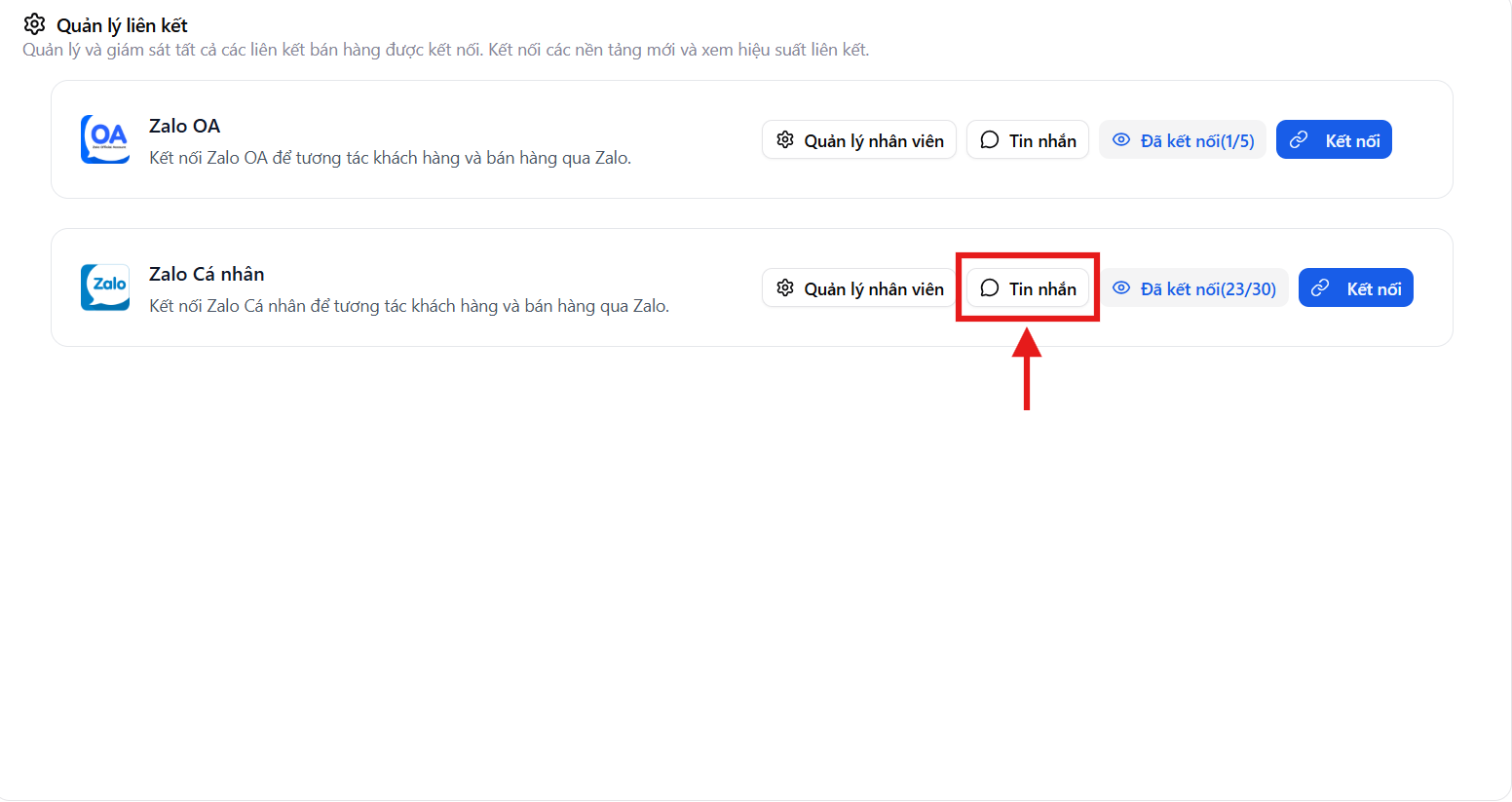
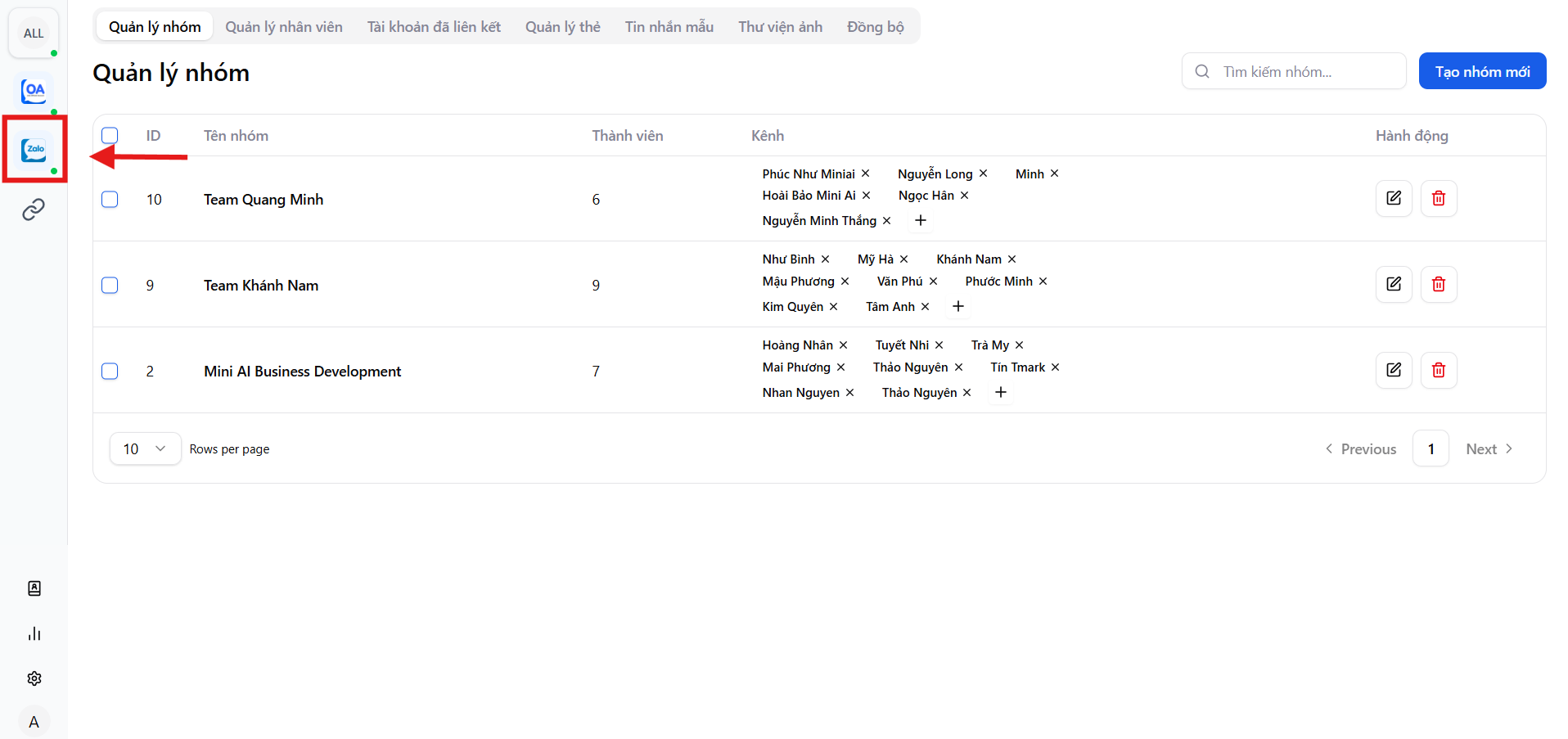
Messages screen overview
On the Messages screen, users can:
- View all conversations in real-time
- Quickly access each chat inbox to respond to customers
- Track conversation processing status throughout operations
MiniAI SCRM makes Zalo message management centralized – seamless – easy to control, helping businesses never miss any customer.
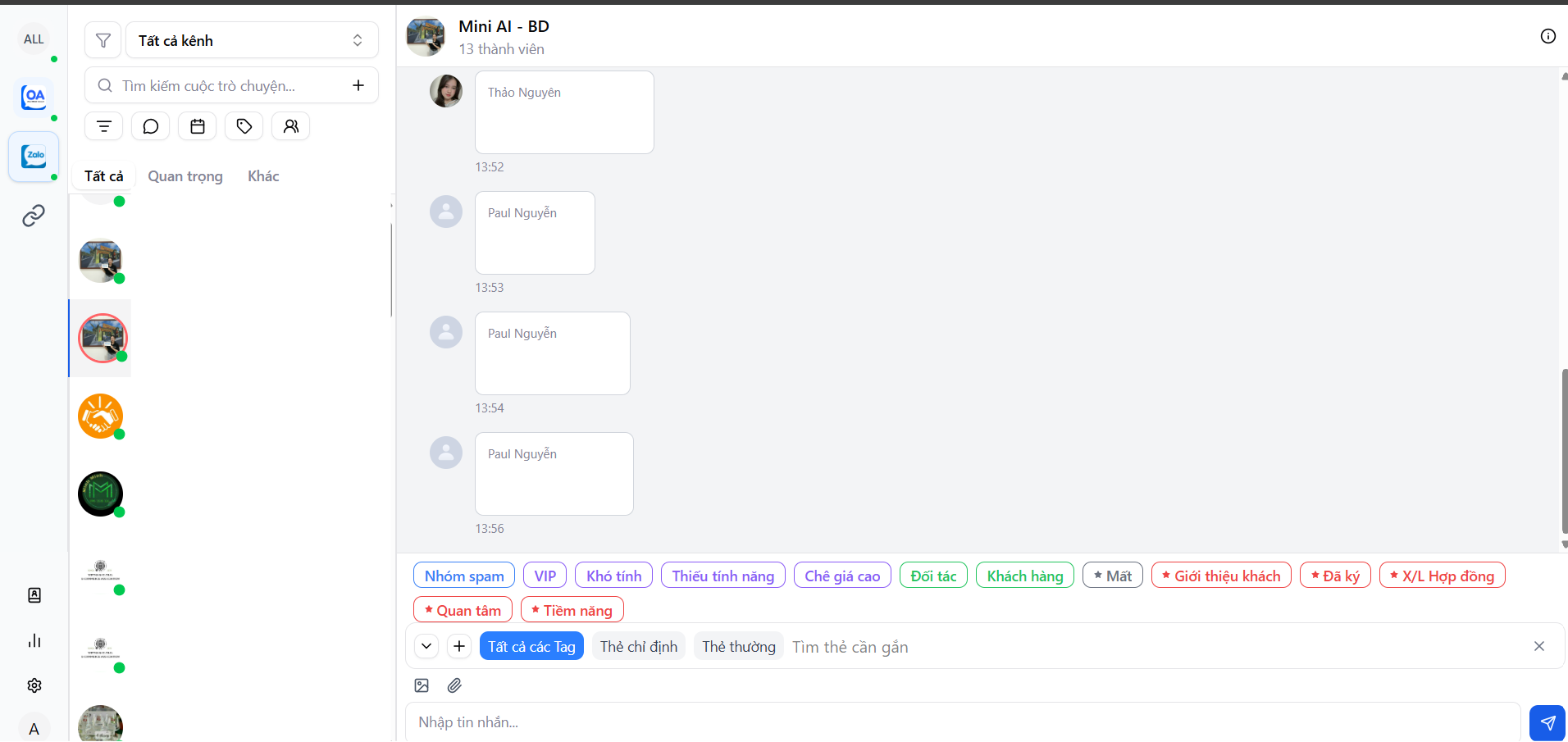
Centralized conversation list by channel
All conversations from connected personal Zalo accounts are displayed on a single screen, supporting:
- Working with multiple Zalo accounts simultaneously
- Quick conversation switching
- Tracking online/offline status of each channel
This is especially effective for sales and customer service teams with high daily message volumes.
Smart conversation filtering & search system
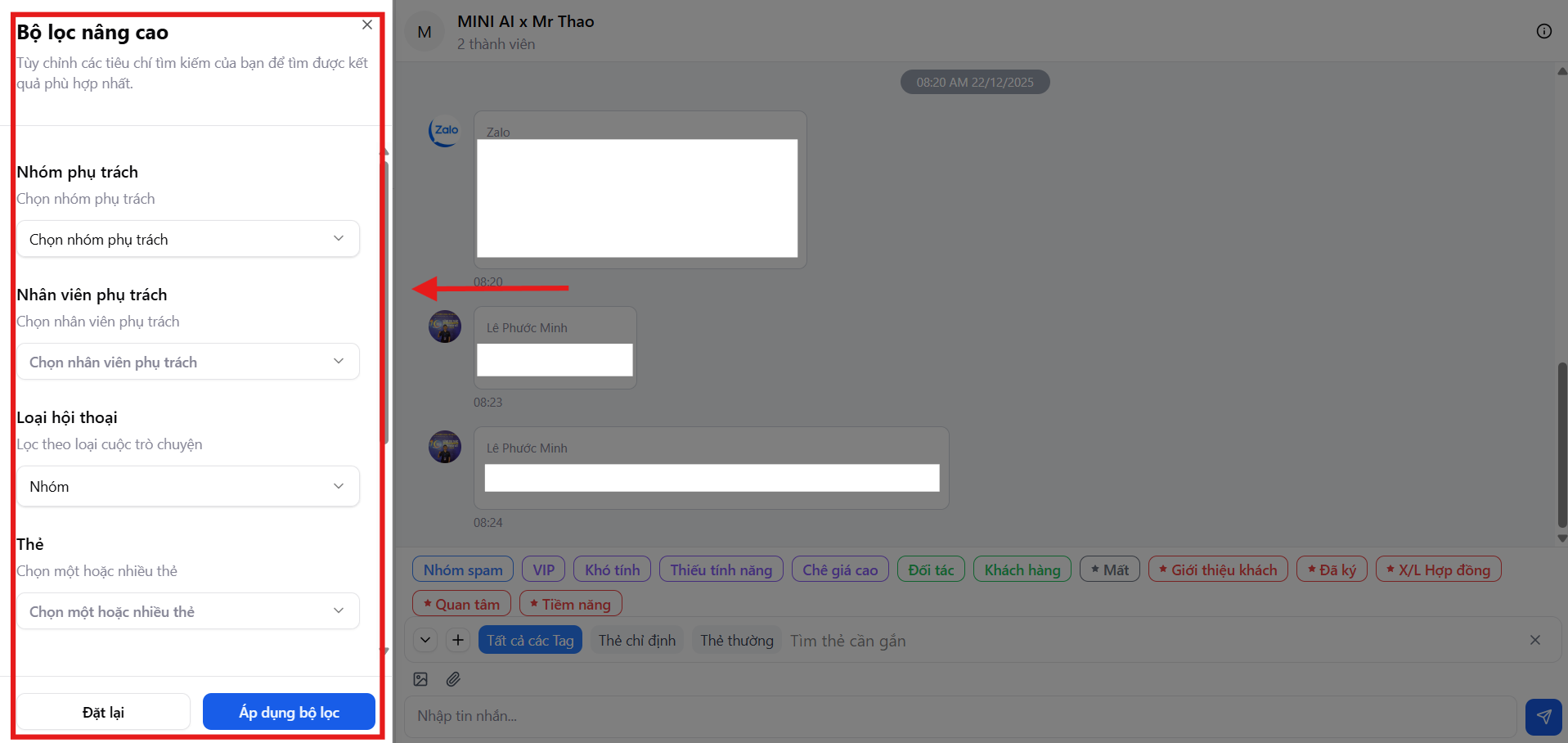
On the Messages screen, MiniAI SCRM provides a powerful conversation filtering and search system, helping optimize operations and customer support.
Users can filter conversations by multiple criteria:
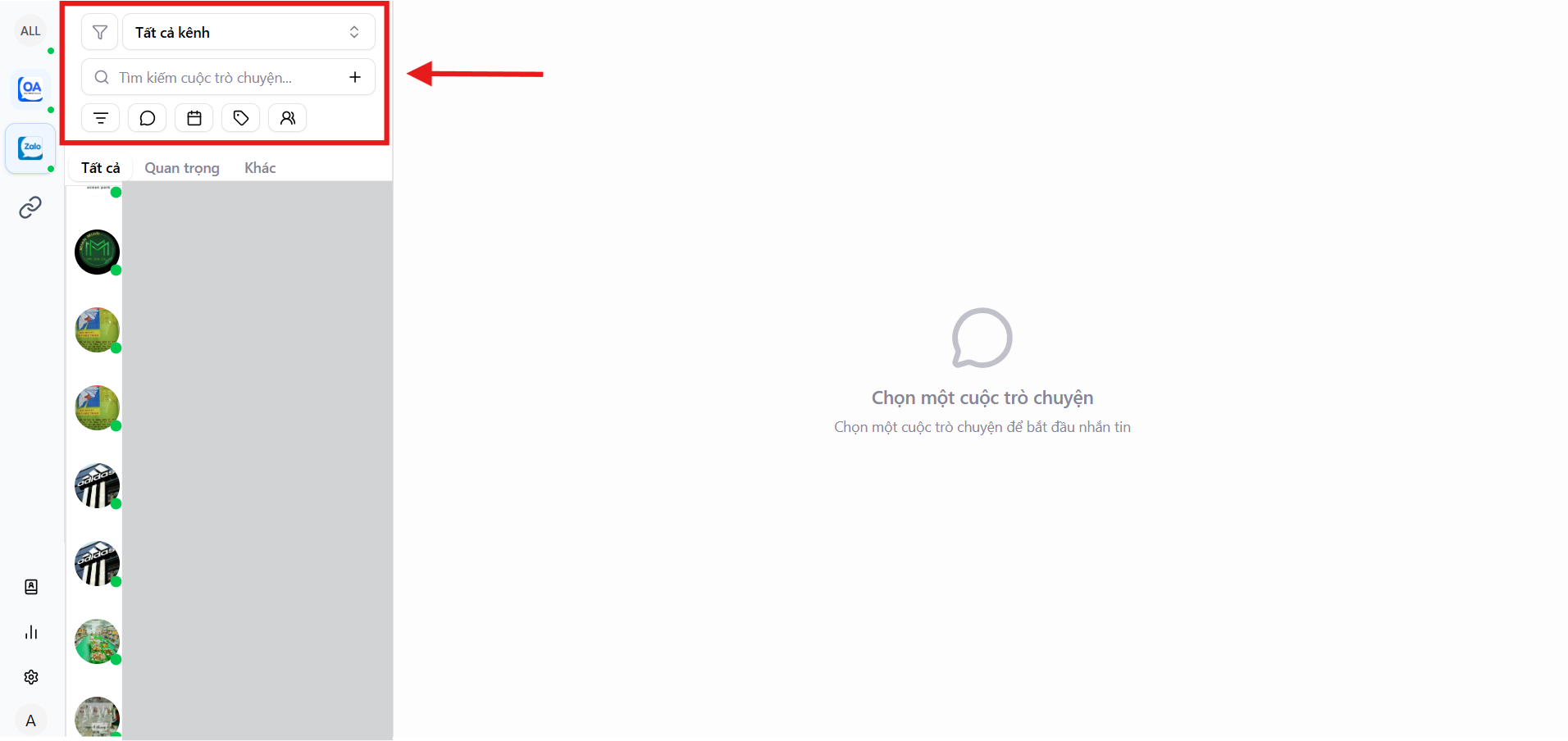
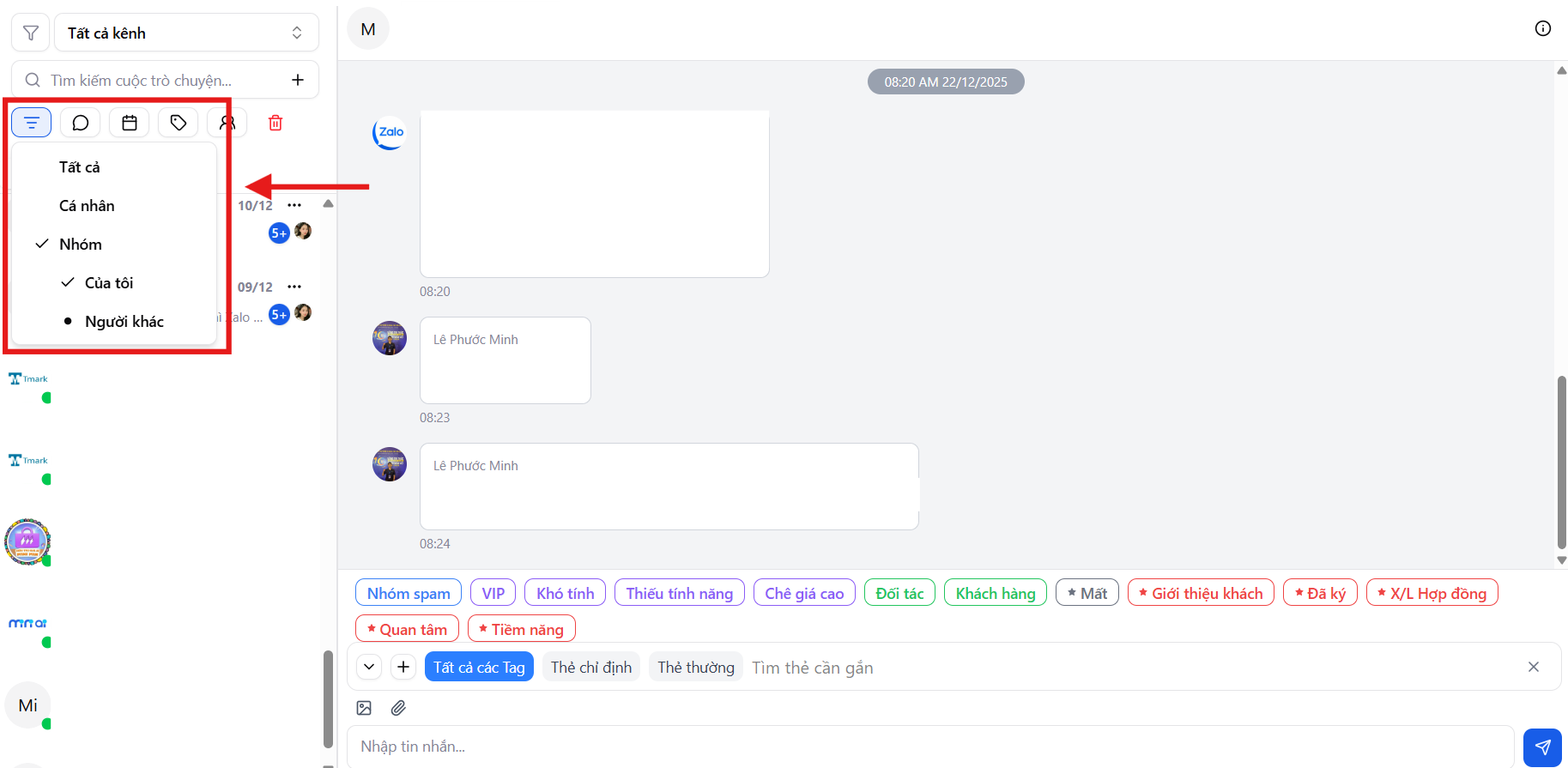
1. Filter by conversation type
- My group messages - Zalo groups created and managed by the user
- Others' group messages - Zalo groups created by colleagues or others
- Personal messages - 1:1 Zalo conversations with customers
2. Filter by response status
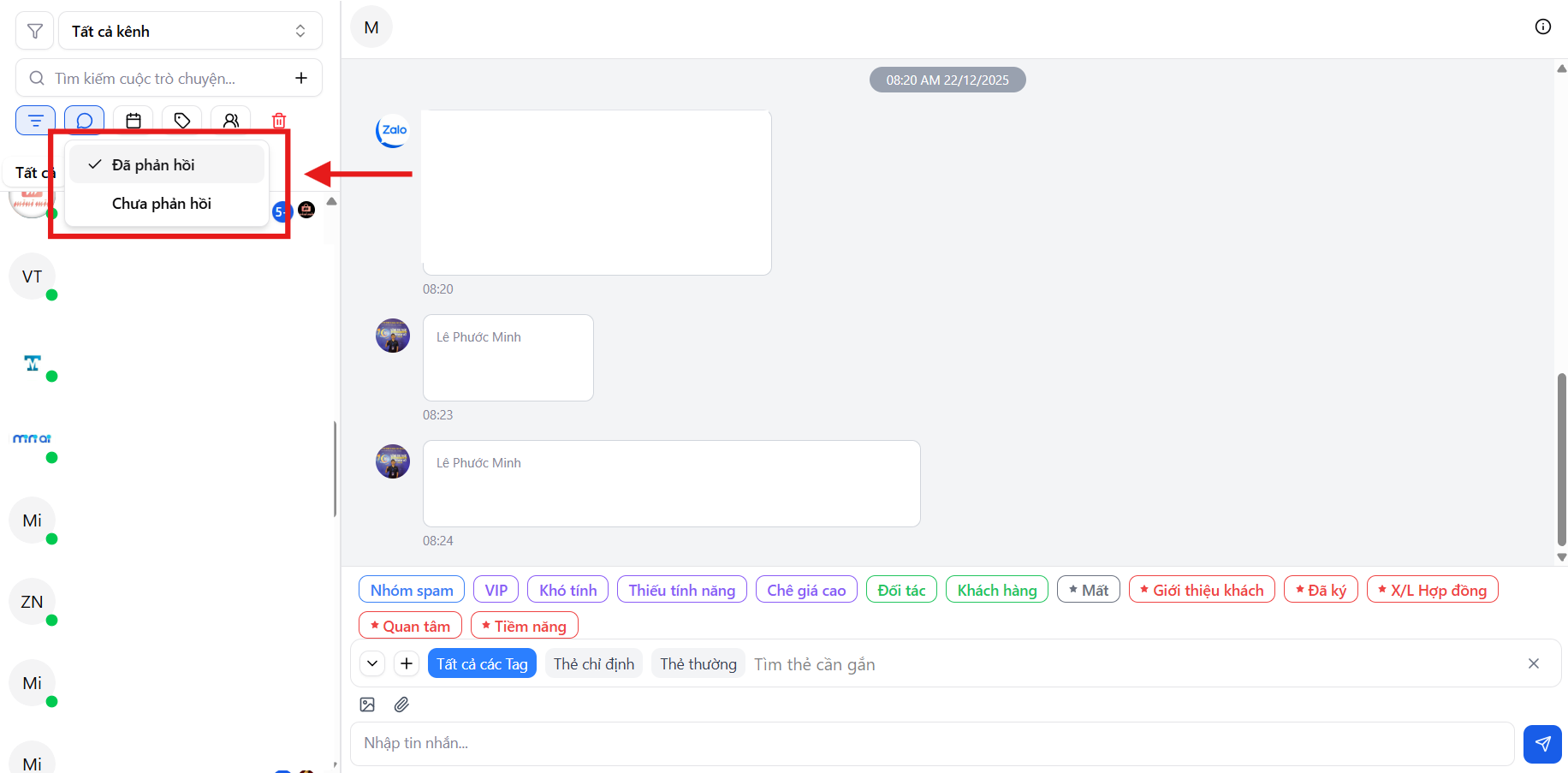
- Responded
- Not responded
Helps prioritize handling conversations that are still pending.
3. Filter by time range
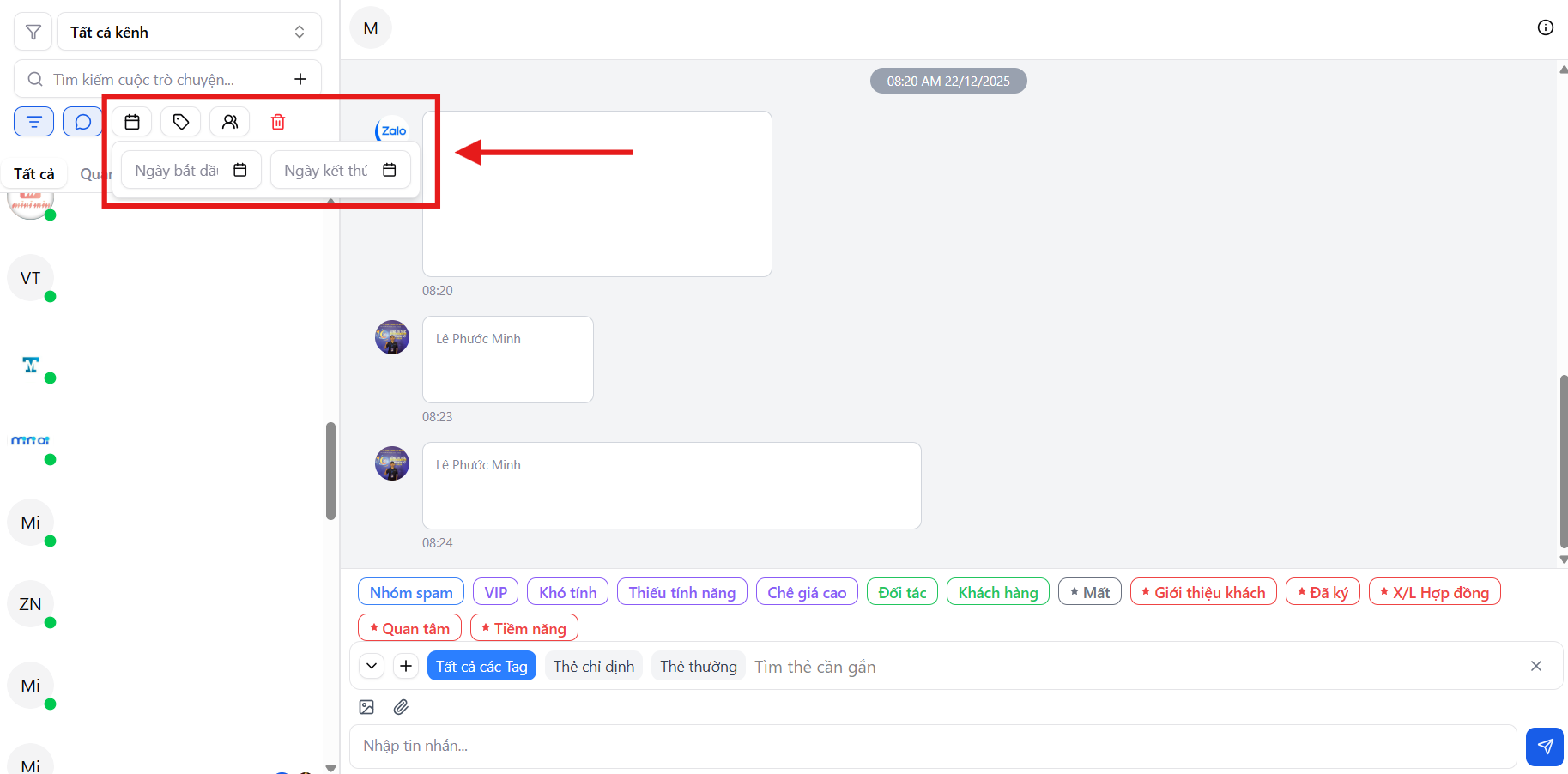
- Filter conversations within a specific time period (from date → to date)
Suitable for checking performance by shift, by day, or by campaign.
4. Filter by customer tag
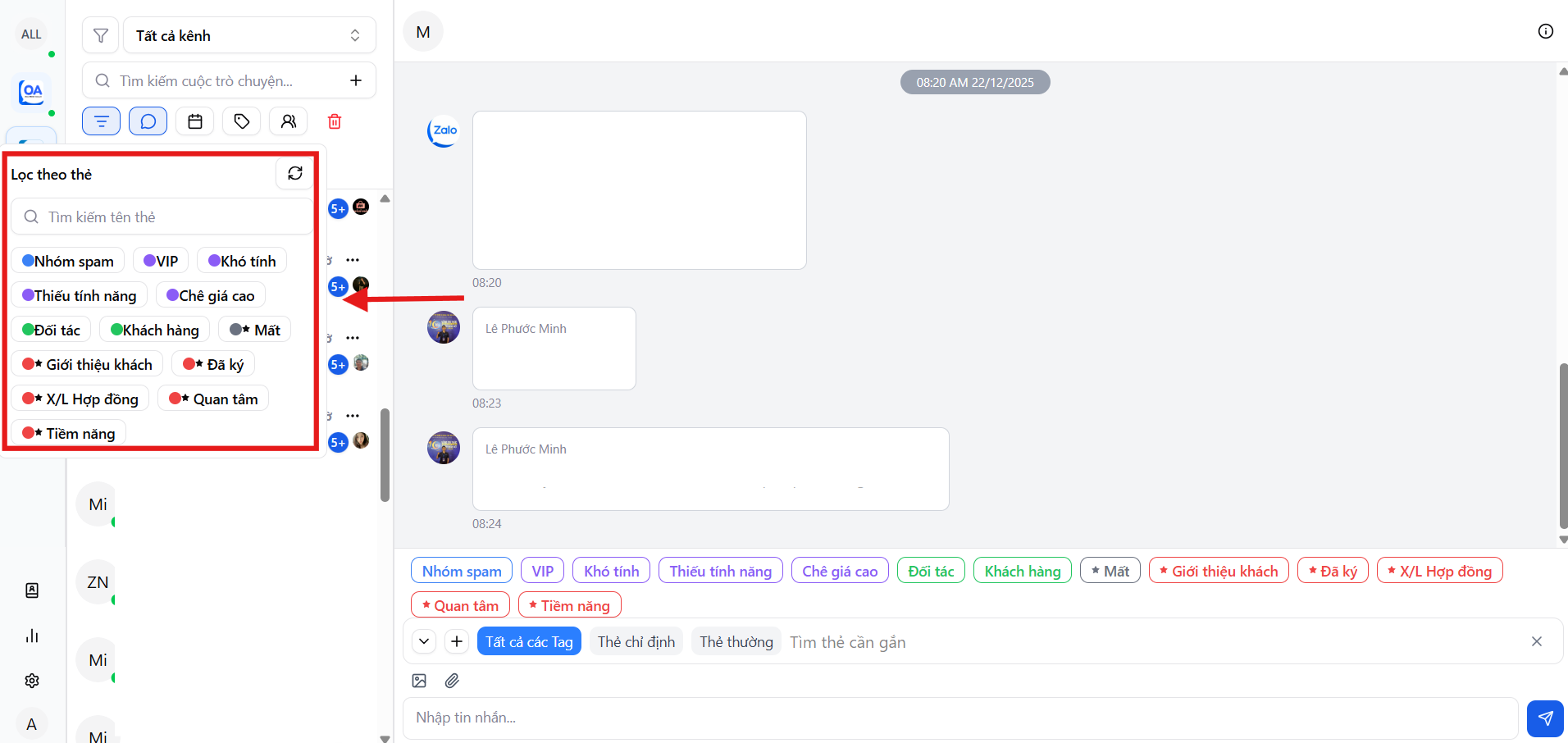
- Interested
- Potential
- Quote sent
- Signed
- Needs follow-up
- Contract processing
Helps classify customers by conversion level in the sales funnel.
5. Filter by account group
- Classify conversations by managed Zalo group
- Easily control by team or department
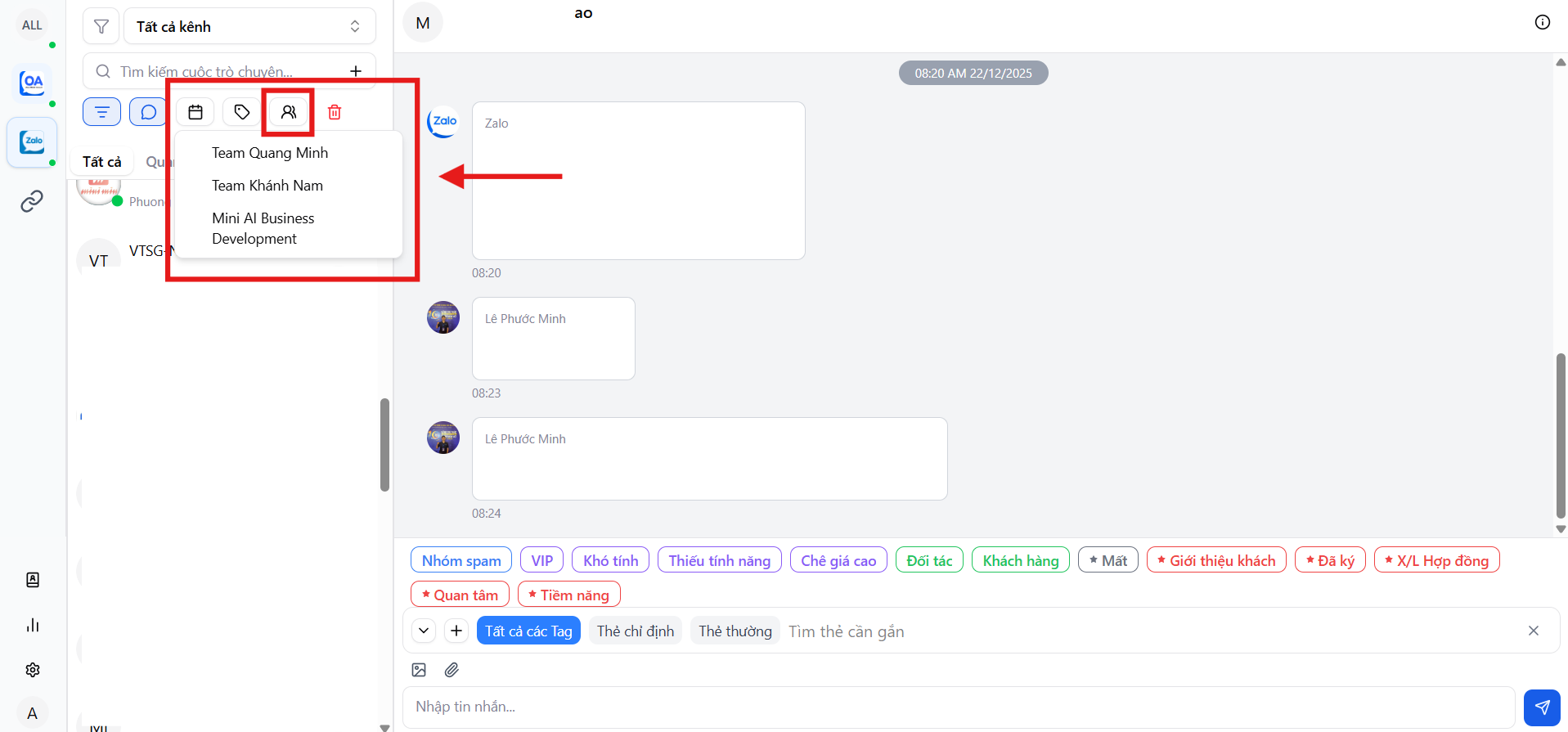
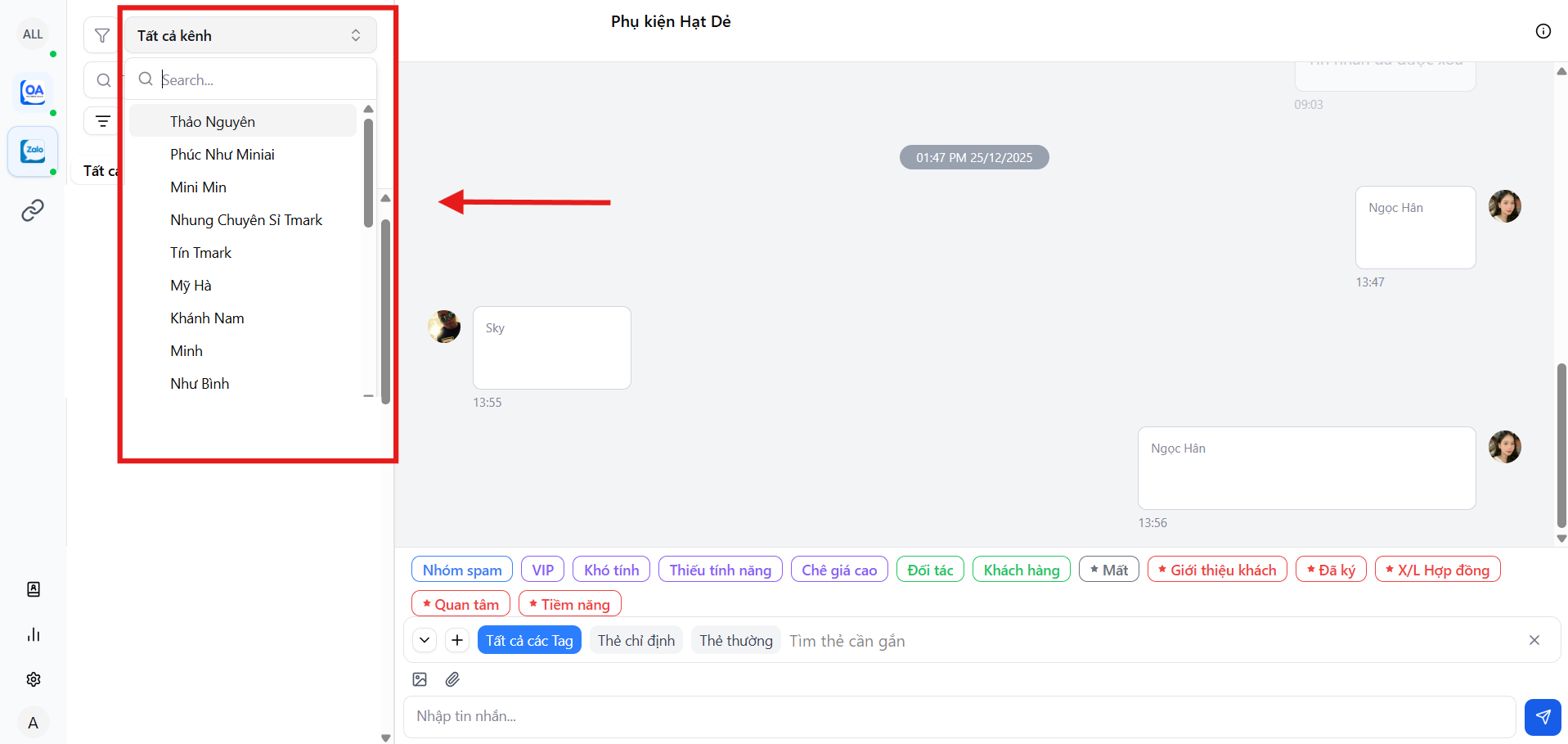
6. Filter by individual personal Zalo account
- View conversations of each specific Zalo account separately
- Suitable for managers or team leaders to track performance per channel
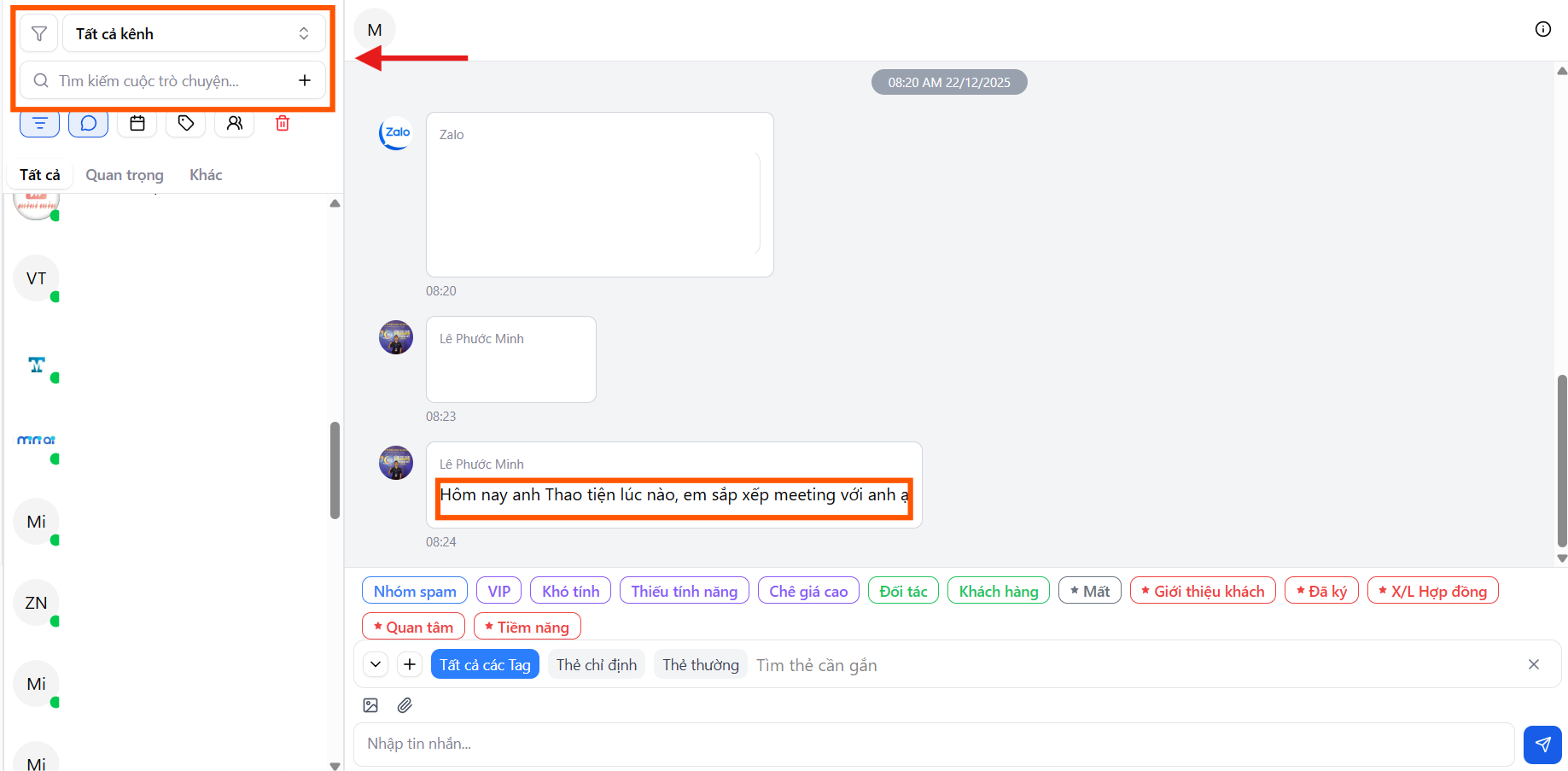
7. Quick search by phone number
- Allows searching all conversations by phone number
- Look up customer information in just seconds
Advanced filtering – combining multiple conditions
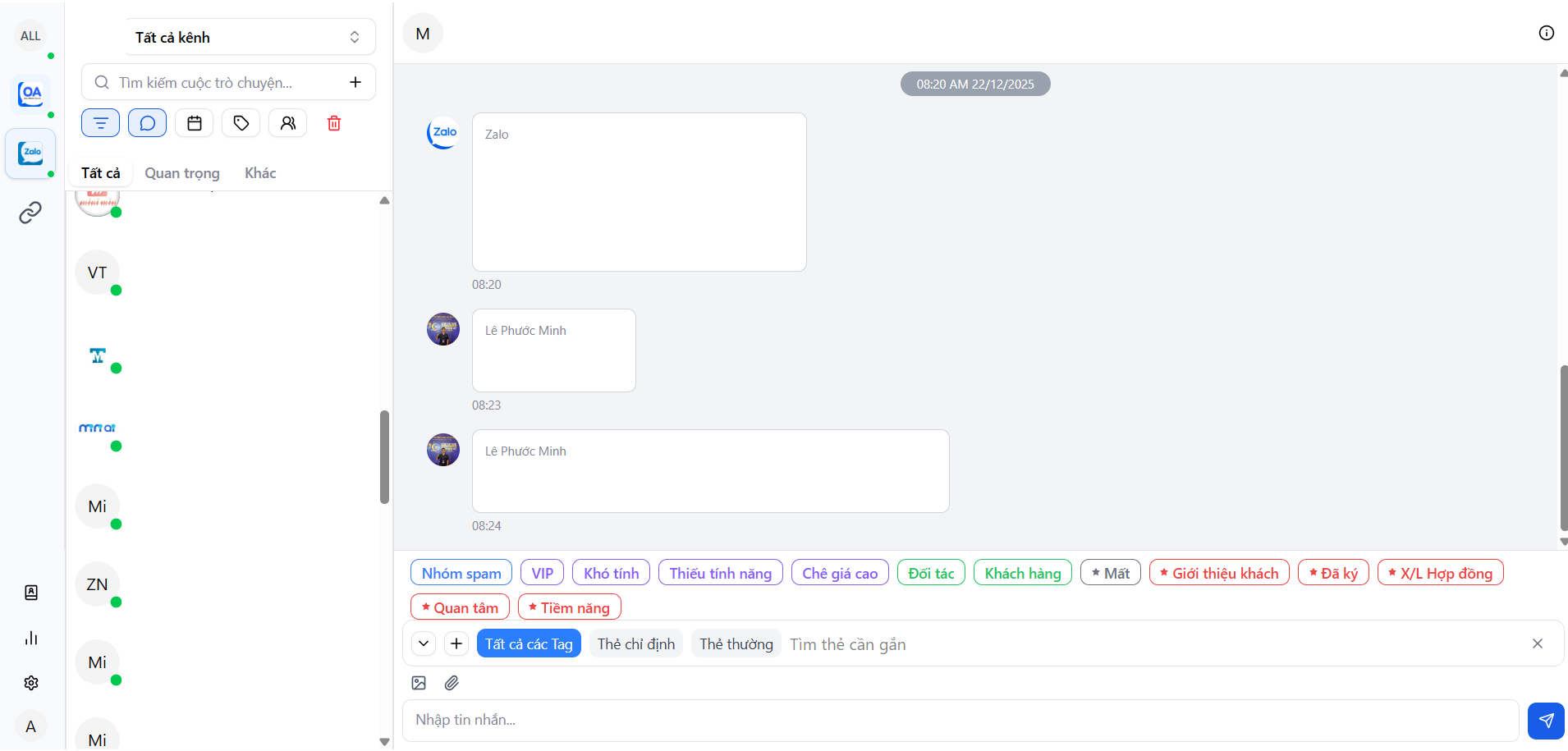
MiniAI SCRM supports advanced filtering with multiple combined conditions, helping users:
- Pinpoint exactly the conversations that need attention
- Prioritize potential customers
- Reduce search time
- Speed up response and customer care
Even when conversation volume increases, the team can still operate efficiently without being "overwhelmed by messages".
Tag assignment & customer classification within conversations
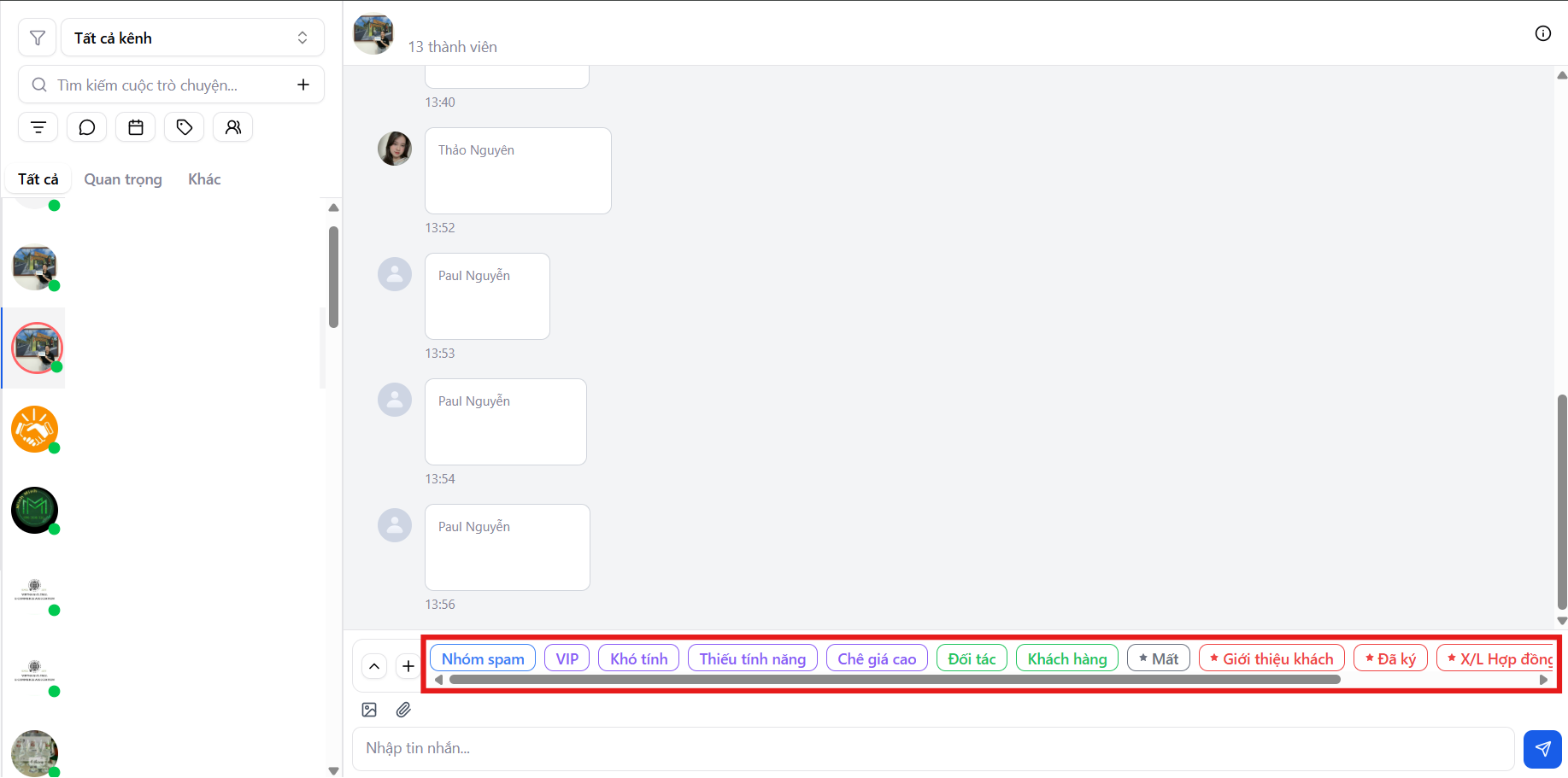
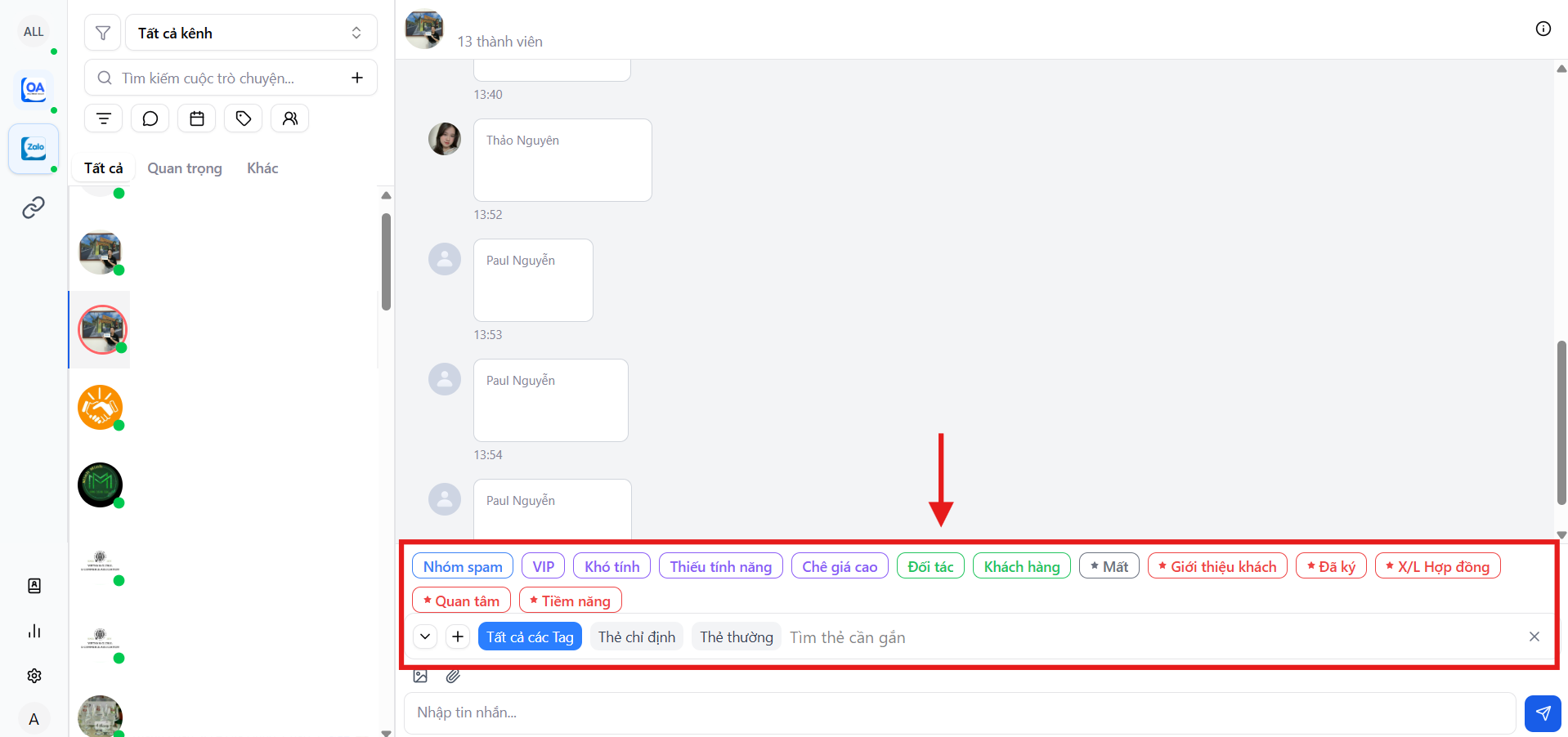
During messaging with customers, MiniAI SCRM allows employees to assign tags directly on each conversation to classify customers by stage.
Tag assignment helps:
- Identify potential customers
- Recognize customers needing further follow-up
- Mark customers not ready to close
- Standardize customer evaluation across employees
Collect & classify traffic by funnel
This is the core objective of the Messages module on MiniAI SCRM:
Turn conversations into data – turn data into a customer funnel.
Through tag assignment and conversation classification, the system supports:
- Tracking the customer journey from:
- Messaging
- Consultation
- Quote
- Deal closure
- Evaluating traffic quality by source
- Optimizing customer care and conversion effectiveness
Benefits of using the MiniAI SCRM Messages module
The Messages module helps the team:
- Work smarter
- Avoid being overwhelmed by messages
- Never miss a customer
- Clearly control and measure effectiveness
MiniAI SCRM transforms each conversation from just a message into a valuable data point in the entire enterprise operations and growth system.