Connect Personal Zalo to Mi9
To bring personal Zalo into the centralized management system on Mi9, users need to connect the Zalo channel. This connection allows businesses to manage all conversations, contacts, and customer data on a single platform.
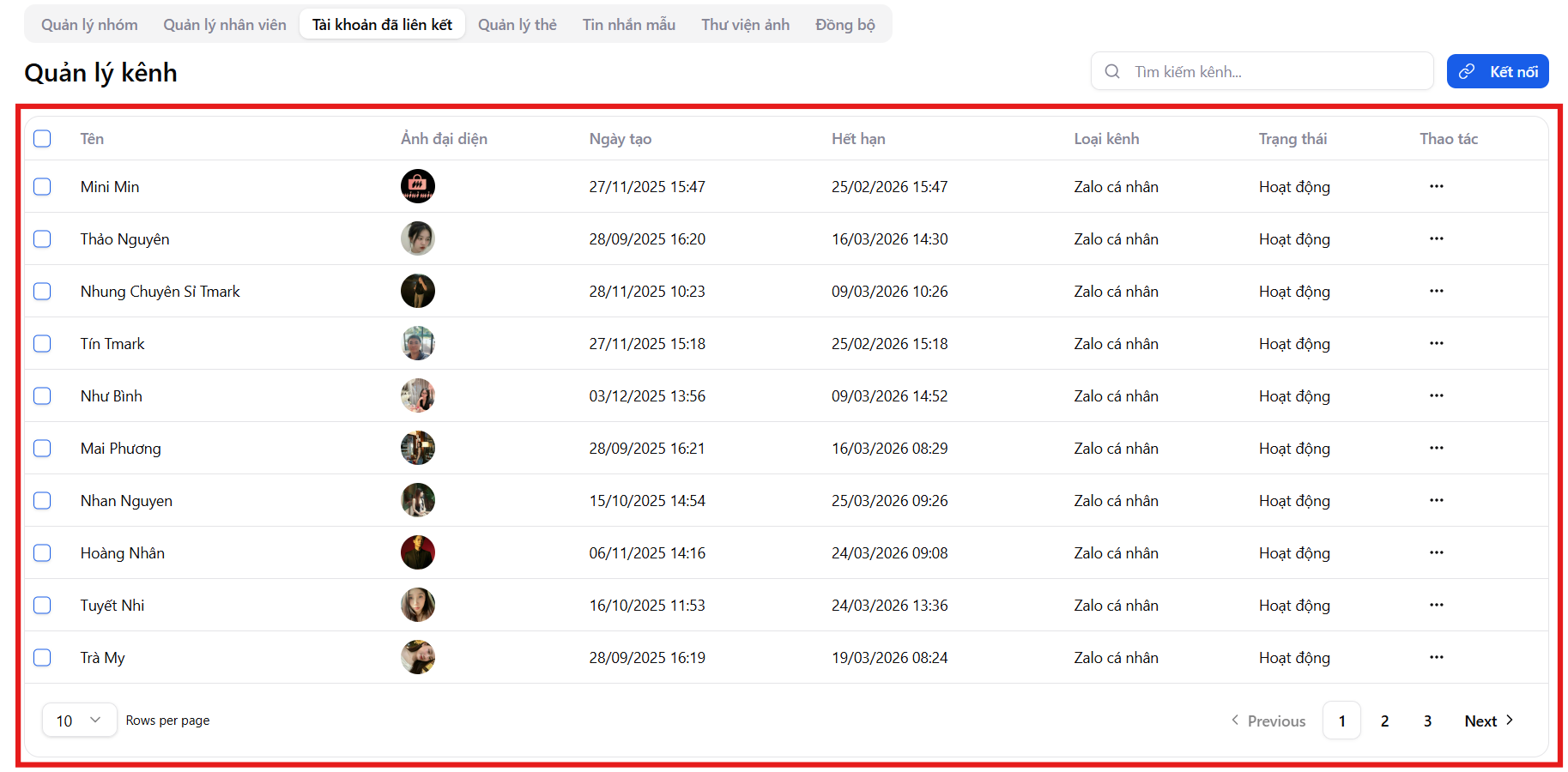
Channel Management Interface
On the Channel Management screen, the system displays a list of personal Zalo accounts that have been linked, with the following information:
- Channel name
- Zalo profile picture
- Creation date
- Connection expiration date
- Channel type (Personal Zalo)
- Activity status
Users can quickly search for channels and perform Connect / Reconnect / Disconnect actions.
Guide to Connect Personal Zalo
Follow these steps to connect personal Zalo to the Mi9 system:
Step 1: Access Link Management
- Go to the Link Management menu on the Mi9 platform
- Select the Linked Accounts tab
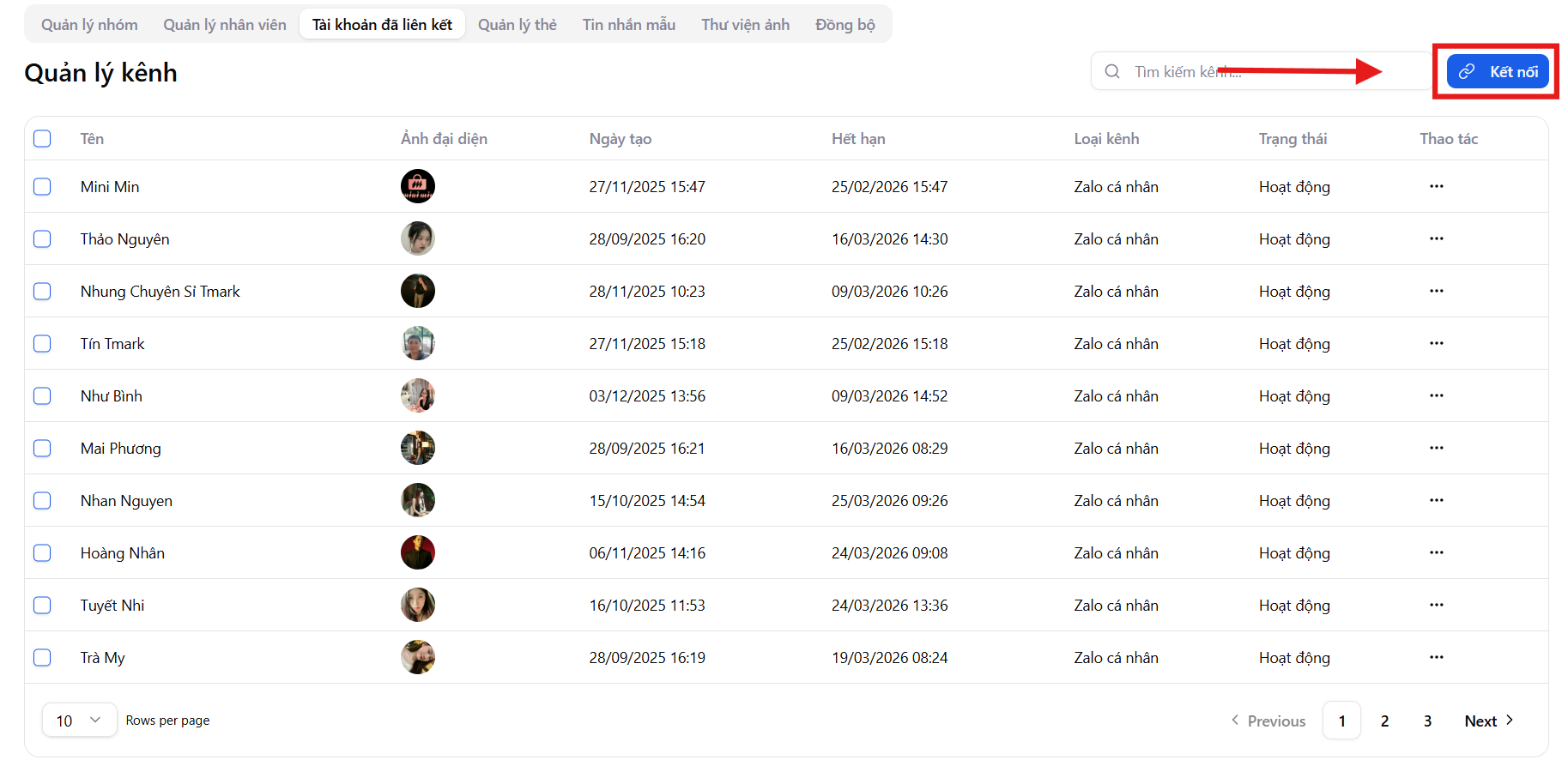
Step 2: Click Connect
- In the top-right corner of the screen, click "Connect"
- The system will initialize a new login session
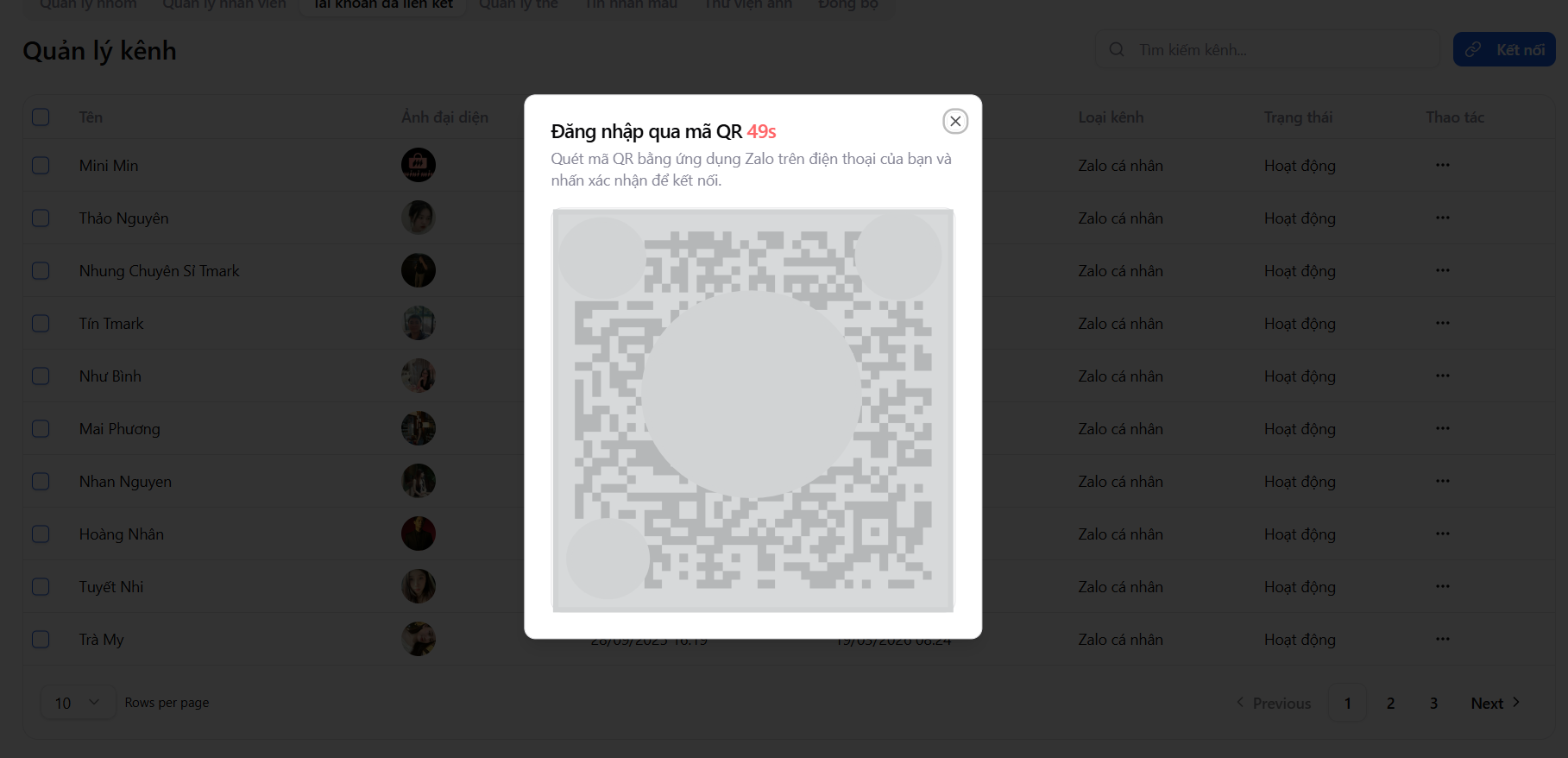
Step 3: Scan the QR code to log in
- Mi9 will automatically display a login QR code
- Open the Zalo app on your phone
- Select Scan QR Code and scan the code displayed on Mi9
Step 4: Confirm login
- Zalo will display a login confirmation notification on the new device
- Click "It's me" to complete the connection
Immediately after successful confirmation, the personal Zalo account will be linked to Mi9.
Data synced after connection
After successful connection, Mi9 will automatically sync important data from personal Zalo, including:
- Friend contacts
- Chat groups
- Customer tags currently on the Zalo account
From this point on, all messaging and customer care activities will be centrally managed on Mi9, helping businesses:
- Control customer data
- Assign clear employee permissions
- Track and measure customer care effectiveness
Manage Zalo Channel Status
In the Actions column, users can:
- Reconnect: when the login session expires or is disconnected
- Disconnect: when the Zalo account is no longer used on the system
Status management ensures the system operates stably and data remains secure.
Important notes when using personal Zalo on Mi9
-
Do not log in to personal Zalo on Zalo Web simultaneously while using Mi9. Concurrent login may cause the account to be logged out of Mi9 and disrupt conversation data.
-
Messages on Mi9 are only recorded from the first login time to the system. Messages that occurred earlier on personal Zalo will not be synced.
-
If the account is logged out of Mi9 for any reason, messages outside the Mi9 usage period cannot be recovered.
Benefits of connecting personal Zalo with Mi9
Connecting personal Zalo to Mi9 helps businesses:
- Manage messages and customers centrally on one screen
- Minimize data loss when staff changes occur
- Easily assign permissions and control access
- Operate professionally, securely, and scale effectively
Mi9 helps businesses manage personal Zalo as a shared asset, instead of depending on individual employees.