Register & Log in to MiniAI SCRM
1. Register to use MiniAI SCRM
1.1. Registration for large enterprises - Admin-assisted registration
To start using MiniAI SCRM – a centralized Zalo management platform for businesses, please contact Mini AI's Zalo OA directly.
The Mini AI team will accompany and provide full support throughout the registration process, including:
- Solution consultation tailored to the business model and scale
- Detailed pricing based on actual usage needs
- MiniAI SCRM account activation
- Initial setup guidance to get the system ready for operation
The registration process is personalized for each business, ensuring MiniAI SCRM is configured to meet operational goals, security requirements, and future scalability.
1.2. Registration for small businesses - Self-registration
Small businesses can register directly through Mini AI's Zalo OA or through the registration form on the website.
Step 1: Access the registration link
Visit socialcrm.vn to begin the registration process. Here, fill in all required information to create a MiniAI SCRM account.
There are two ways to register:
Method 1: Register by filling out the registration form
- Fill in the information on MiniAI SCRM's website registration form.
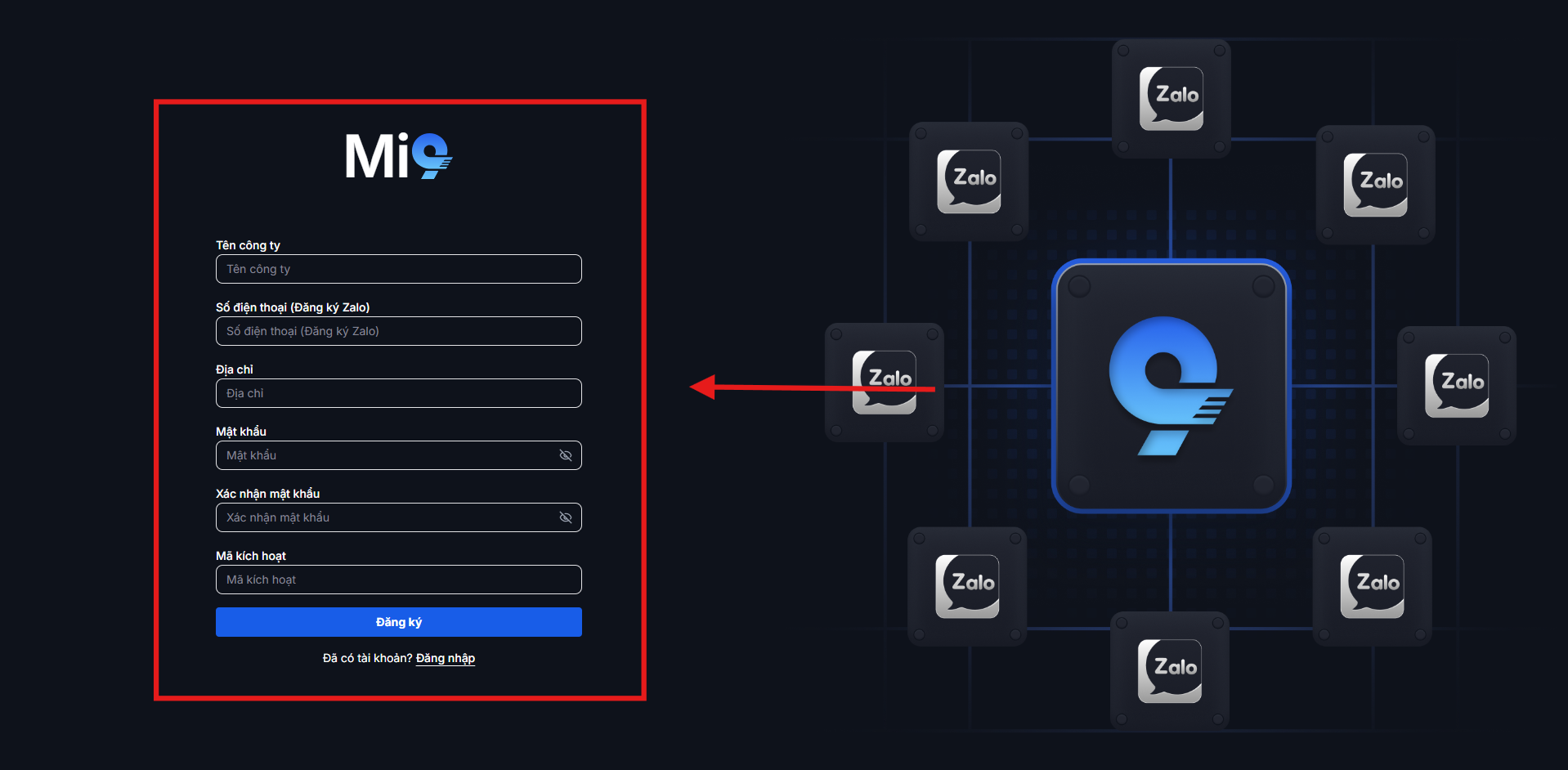
Hình ảnh: Registration information form
Method 2: Register using QR code:
- Scan the QR code on the system to register via Zalo.
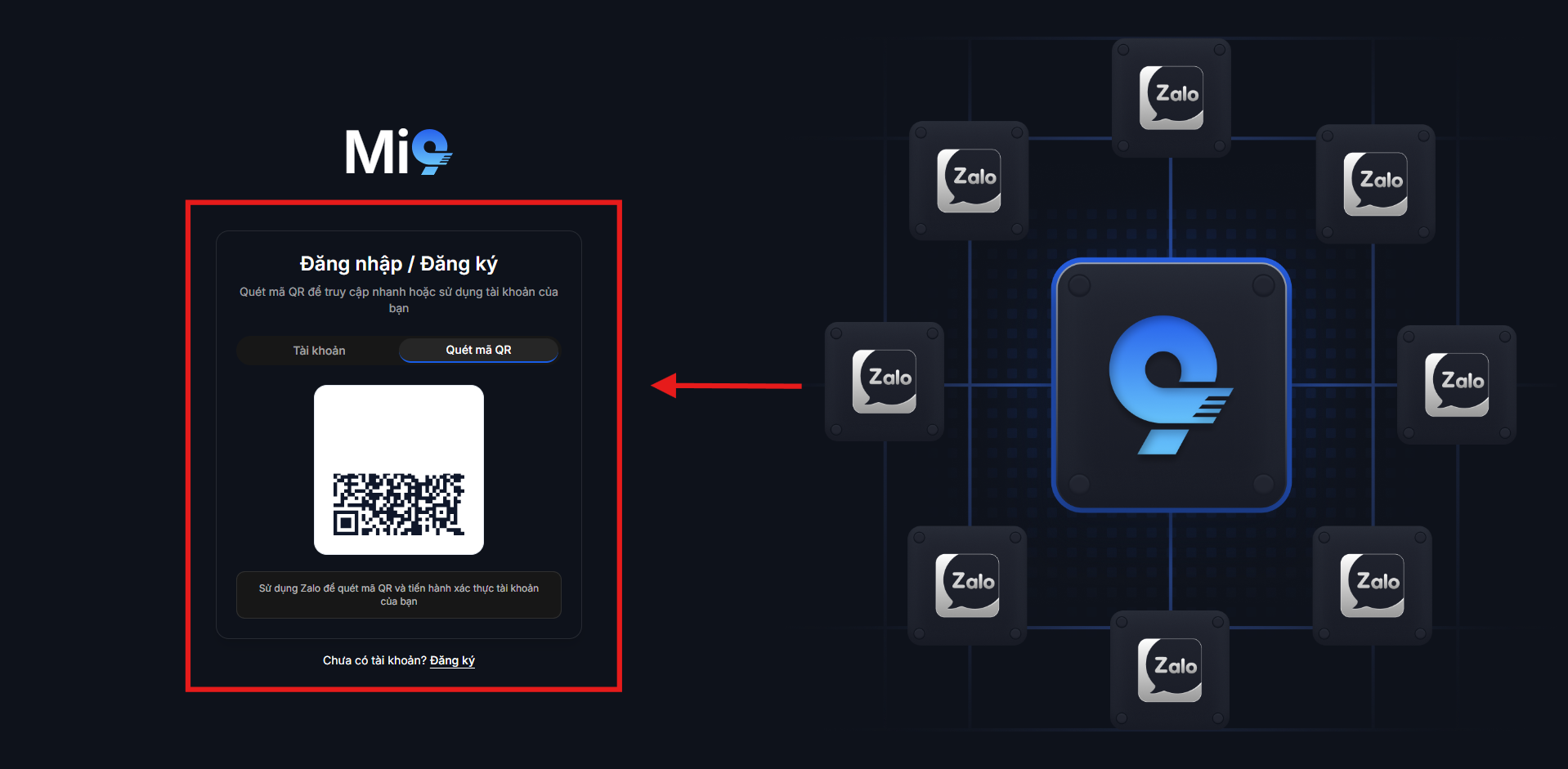
Hình ảnh: Account registration QR code
- Fill in the required information to complete registration via Zalo.
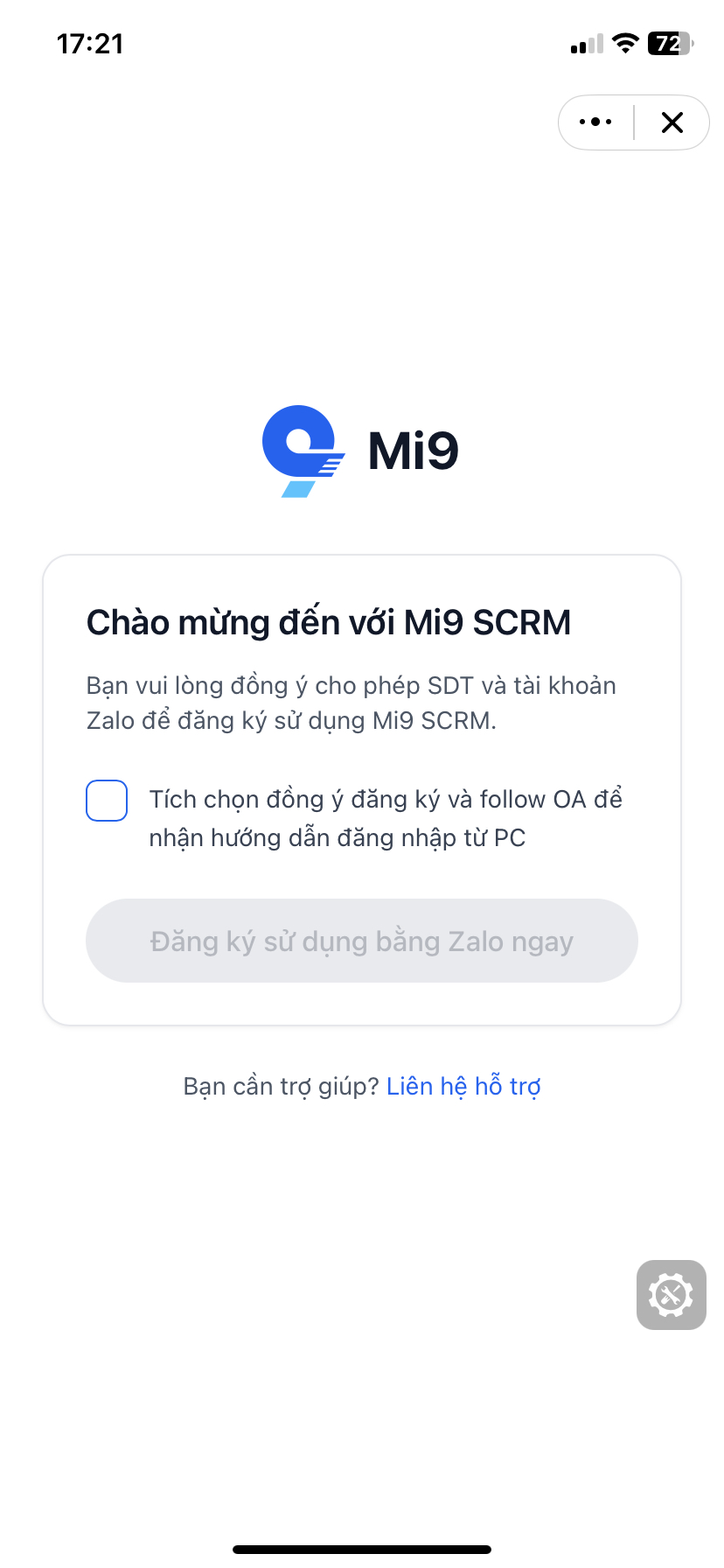
Hình ảnh: Follow the OA and allow account information access
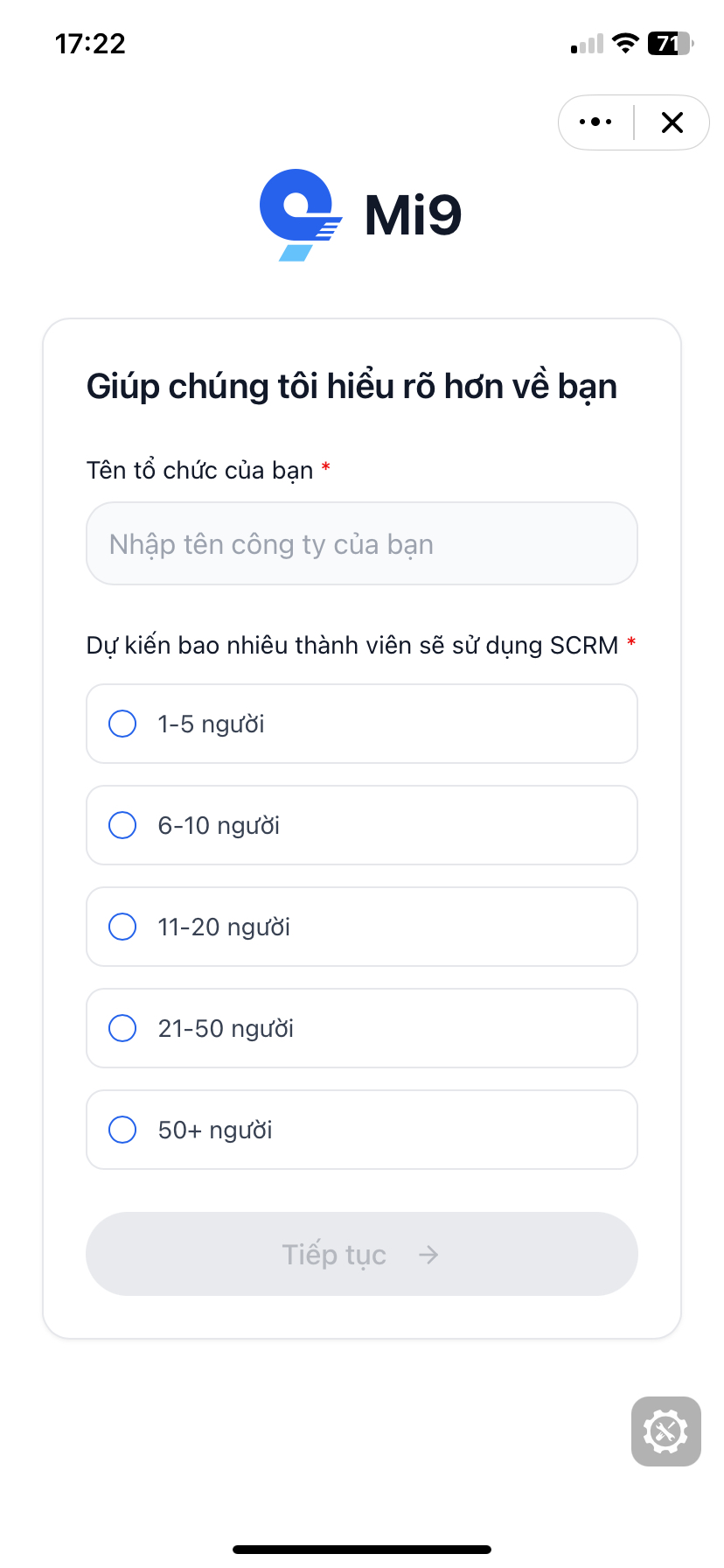
Hình ảnh: Select your business staff size
Step 2: Activate your account
After successful registration, the MiniAI SCRM system will automatically redirect you to the initial setup guide page.
Here, the business needs to complete the SCRM system configuration steps to get MiniAI SCRM ready for operation.
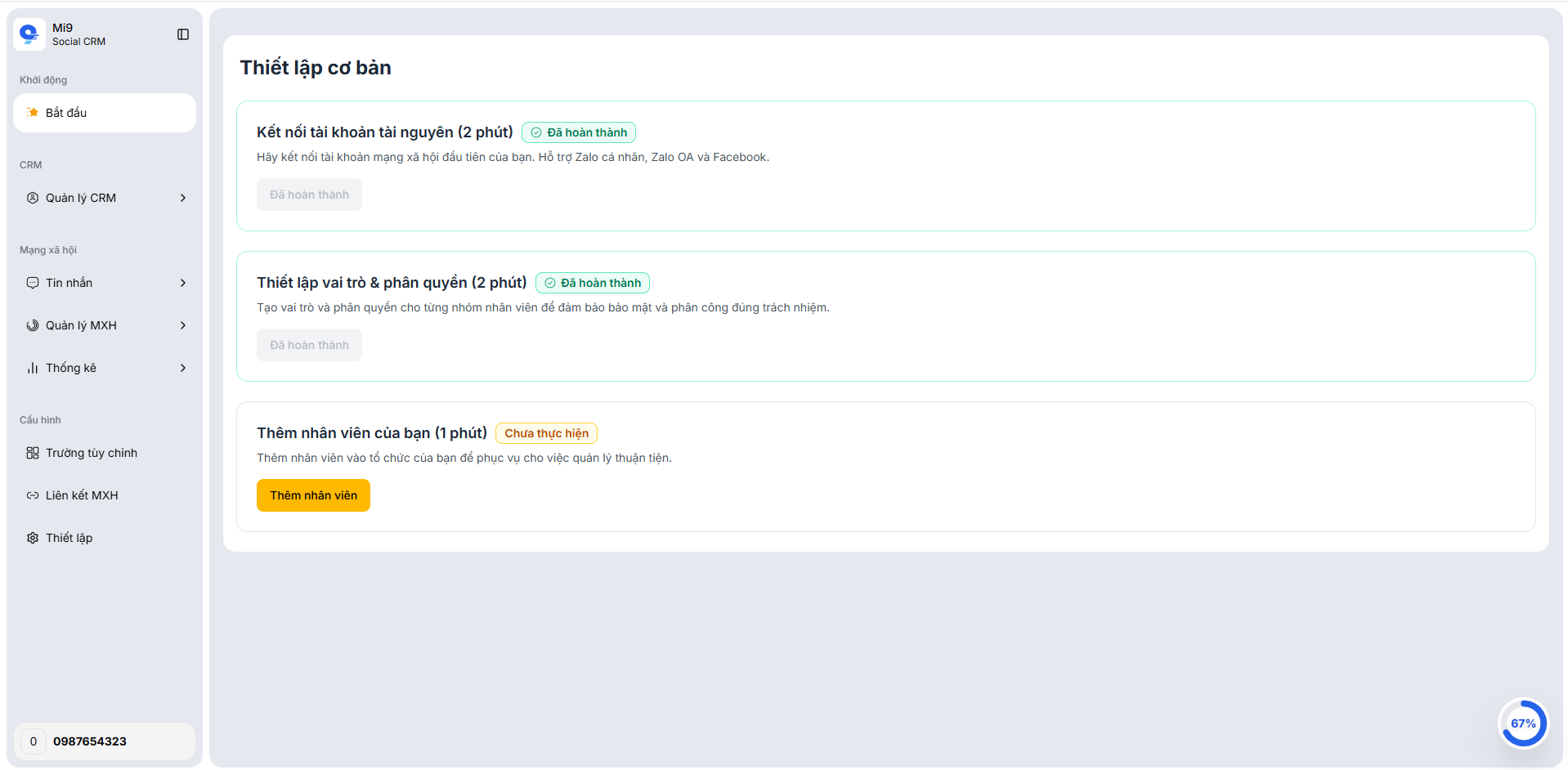
Hình ảnh: Account activation guide
Step 3: Usage guide
After the account is activated, Mini AI will provide detailed guides to help the business quickly get familiar with and start using MiniAI SCRM.
2. Log in to the MiniAI SCRM system
After the account is successfully activated, users can access the MiniAI SCRM platform at: socialcrm.vn
Here, users log in with the account they registered earlier.
After successful login, the system will take you to the **Channel Management Dashboard**, where you can:
- Connect and set up personal Zalo accounts
- Assign employee permissions, organize work groups
- Start managing conversations, customers, and sales operations on Zalo
MiniAI SCRM is designed with the criteria of quick deployment – easy to use – ready to scale, helping businesses start centralized Zalo management in just a few minutes, while ensuring absolute data security and control.