Guide to Managing Top-up for ZNS and UID Messaging Wallet
Top-up Management Feature Overview
The Top-up Management feature allows businesses to top up the internal wallet fund for messaging services on the MiniAI system, including:
- Sending ZNS messages
- Sending UID messages
- Related notification and messaging services
The wallet fund helps businesses proactively manage their budget, ensuring the messaging process is not interrupted and operational costs are transparent.
Accessing Top-up Management
From the system menu, navigate to:
Settings → Top-up Management
Wallet Fund Balance Overview
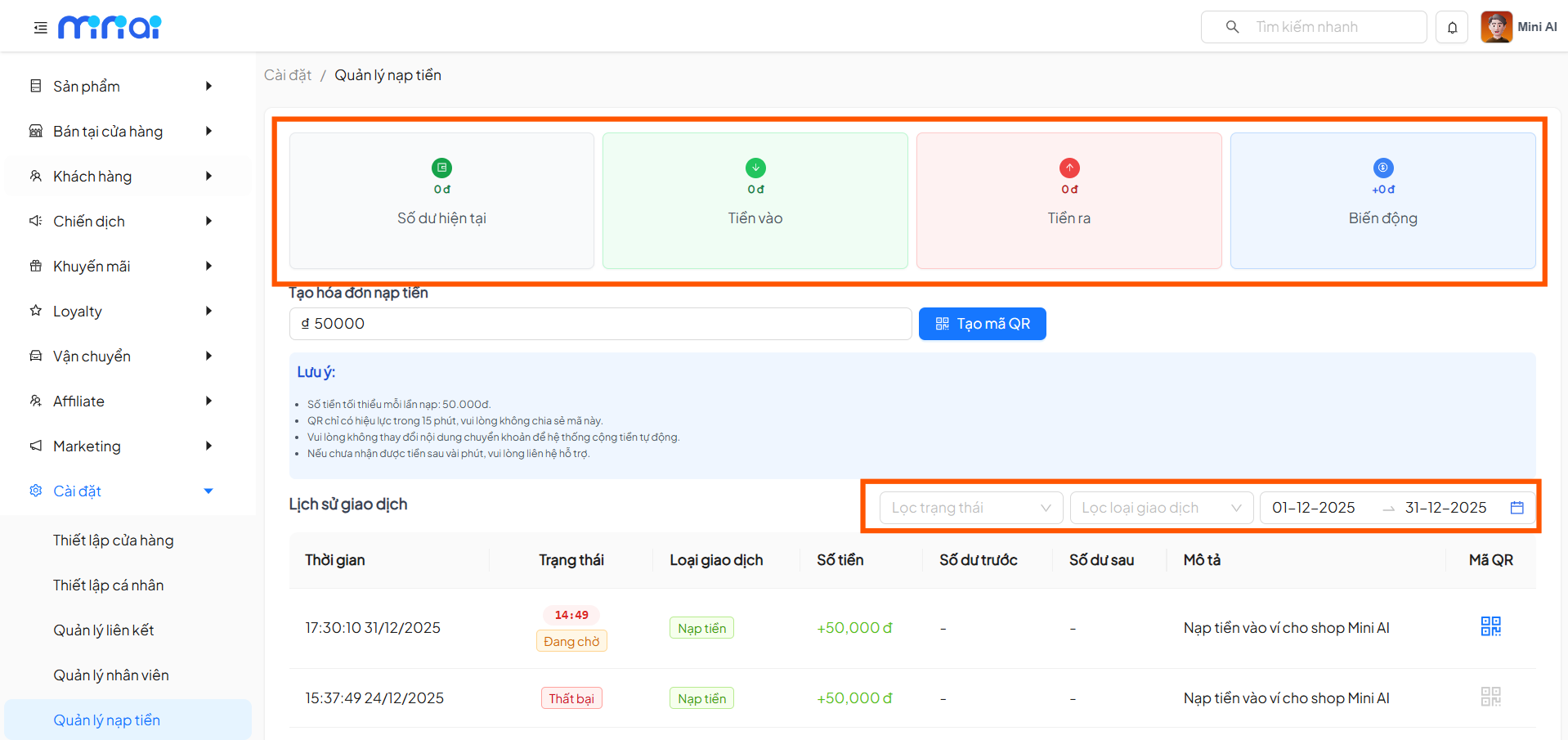
At the top of the screen, the system displays key metrics:
- Current Balance: Amount currently available in the wallet fund
- Money In: Total successfully topped up amount
- Money Out: Total costs used
- Changes: Increase/decrease variance in the period
These metrics help you quickly assess the budget status for sending ZNS and UID messages.
Creating a Top-up Invoice for the Wallet Fund
Step 1: Enter the Top-up Amount
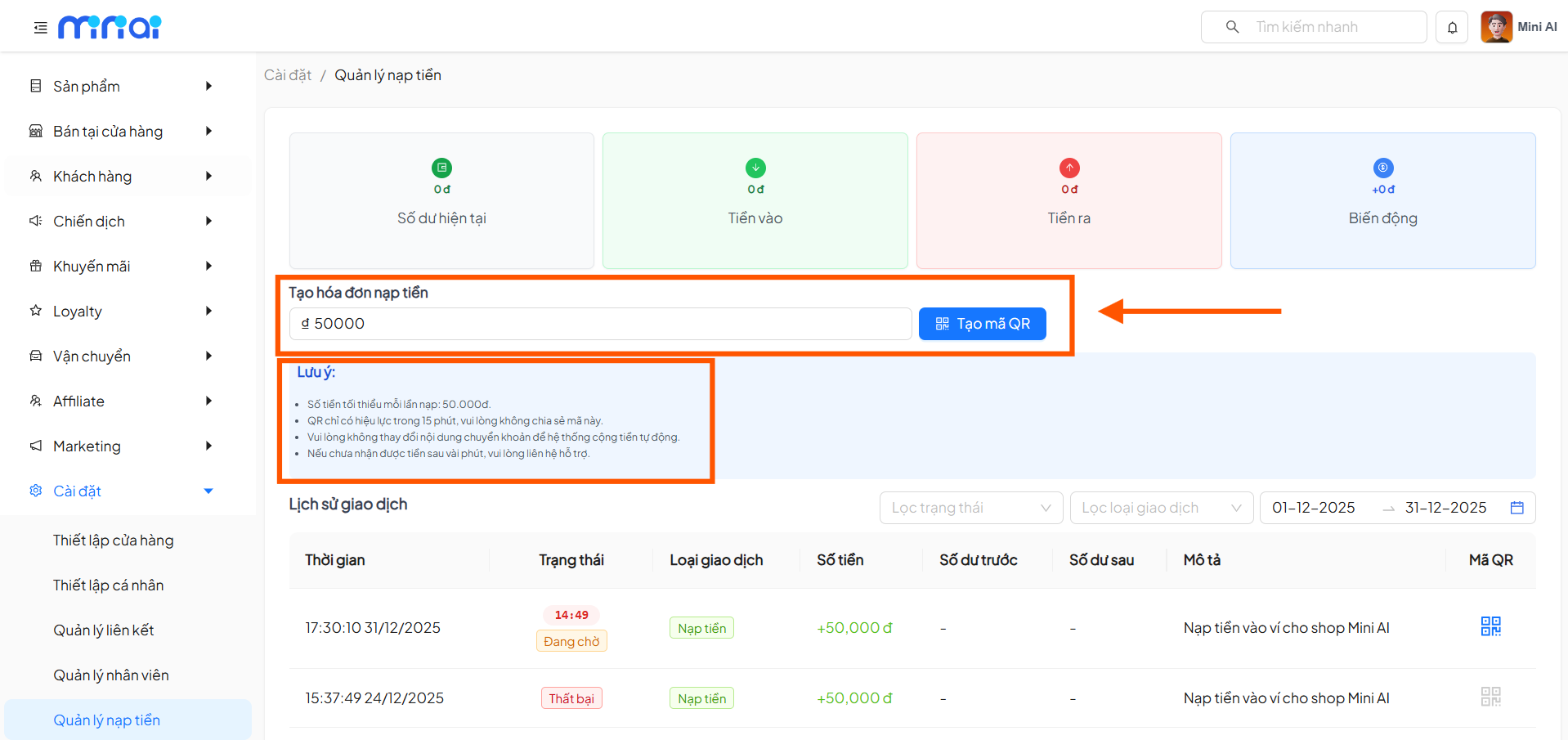
In the Create Top-up Invoice section, enter the amount you want to add to the wallet fund.
- Minimum top-up amount per transaction: 50,000 VND.
Step 2: Generate QR Code for Payment
After entering the amount, click "Generate QR Code" for the system to create the corresponding QR code.
When topping up the wallet fund, please note:
- Each QR code is only valid for 15 minutes
- Do not share the QR code with others
- Do not change the transfer content
- If funds have not been received after 15 minutes, please contact the support team
These rules help the system automatically record and credit the correct amount to the wallet fund.
Scan QR Code and Make Payment
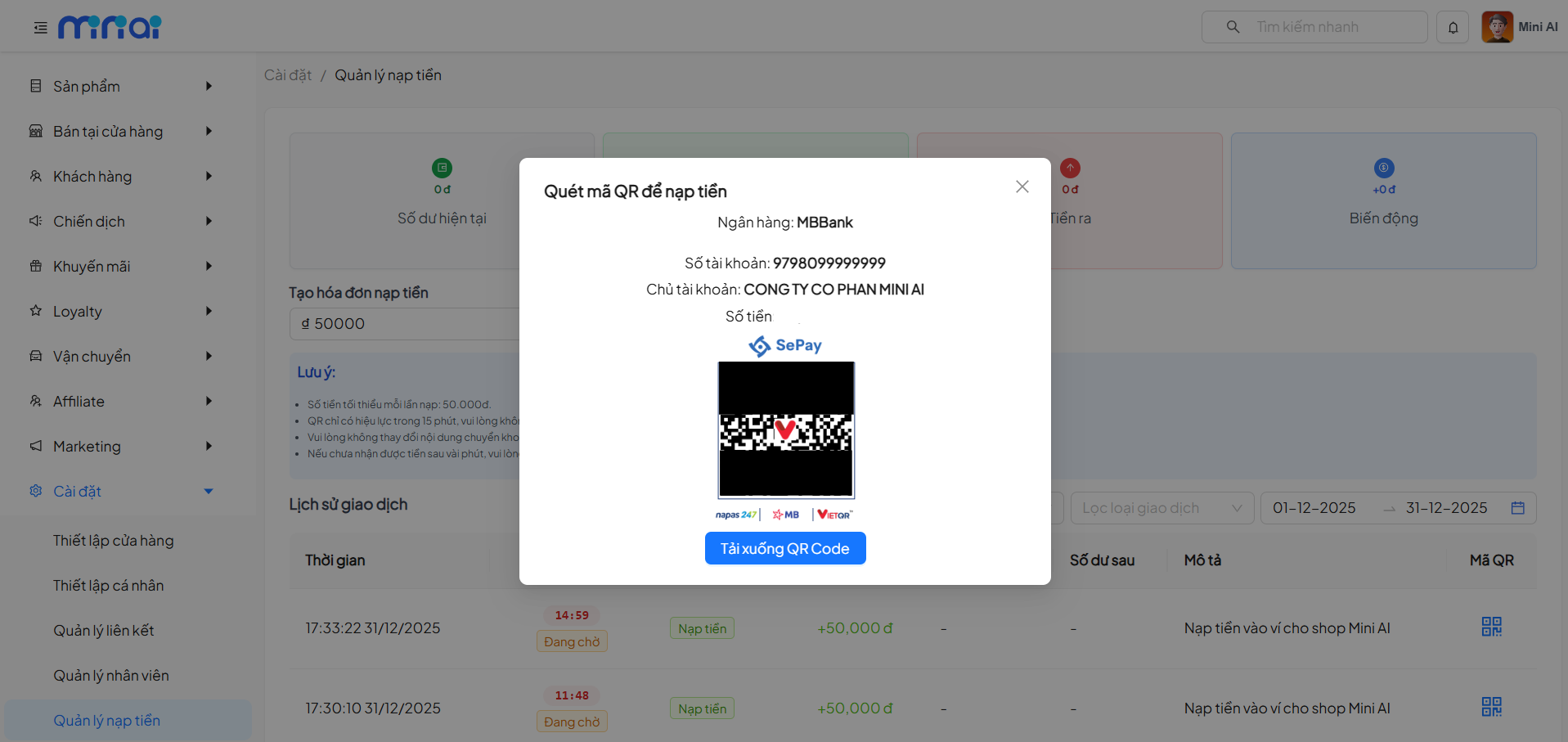
After generating the QR code, the system displays a payment popup with complete information:
- Beneficiary bank
- Account number
- Account holder
- Amount to transfer
- Payment QR code
Users can:
- Scan the QR code directly using a banking app
- Or download the QR code to pay later
Tracking Top-up Transaction History
Transaction History Filters
The system allows filtering history by:
- Transaction status
- Transaction type
- Time range
Transaction Detail Information
Each transaction in the list displays:
- Transaction time
- Status: Pending / Successful / Failed
- Transaction type: Top-up
- Amount
- Balance before and Balance after
- Description
- QR code for reconciliation when needed
Transaction Status Meanings
| Status | Description |
|---|---|
| Pending | QR code created, system waiting for payment confirmation |
| Successful | Amount has been credited to the wallet fund |
| Failed | Transaction is invalid or QR code has expired |
How Is the Wallet Fund Used?
The entire amount in the wallet fund will be automatically deducted by the system when:
- Sending ZNS messages
- Sending UID messages
- Related messaging services are incurred
Businesses do not need to manually pay for each message sent.
Benefits of Using the MiniAI Messaging Wallet Fund
- Proactive messaging budget management
- Transparent ZNS & UID costs
- Reduced risk of service interruption
- Easy to control and reconcile transactions
- Suitable for businesses sending messages in large volumes
To optimize costs and manage messaging budget, businesses should:
- Regularly monitor the wallet fund balance
- Plan periodic top-ups
- Use messaging reports to evaluate campaign effectiveness
This helps ensure messaging activities are not interrupted and operational costs are optimized.