Link Management
The Link Management feature allows businesses to connect the Mini Gift system with external applications, especially Zalo Mini App, through an application linking mechanism and API Keys.
This feature includes:
- Link / unlink Mini App applications
- Manage API Key list
- Create and revoke API Keys
1. Accessing the Feature
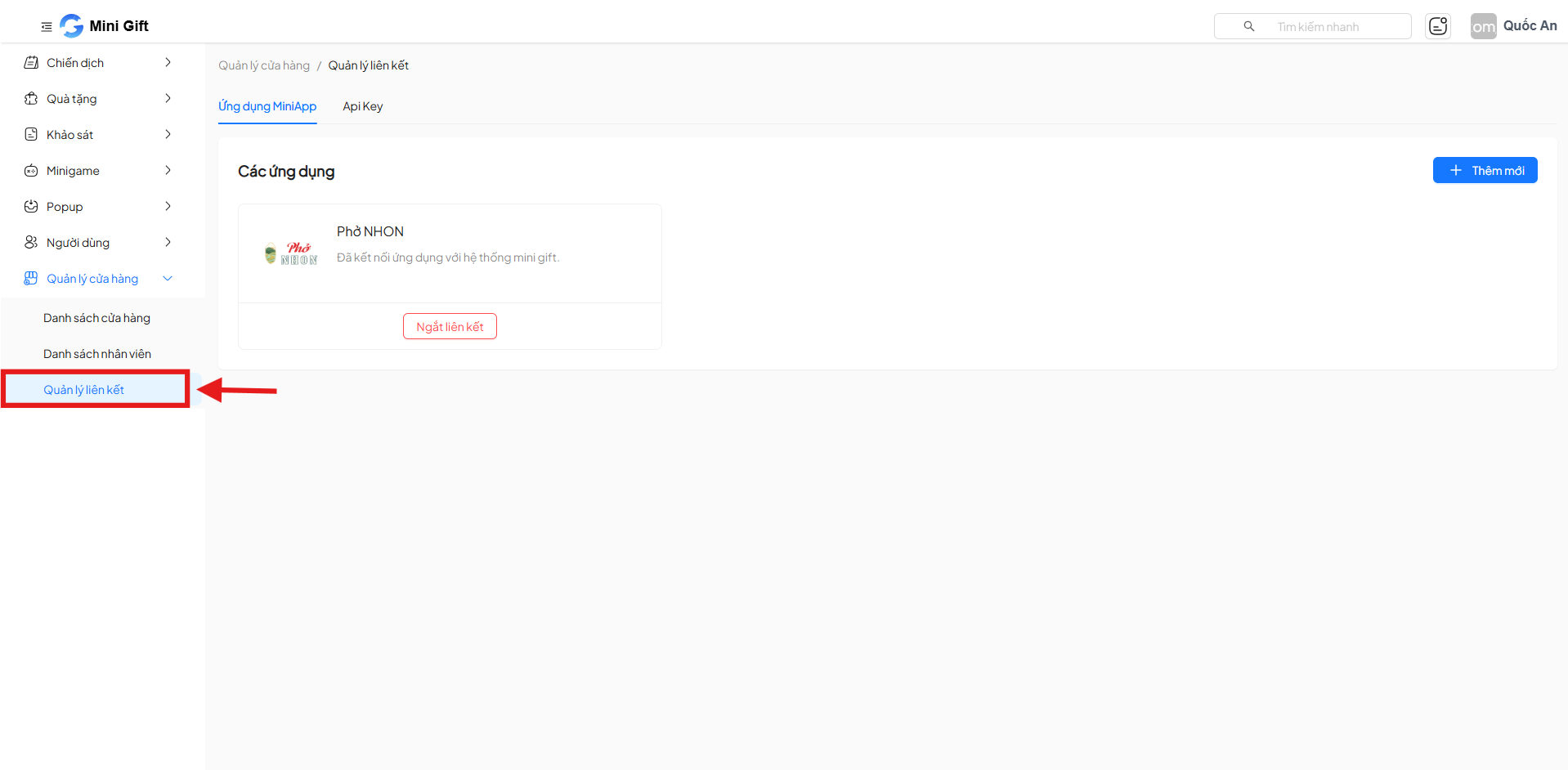
From the left menu, navigate to:
Store Management → Link Management
2. Screen Structure
The Link Management screen has 2 main tabs:
- MiniApp Applications
- API Key
3. MiniApp Applications
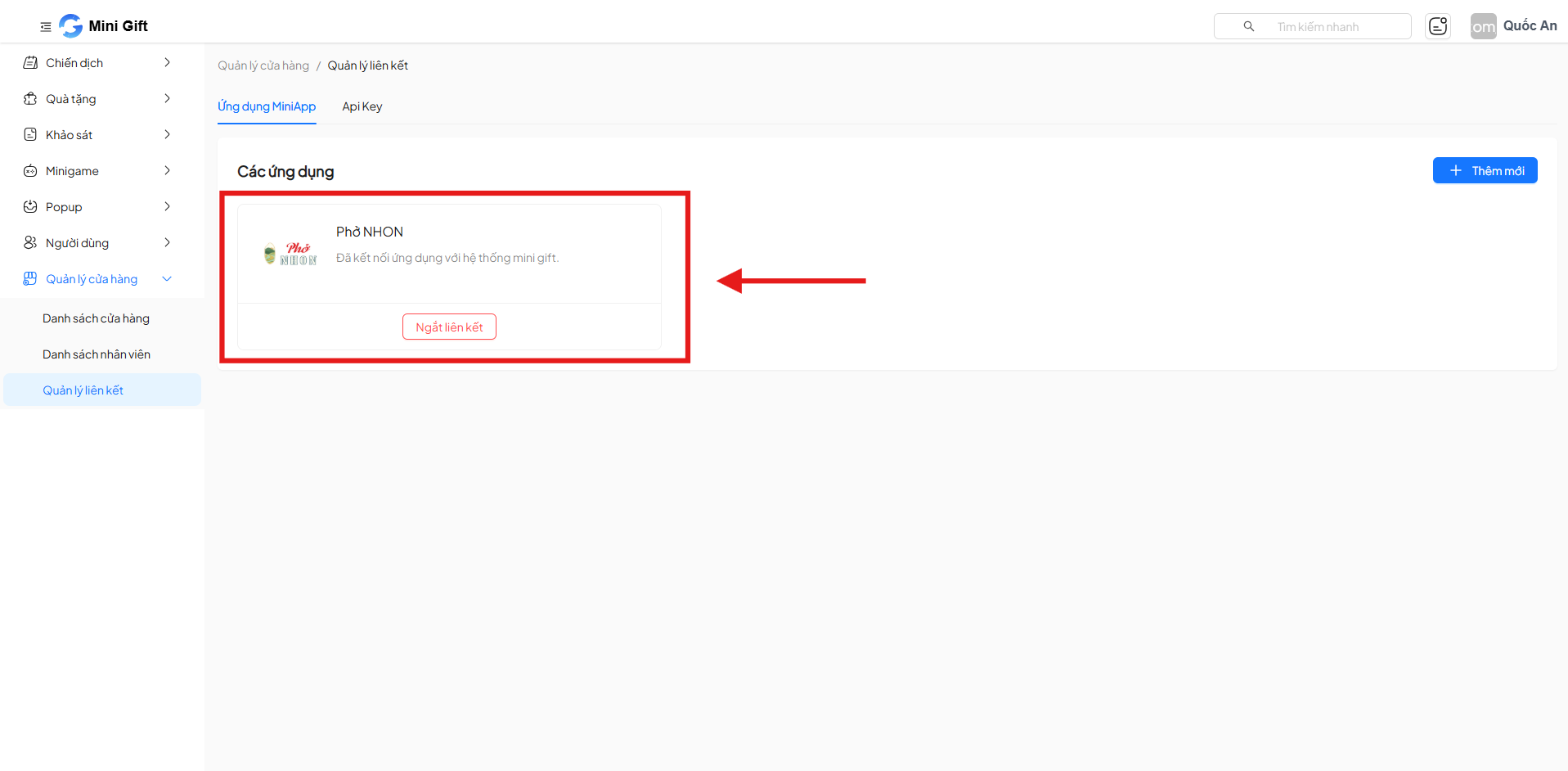
The MiniApp Applications tab displays the list of applications linked to the Mini Gift system.
3.1. Displayed Information
Each application includes:
- Application name
- Connection status
- Unlink button
3.2. Link a New Mini App Application
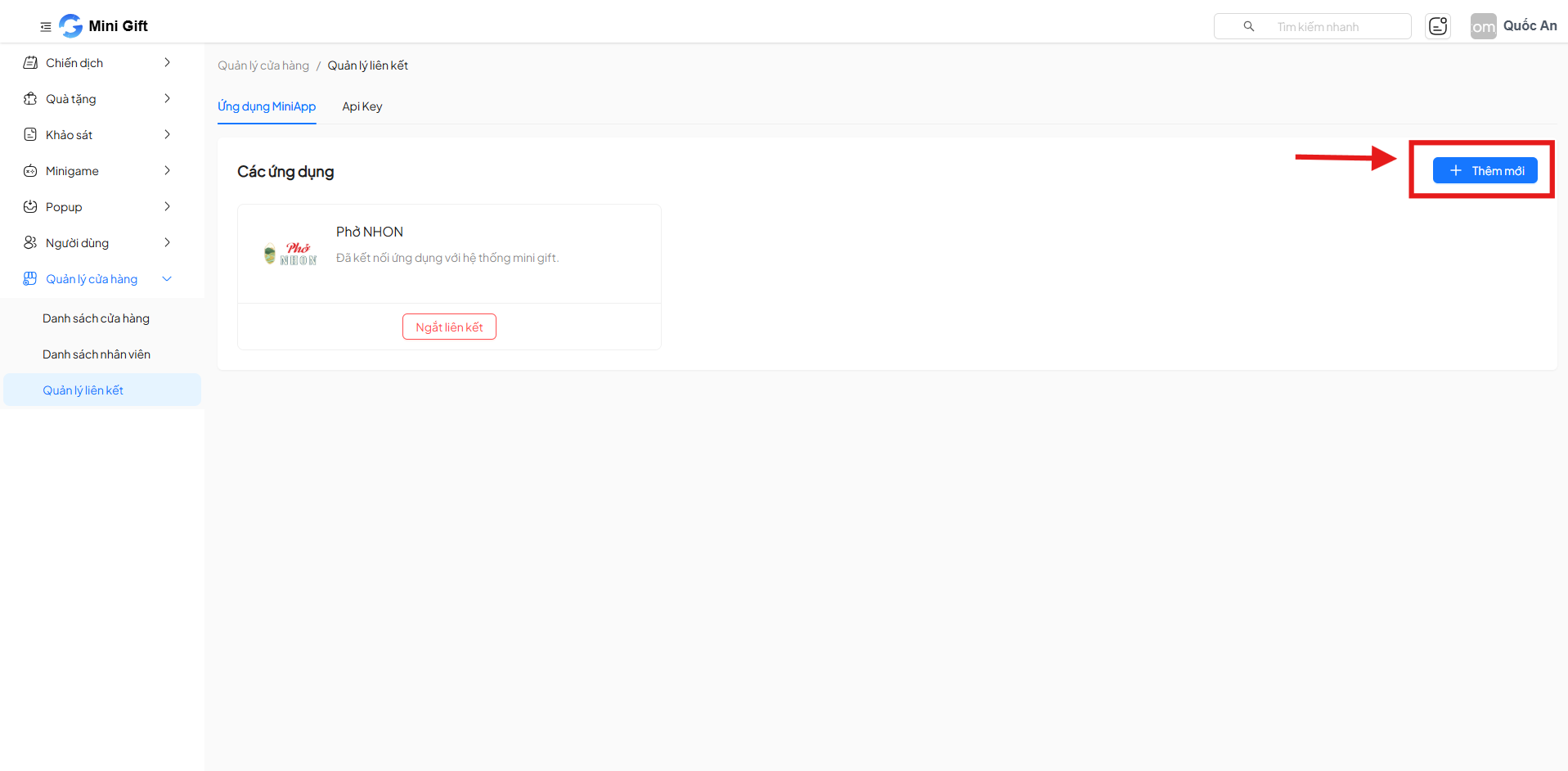
Click the Add New button to link a Mini App application to the system.
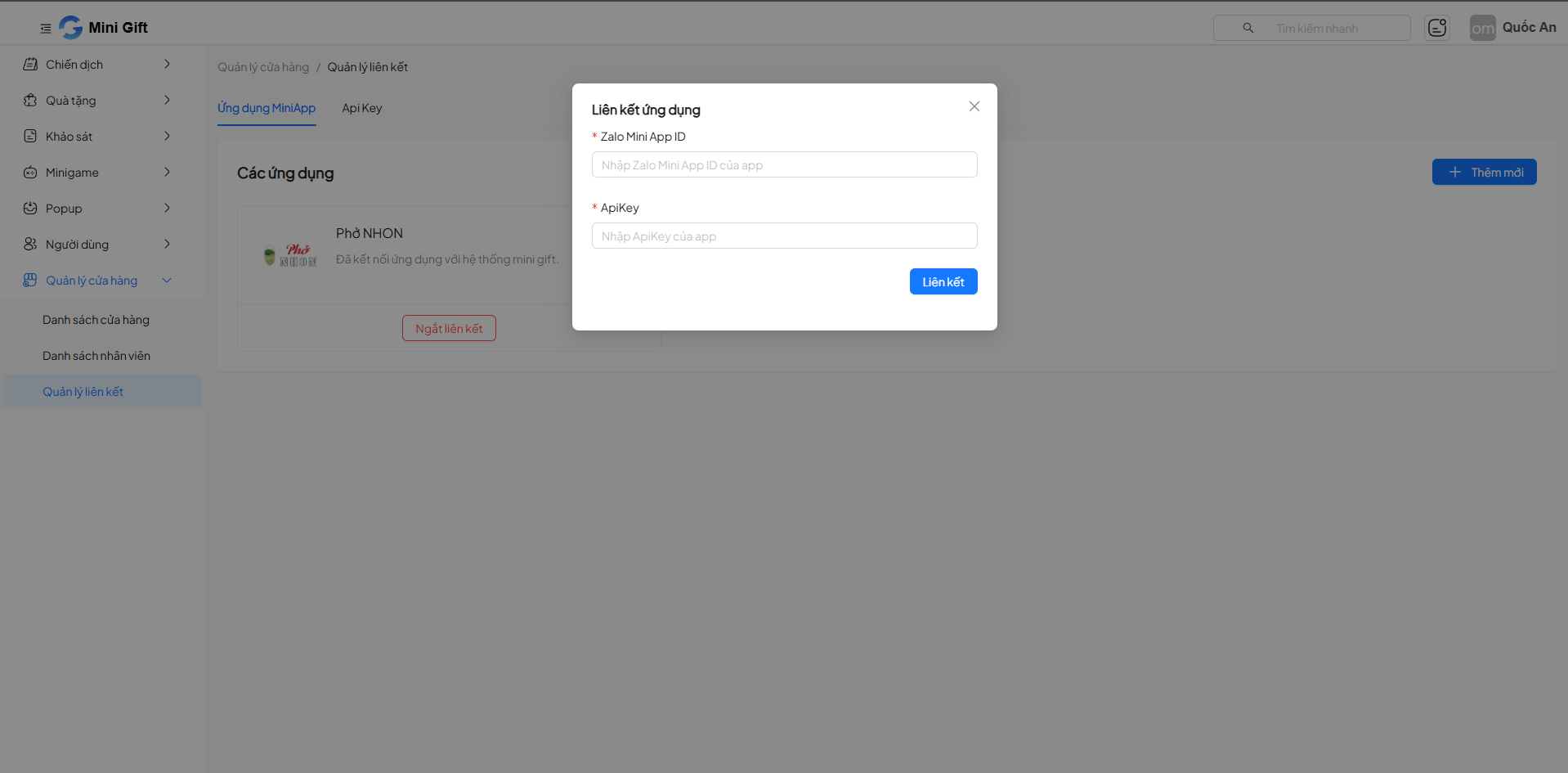
Information to Enter
| Field | Required | Description |
|---|---|---|
| Zalo Mini App ID | Yes | ID of the Mini App on Zalo |
| ApiKey | Yes | API Key provided by the Mini Gift system |
Click Link to complete the connection.
3.3. Unlink Application
- Click Unlink on the corresponding application
- After unlinking, the application will no longer access data from Mini Gift
4. API Key
The API Key tab allows managing access keys used for system integration.
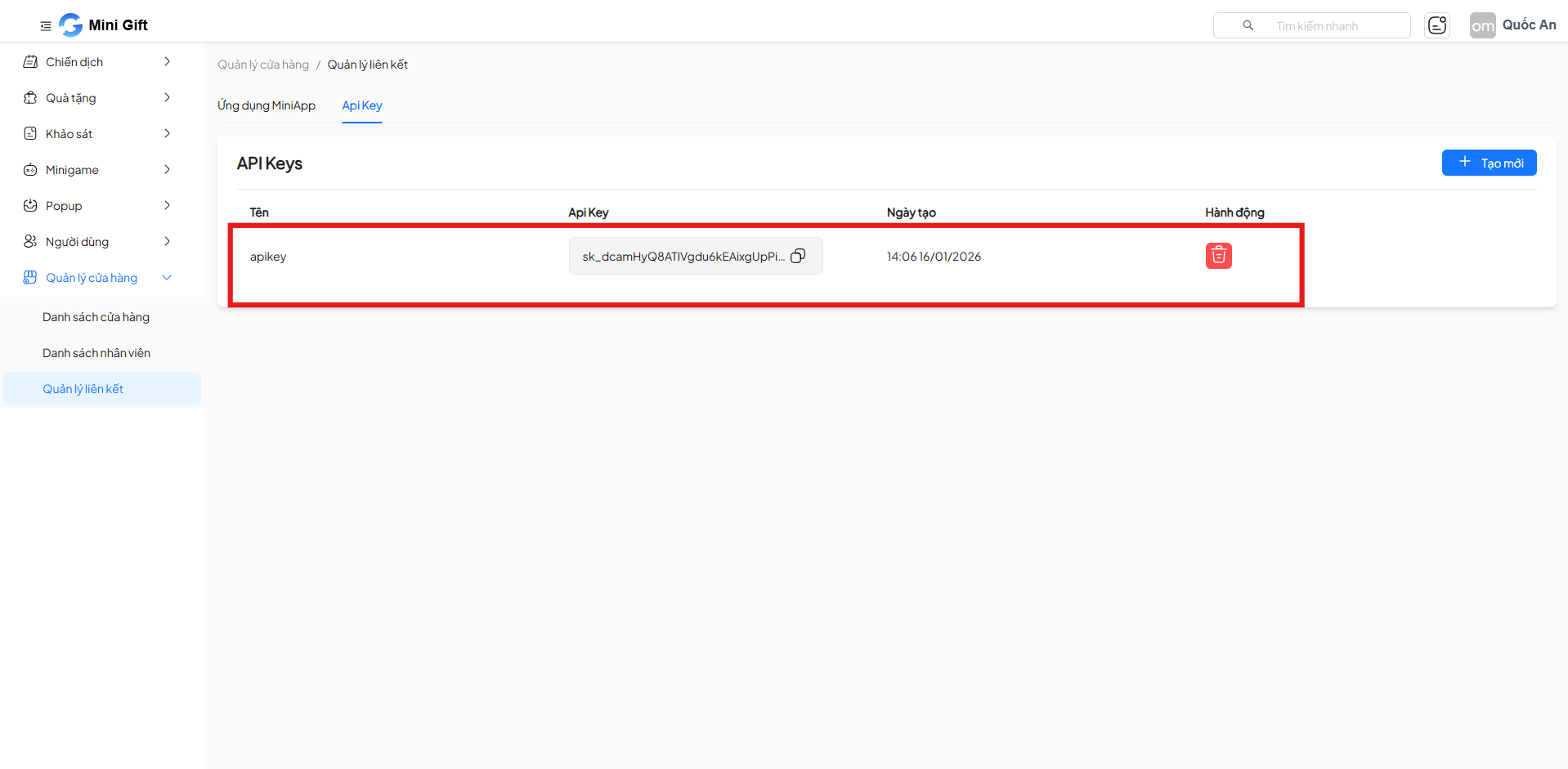
4.1 Displayed Information
| Column | Description |
|---|---|
| Name | API Key identifier name |
| ApiKey | Key value (partially hidden) |
| Created Date | Creation timestamp |
| Actions | Delete API Key |
4.2 Create New API Key
Click Create to generate a new API Key.
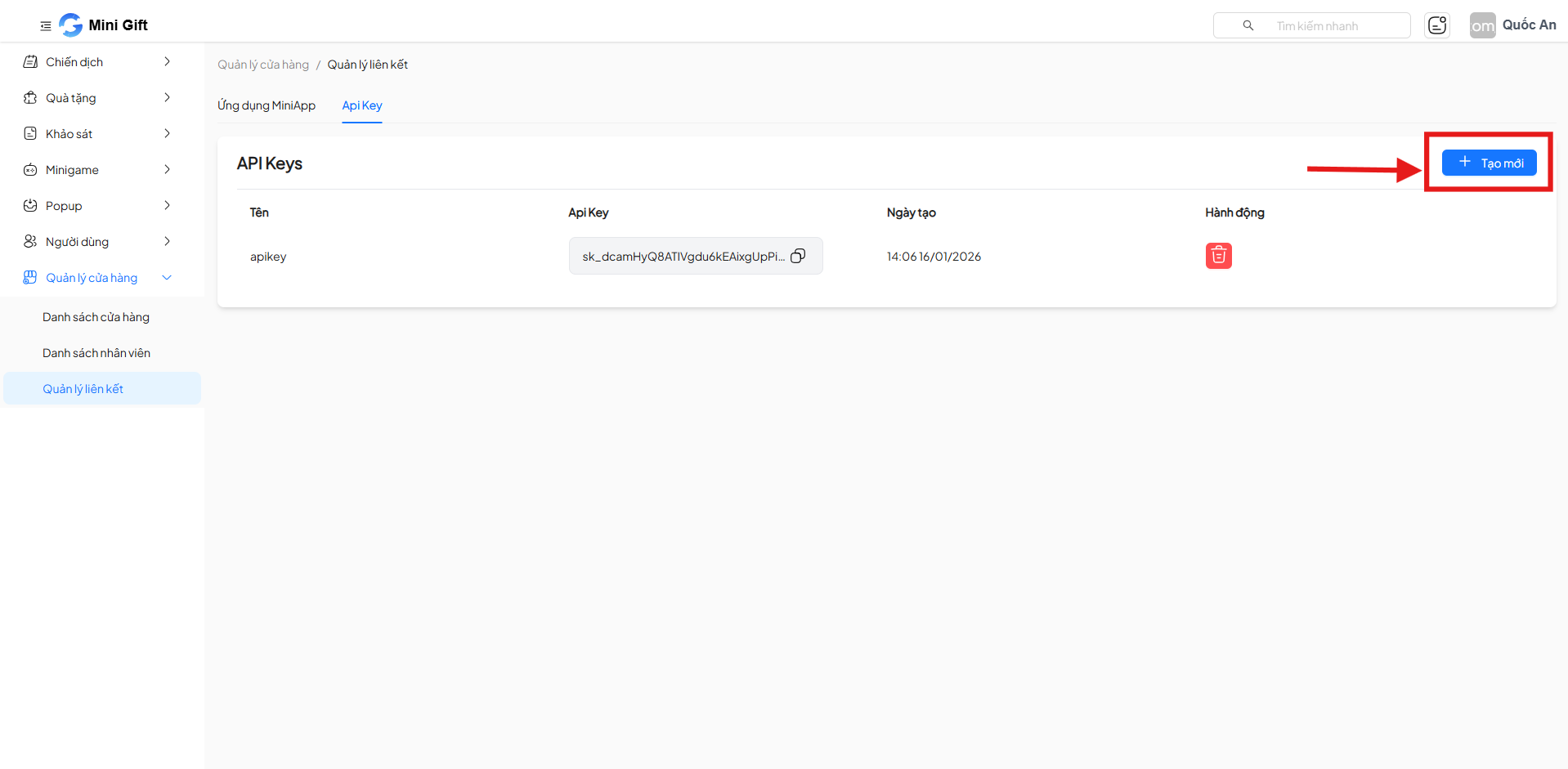
Information to Enter
| Field | Required | Description |
|---|---|---|
| Name | No | API Key identifier name |
Click Create to generate the API Key.
4.3 Delete API Key
- Click the Delete icon
- A deleted API Key cannot be reused
- This action cannot be undone
5. Security Notes
Security Warning
- Do not share API Keys with untrusted third parties
- Change the API Key immediately if a leak is suspected
- Each system should use only one valid API Key at a time
Usage Tips
- Use clear identifier names for easy management
- Regularly review and revoke unused API Keys
6. Summary
The Link Management feature plays an important role in:
- Connecting Mini Gift with the Mini App ecosystem
- Ensuring security during system integration
- Safely managing API Key lifecycles