Affiliate General Settings
Overview
Affiliate General Settings is a mandatory and first step when deploying the Affiliate feature on the system. Here, administrators set up the core operational mechanisms of the Affiliate program, including:
Ambassador commission withdrawal limit
Commission processing time after delivery
Affiliate attribution model
Affiliate link expiration time
Automatic or manual ambassador registration approval mechanism
Affiliate policy content displayed on the Mini App
Any changes on the General Settings screen will directly affect how the system records commissions and ambassador benefits.
Accessing the General Settings Screen
From the left menu bar, navigate to:
Affiliate → General Settings
The screen consists of 2 main tabs:
- General Settings
- Policy
General Settings Tab
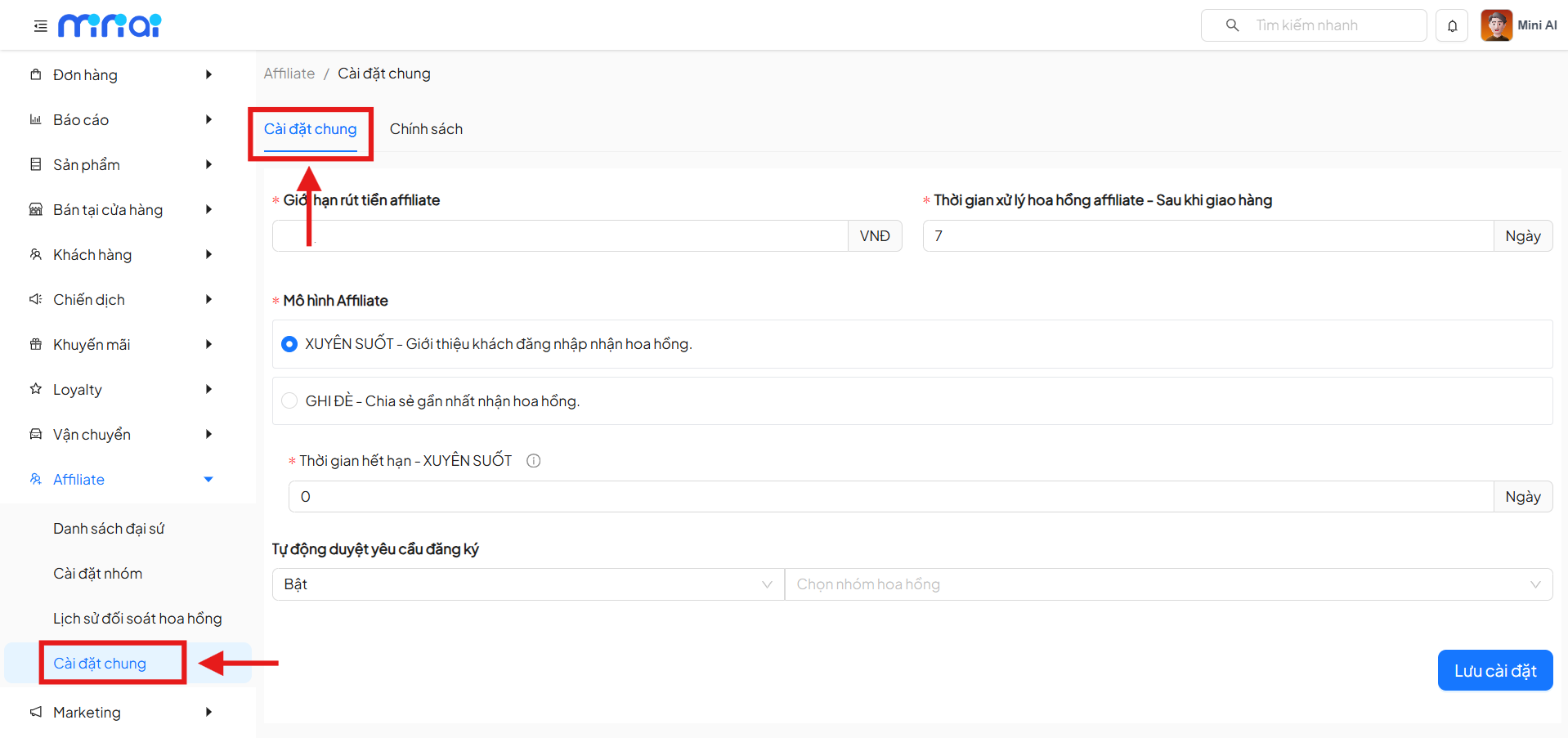
1. Affiliate Withdrawal Limit
- Required field
- The minimum amount that an ambassador needs to accumulate before submitting a commission withdrawal request
- Only accepts numeric values
- Display unit: VND
The withdrawal limit information will be displayed directly on the Mini App for ambassadors to track.
2. Affiliate Commission Processing Time – After Delivery
- Required field
- Determines the waiting period for commissions to transition from temporary to confirmed
- Unit: Days
- If the value is set to 0 → the system credits the commission immediately when the order is successful
- Risk: if the order is cancelled or returned, the Affiliate still receives the commission
It is recommended to set 7–14 days to ensure the order has been successfully delivered and is not returned.
3. Affiliate Model
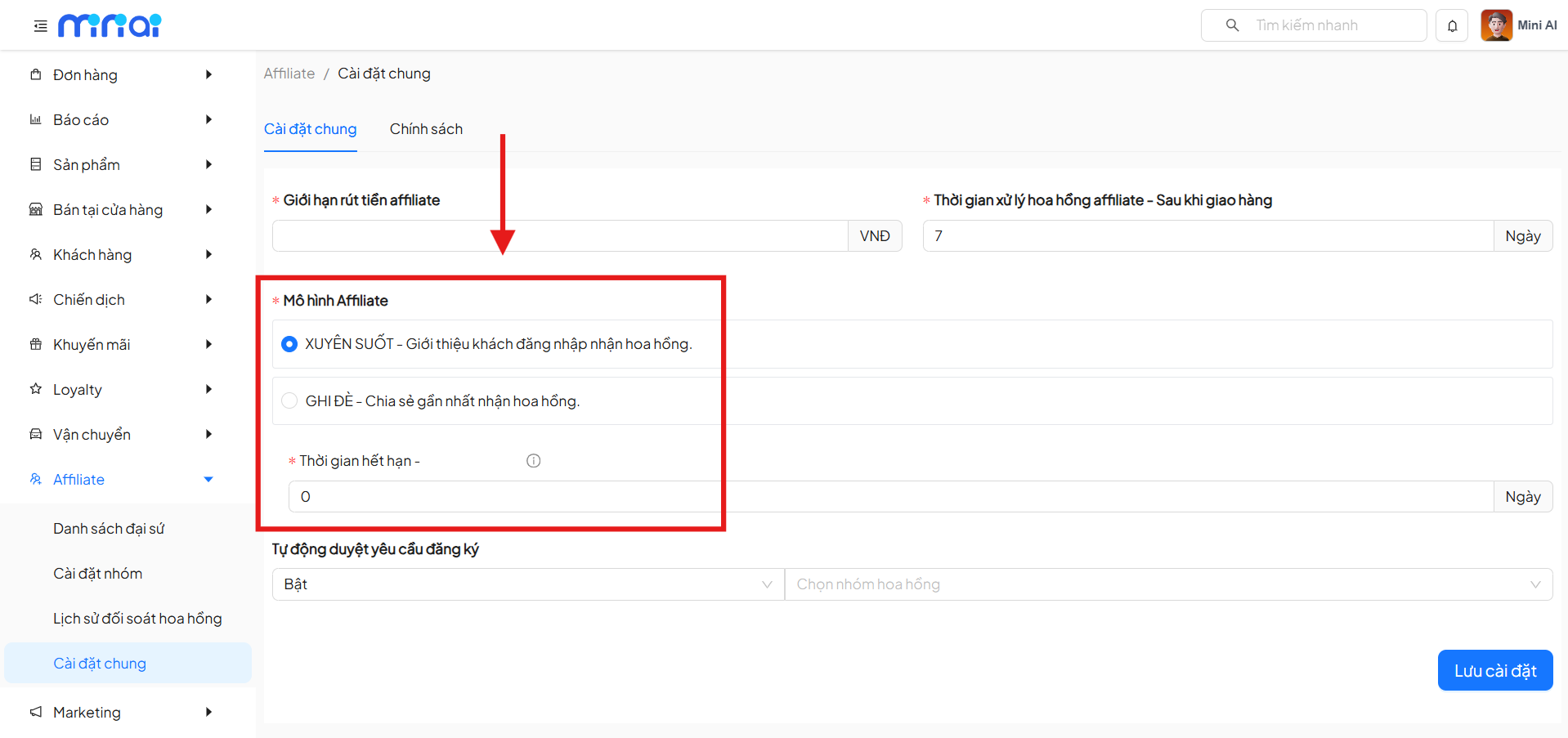
Administrators must choose 1 of the 2 models:
Persistent (First-touch Attribution)
- Records the first referring ambassador
- The first ambassador receives commission for all valid generated orders
- Applied within the configured expiration period
Example:
- A shares a link with customer X (X has not purchased)
- Then B shares a link with X (X makes a purchase)
- If still within the persistent period → A receives the commission
Override (Last-touch Attribution)
- Records the ambassador whose link was clicked most recently before purchase
- Commission belongs to the last ambassador within the validity period
Example:
- A shares a link → X clicks but doesn't buy
- Within the validity period, B shares a link → X makes a purchase
- B receives the commission
If the override time = 0, the Affiliate link will exist indefinitely until another link overrides it.
4. Affiliate Expiration Time
- Required field
- Applies to both Persistent and Override models
| Model | Meaning |
|---|---|
| Persistent | Duration for recording the first referrer |
| Override | Duration for recording the most recent link |
5. Auto-Approve Affiliate Registration Requests
| Status | Meaning |
|---|---|
| On | System automatically approves ambassadors. Ambassadors are placed in the selected commission group |
| Off | Administrator manually reviews each request, enabling strict quality control of ambassadors |
6. Save Settings
After completing the configuration, click Save Settings for the system to apply all changes.
Policy Tab
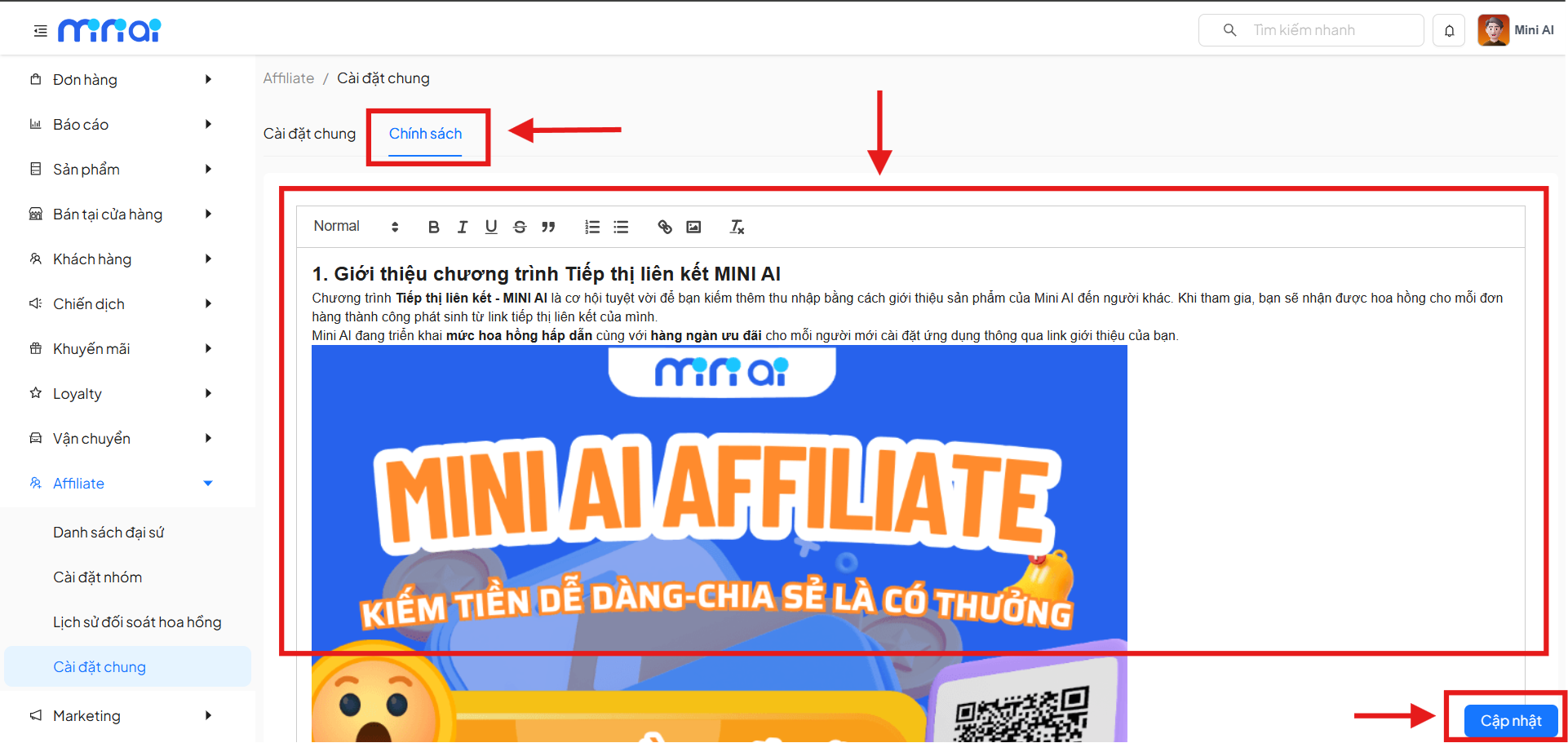
Overview
The Policy tab allows administrators to:
- Provide Affiliate policy content
- Display to ambassadors on the Mini App
- Supports:
- Text
- Images
Policy content is not mandatory, but it is recommended to ensure transparency of ambassador rights and responsibilities.
Update Policy
- Enter or edit policy content
- Click Update
- The system automatically syncs the content to the Mini App
Important Notes for Setup
- Setting the Affiliate model after ambassadors are already active may affect existing benefits
- Policies should be agreed upon before official deployment
Summary
Affiliate General Settings is the operational foundation of the entire affiliate marketing program. Proper configuration from the start helps businesses:
- Control commission risks
- Ensure transparent ambassador benefits
- Operate Affiliate stably and sustainably