Affiliate Group Management & Setup
Affiliate Group System Overview
The Affiliate Group feature allows businesses to classify Affiliate ambassadors into groups, thereby applying different commission policies, ranking tiers, and operational methods for each group.
An Affiliate group consists of:
- Group information
- List of ranking tiers
- Commission policies by tier / category / product
- Member list (Affiliate ambassadors)
Setting up groups correctly from the beginning helps:
- Manage Affiliates clearly and transparently
- Easily expand multiple collaboration models
- Control commissions accurately at each level
Accessing Affiliate Group Management
From the admin menu, navigate to:
Affiliate → Group Settings
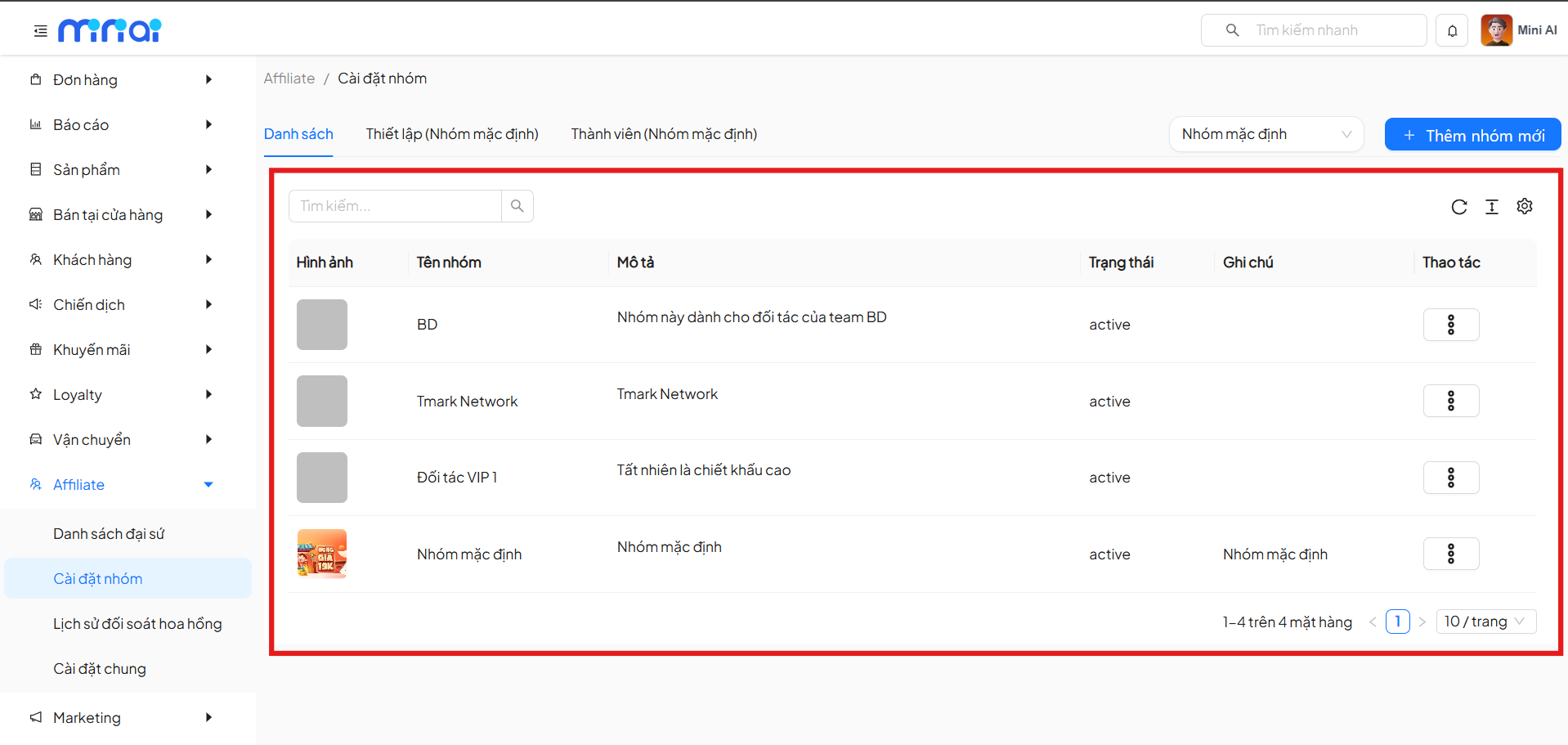
The screen displays the complete list of Affiliate groups in the system.
Affiliate Group List
On the List tab, the system displays the following information:
- Group image
- Group name
- Description
- Status
- Notes
- Actions
Administrators can:
- Search for groups
- Select the Default Group
- Add new groups
- View details / delete / assign as default group
Creating a New Affiliate Group
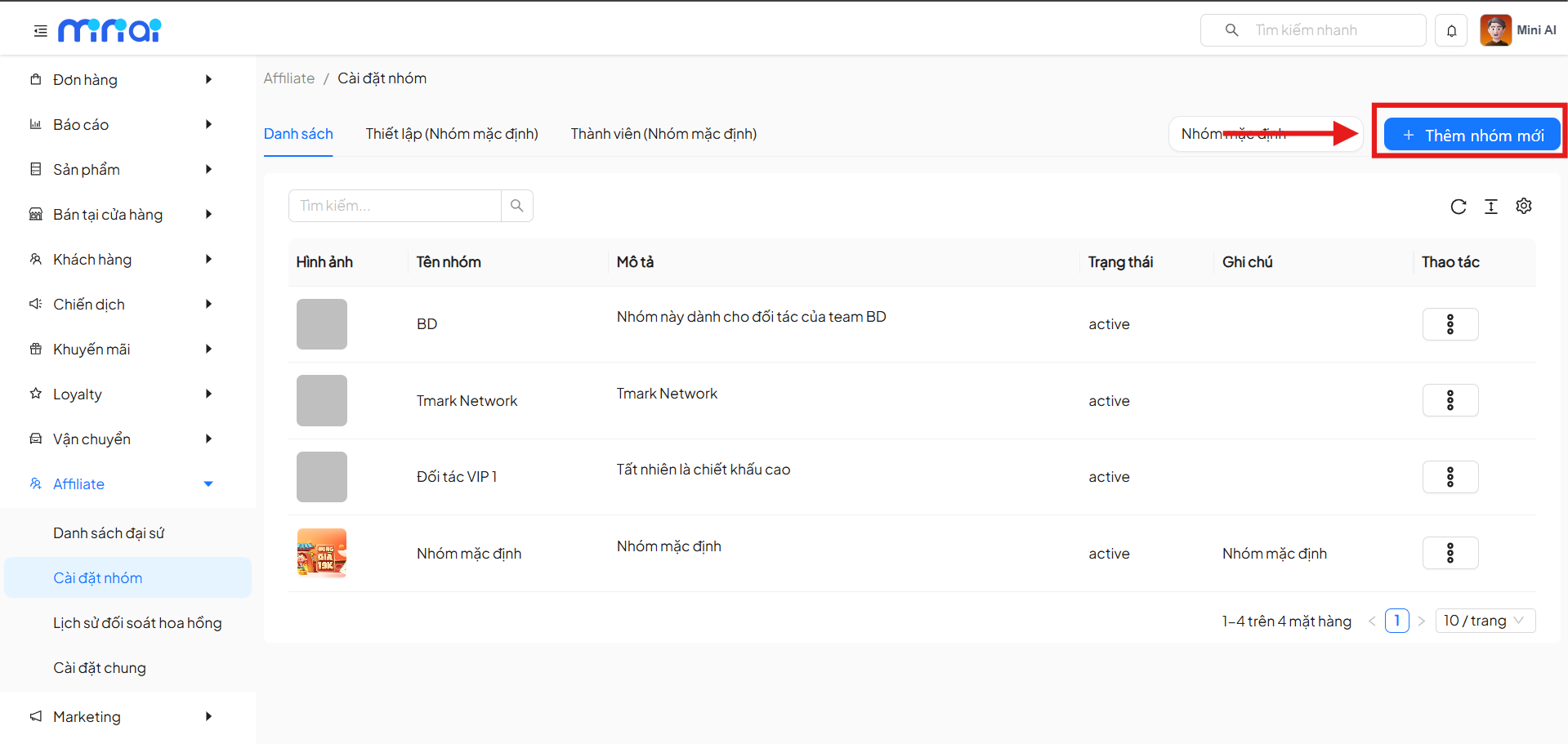
Step 1: Initialize the Group
Click the + Add New Group button.
Step 2: Enter Group Information
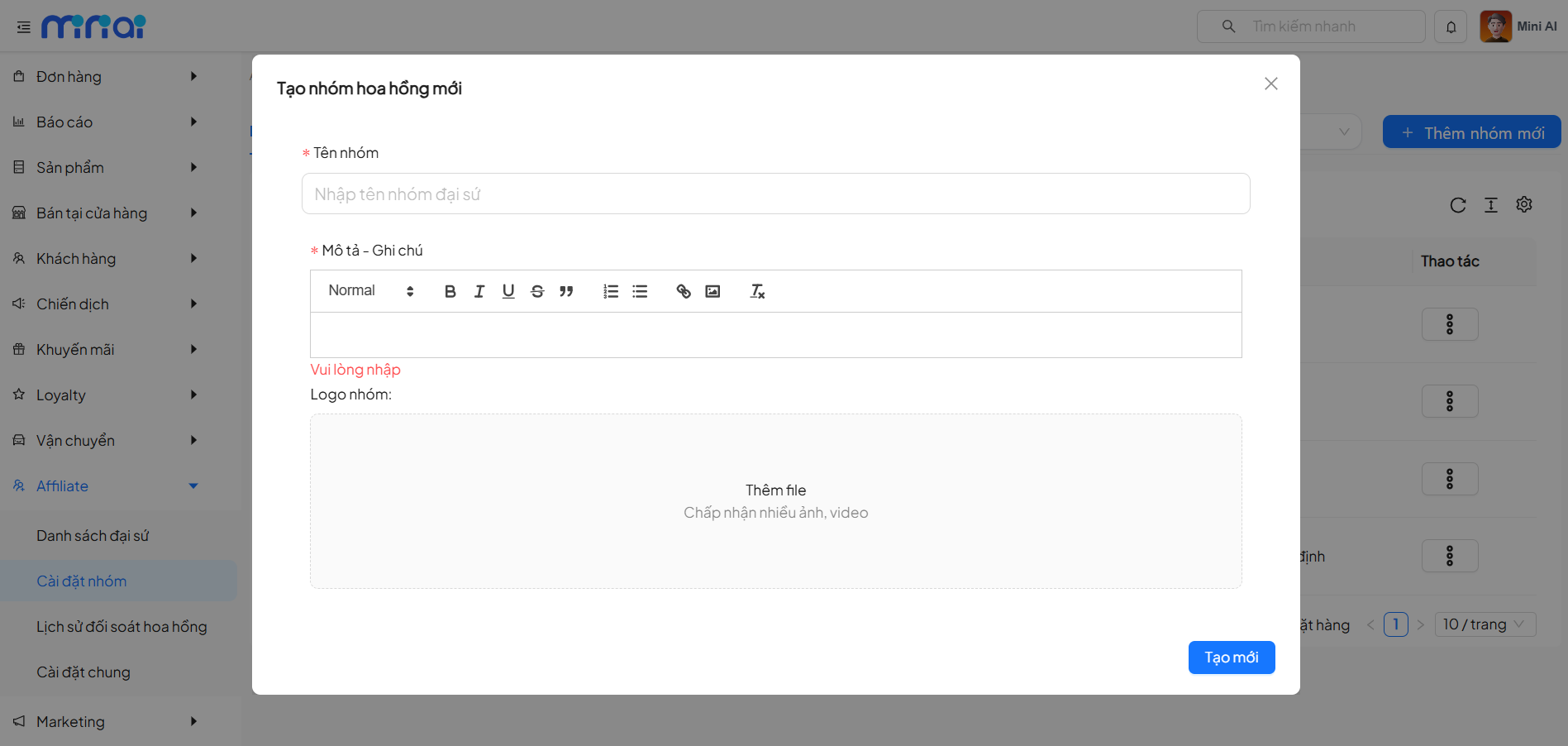
On the Create New Commission Group popup, enter:
- Group Name (required)
- Description – Notes (required)
- Group Logo (optional)
After completing, click Create to save.
The newly created group will appear immediately in the list and is ready for detailed setup.
Default Affiliate Group
- Each system has only 1 default group
- New Affiliate ambassadors will be automatically assigned to this group
- The default group can be changed from the group list
Affiliate Group Setup
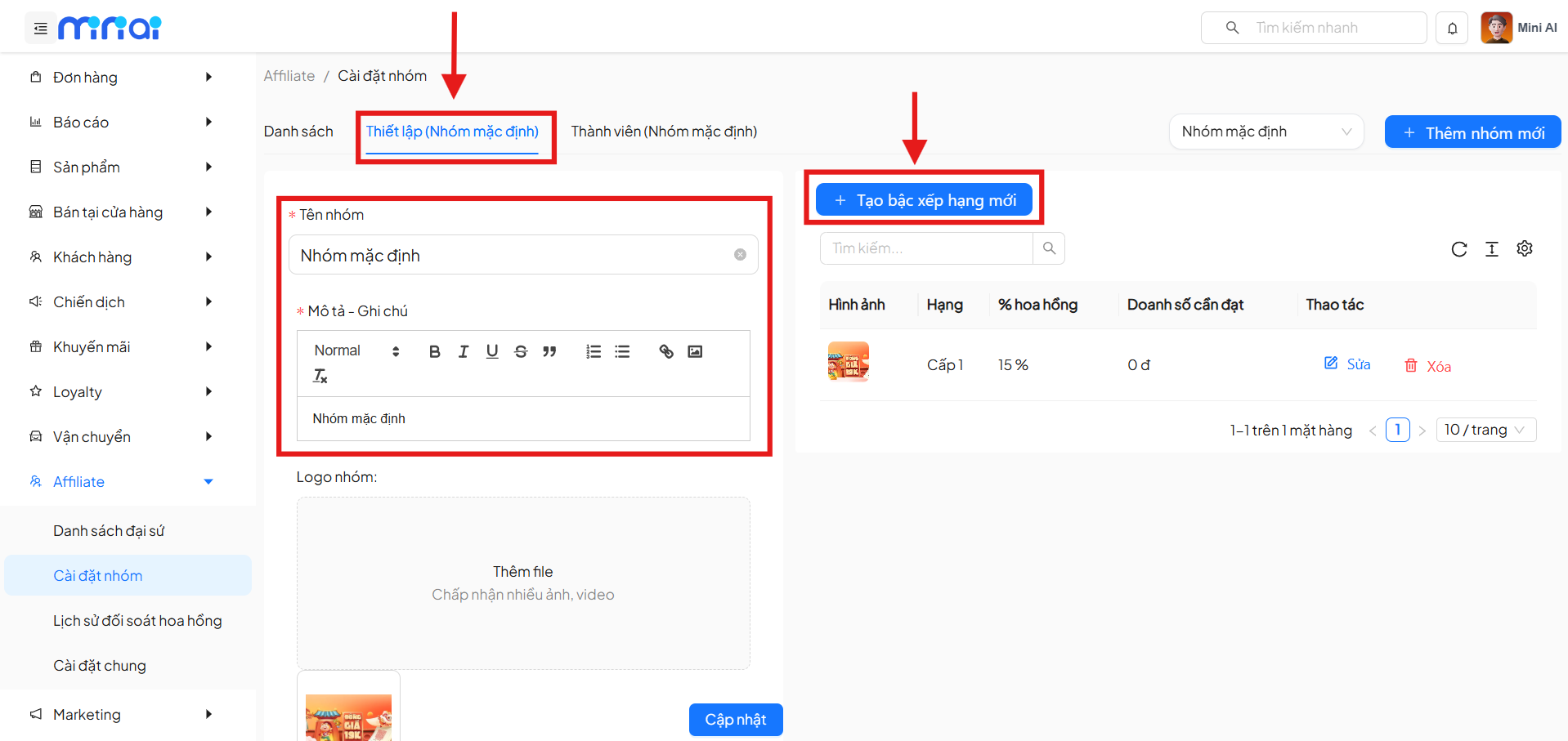
Switch to the Setup (Group ...) tab or configure the selected group.
Affiliate Group Information
Here you can update:
- Group name
- Description – notes
- Group logo
- Active status
After making changes, click Update to save.
Creating Ranking Tiers for Affiliate Groups
Initialize a Ranking Tier
Click + Create New Ranking Tier.
Ranking Tier Information
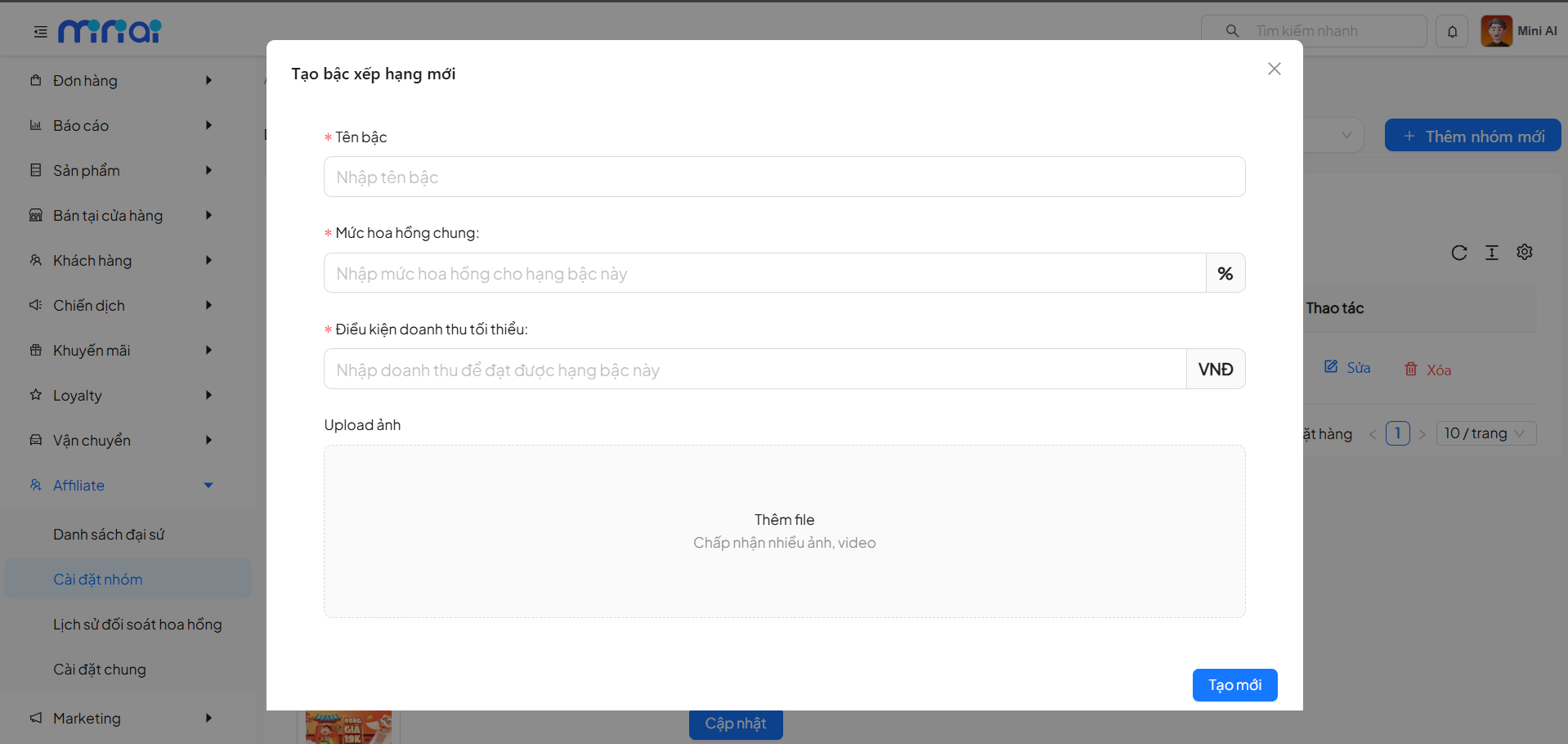
Enter:
-
Tier Name (required, no character limit)
-
General Commission Rate (%)
- From 1–100
- Decimals not allowed
-
Minimum Revenue Condition
- Integer ≥ 0
- For the first tier, this value should be 0 to ensure all ambassadors can achieve this tier
-
Upload Image (optional)
-
Status: Enable / Disable
A new tier must have a higher general commission rate than existing tiers and a minimum revenue condition greater than or equal to the previous tier.
Click Create to complete.
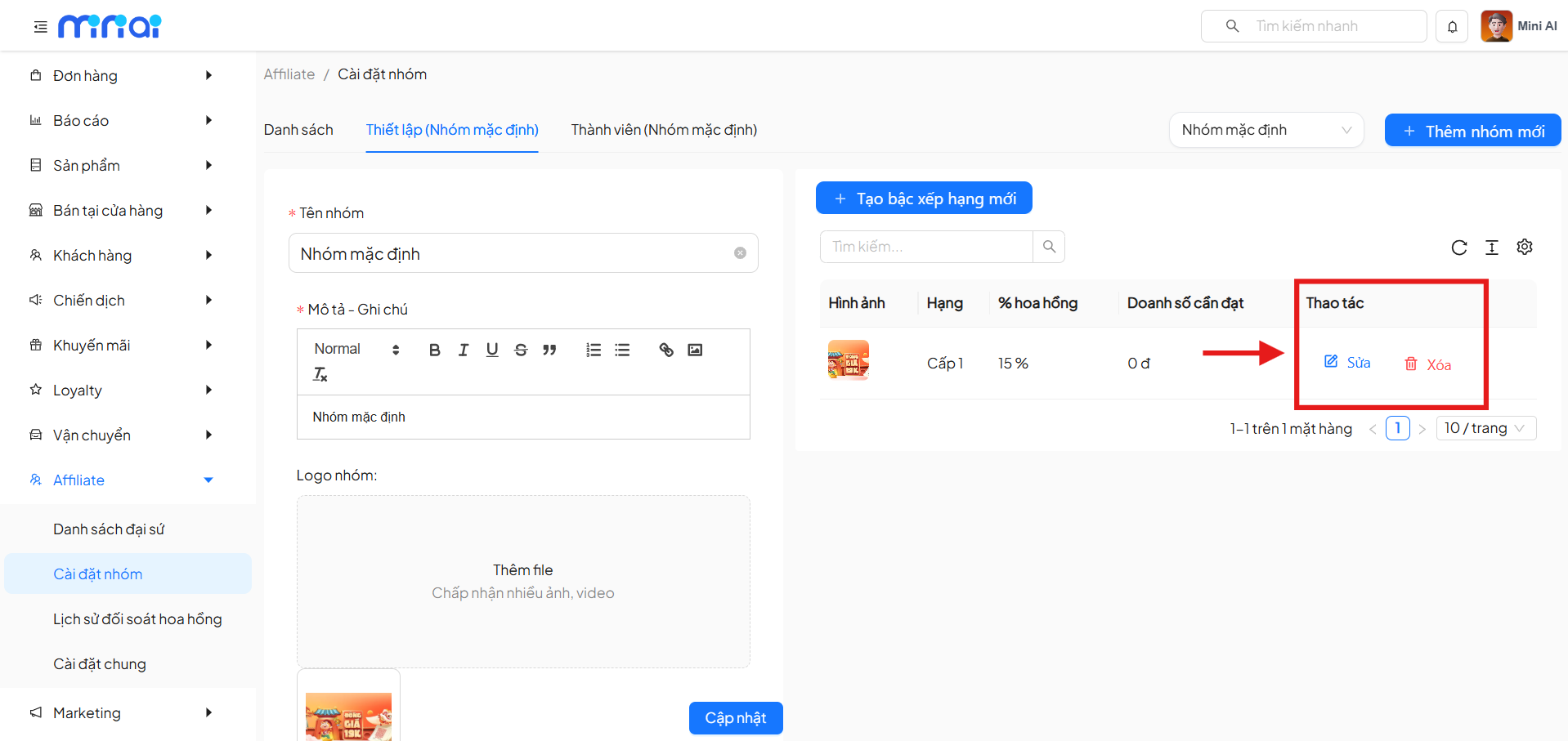
Managing & Editing Ranking Tiers
On the ranking tier list:
- Edit tier information
- Delete a tier (if there are no constraints)
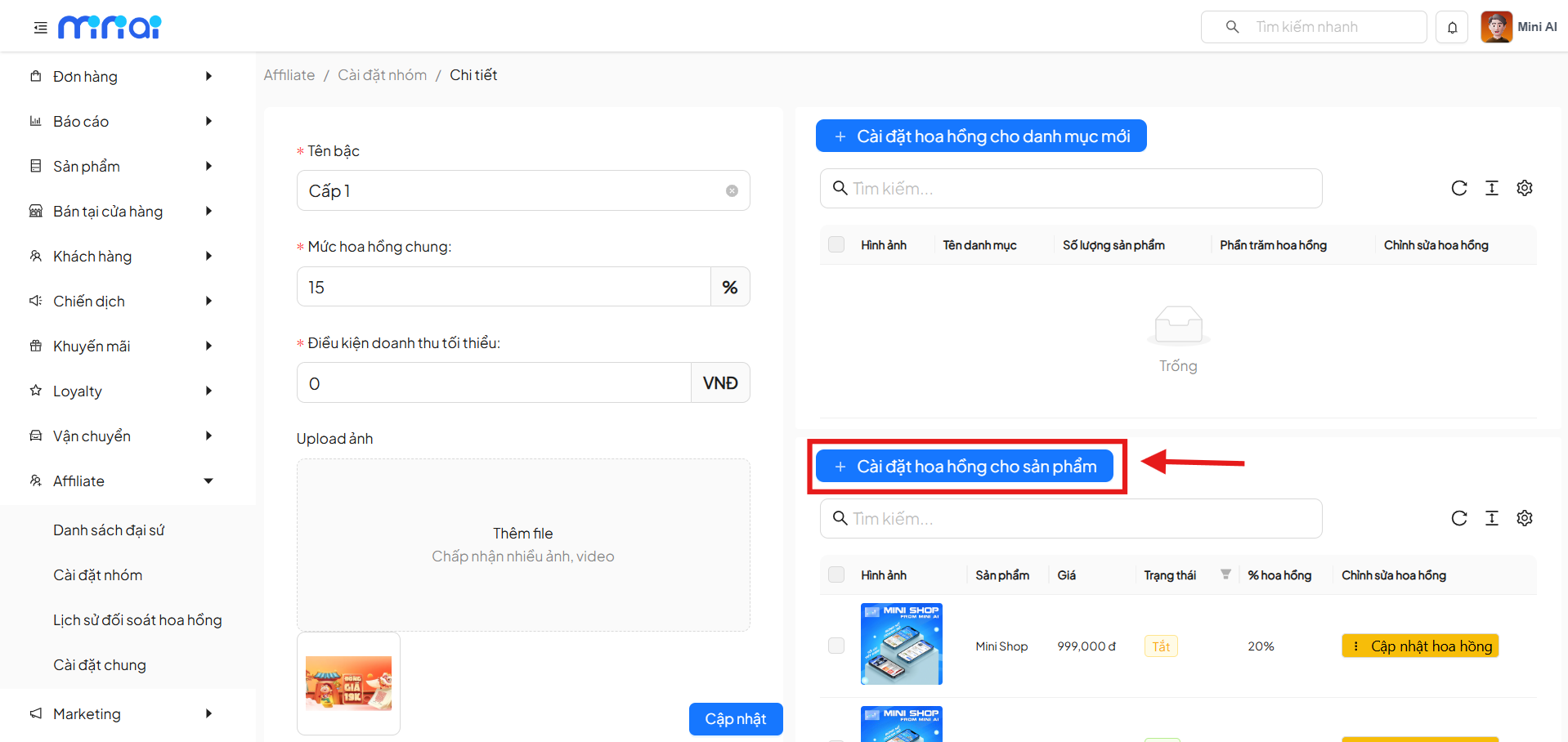
Affiliate Ranking Tier Details
Click on a tier to view Details.
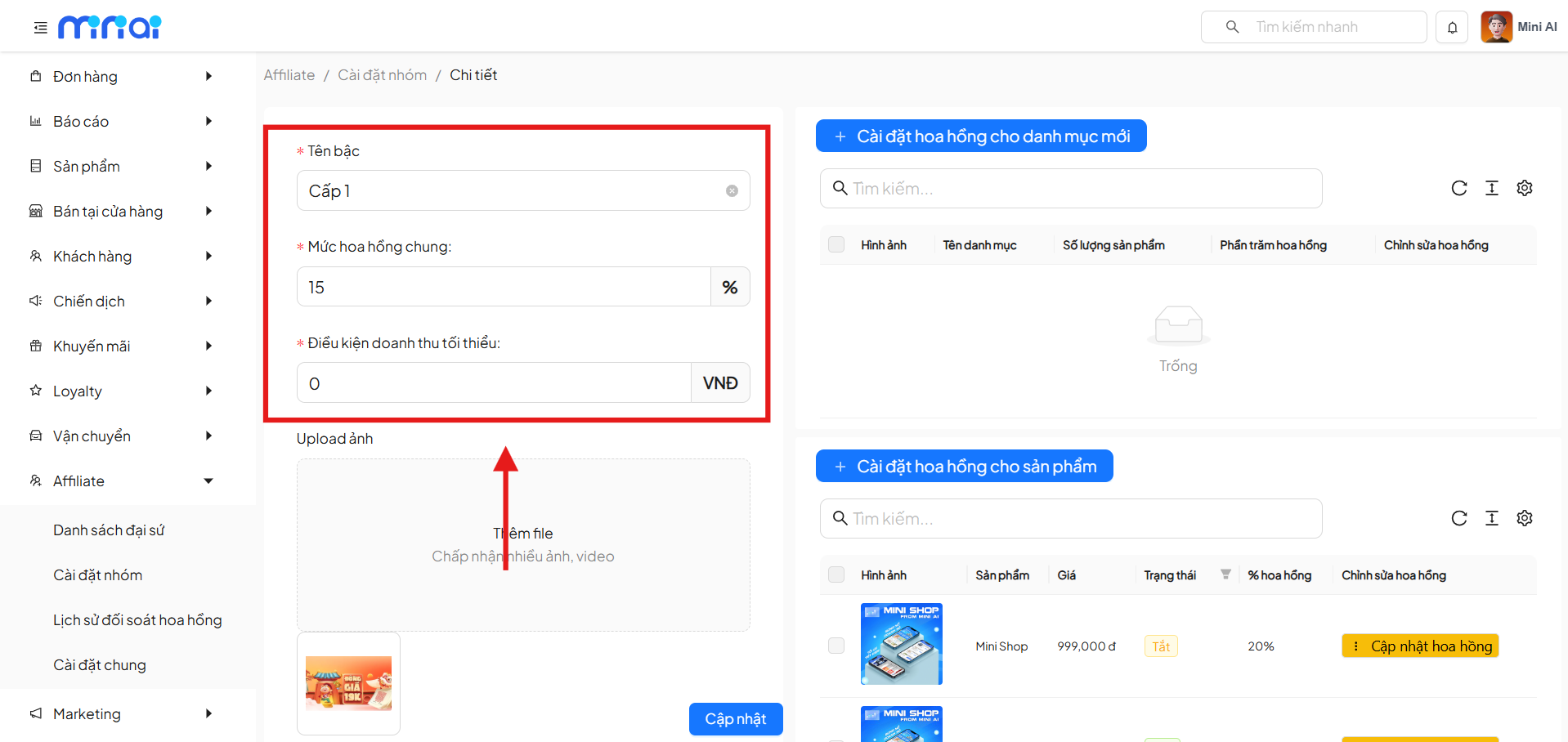
The details screen consists of 3 sections:
1. Ranking Tier Information
Allows updating:
- Tier name
- General commission rate
- Minimum revenue
- Image
- Status
Click Update to save.
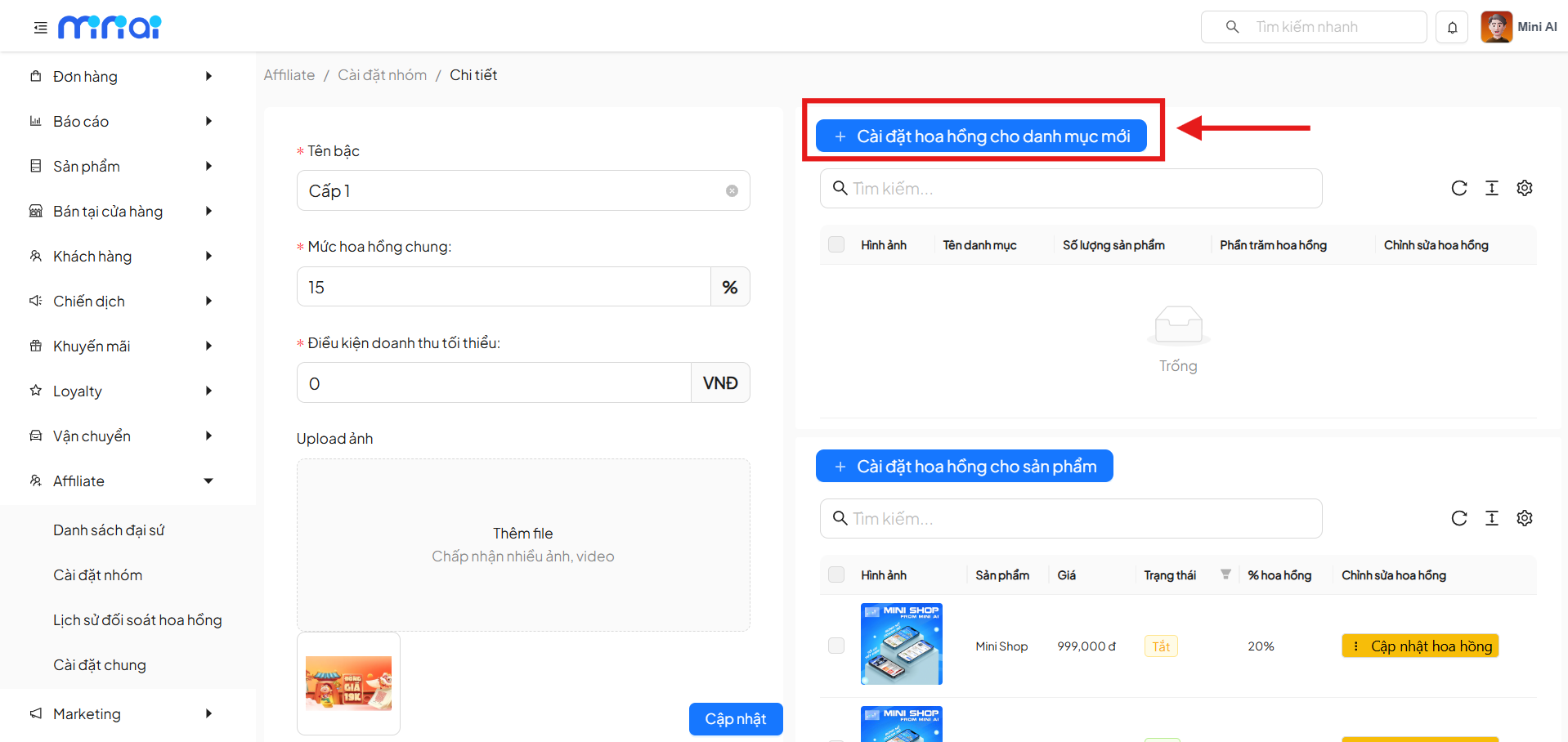
2. Setting Up Commission by Category
Click + Set Commission for New Category.
Steps:
- Select Add Commission
- Enter Commission Rate (%) (0–100, no decimals)
- Click Confirm or Cancel
3. Setting Up Commission by Product
Click + Set Commission for Product.
The process is the same as for categories:
- Add / update commission
- Confirm or cancel the action
Commission Priority Order
When calculating commission for an order, the system will apply in the following priority order:
- Product commission
- Category commission
- General commission of the ranking tier
Summary
The Affiliate Group feature helps businesses easily manage and operate the ambassador program effectively. By classifying ambassadors into groups, setting up ranking tiers, and configuring appropriate commission policies, businesses can optimize the performance of their affiliate program while creating motivation for ambassadors to drive sales.