Customer Loyalty Report
Customer Loyalty Report Overview
Customer Loyalty Report is a tool that helps administrators track and analyze all point earning and spending activities of customers in the Loyalty system.
The report supports:
- Tracking total points issued
- Monitoring points used / deducted
- Analyzing point generation sources
- Statistics on customer mini app referral activities
Accessing the Customer Loyalty Report
To access the Customer Loyalty Report feature, follow these steps:
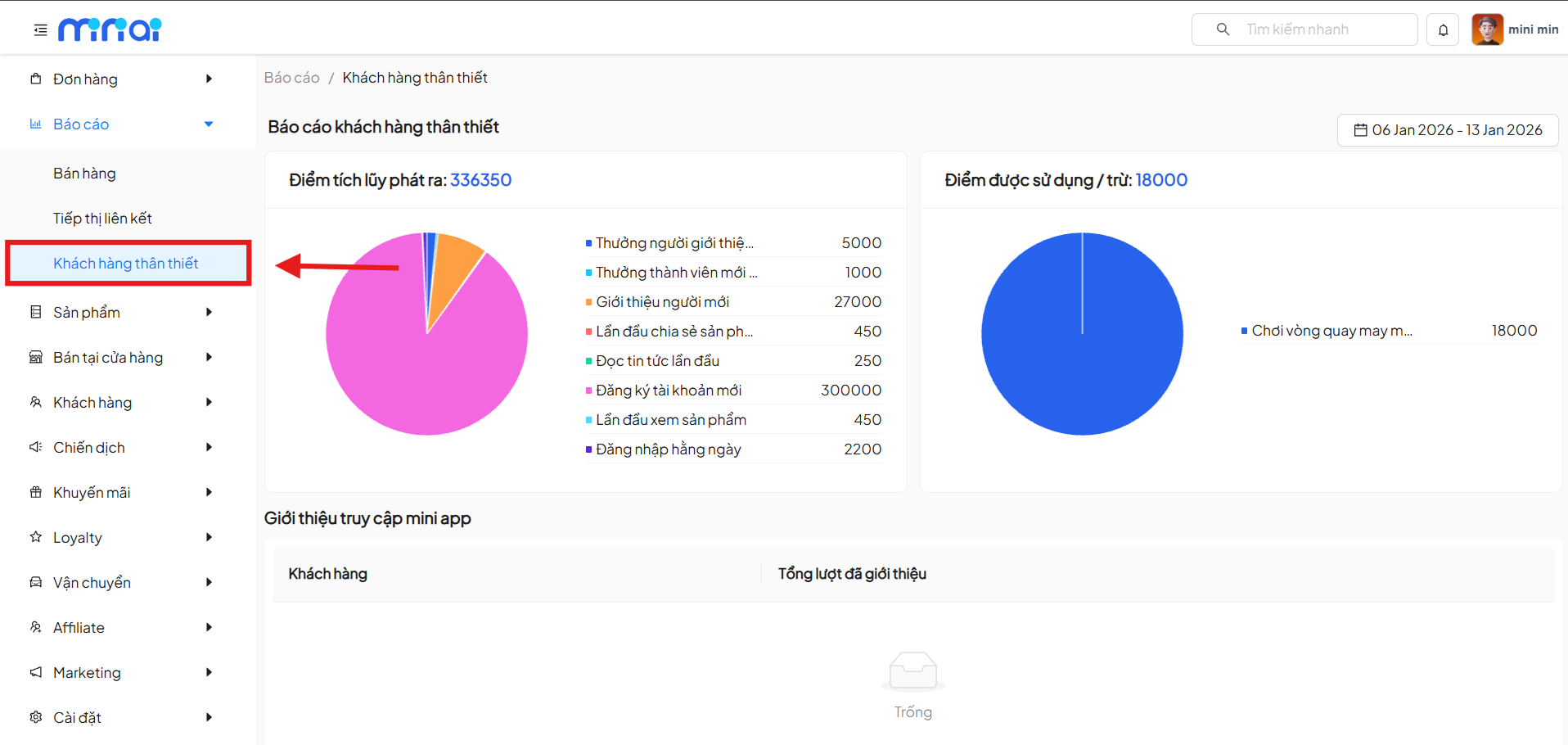
- From the left menu, select Reports
- Click on Customer Loyalty
- The system displays the Reports / Customer Loyalty screen
Time Filter
In the upper right corner of the screen, there is a time filter that allows selecting the report viewing period.
How to Use
- Click on the date picker icon
- Select the desired time range
- Report data will automatically update according to the selected time
The time filter helps compare Loyalty activities between different periods.
Points Issued
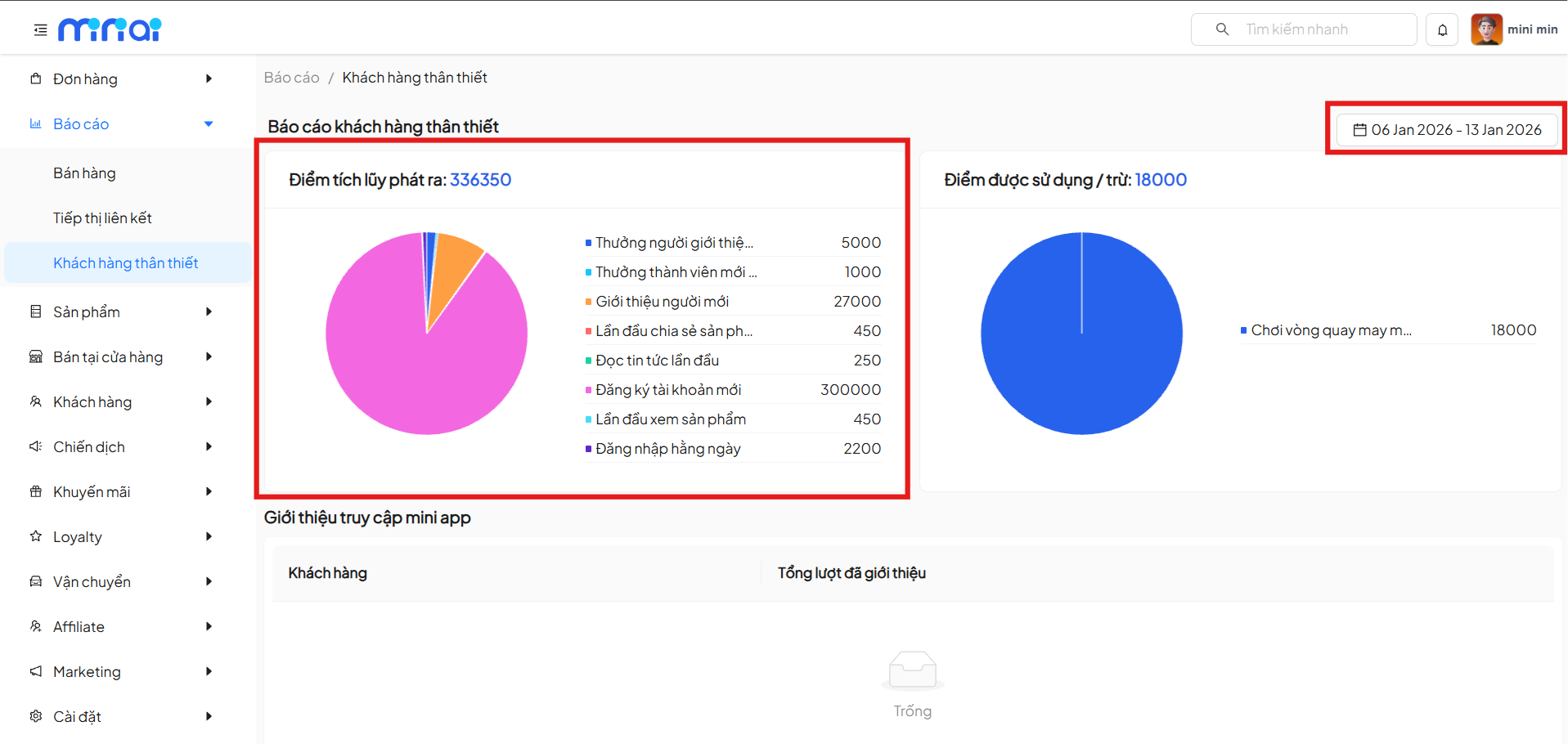
The Points Issued section displays the total number of points the system has issued to customers within the selected time period.
Displayed Content
- Total accumulated points issued
- Pie chart showing point proportion by each action
- List of point generation sources, including:
- Referrer reward
- New member reward
- New user referral
- First product share
- First news read
- New account registration
- First product view
- Daily login
Data Significance
- Identify which behaviors generate the most points
- Evaluate the effectiveness of user incentive programs
- Optimize Loyalty point issuance policies
Points Used / Deducted
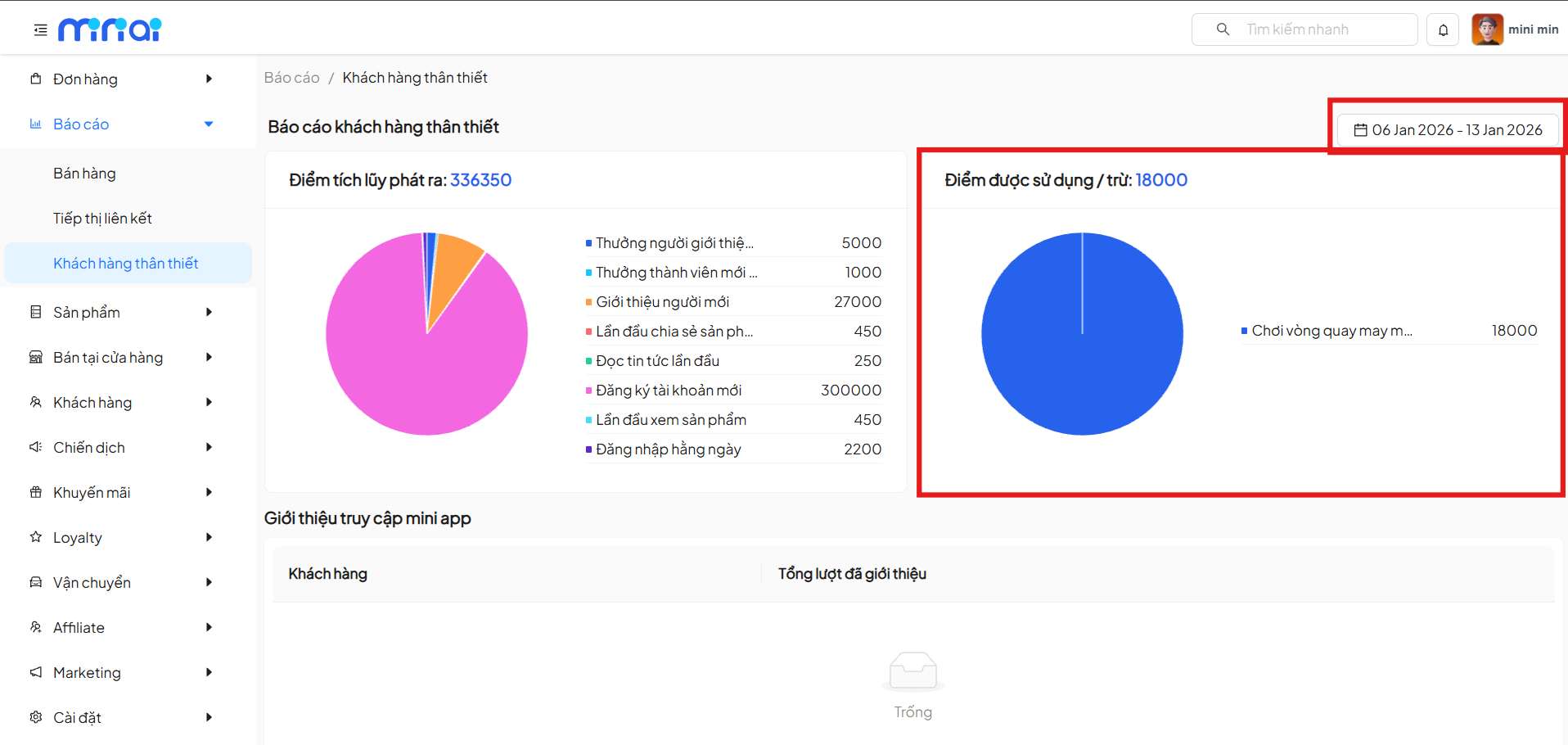
The Points Used / Deducted section shows the total number of points customers have used in the system.
Displayed Content
- Total points used / deducted
- Pie chart showing point usage purposes
- Examples: lucky wheel play, gift redemption, discounts
Data Significance
- Track customer point usage levels
- Evaluate the attractiveness of point spending features
- Control balance between points issued and points used
Mini App Access Referrals
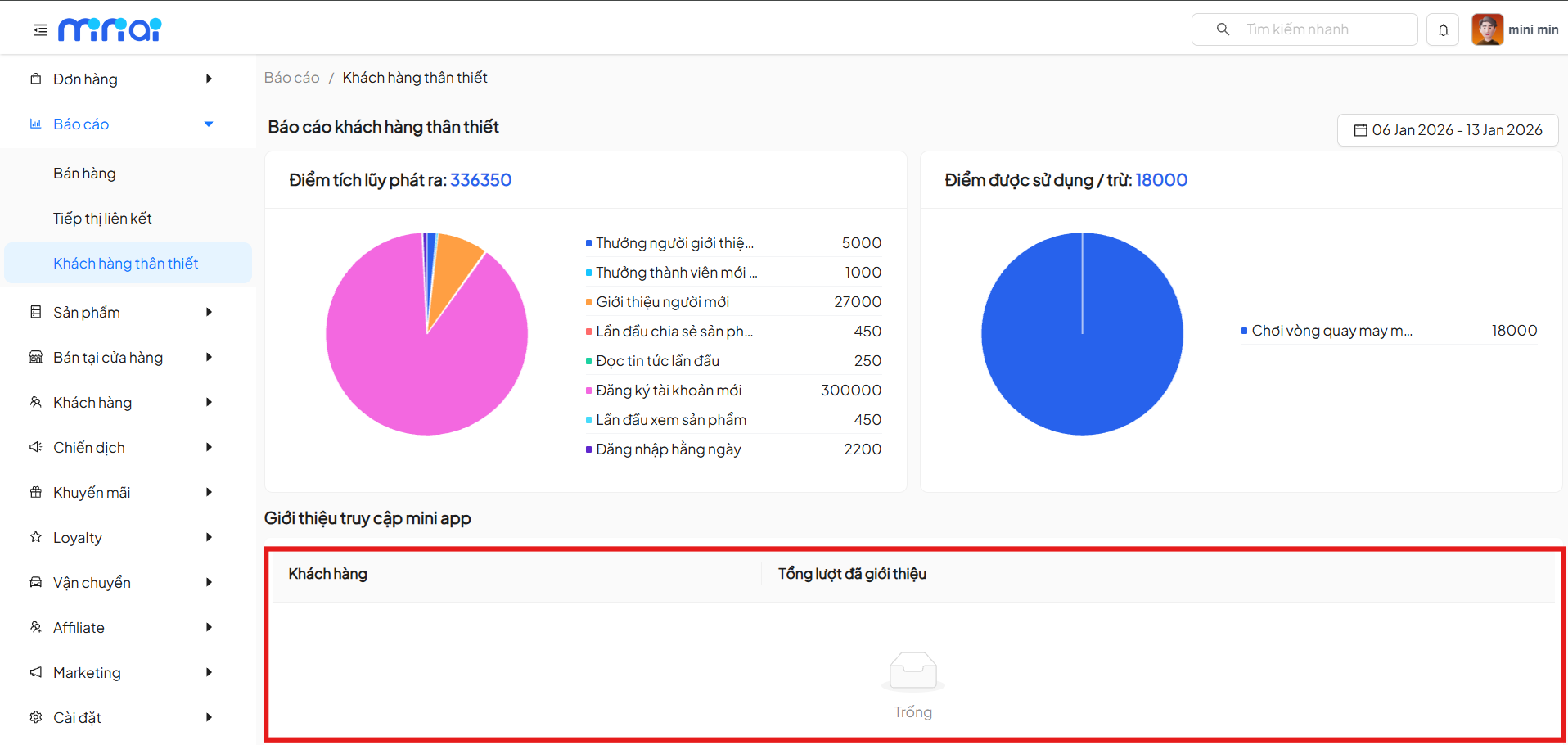
The Mini App Access Referrals section displays a list of customers who have referred others to access the mini app.
Data Table Content
- Customer: Customer name or identification information
- Total Referrals: Number of successful referrals
Data Status
- If no referrals have been generated, the system displays an Empty status
- Data will automatically update when customers generate referrals
Data Significance
- Identify customers with high viral potential
- Evaluate referral program effectiveness
- Support building reward policies for loyal customers
Benefits of Using the Customer Loyalty Report
- Transparent management of Loyalty reward points
- Understand customer point earning and spending behaviors
- Evaluate the effectiveness of customer retention programs
- Optimize customer loyalty care strategies
Usage Notes
- Data only includes activities generated within the selected time period
- Reward points are aggregated by each behavior
- Regular report monitoring is recommended for timely Loyalty policy adjustments
Conclusion
Customer Loyalty Report is an important tool for businesses to manage the Loyalty program effectively. Correct analysis of reward point data will help improve customer experience and increase service return rates.
Last updated: 2026