Loyal Customer List
The Loyal Customer List feature helps administrators track, manage, and evaluate the level of customer engagement through the reward points system (Loyalty). Here, you can quickly view current points, total accumulated points, membership tier, and points transaction history for each customer.
1. Accessing the Feature
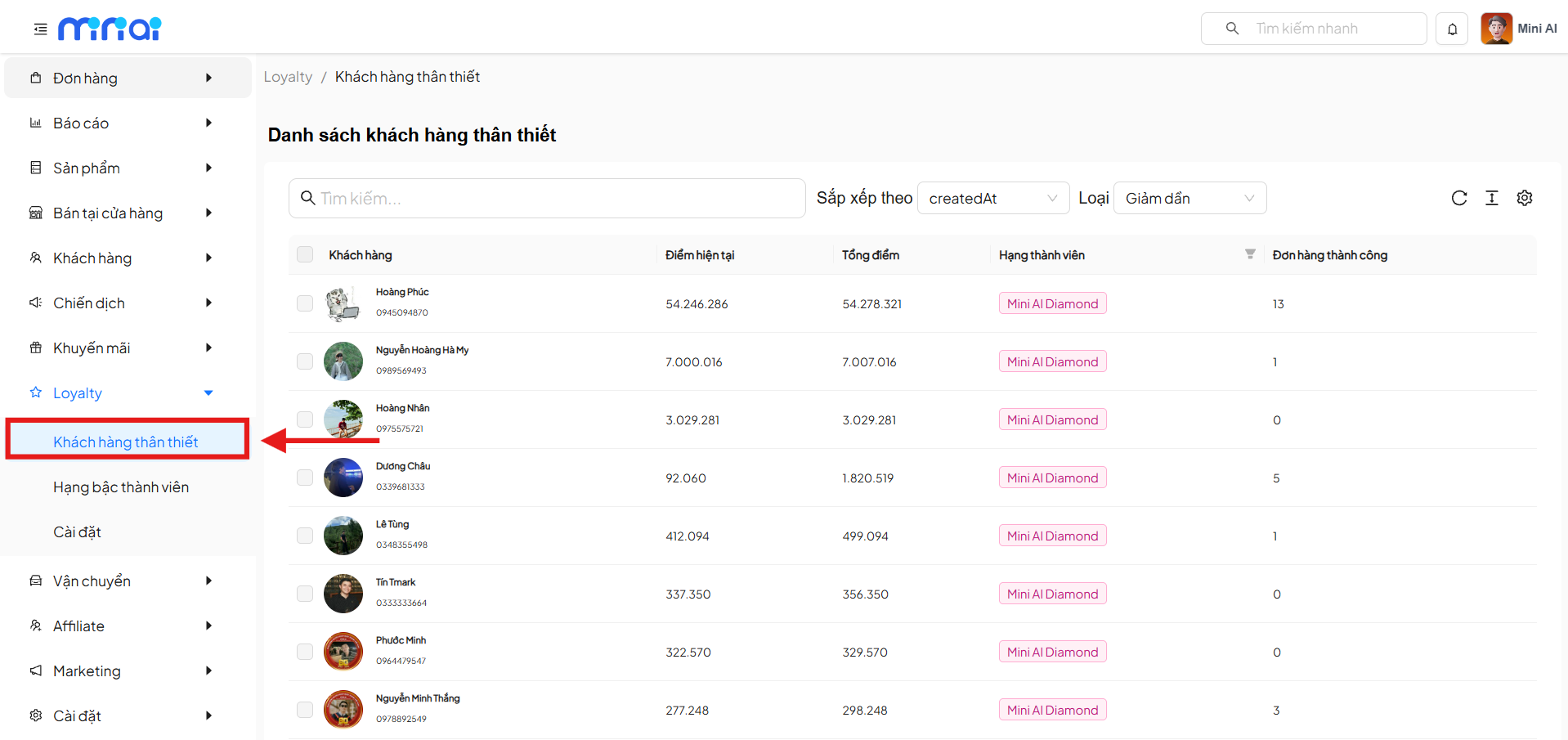
From the left menu, navigate to:
Loyalty → Loyal Customers
2. Loyal Customer List Interface
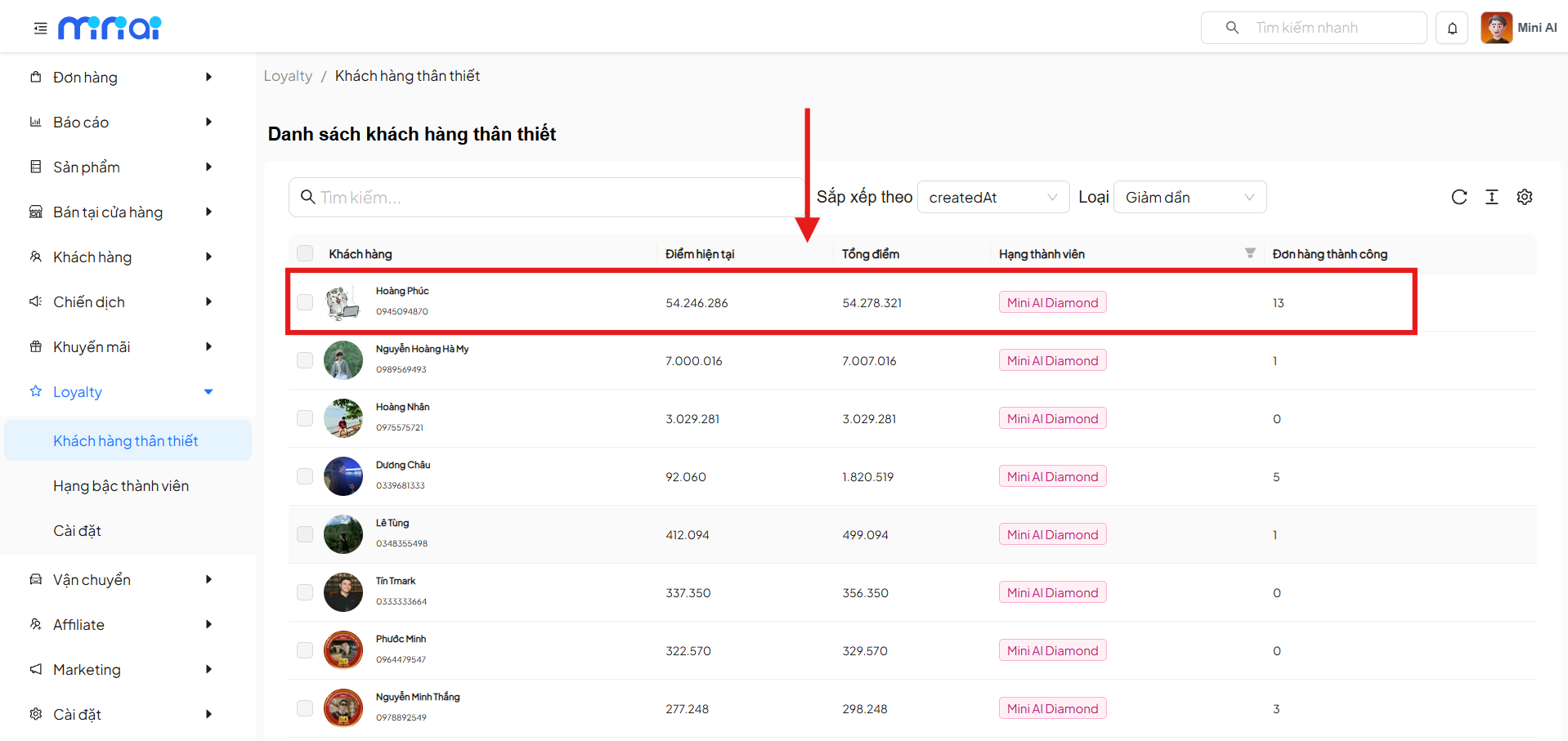
The list screen displays all customers who have joined the Loyalty program.
Information Displayed in the List
Each row in the list corresponds to a customer and includes the following information:
| Column | Description |
|---|---|
| Customer | Customer name and phone number |
| Current Points | Points currently available for use |
| Total Points | Total points the customer has accumulated |
| Membership Tier | Customer's Loyalty level |
| Successful Orders | Total number of completed orders |
3. Search and Sort the List
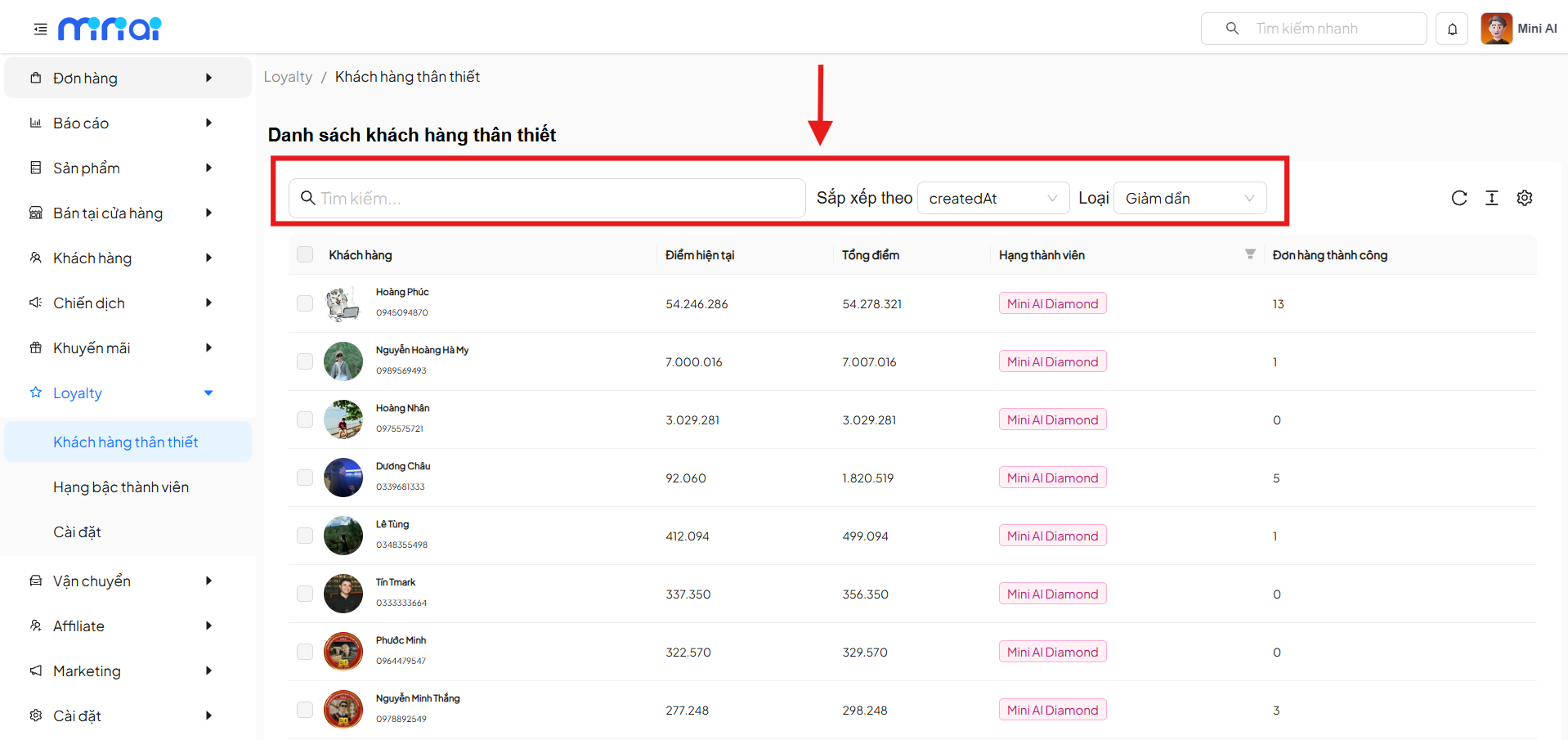
3.1 Search Customers
- Enter the customer name or phone number
- The list will be filtered accordingly based on the entered keyword
3.2 Sort the List
Users can sort the list by the following criteria:
- Sort by: e.g.,
createdAt - Order:
- Descending
- Ascending
This feature helps quickly identify the newest customers or the highest-value customers.
4. View Loyal Customer Details
Click on a customer row in the list to view the customer's points history.
5. Customer Points History
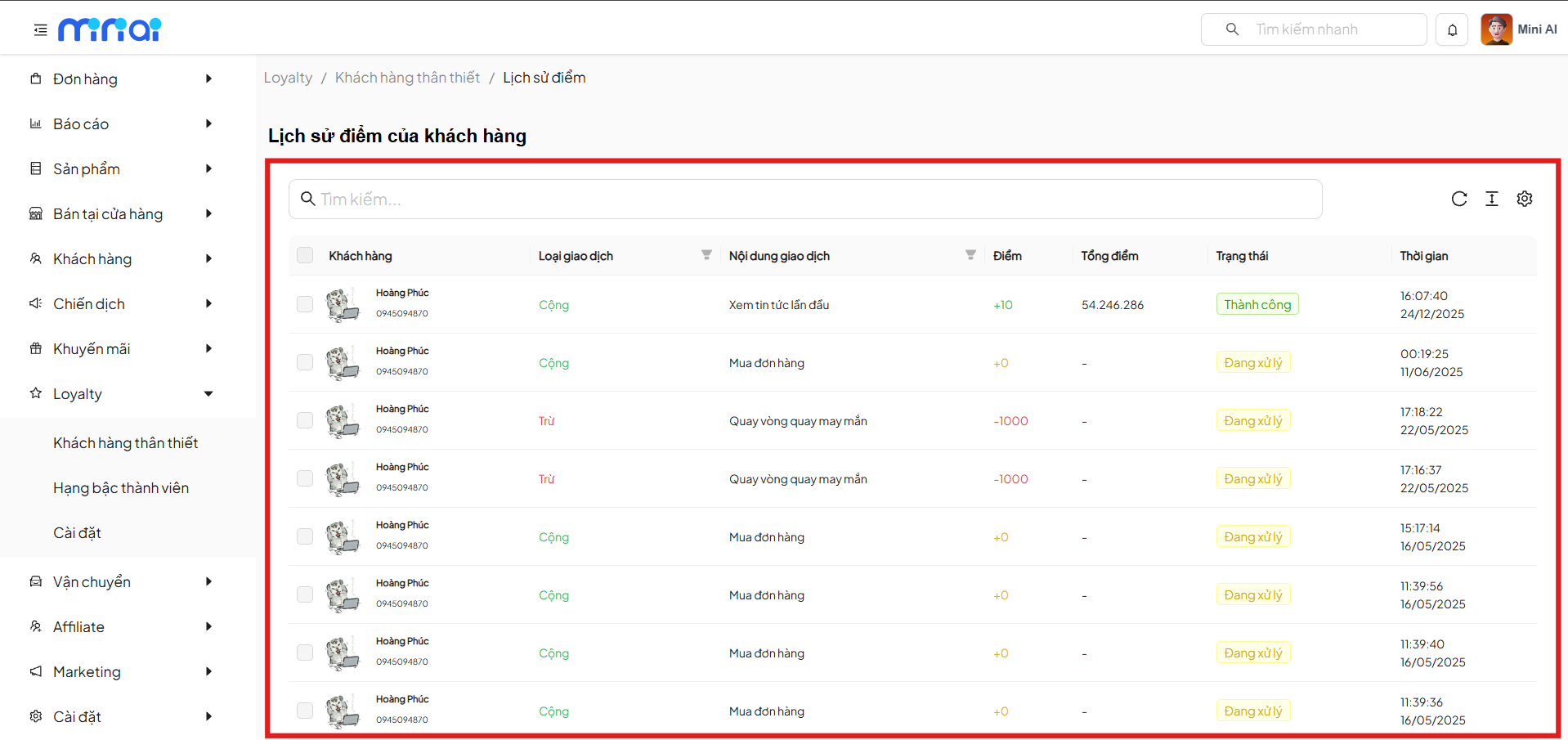
The Points History screen displays all points addition/deduction transactions for the customer.
Information in Points History
| Column | Description |
|---|---|
| Customer | Name and phone number |
| Transaction Type | Addition / Deduction |
| Transaction Content | Reason for points change |
| Points | Number of points changed |
| Total Points | Total points after transaction |
| Status | Successful / Processing |
| Time | Time of the transaction |
Color Indicators
- Blue: Points addition transaction
- Red: Points deduction transaction
- Yellow: Transaction in processing
- Green: Successful transaction
6. Feature Benefits
- Accurately track customer behavior and loyalty levels
- Easily classify customers by membership tier
- Transparently monitor points addition/deduction history
- Support building more effective customer care campaigns
7. Usage Notes
- Points are only updated when the transaction is successfully completed
- Some transactions may be in Processing status before being confirmed
- Membership tiers are automatically updated based on total accumulated points