Membership Tiers
The Membership Tiers feature allows administrators to set up and manage customer levels in the Loyalty program. Each tier is determined based on accumulated points, accompanied by exclusive benefits to encourage customers to shop and stay engaged long-term.
1. Accessing the Feature
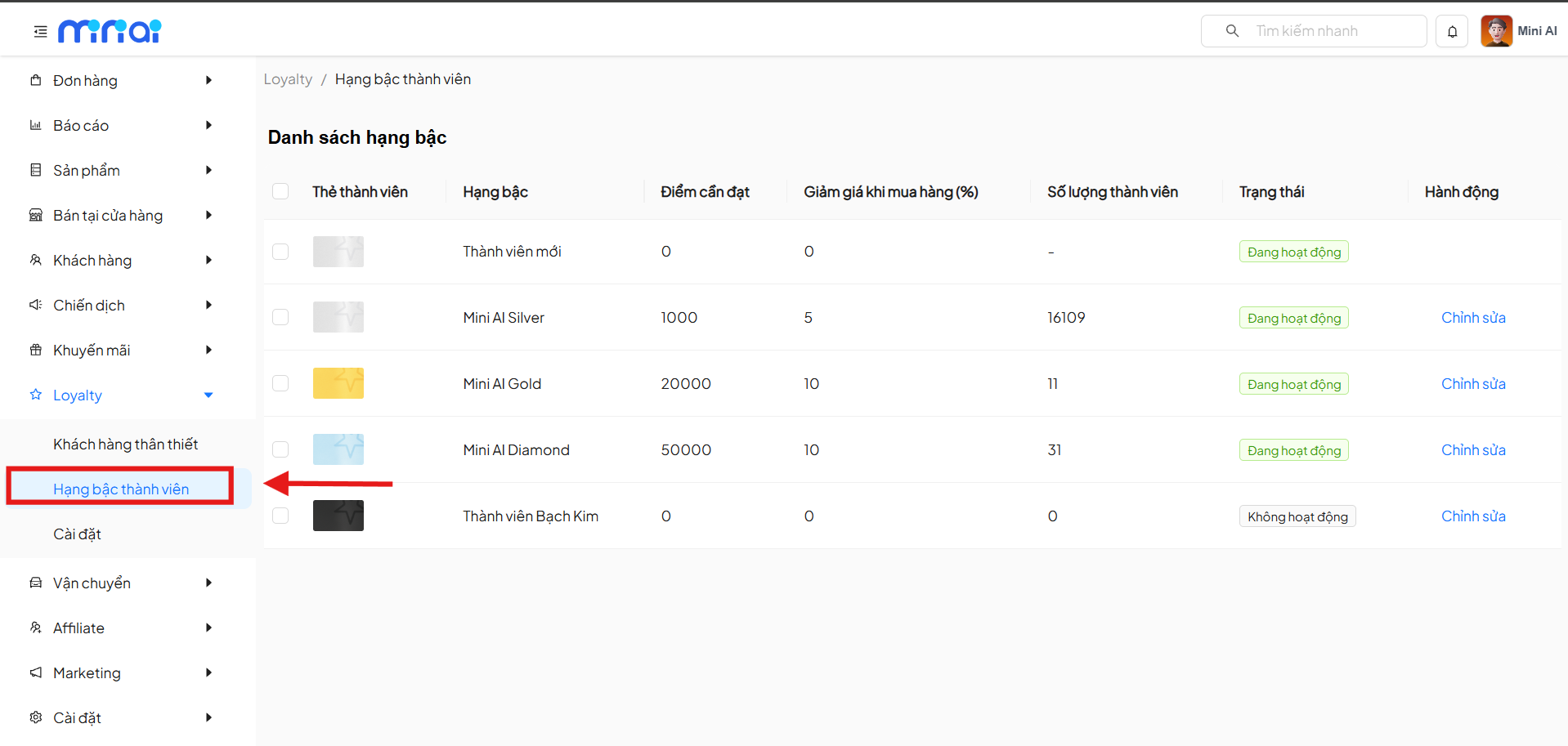
From the left menu, navigate to:
Loyalty → Membership Tiers
2. Membership Tier List
The Tier List screen displays all membership levels currently available in the system.
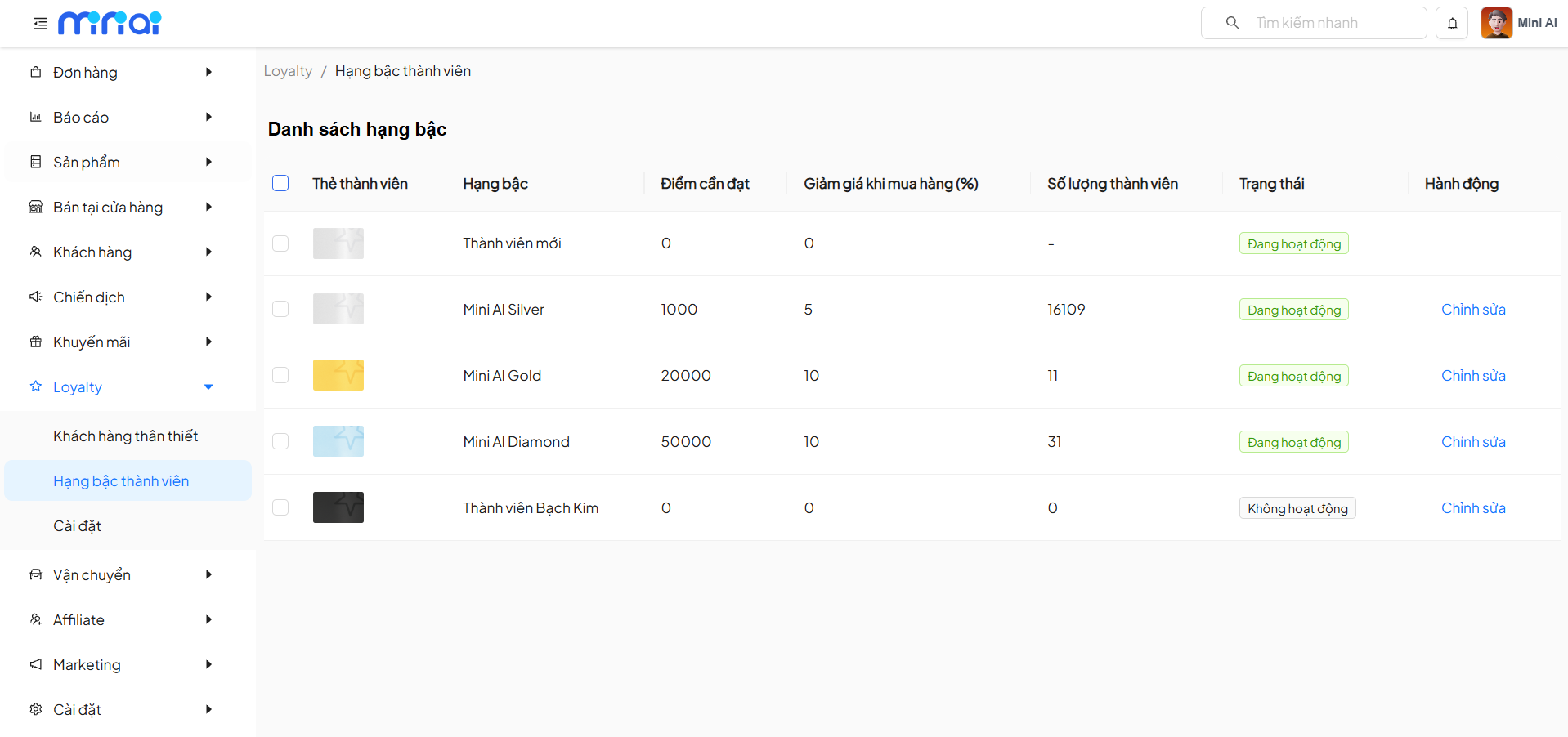
Displayed Information
| Column | Description |
|---|---|
| Member Card | Thumbnail image of the tier |
| Tier | Membership level name |
| Points Required | Minimum points to reach this tier |
| Purchase Discount (%) | Applied discount benefit |
| Number of Members | Customers currently at this tier |
| Status | Active / Inactive |
| Actions | Edit the tier |
3. Tier Statuses
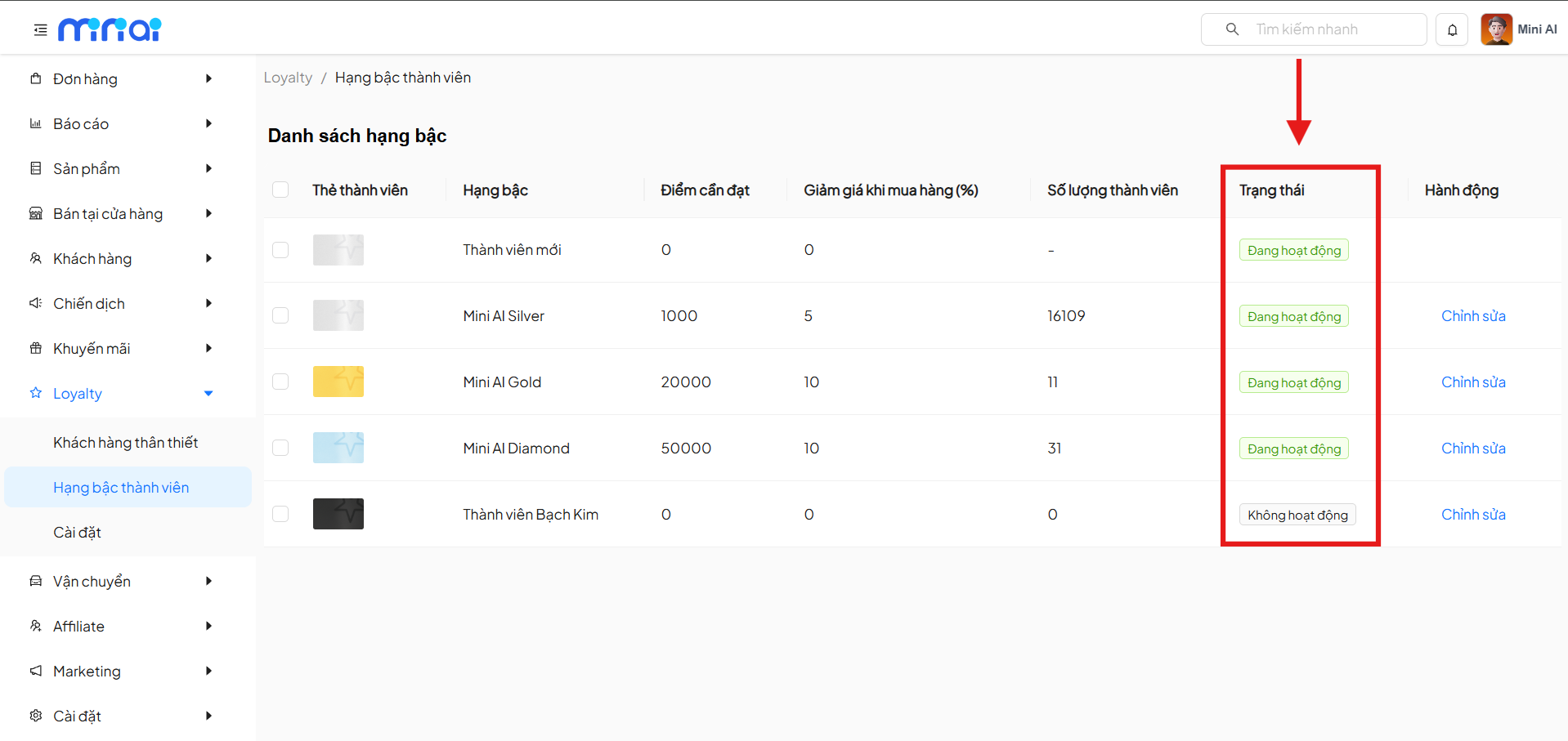
- Active: The tier is applied to customers who meet the conditions
- Inactive: The tier is temporarily not applied, customers cannot be assigned to this tier
Statuses help flexibly control Loyalty programs at each stage.
4. Edit Membership Tier
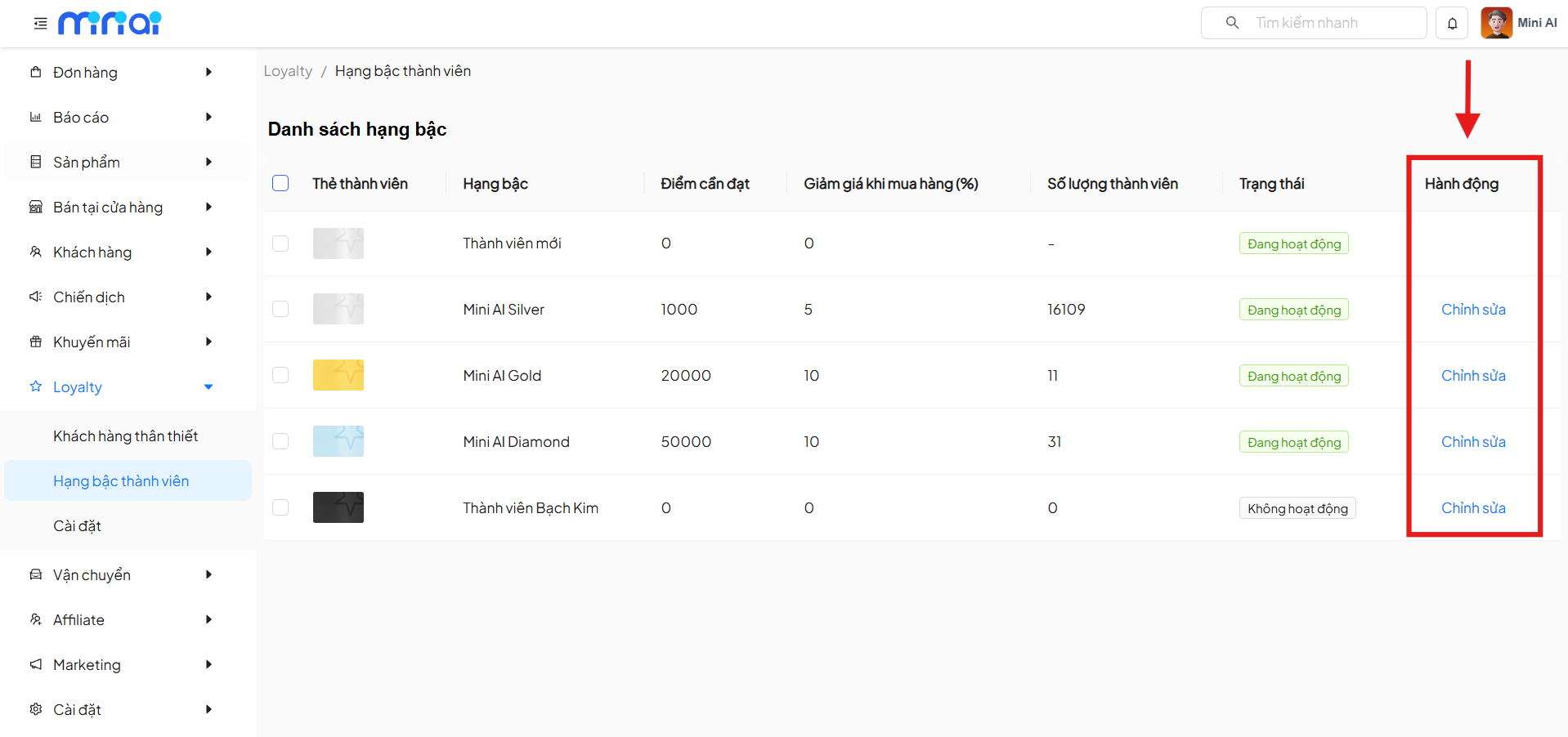
In the Actions column, click Edit to update tier information.
5. Tier Information
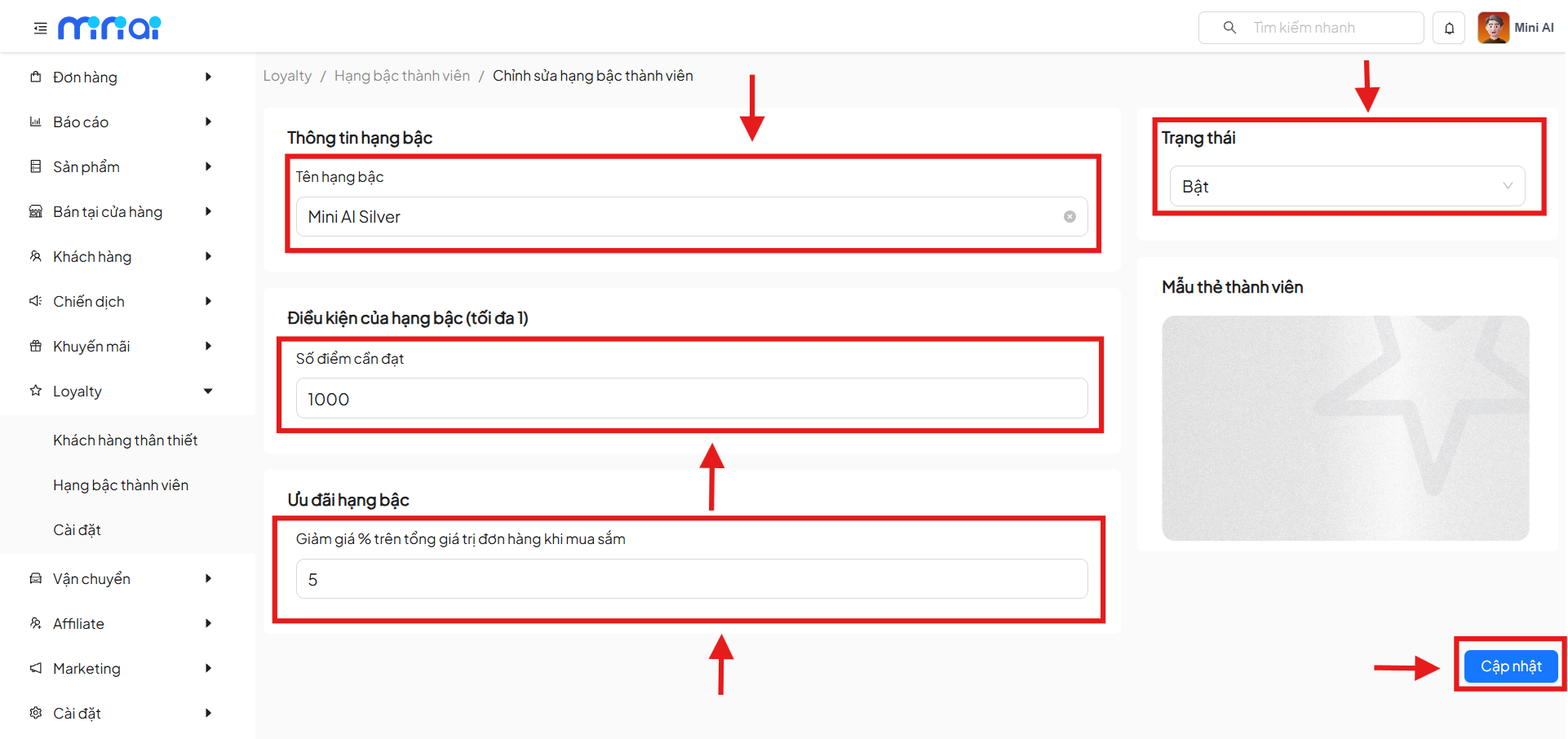
5.1 Tier Name
- Enter the tier name (e.g.,
Mini AI Silver,Mini AI Gold,Mini AI Diamond) - The tier name will be displayed throughout the entire Loyalty system
5.2 Status
- On: Tier is currently applied
- Off: Tier is not applied
5.3 Points Required
- This is the minimum accumulated points for a customer to reach the tier
- Each tier has a maximum of 1 points condition
Examples:
- Mini AI Silver:
1000 points - Mini AI Gold:
20000 points - Mini AI Diamond:
50000 points
5.4 Shopping Discount
- Enter the discount percentage (%) on the total order value
- The benefit is applied automatically for customers in that tier
Examples:
- Silver:
5%discount - Gold:
10%discount - Diamond:
10%discount
6. Save Changes
After editing the information, click the Update button to save the configuration.
Important Note
- Changes will directly affect customer benefits
- Review points conditions and benefits carefully before updating
9. Tier Operating Principles
Tier Application Principles
- Customers are automatically upgraded when they reach sufficient points
- The system always applies the highest tier that the customer qualifies for
- Tier benefits are applied alongside other promotional programs (if any)
10. Benefits of Using Membership Tiers
Key Benefits
- Encourage customers to shop more
- Increase brand loyalty
- Personalize benefits for each customer group
- Easy to manage and expand the Loyalty program