Loyalty Points Usage and Accumulation Settings
Overview
The Loyalty Points Usage and Accumulation Settings feature allows administrators to configure the entire mechanism for:
- Earning points for customers
- Converting and using points
- Awarding points for referrals and sharing
- Managing the validity period of sharing links
These settings help businesses:
- Increase customer return frequency
- Encourage organic referrals
- Strictly control reward points costs
Access Path
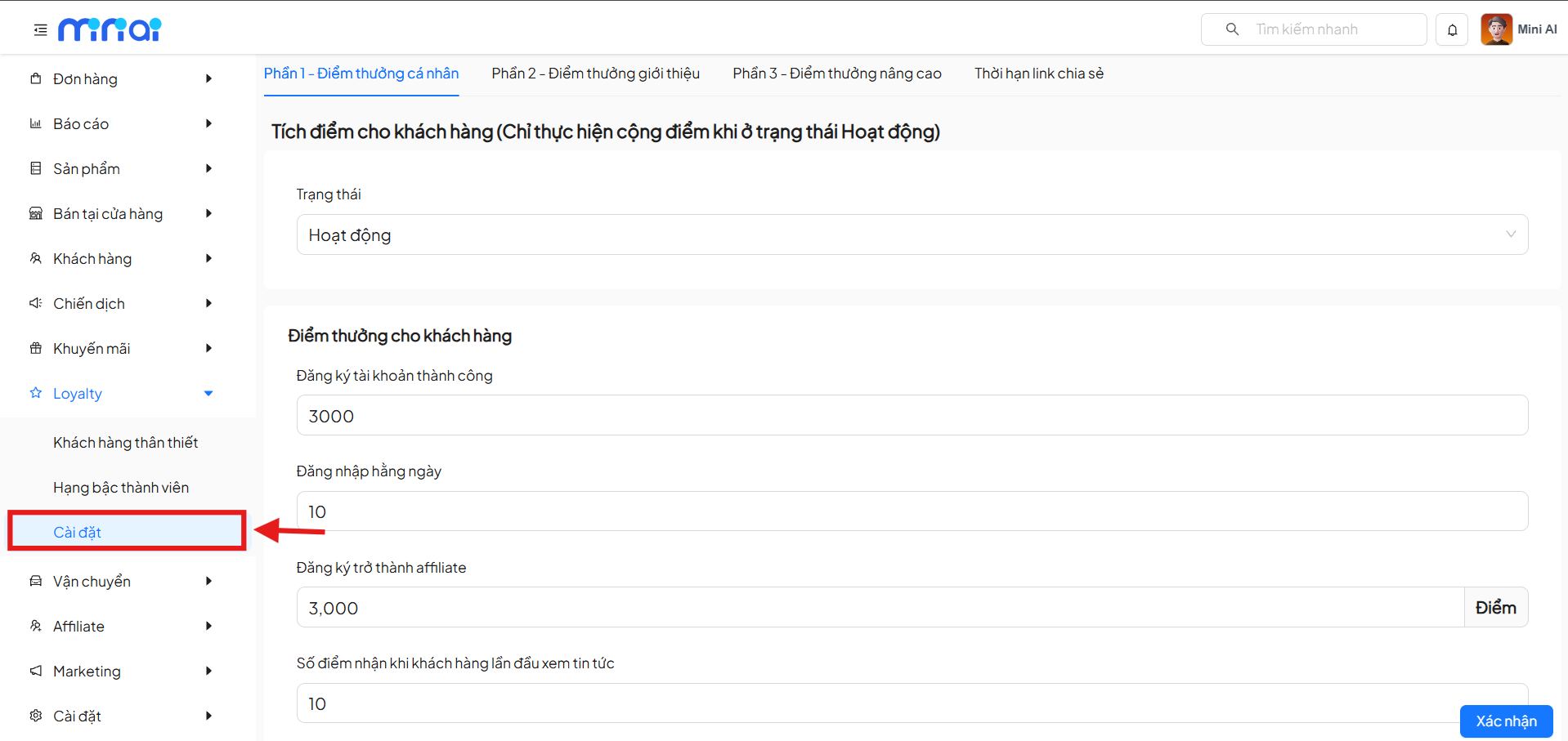
From the admin page, navigate to:
Loyalty → Settings
The system is divided into 4 main configuration sections:
- Section 1 – Personal Reward Points
- Section 2 – Referral Reward Points
- Section 3 – Advanced Reward Points
- Sharing Link Expiration
Section 1 – Personal Reward Points
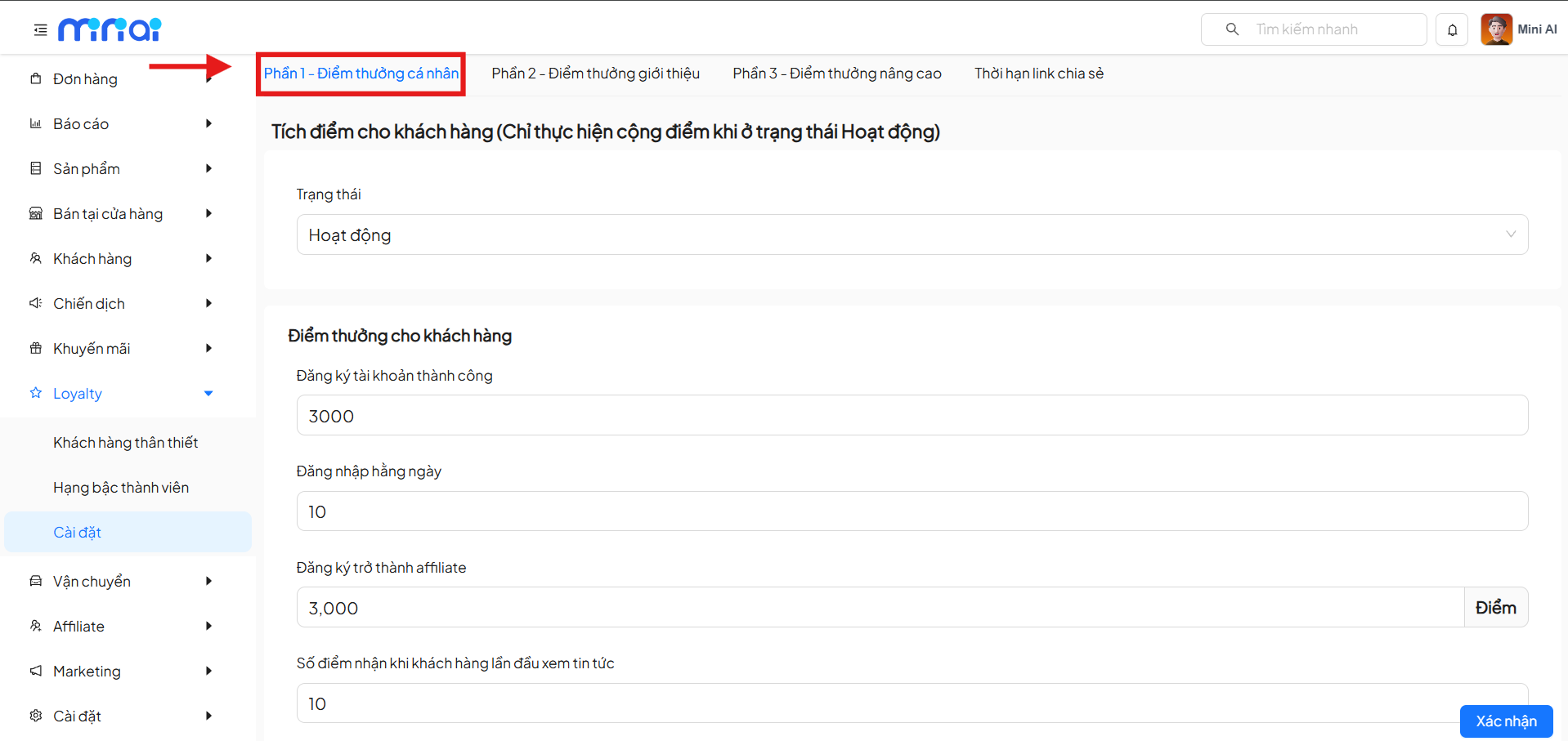
1. Points Earning Status
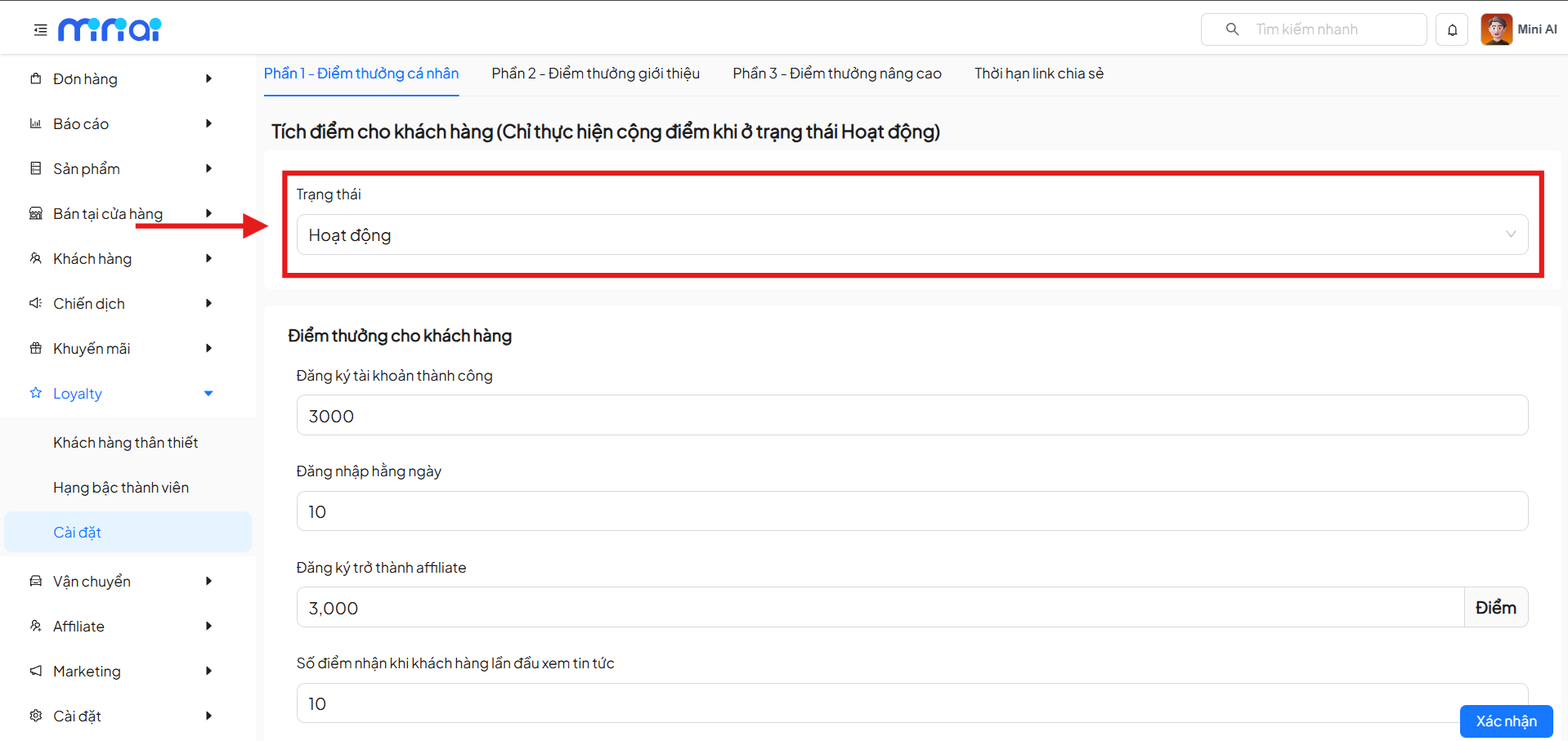
- Active: The system awards points according to the settings
- Inactive: All points earning is temporarily paused
Note
Points are only awarded to customers when the status is set to Active.
2. Reward Points for Customers
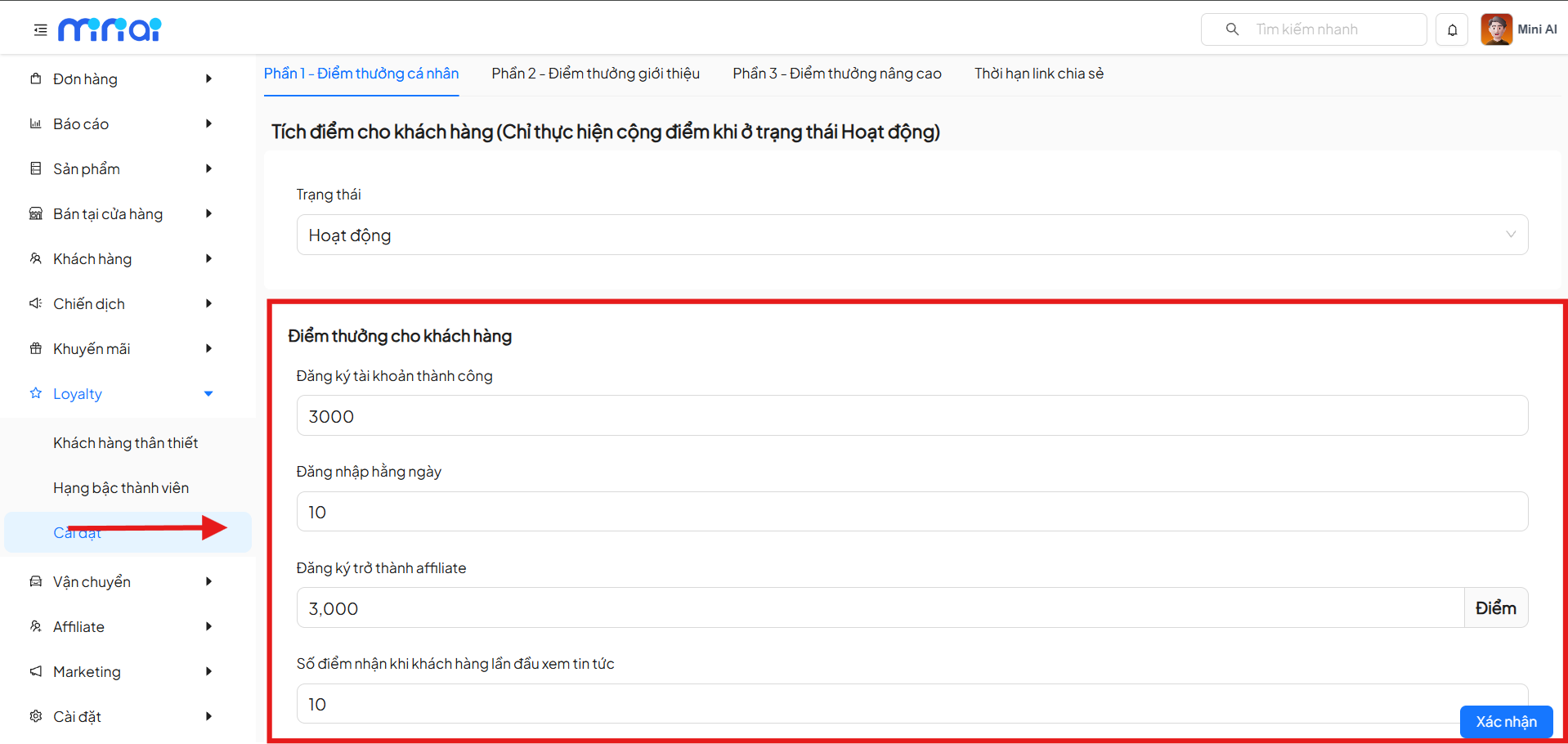
Set the number of points customers receive when performing the following actions:
| Action | Description |
|---|---|
| Successful Account Registration | Reward points for new customers |
| Daily Login | Reward points for maintaining interaction |
| Becoming an Affiliate | Reward points for joining the referral program |
| First Time Viewing News | Reward points for content exploration behavior |
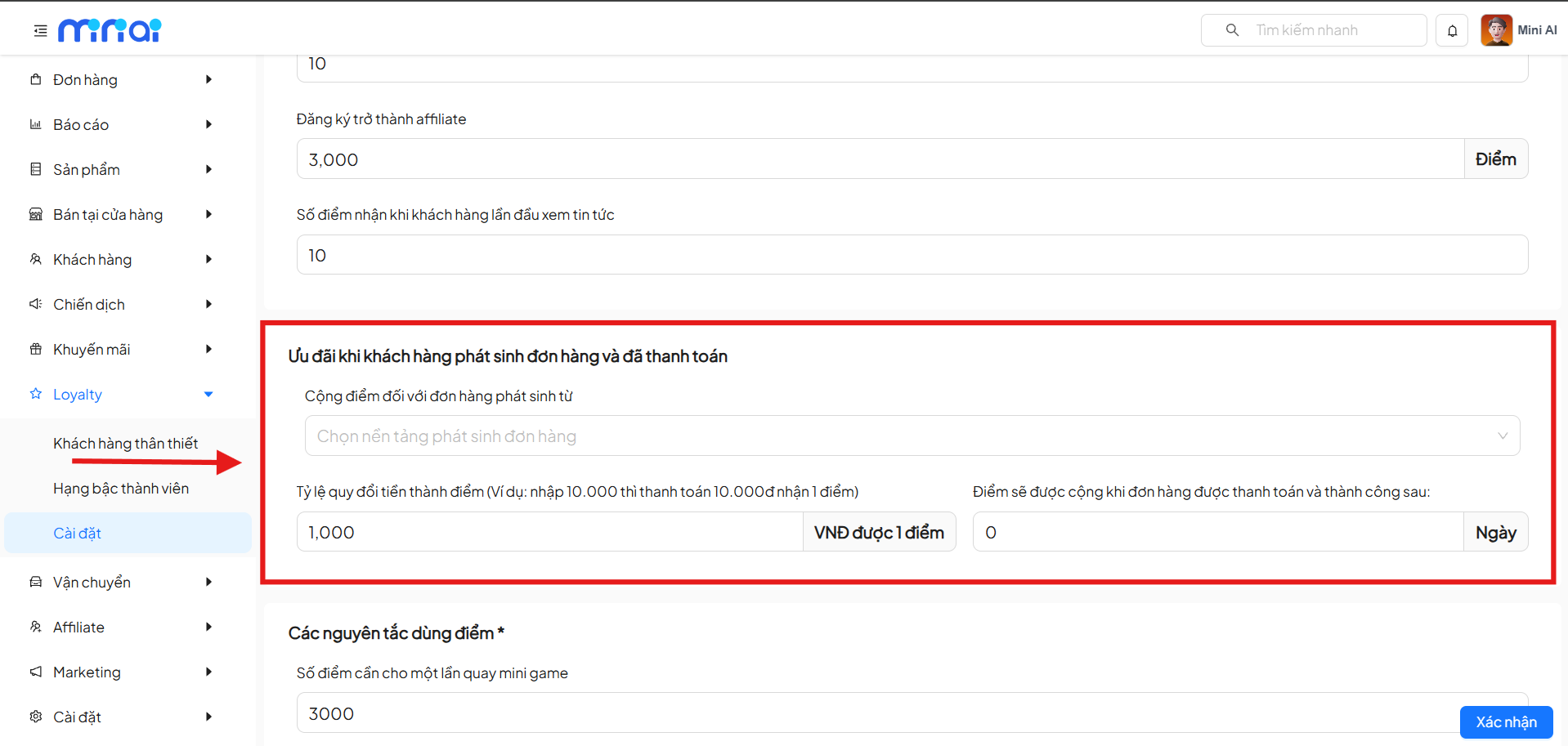
3. Points Earned from Orders
| Content | Description |
|---|---|
| Money to Points Conversion Rate | Set the rule for converting payment amounts to reward points |
| Conversion Principle | How much VND in payment earns 1 point |
| Example | Enter 1,000 → Customer pays 1,000 VND and receives 1 point |
| Points Earning Timing | Points are only awarded when the order is successfully paid |
| Points Waiting Period | Can set a number of waiting days before points are added to the account |
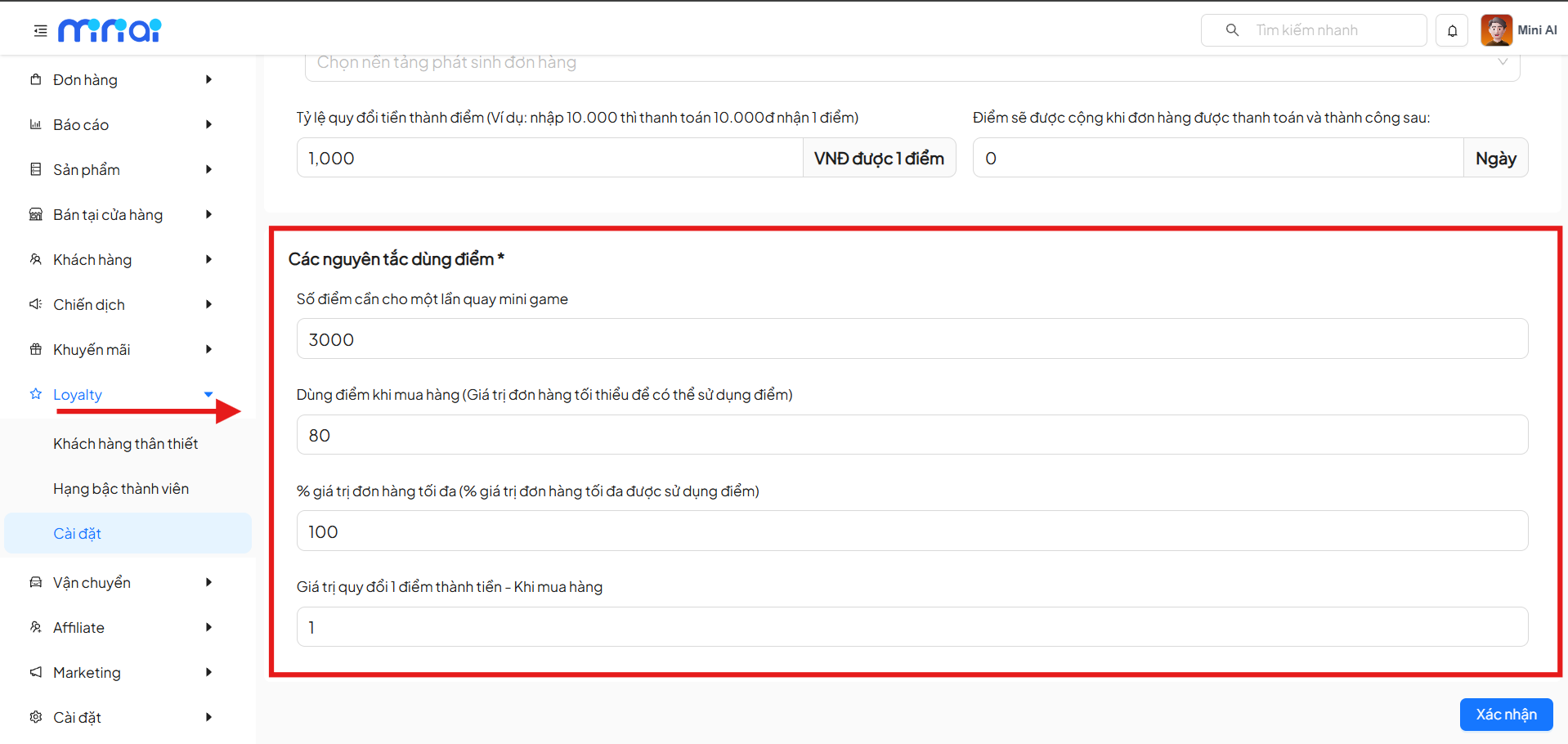
4. Points Usage Rules
| Setting | Meaning |
|---|---|
| Points per Minigame Spin | Cost limit for minigames |
| Minimum Order Value | Condition to use points |
| Maximum % of Order Value | Limit on discount amount |
| Points Redemption Value | Convert points → money at checkout |
Section 2 – Referral Reward Points
1. New Member Referral
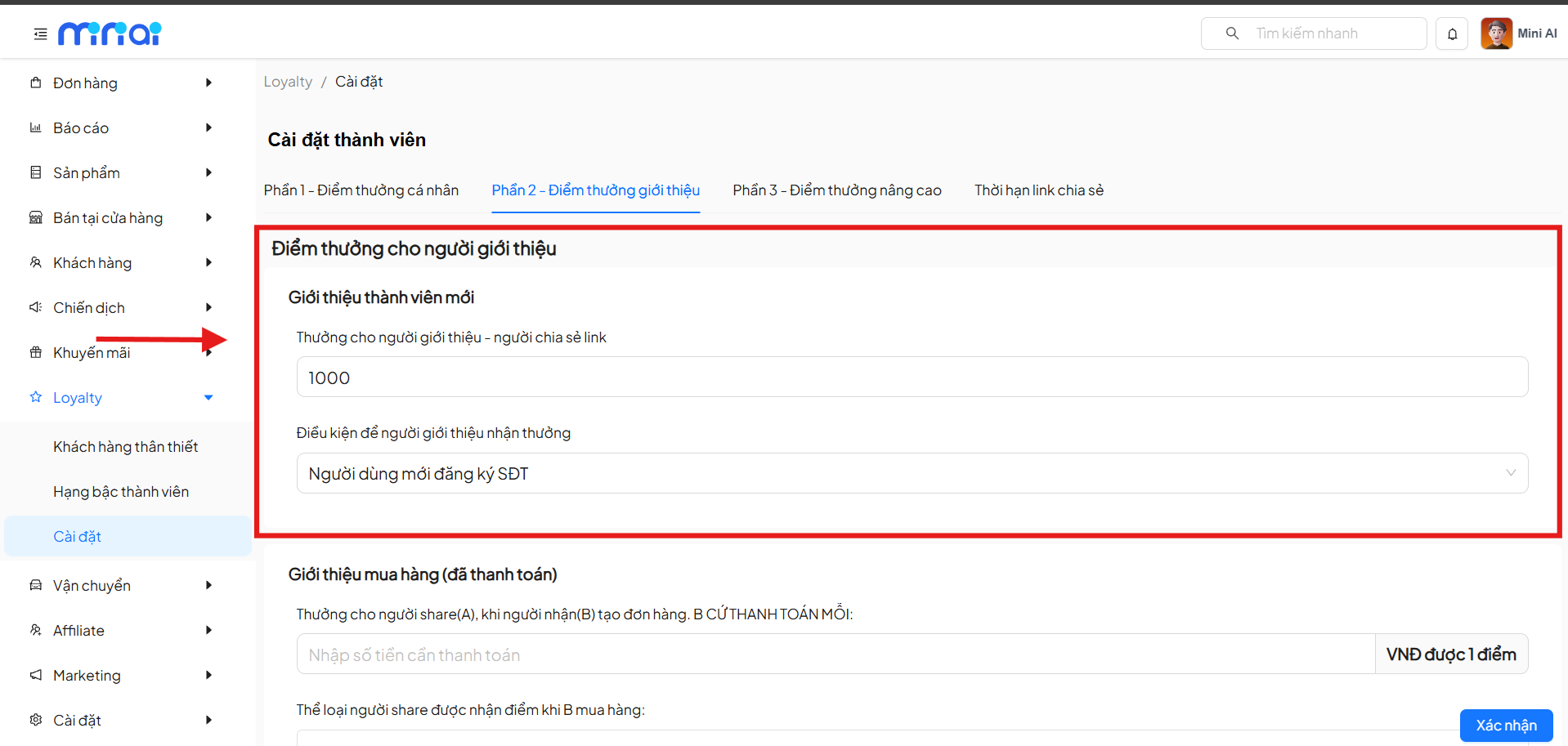
- Reward for the link sharer
- Conditions for receiving the reward:
- New user registers with a phone number
- Additional conditions can be expanded according to policy
2. Purchase Referral (Paid)
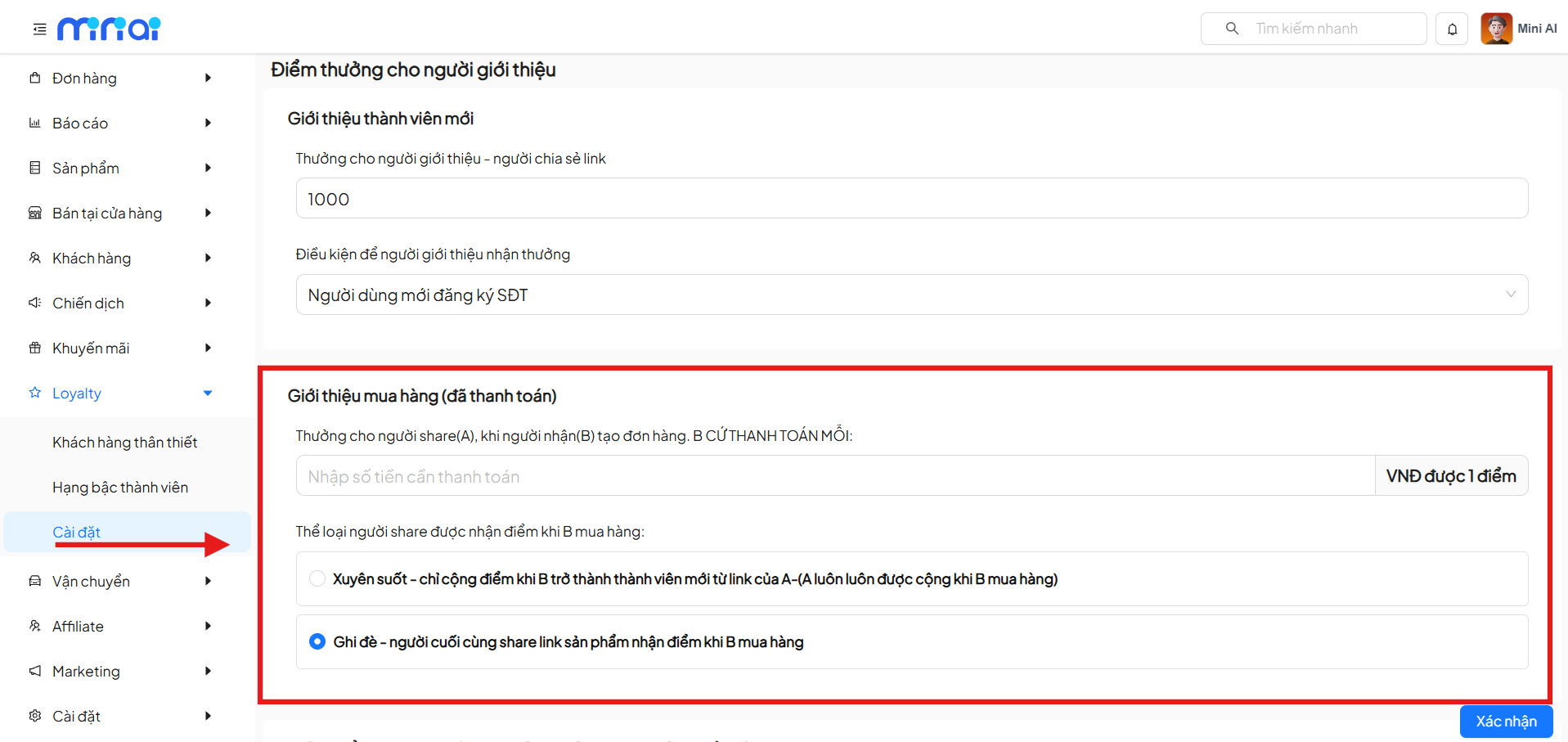
Set up rewards when:
- The link recipient (B) creates an order
- The order is successfully paid
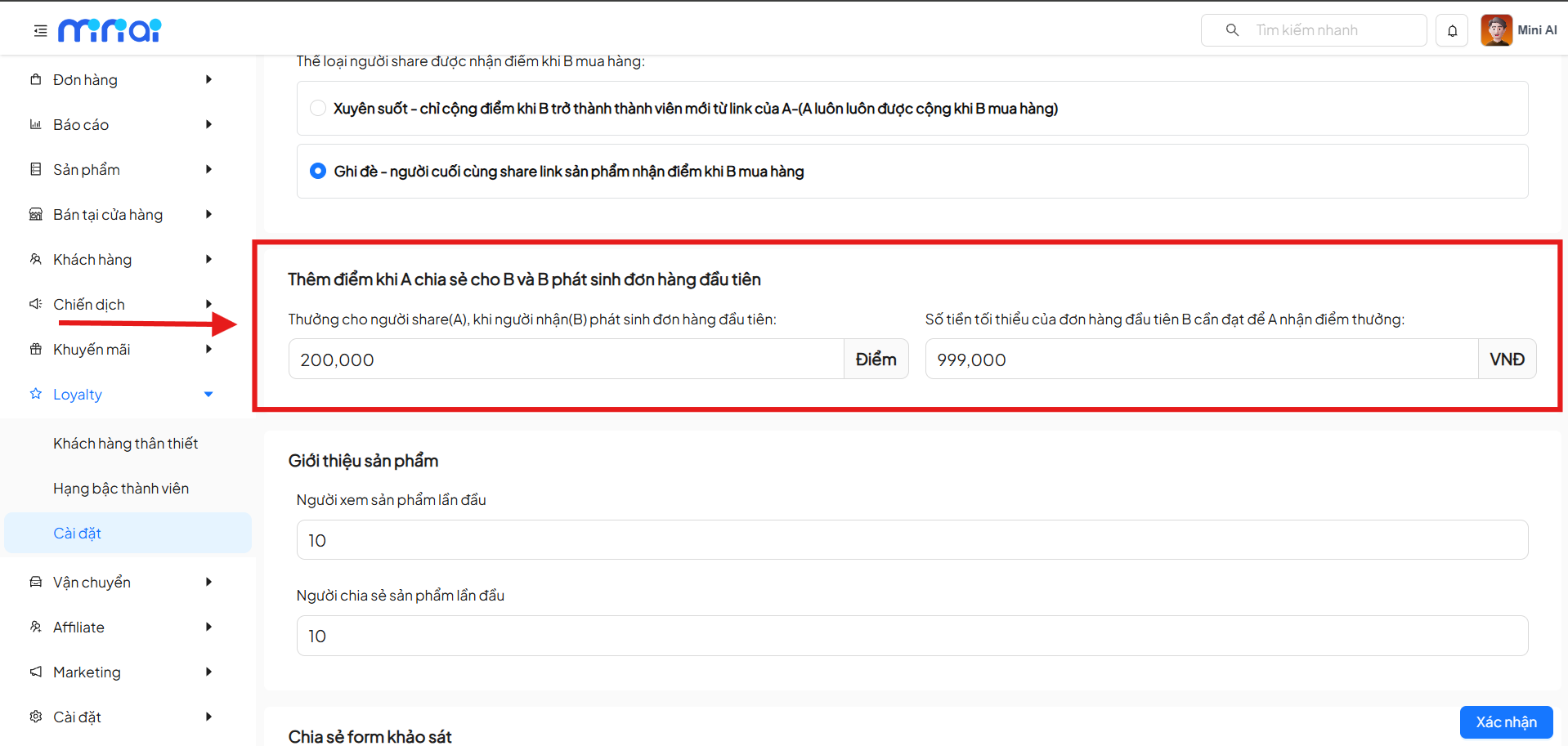
Attribution Mechanism:
- Persistent: The first referrer always receives the reward
- Override: The last link sharer receives the reward
3. Reward When First Order is Generated
Settings:
- Reward points for the referrer
- Minimum order value to receive points
4. Product Referral & Content Sharing
| Action | Reward Points |
|---|---|
| First time viewing a product | Award points |
| First time sharing a product | Award points |
| Sharing a survey form | Award points |
| Filling out a survey form | Award points |
| Viewing a wishlist | Award points |
| Sharing a wishlist | Award points |
Section 3 – Advanced Reward Points (A → B → C)
This section supports multi-level referral chains.
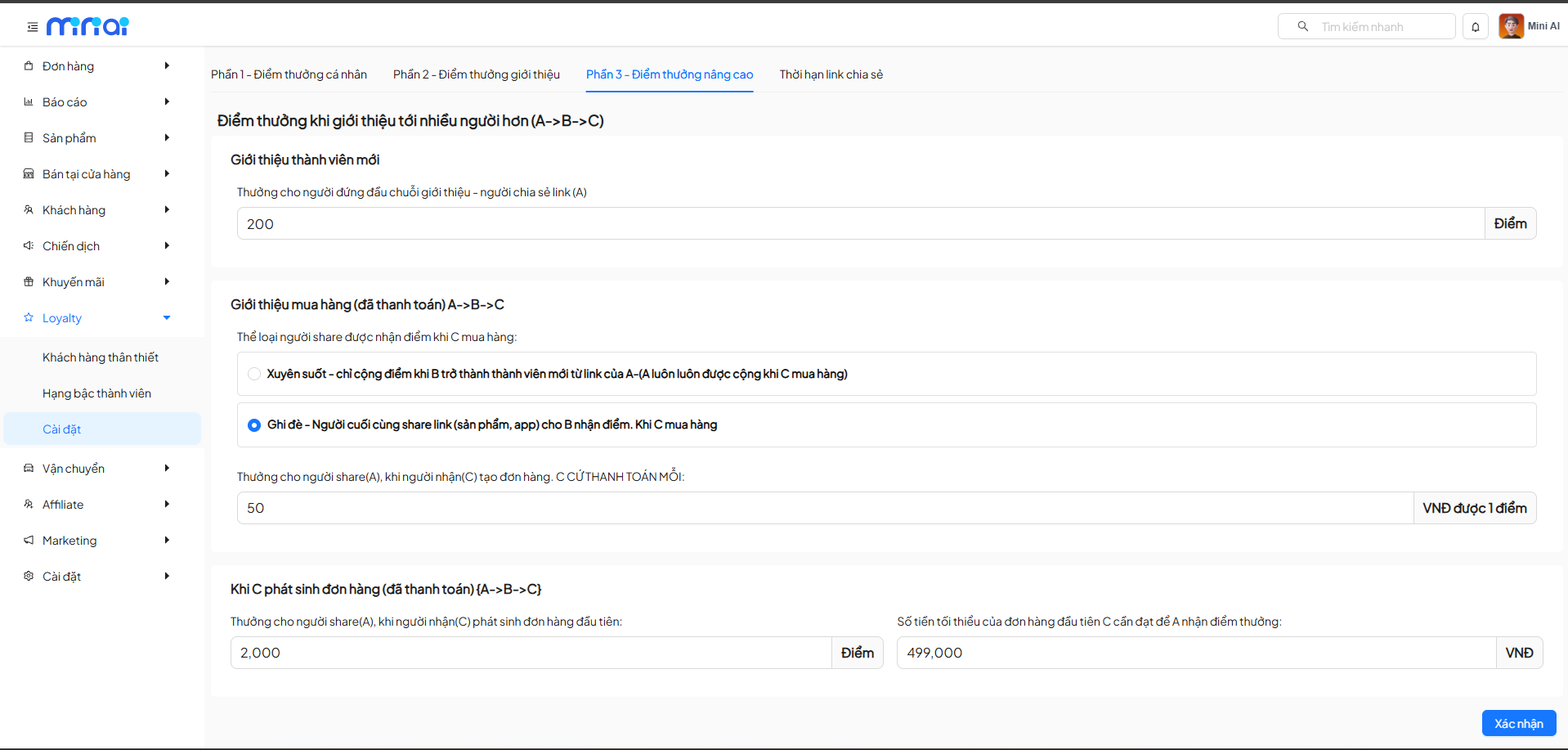
1. Multi-Level New Member Referral
- Person A shares a link
- B registers from A
- C registers from B
→ A can still receive reward points based on the settings
2. Multi-Level Purchase Referral
Settings:
- Attribution mechanism (persistent or override)
- Money to points conversion rate
- C's first order condition
Helps expand the model:
- Viral marketing
- Multi-level affiliate (with controlled limits)
Sharing Link Expiration
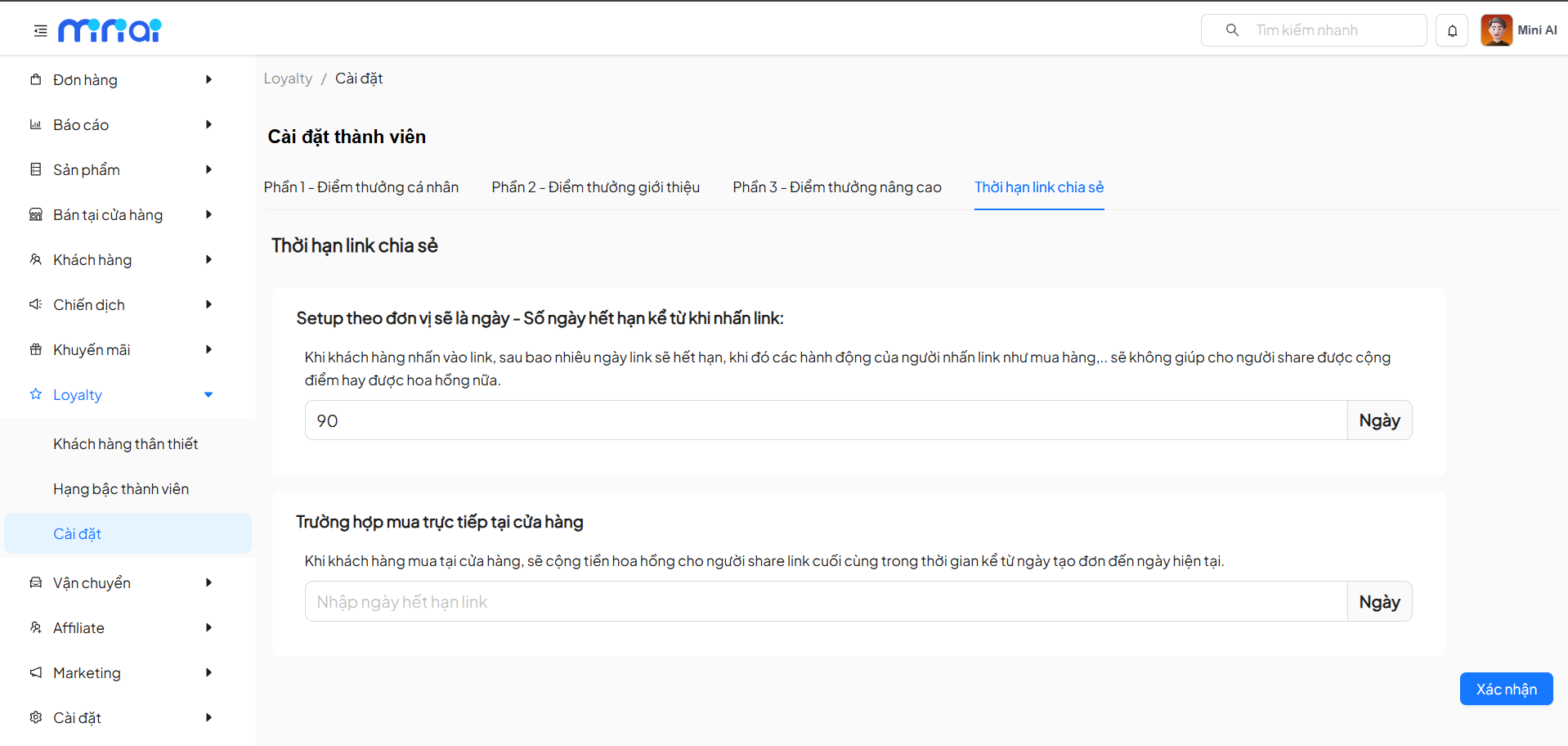
1. Link Validity Period
Set the number of days the link remains valid from when the user clicks on it.
- When expired:
- Generated actions will not earn points
- Commissions are not recorded
2. In-Store Purchase Cases
Applies when:
- Customer purchases offline
- Rewards are still attributed to the last link sharer
- Time is calculated from the order creation date to the present
Important Notes
Note
- Carefully review the money to points conversion rate to avoid generating high costs
- Do not set % of order value for points usage = 100% without proper controls
- Recommended to enable override for products with short lifecycles
Complete Setup
After finishing the configuration, click Confirm to save all Loyalty system settings.