Customer Management
Customer Management Overview
Customer Management is a module that allows administrators to:
- View the complete list of customers in the system
- Search, filter, and classify customers by multiple criteria
- View detailed customer behavior, history, and status
- Manually add new customers
- Export customer data to Excel files
This feature plays a central role in tracking and providing customer care.
Accessing the Customer Management Feature
To access the customer list:
- From the left menu, select Customers
- Select All Customers
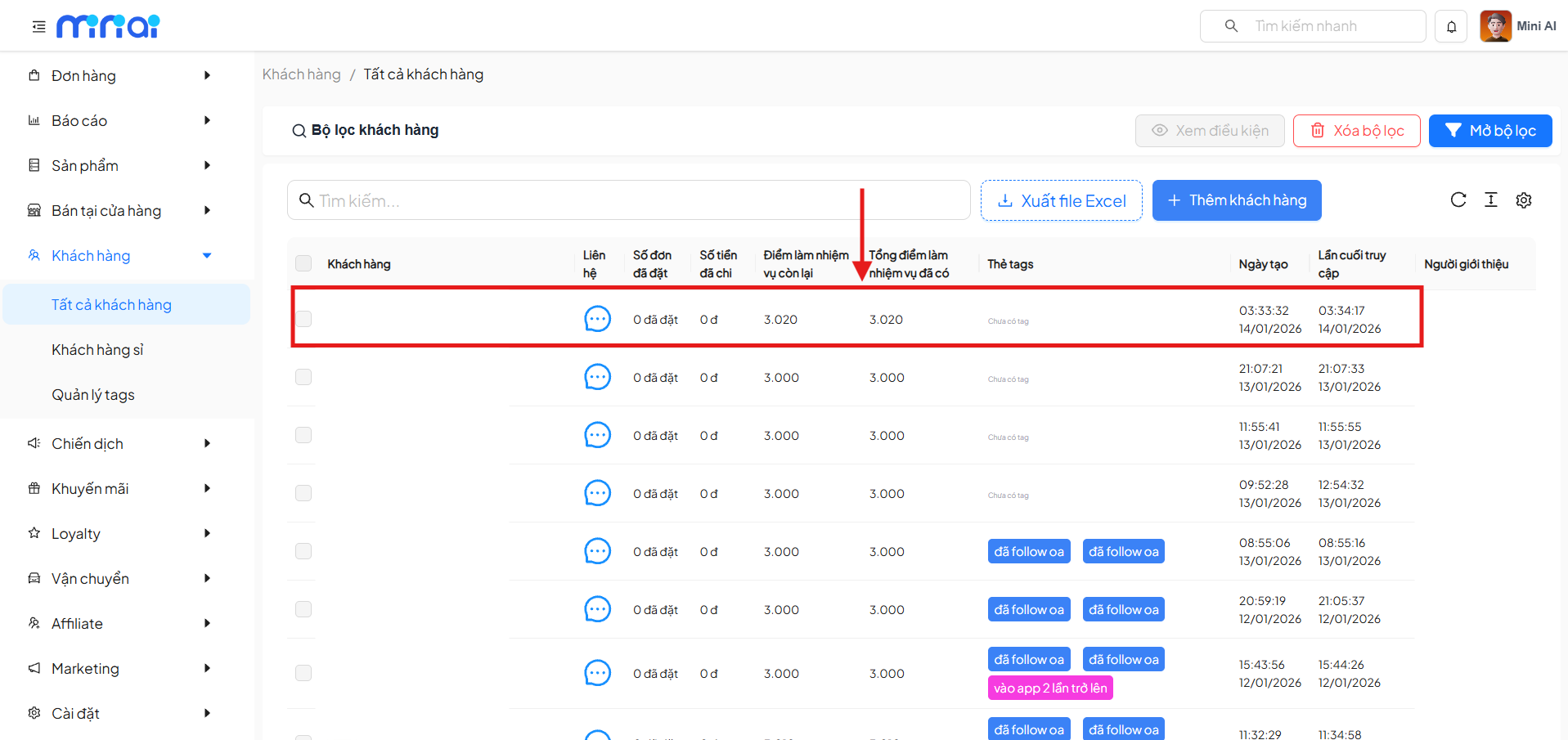
- The system displays the Customer List screen
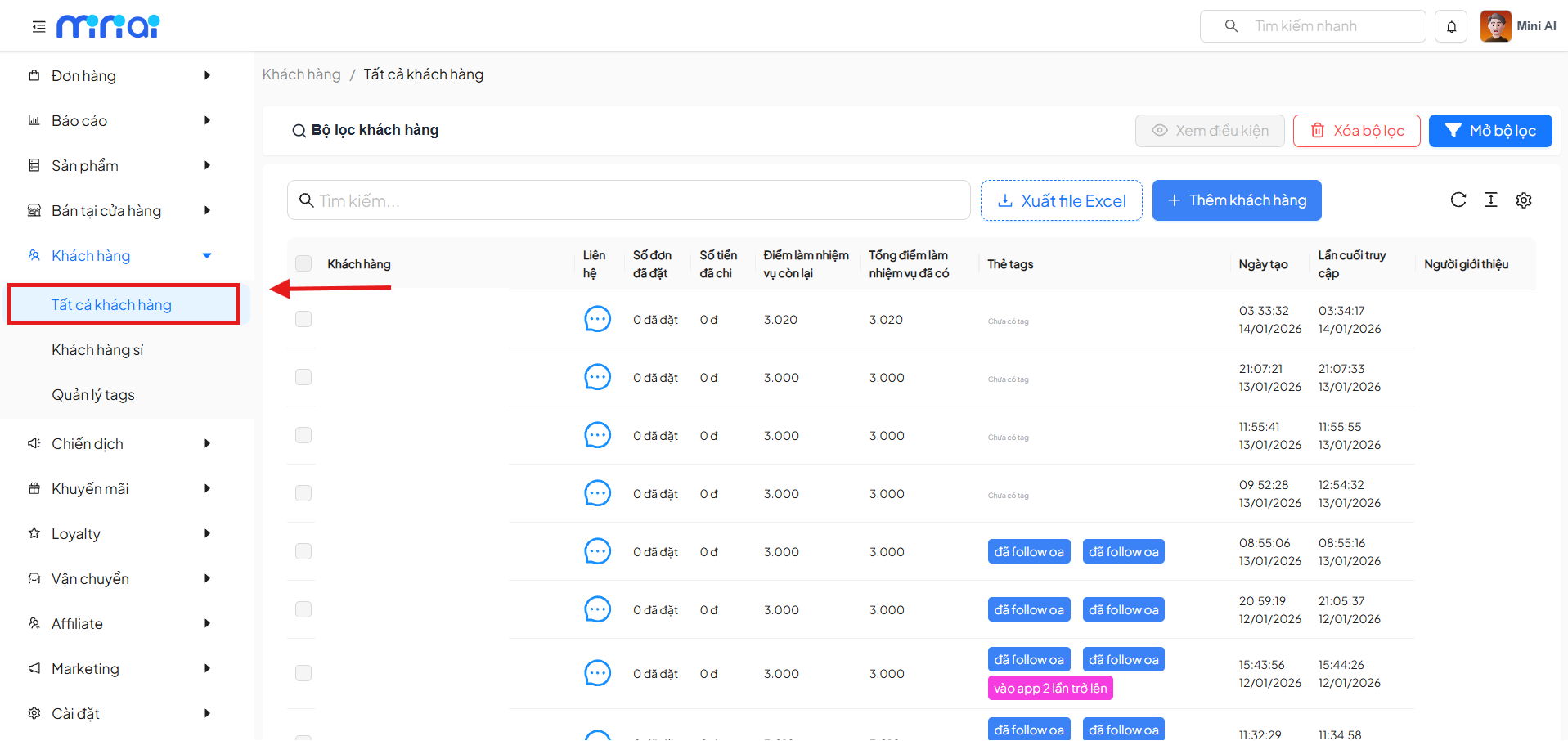
Customer List Screen
The screen displays all customers currently in the system along with quick action tools.
Main Components
| Component | Description |
|---|---|
| Search Bar | Search customers by name or related information |
| Customer Filter | Filter the list by advanced conditions |
| Export to Excel | Download the customer list as an Excel file |
| Add Customer | Manually create a new customer |
| Customer List | Table displaying detailed data for each customer |
| Pagination | Navigate through the list page by page |
Information Displayed in the Customer List
The customer list includes the following columns:
| Column | Meaning |
|---|---|
| Customer | Basic customer information |
| Contact | Open Zalo for contact or interaction |
| Orders Placed | Total number of orders placed by customer |
| Amount Spent | Total spending value |
| Remaining Task Points | Customer's current available points |
| Total Task Points Earned | Total accumulated points |
| Tags | Tags assigned to the customer |
| Created Date | Account creation time |
| Last Access | Most recent customer access time |
| Referrer | Source or person who referred the customer |
Quick Actions on the List
Select Customers
- Checkboxes allow selecting one or multiple customers
- Used for bulk operations
Interact with Customer Files
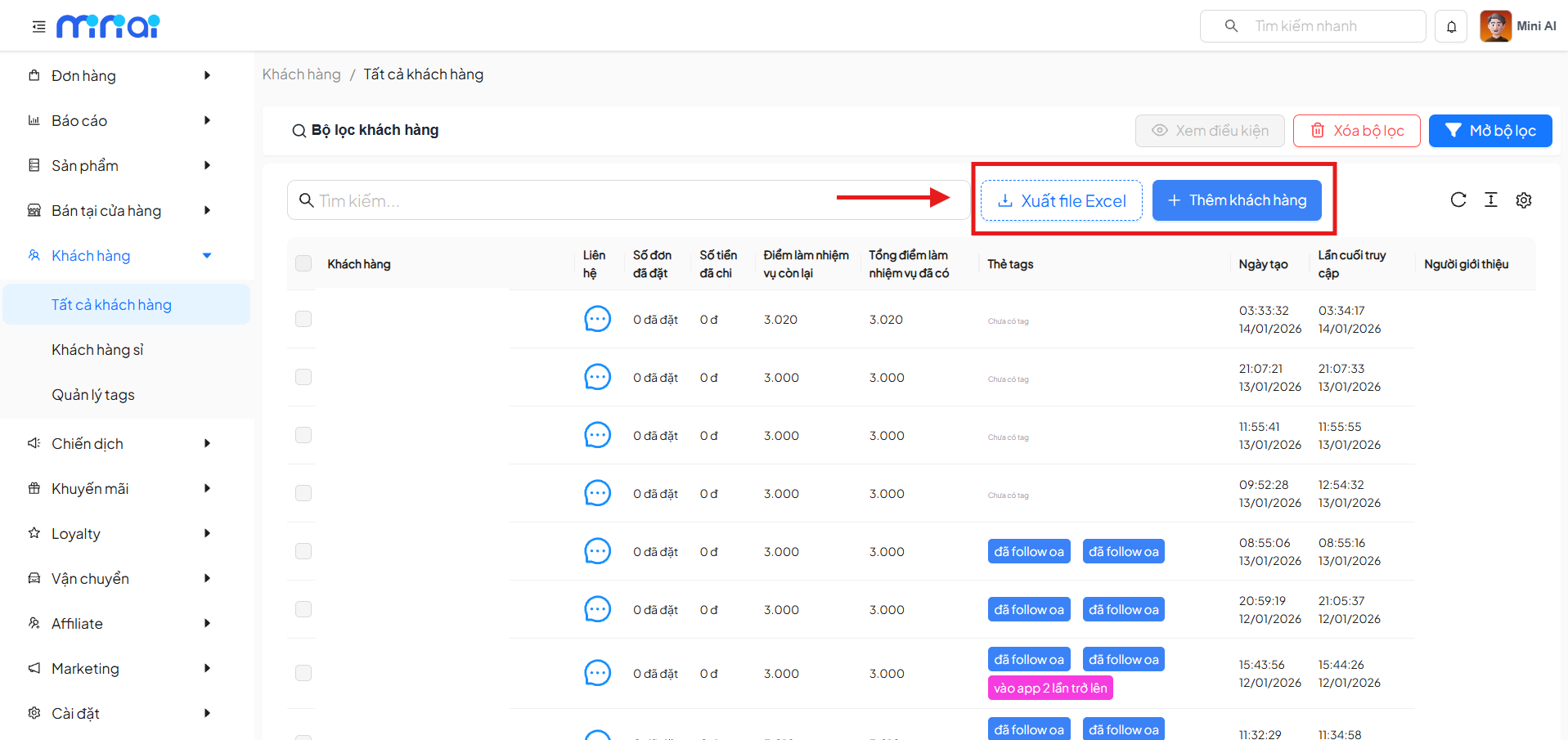
Add New Customer
- Click Add Customer
- Enter customer information in the form
- Save to create a new customer in the system
This feature is suitable when:
- Manually entering customer data
- Adding customers from offline sources
Export Customer List to Excel
- Click Export to Excel
- The system automatically generates and downloads the data file
- The file contains the customer list based on the currently displayed or filtered data
Advanced Customer Filter
Click Open Filter to display the detailed filter panel.
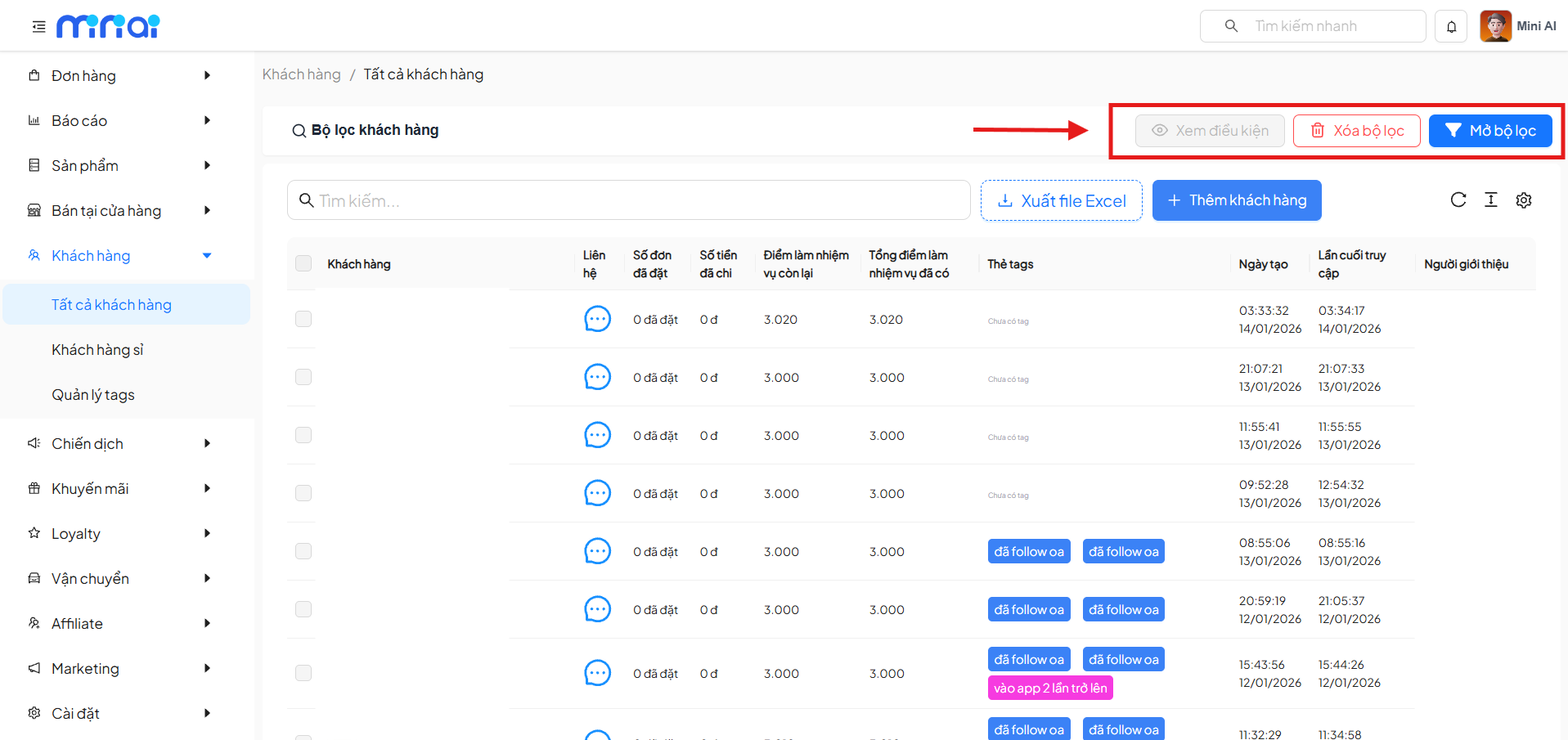
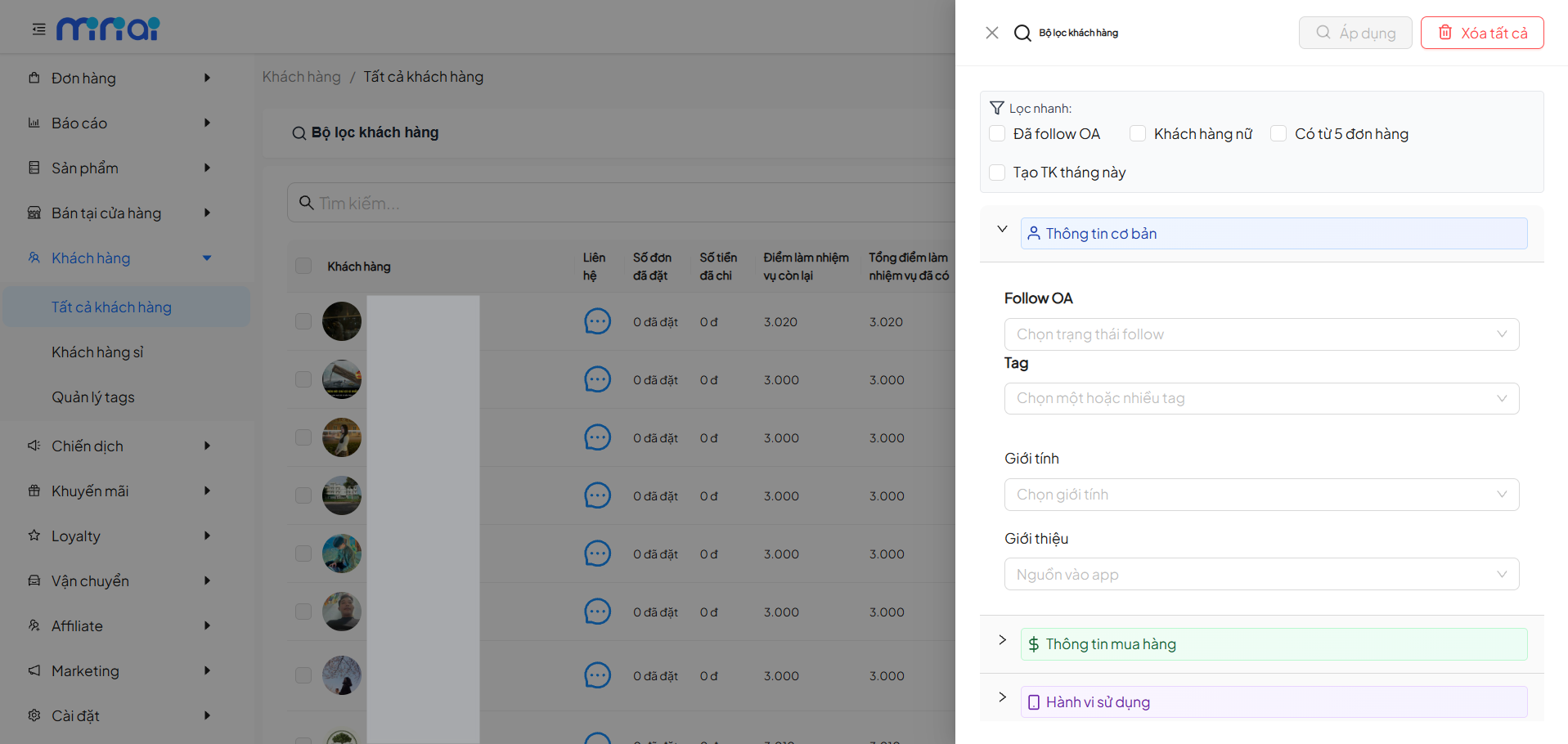
Quick Filters
| Condition | Description |
|---|---|
| Followed OA | Customers who followed the Official Account |
| Female Customers | Filter by gender |
| Has 5+ Orders | Customers with purchase history |
| Account Created This Month | New customers |
Basic Information
- OA Follow Status
- Customer Tags
- Gender
- Referral Source
Purchase Information
- Number of Orders
- Shopping Value
- Spending Behavior
Usage Behavior
- Access Frequency
- Interaction Level
- In-app Behavior
Filter Actions
| Button | Function |
|---|---|
| Apply | Apply filter conditions |
| View Conditions | View currently applied conditions |
| Clear Filter | Clear the current filter |
| Clear All | Reset all filter conditions |
View Customer Details
Click on a customer to access Customer Details.
Information Displayed on the Details Page
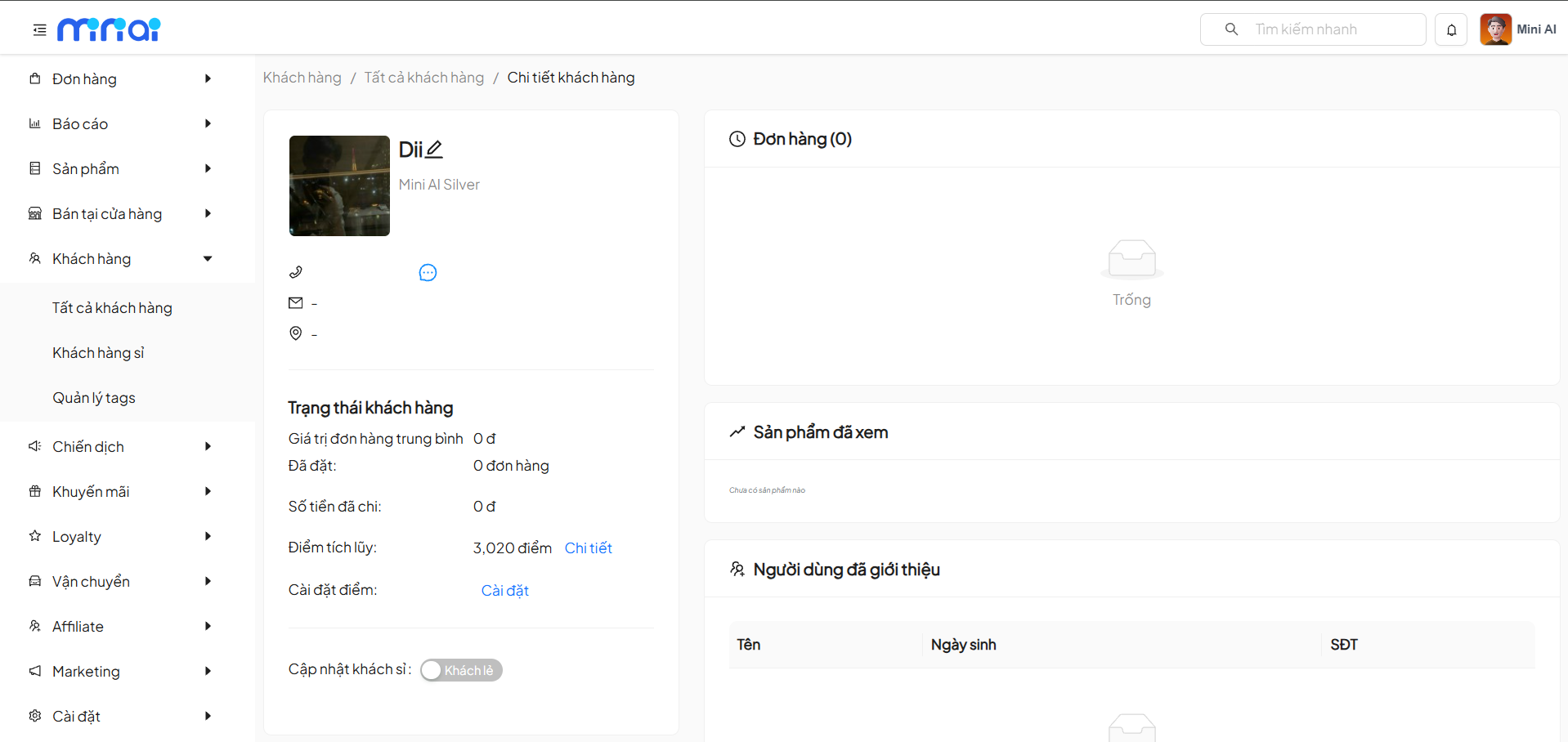
Personal Information
- Avatar
- Customer Name
- Customer Tier
- Contact Information
Customer Status
| Information | Description |
|---|---|
| Average Order Value | Average spending |
| Orders Placed | Total orders |
| Amount Spent | Total amount |
| Accumulated Points | Current points |
| Points Settings | Adjust points |
Orders
- List of generated orders
Viewed Products
- History of products the customer has shown interest in
Referred Users
- List of referred customers
Benefits of Using Customer Management
- Comprehensive tracking of customer behavior
- Effective customer grouping and care
- More accurate marketing and sales support
- Optimized experience and increased conversion rates
Usage Notes
- Use filters to manage large lists effectively
- Carefully review information before exporting data
- Regularly update customer information
Conclusion
Customer Management is a core module that helps businesses control, analyze, and leverage customer data effectively, supporting optimized business operations and customer care.