Wholesale Customer Management
Wholesale Customer Management Overview
Wholesale Customer Management is a feature that allows administrators to:
- Receive wholesale customer registration requests
- View and review detailed customer information
- Approve or reject requests
- Manage the list of wholesale customers in the system
This feature ensures transparent and accurate authorization and control of wholesale customers.
Accessing Wholesale Customer Management
To access the Wholesale Customer Management feature:
- From the left menu, select Customers
- Select Wholesale Customers
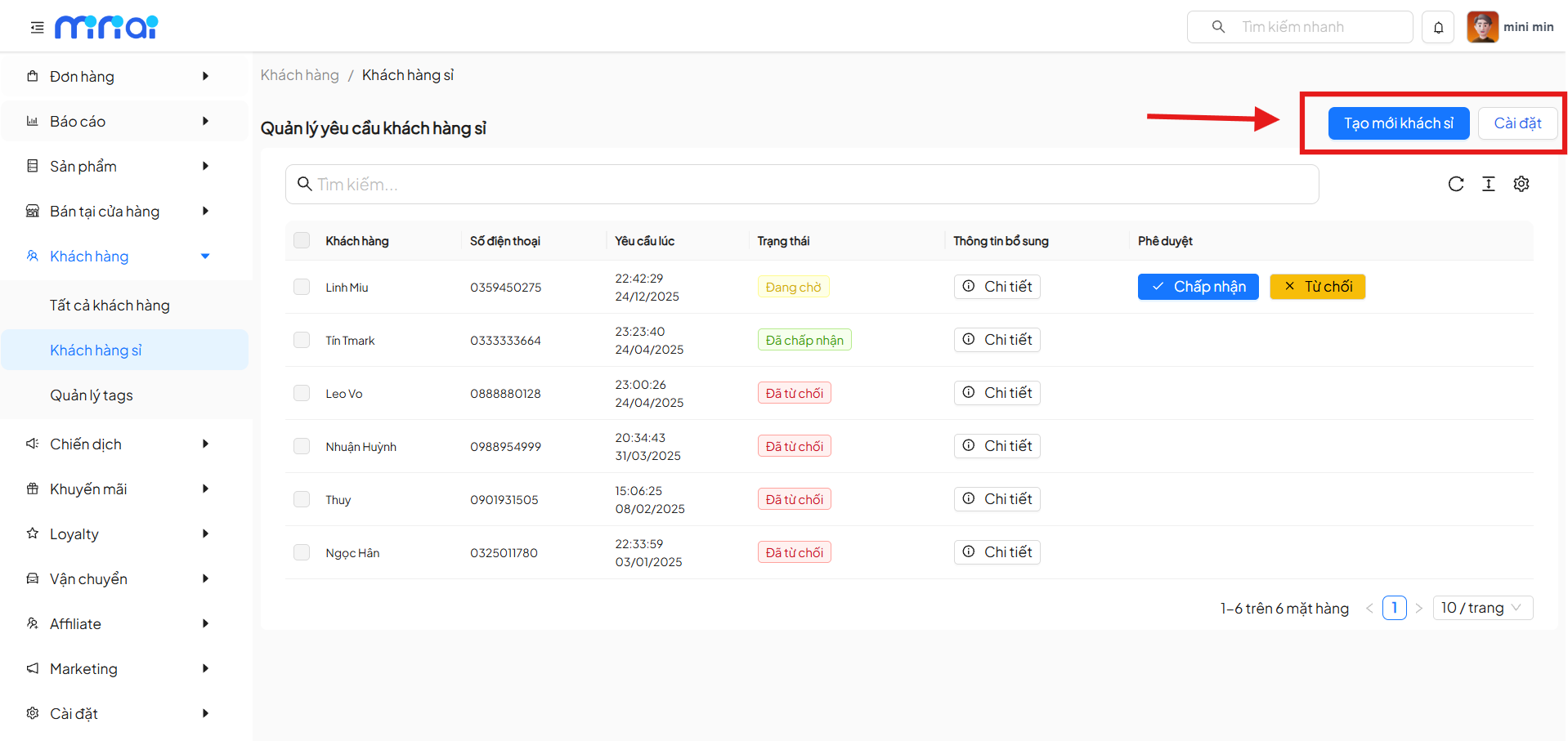
- The system displays the Wholesale Customer Request Management screen
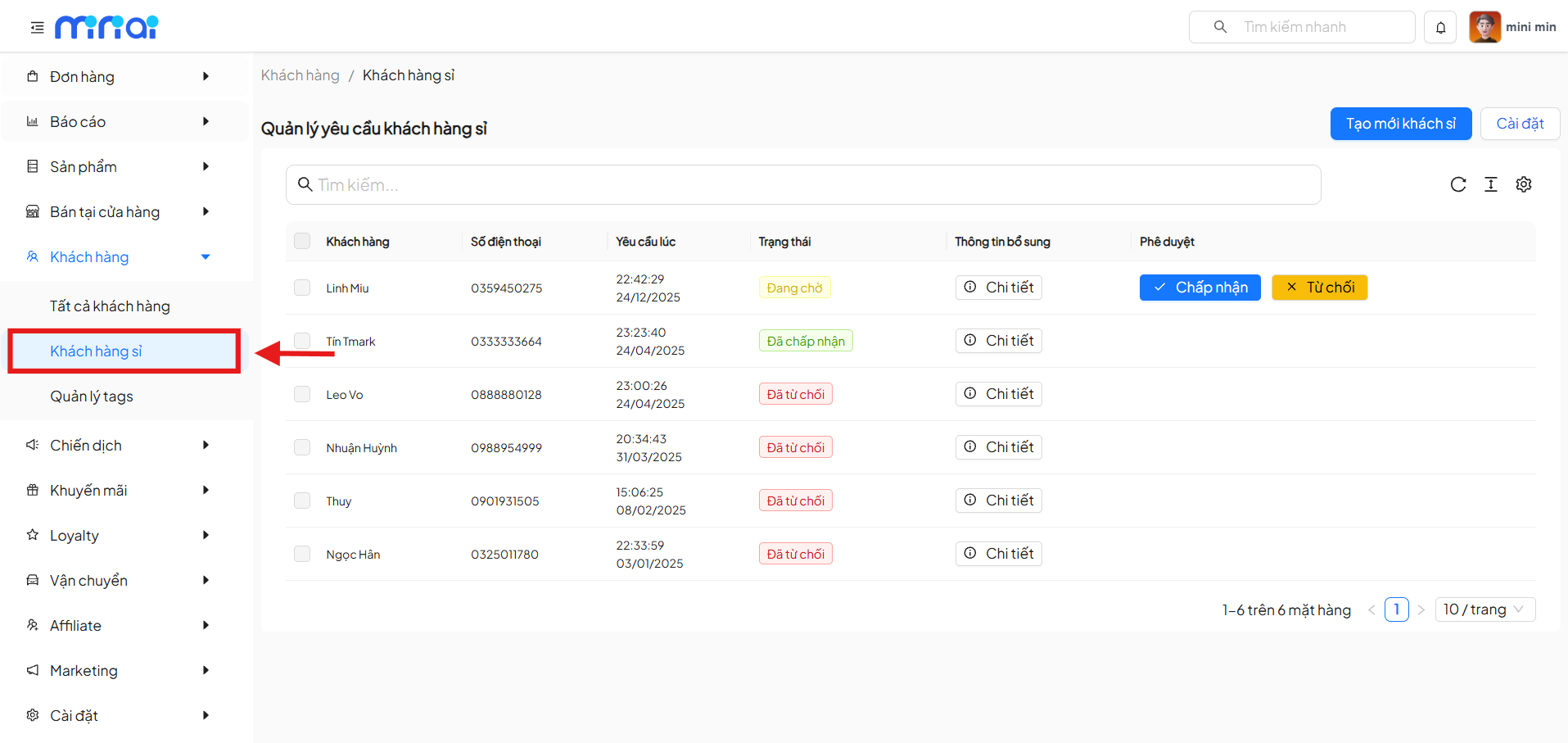
Wholesale Customer Request Management Screen
The screen displays the list of wholesale customer registration requests from users.
Main Components on the Screen
| Component | Description |
|---|---|
| Search Bar | Search requests by customer name or phone number |
| Request List | Display all wholesale customer registration requests |
| Create New Wholesale Customer Button | Manually create a new wholesale customer |
| Settings Button | Navigate to the configuration page for wholesale customer settings |
| Pagination | Navigate through the request list page by page |
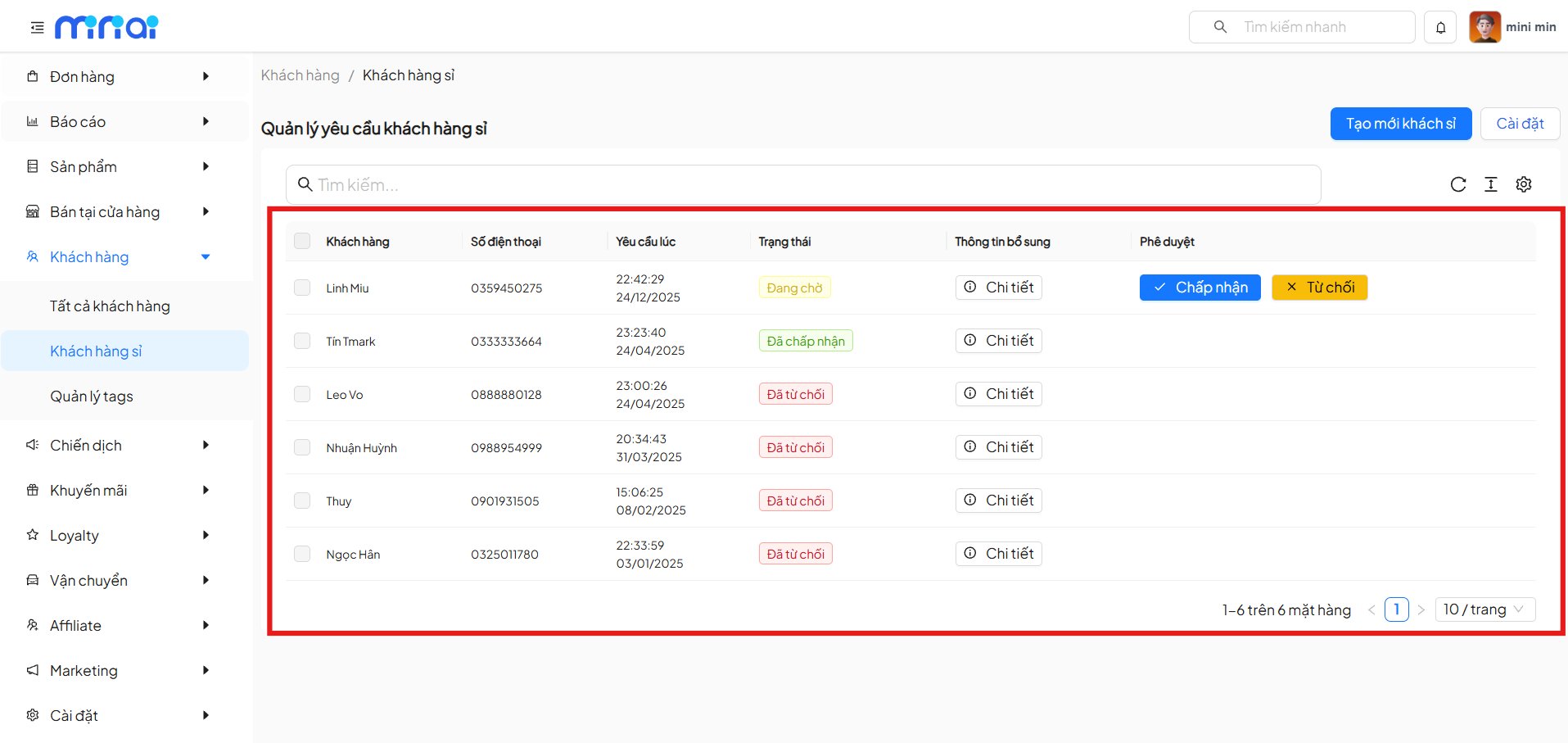
Information Displayed in the Request List
The wholesale customer request list includes the following columns:
| Column | Meaning |
|---|---|
| Customer | Name of the customer who submitted the request |
| Phone Number | Customer's contact phone number |
| Requested At | Time when the customer submitted the request |
| Status | Request processing status |
| Additional Information | View detailed request information |
| Approval | Accept or reject action |
Wholesale Customer Request Statuses
Each request has a specific status:
| Status | Description |
|---|---|
| Pending | Request is awaiting administrator processing |
| Approved | Request has been approved |
| Rejected | Request was not accepted |
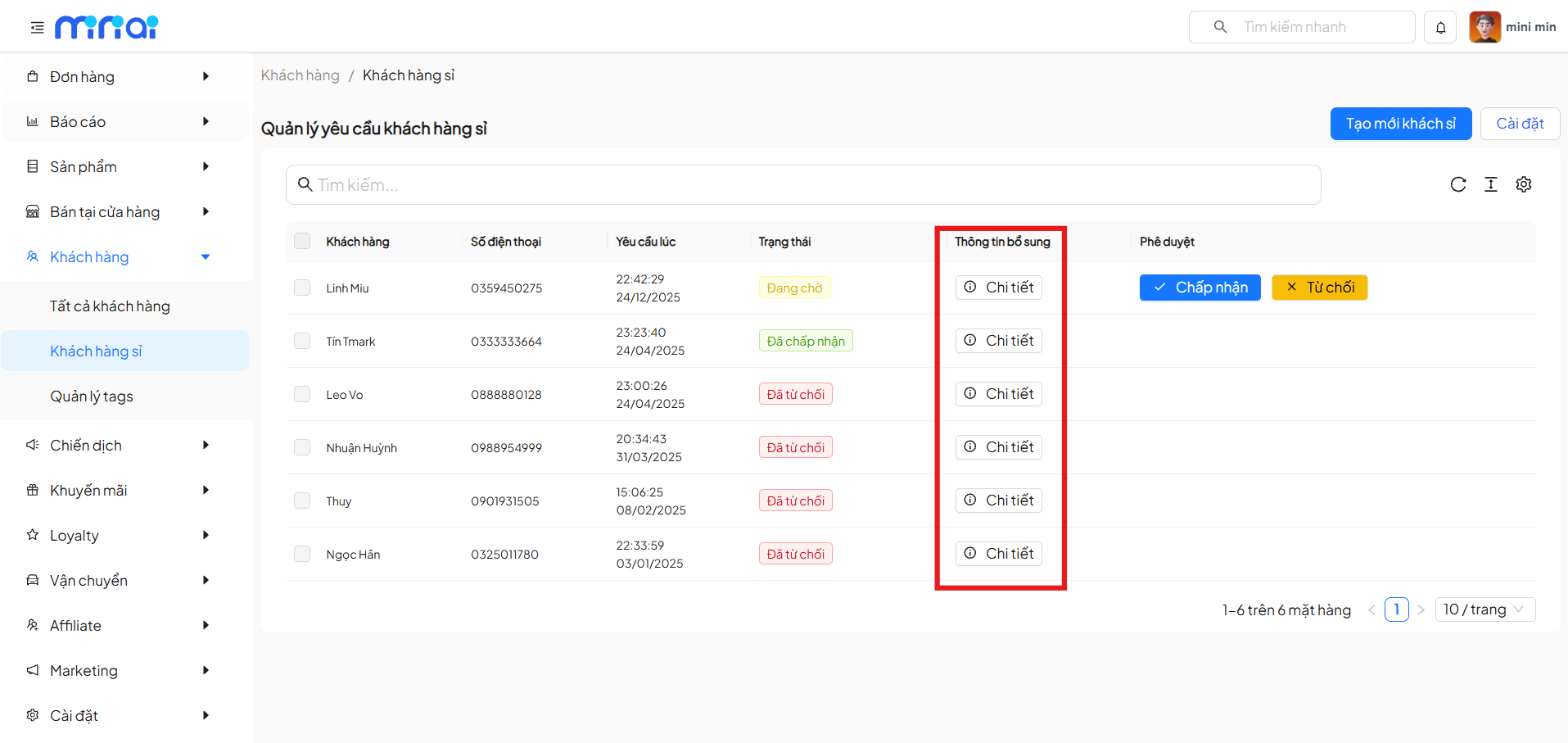
View Detailed Request Information
In the Additional Information column, click Details to:
- View complete customer information
- Review data before approval
- Ensure the request is valid
Approve or Reject Requests
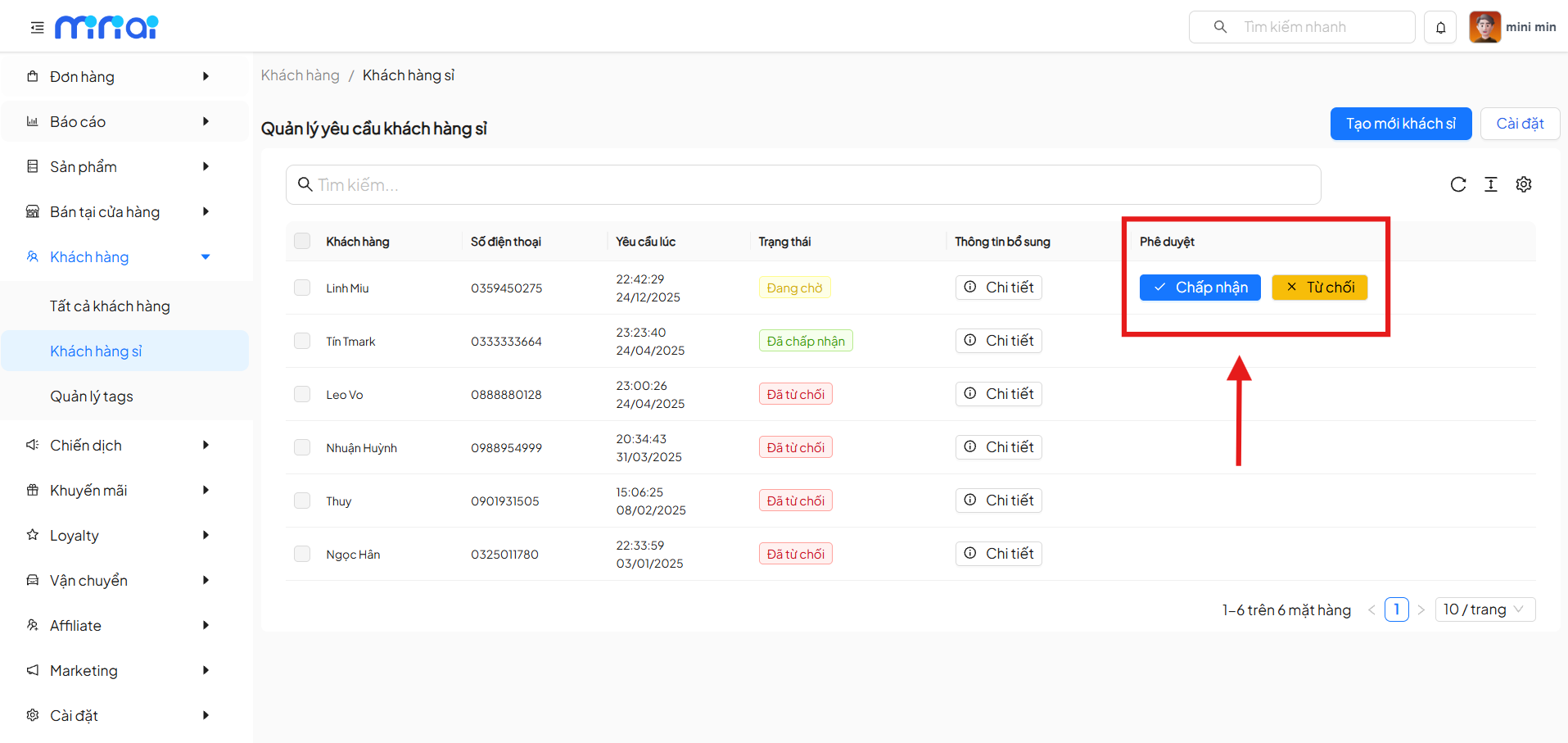
Accept Request
- Select the request with Pending status
- Click Accept
- The system updates the status to Approved
- The customer is moved to the Wholesale Customers group
Reject Request
- Click Reject
- The request status is updated to Rejected
- The customer is not granted wholesale access
Create New Wholesale Customer
In addition to approving requests, the system allows manually creating wholesale customers:
- Click Create New Wholesale Customer
- Enter customer information in the form
- Save the information to create a new wholesale customer
Suitable for cases when:
- Customers register directly
- Importing data from external sources
Wholesale Customer Settings
The Settings button allows configuration of:
- Wholesale customer registration rules
- Approval conditions
- Settings related to customer classification
Benefits of Using the Wholesale Customer Feature
- Strict control over wholesale access authorization
- Reduced risk of errors in customer classification
- Increased management and operational efficiency
- Good support for wholesale business operations
Usage Notes
- Carefully review information before approving
- Process pending requests promptly
- Use the search function for more effective management when the list is large
Conclusion
Wholesale Customer Management is an important feature that helps businesses control and develop wholesale channels effectively. Following the proper process ensures accurate, transparent data and optimized business operations.