News Categories
Overview
News Categories are used to classify and organize news articles in the system. Using categories helps:
- Manage content systematically and make it easy to expand
- Optimize user experience when reading news
- Support SEO and effective content navigation
Accessing the Feature
From the left menu, navigate to:
Campaigns → News Categories
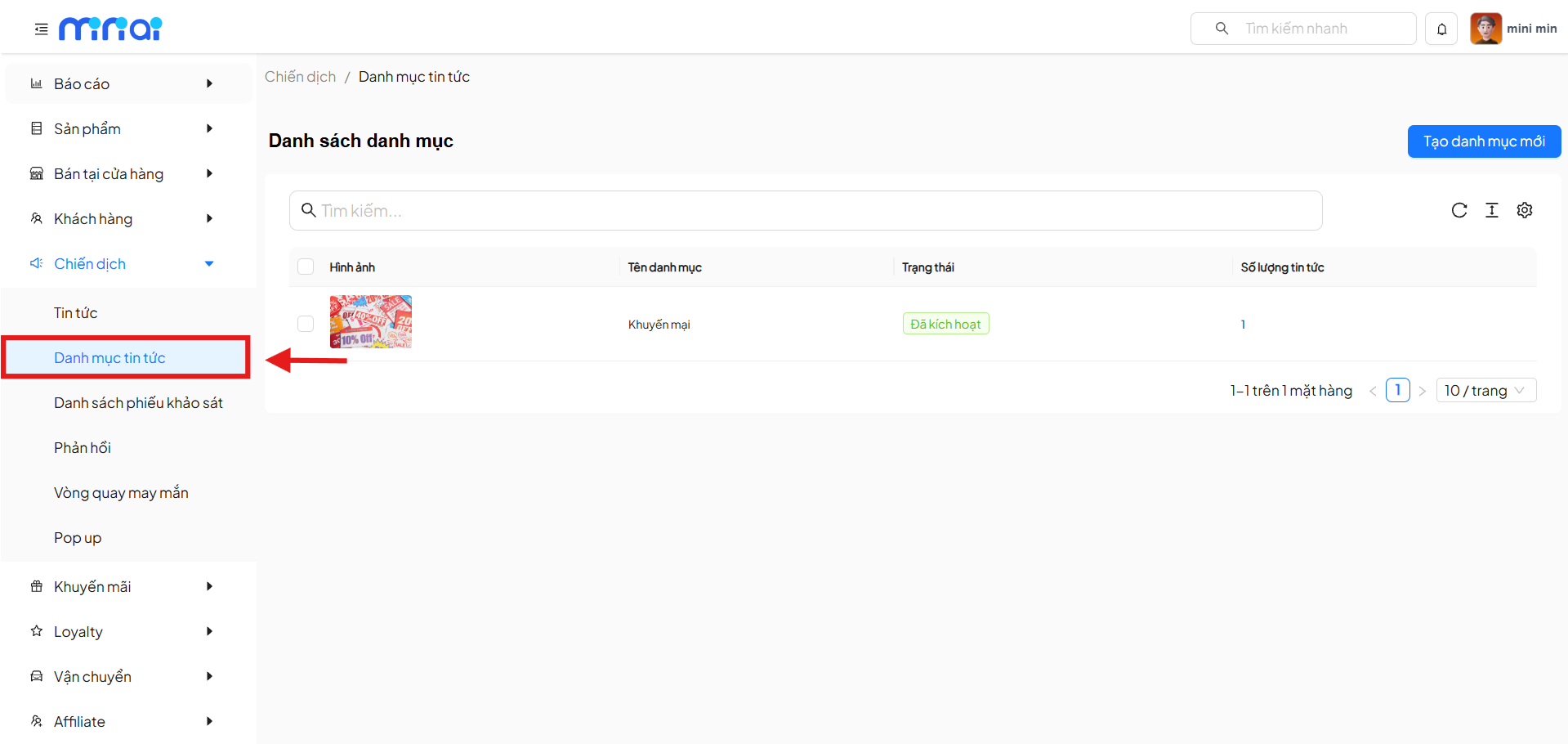
Category List
The Category List screen displays all news categories that have been created.
Key Features
- Quick search for categories by name
- View the active status of categories
- Track the number of news articles in each category
- Paginated list
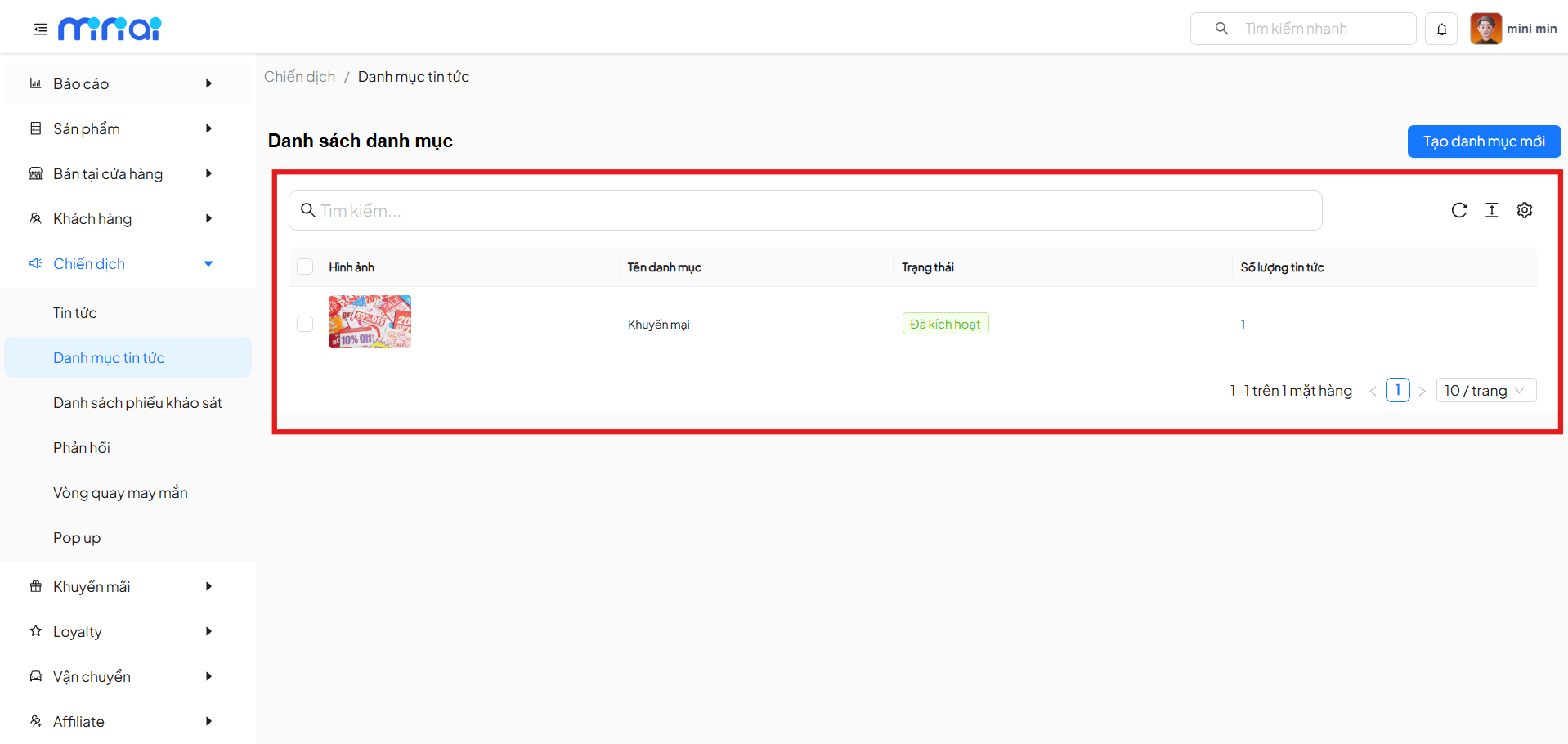
Information Columns
| Field | Description |
|---|---|
| Image | Thumbnail image for the category |
| Category Name | Display name of the category |
| Status | Active status of the category |
| News Count | Total number of articles in the category |
Category Statuses
| Status | Meaning |
|---|---|
| Activated | Category is active and displayed |
| Not Activated | Category is not yet in use |
Create a New News Category
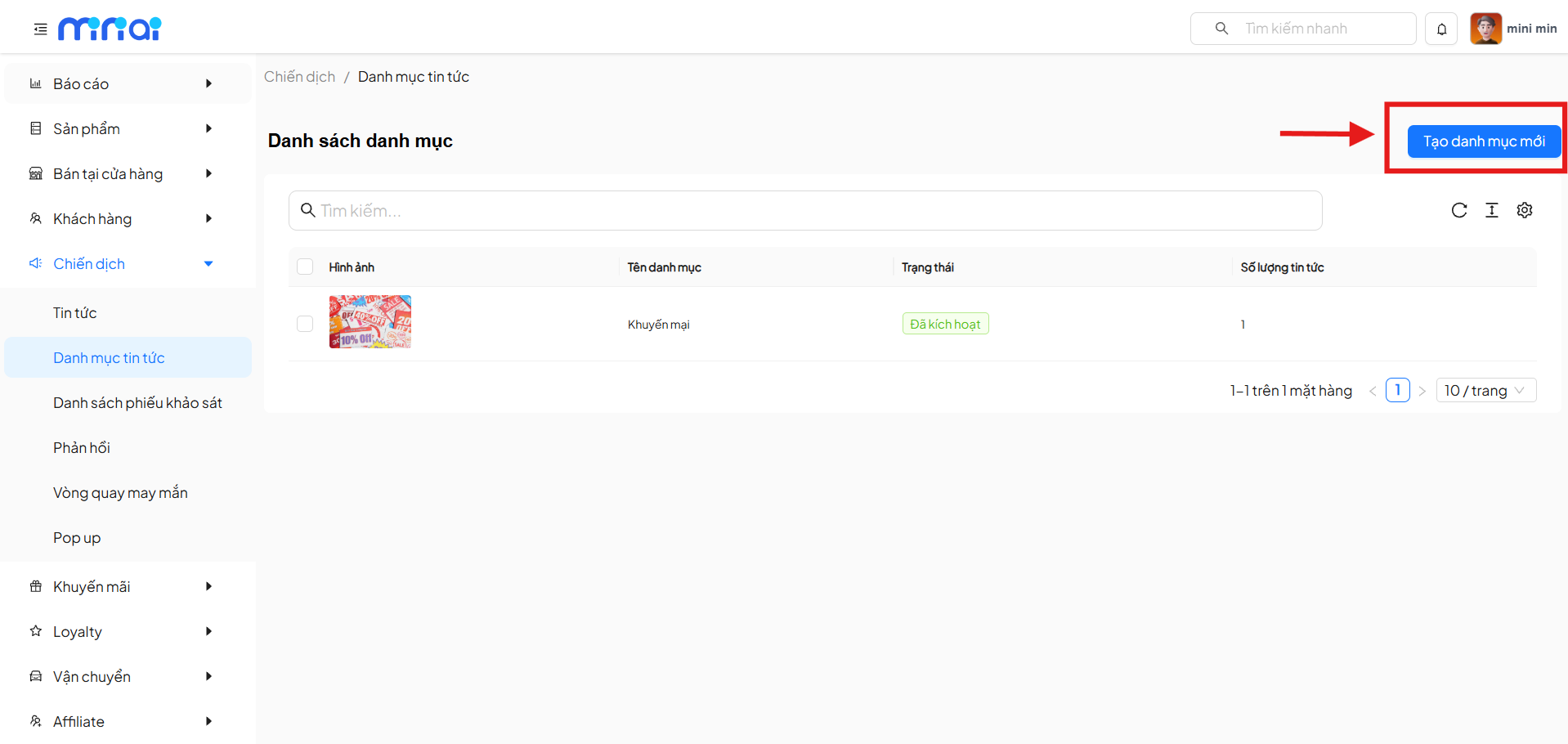
Click Create New Category to add a news category.
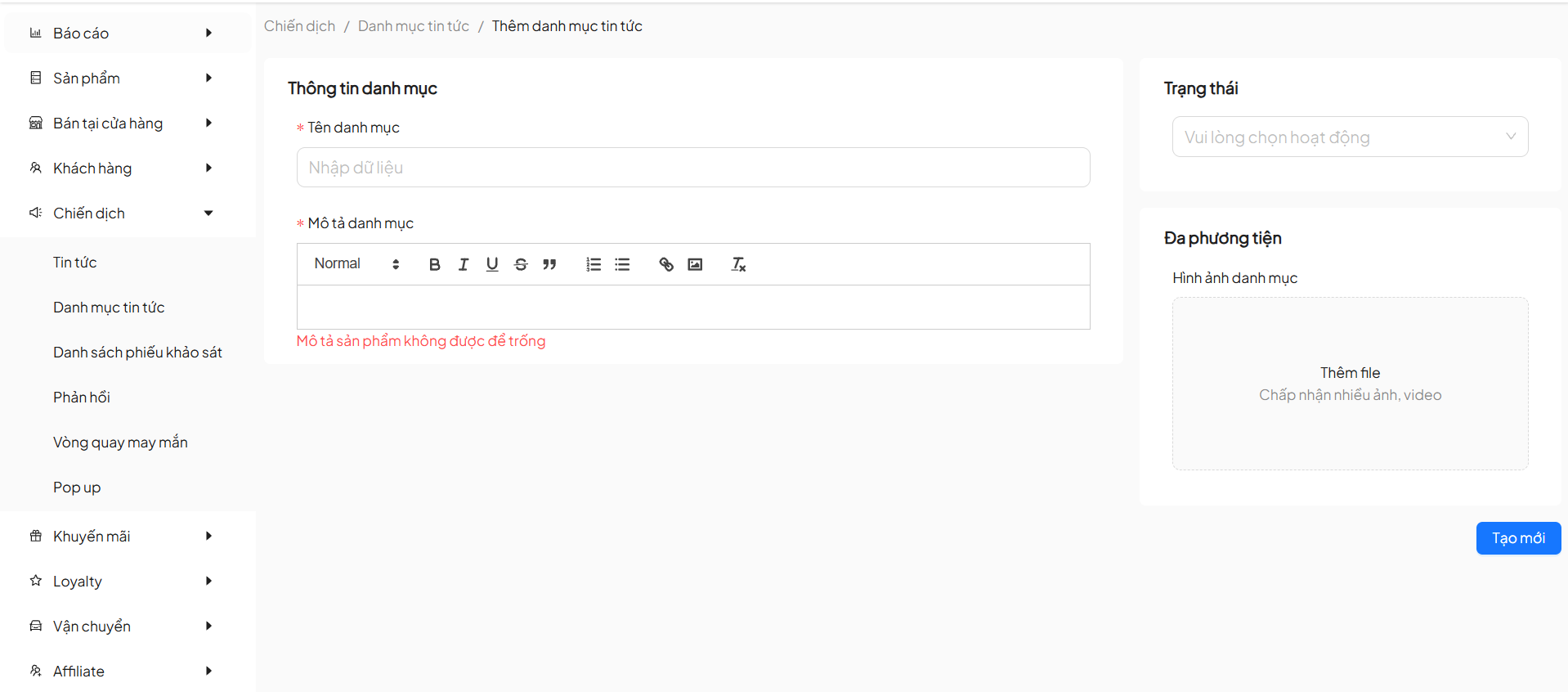
Category Information
| Field | Description | Required |
|---|---|---|
| Category Name | Name of the news category | Yes |
| Category Description | Detailed description content for the category | Yes |
| Status | Select the active status of the category | Yes |
| Category Image | Thumbnail image for the category | No |
Note
- Category names should be concise and easy to understand
- Detailed descriptions help users understand the content - required when creating categories
- Thumbnail images make the category stand out when displayed
Category Description
- Supports content editing with a WYSIWYG editor
- Allows text formatting (bold, italic, underline, etc.)
- Can insert links and extended content
Multimedia
- Allows uploading images or videos for the category
- Images will be used as thumbnails when displaying the category
Save Category
- Click Create New to complete category creation
- The system will validate required data before saving
Usage Notes
Note
- Category names should be concise and easy to understand
- Each category should serve a specific content group
- Thumbnail images help categories stand out when displayed
- Only activate categories when they are ready to use
Conclusion
Tip
News Categories help:
- Organize content systematically and make it easy to manage
- Improve user experience when reading news
- Support SEO and effective content navigation
Build a well-organized category system to optimize news management for your business