Lucky Wheel
Overview
Lucky Wheel is a form of gamification marketing that helps stores:
- Attract users to participate and interact
- Increase return rates
- Distribute gifts and promotions randomly and transparently
The feature allows administrators to:
- Configure the wheel interface
- Set up prizes and winning probabilities
- Track the list of players and winning results
- Export winning data reports
Accessing the Feature
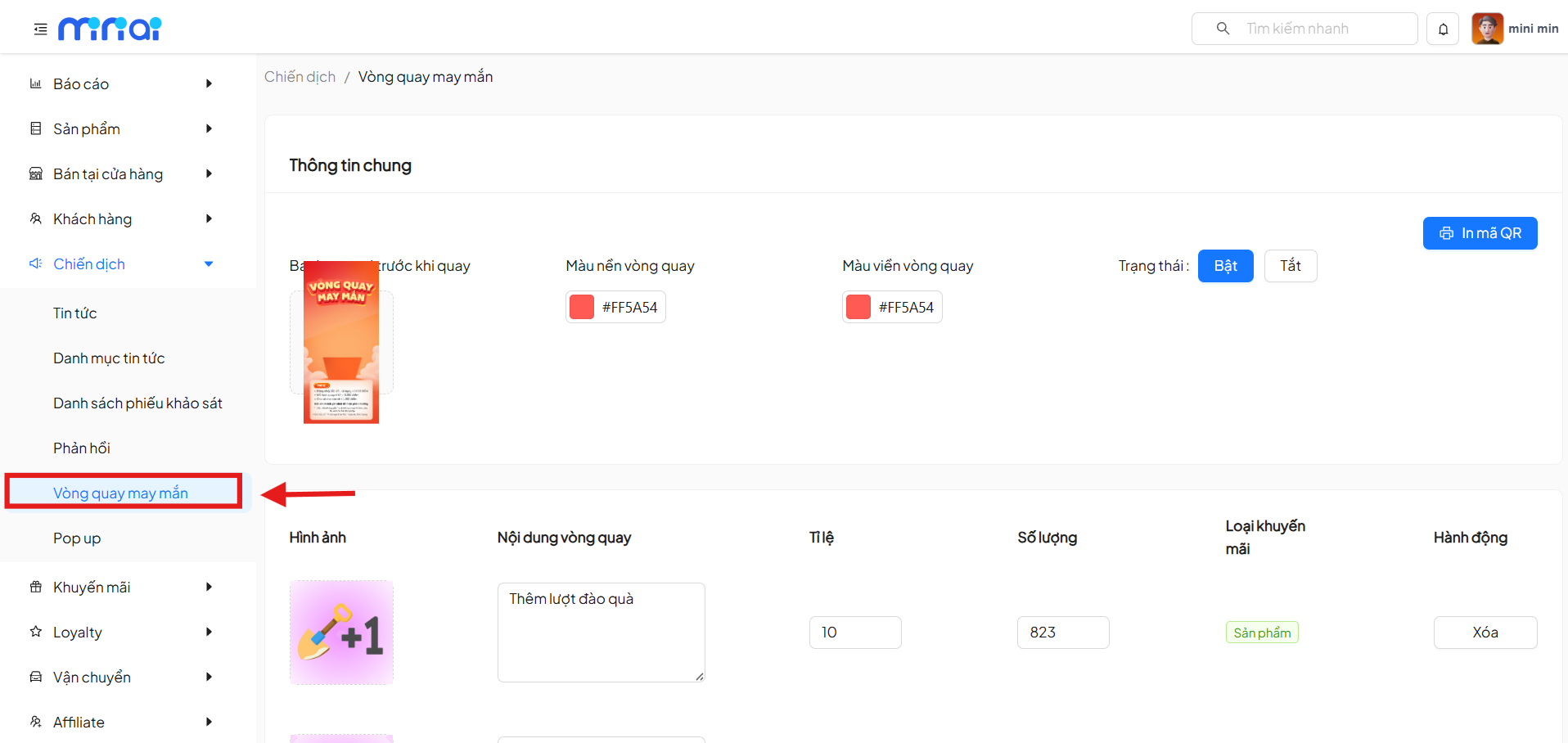
From the left menu, navigate to:
Campaigns → Lucky Wheel
General Information
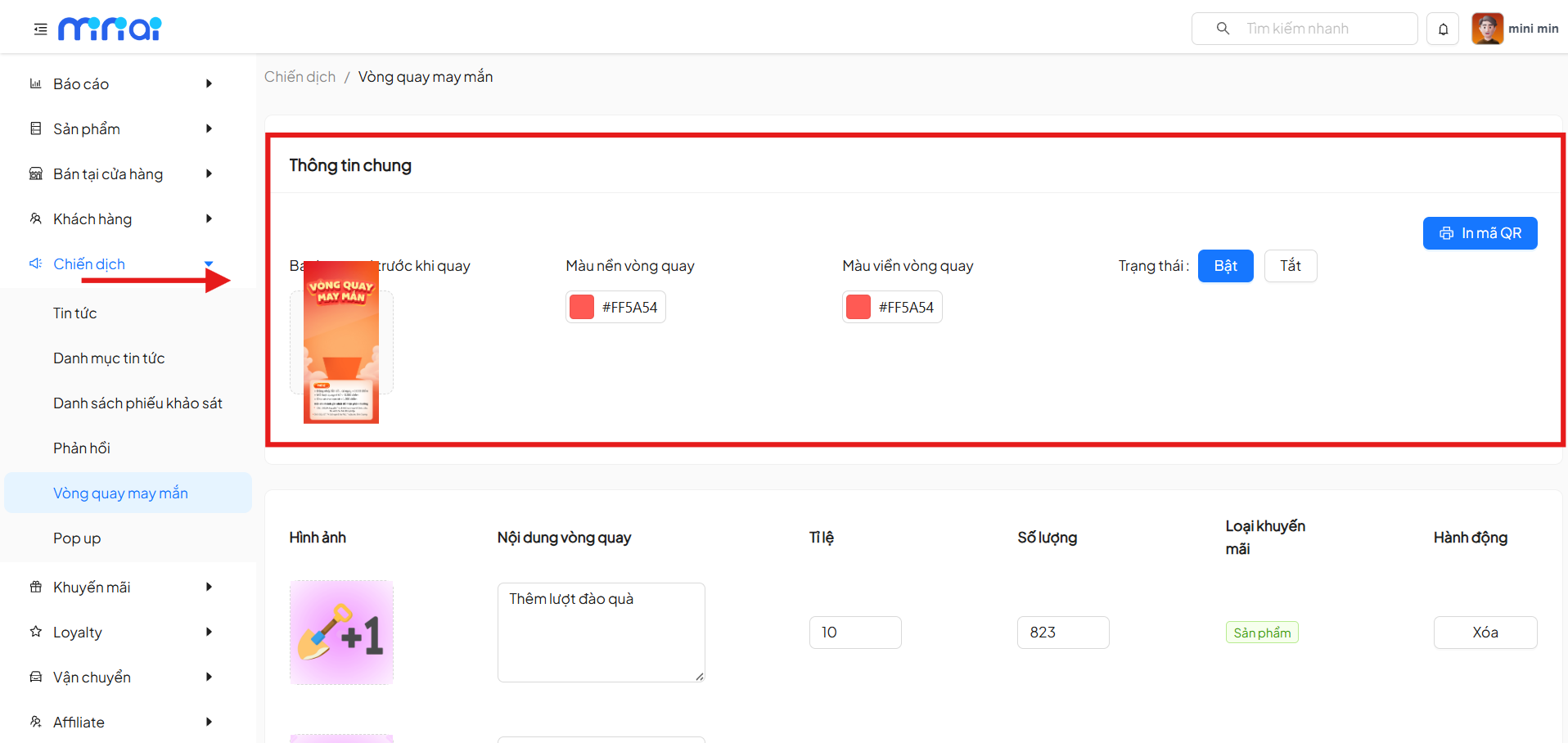
The General Information section is used to configure the overall wheel campaign settings.
| Property | Description | Notes |
|---|---|---|
| Banner Before Spin | Display an introductory banner before the player starts spinning | The image can be changed for each campaign |
| Wheel Background Color | Set the background color for the wheel | Enter HEX color code (e.g., #FF5A54) |
| Wheel Border Color | Customize the outer border color of the wheel | Used to align with brand identity |
| Campaign Status | On: Allow players to participate in the wheel Off: Temporarily suspend the campaign | When off, players cannot spin |
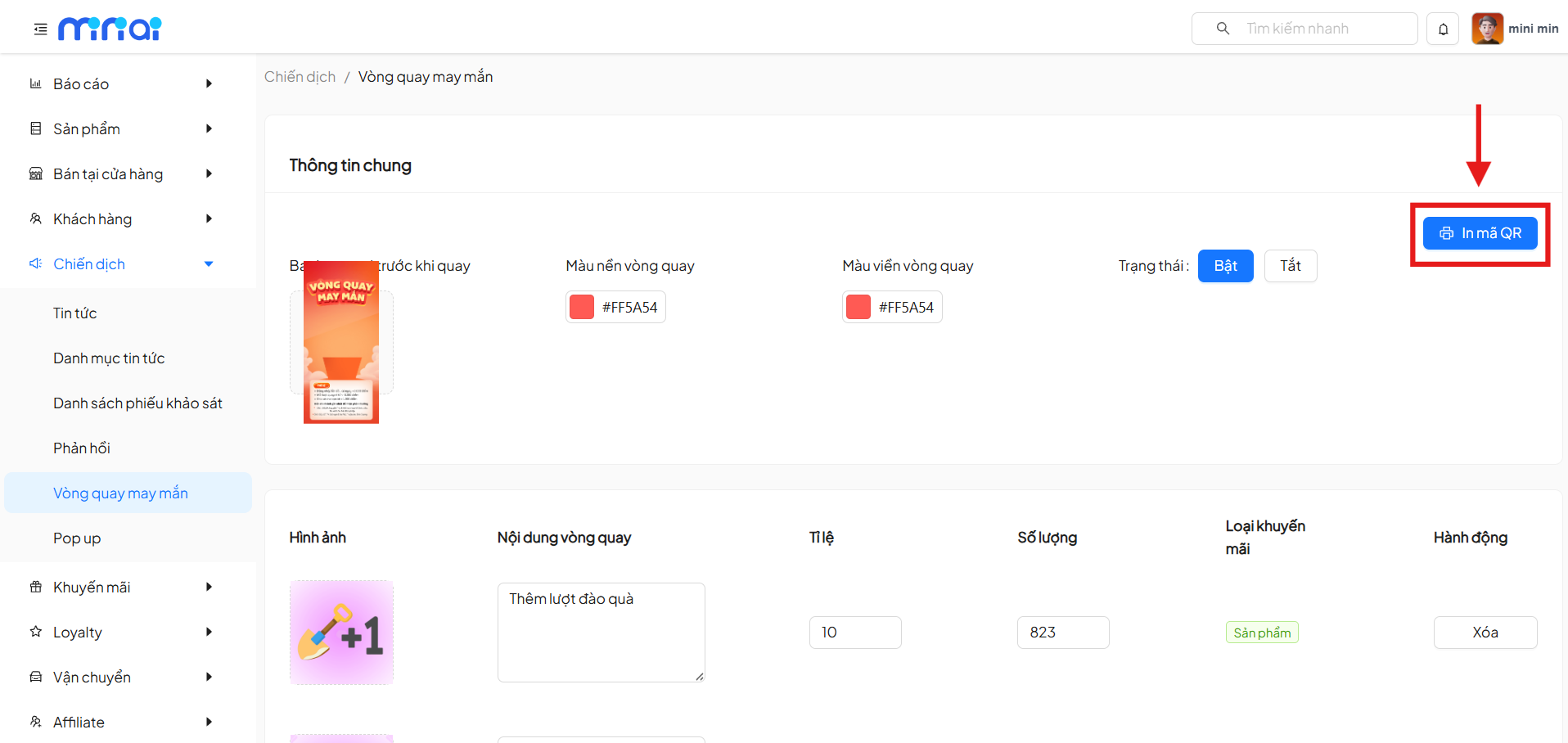
| Print QR Code | Generate a QR code for the wheel campaign | Use at stores, banners, POSM, or share online |
Configure Wheel Prizes
Each prize corresponds to 1 slot on the wheel.
Settings to Configure
| Property | Description | Notes |
|---|---|---|
| Image | Thumbnail image for the prize | Visually displayed on the wheel |
| Wheel Content | Prize description (e.g., Extra dig-for-gifts turns, Discount, Product gift) | Content displayed to players |
| Winning Probability | Probability of winning the prize (%) | The system uses the probability to calculate spin results |
| Quantity | Total number of prizes issued | Automatically deducted when someone wins |
| Promotion Type | Define the prize type | Product / Promotion Program |
| Actions | Prize management actions | Delete: Remove prize from the wheel |
Add New Prize
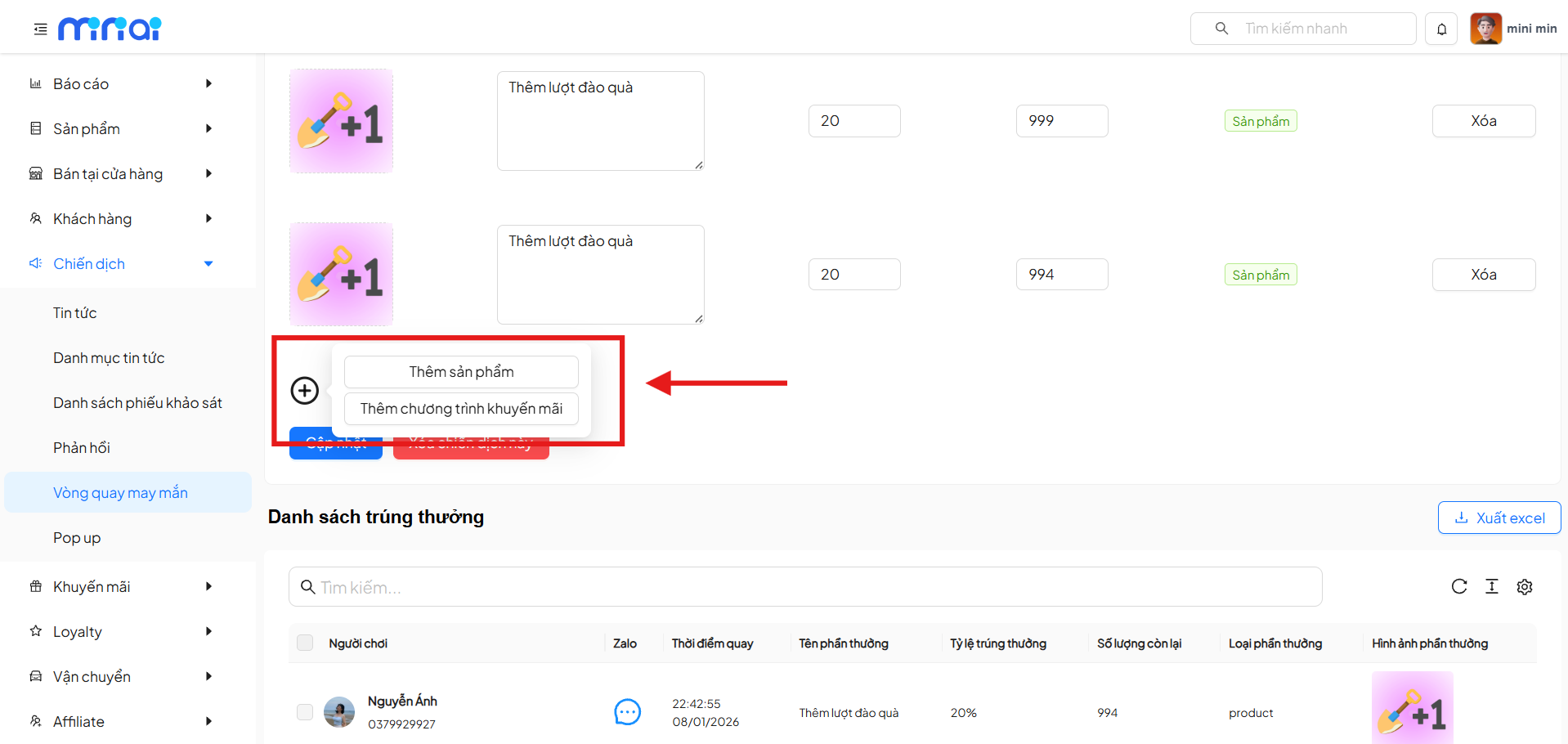
Click the ( + ) icon to add a prize:
-
Add Product Used when the prize is a specific product in the system
-
Add Promotion Program Used when the prize is a voucher, offer, or discount program
Update & Delete Campaign
-
Update Save all wheel configuration changes
-
Delete This Campaign Permanently delete the wheel campaign (cannot be restored)
Deleting a campaign is irreversible. Please confirm carefully before proceeding.
Winners List
This section displays the complete history of players and spin results.
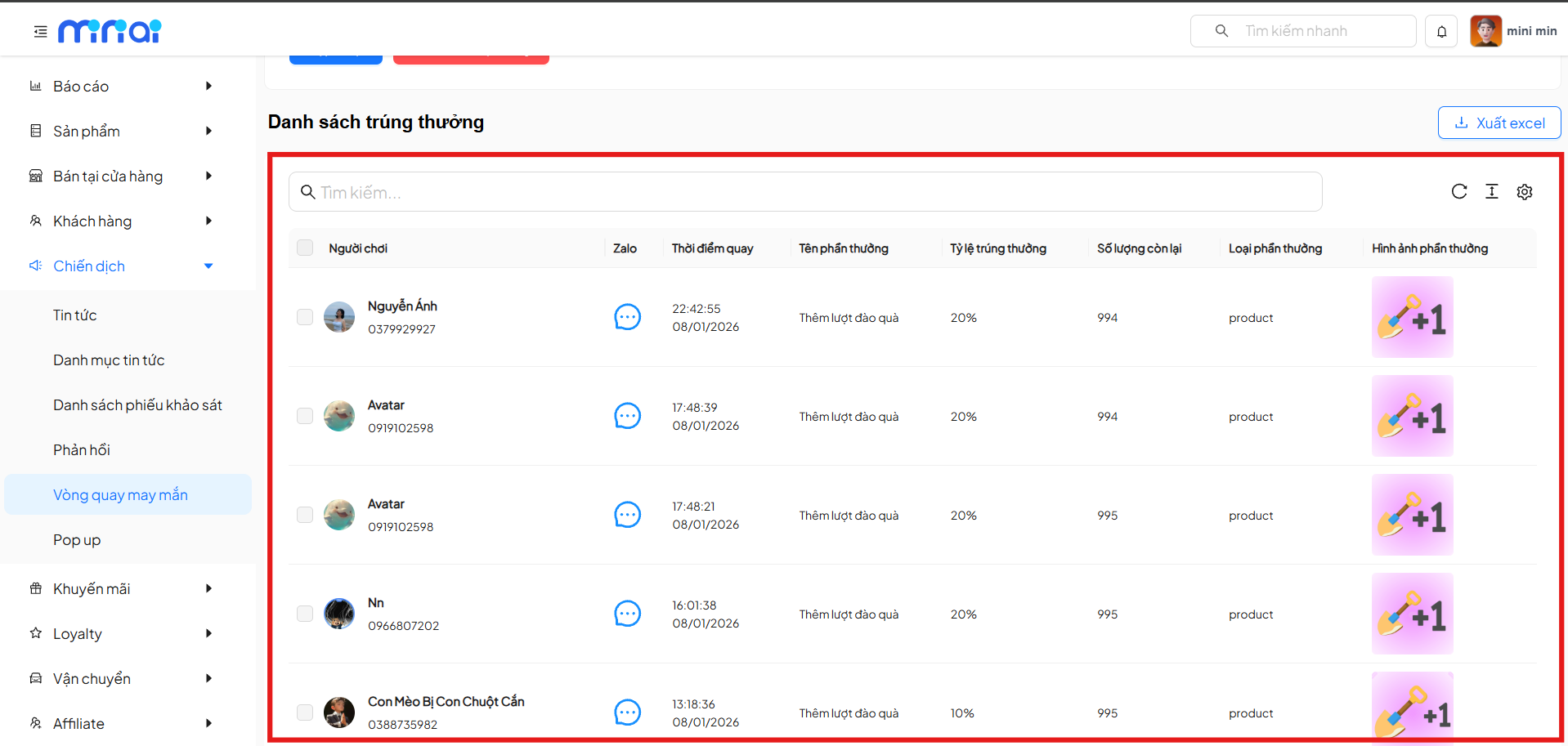
Displayed Information
| Player | Zalo | Spin Time | Prize Name | Winning Probability | Remaining Quantity | Prize Type | Prize Image |
|---|---|---|---|---|---|---|---|
| Player | Zalo | Time | Prize | Probability % | Quantity | Type | Image |
Supporting Features
- Search quickly by player
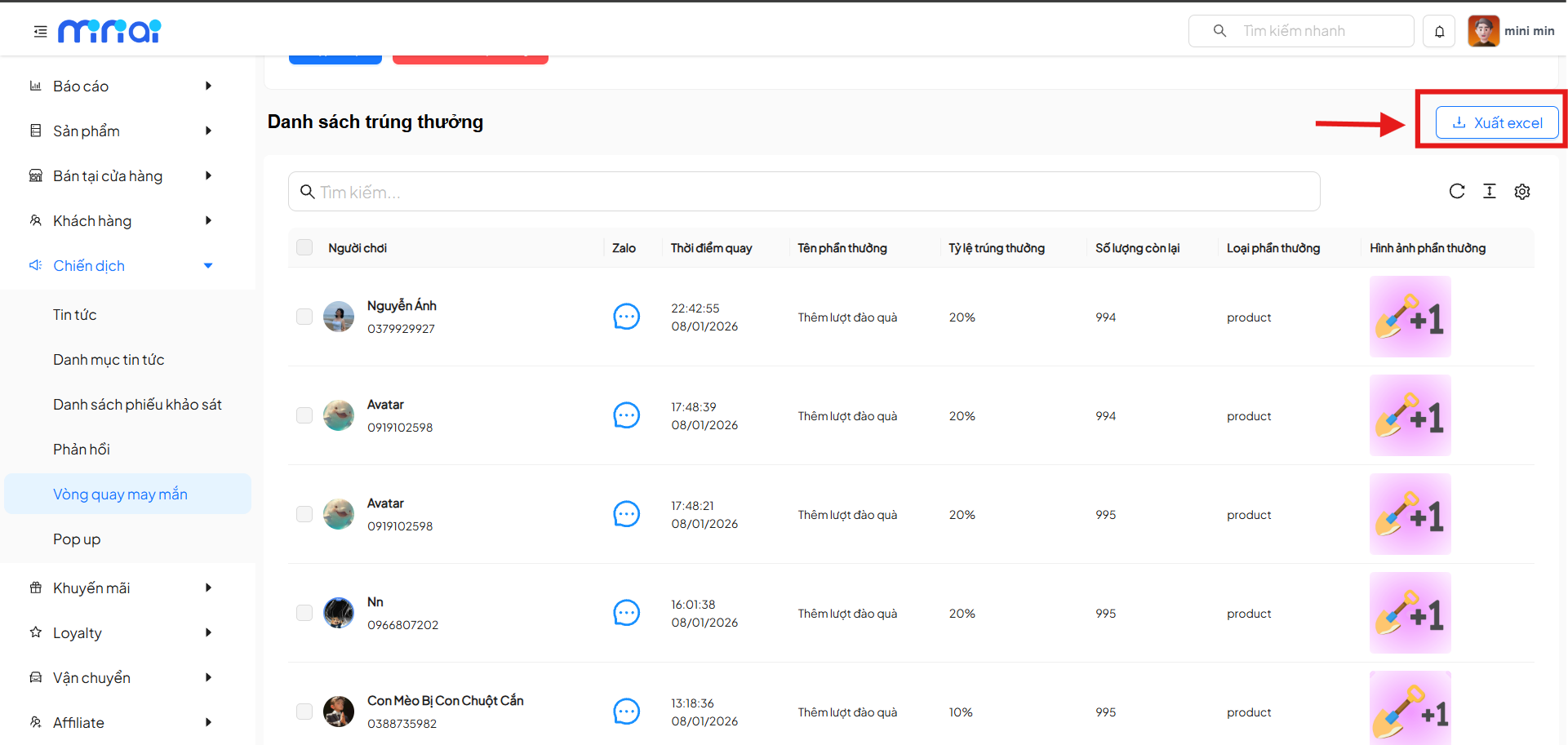
- Export to Excel Download the winners list report for statistics and reconciliation
Usage Notes
- The total winning probabilities should be balanced reasonably
- Check prize quantities to avoid unexpectedly running out of prizes
- Enable/disable campaigns according to specific promotional schedules
- Use QR codes to increase offline accessibility
Conclusion
The Lucky Wheel feature is an effective tool that helps:
- Increase user interaction
- Boost conversion rates
- Enhance customer experience through gamification elements
Configure it properly to optimize the effectiveness of your marketing campaigns