News
Overview
News is a feature that allows administrators to create and manage articles for:
- Communicating events and promotional programs
- Updating announcements and marketing content
- Increasing interaction and brand awareness
Accessing the Feature
From the left menu, navigate to:
Campaigns → News
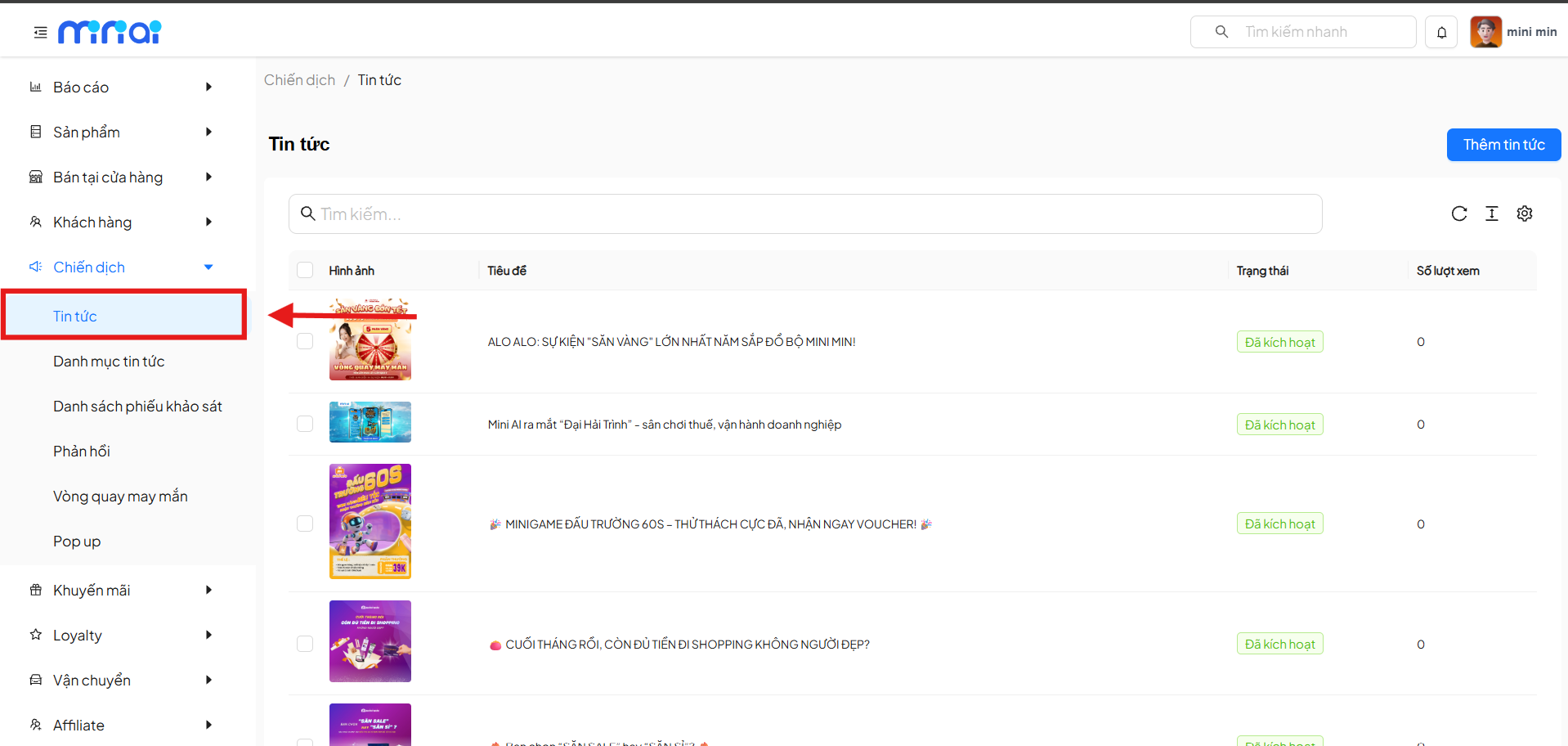
News List
The News List screen displays all articles that have been created in the system.
Key Features
- Quick search for articles by title
- Track the display status of articles
- View the number of views for each article
- Paginated list
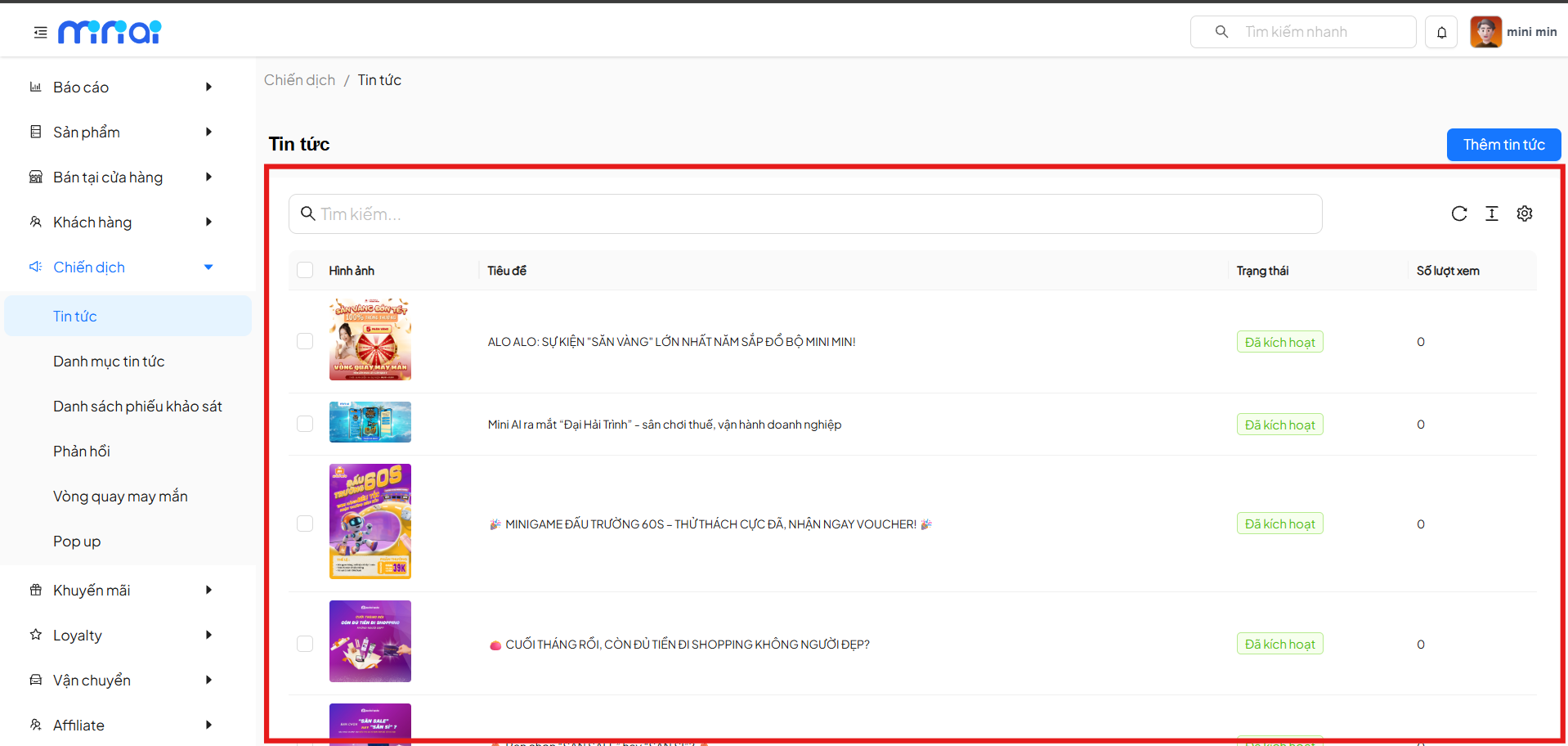
Information Columns
| Field | Description |
|---|---|
| Image | Thumbnail image of the article |
| Title | Title of the news article |
| Status | Display status of the article |
| Views | Total number of article views |
Article Statuses
| Status | Meaning |
|---|---|
| Activated | Article is currently displayed to users |
| Not Activated | Article is temporarily not displayed |
Add New News
Click Add News to create a new article.
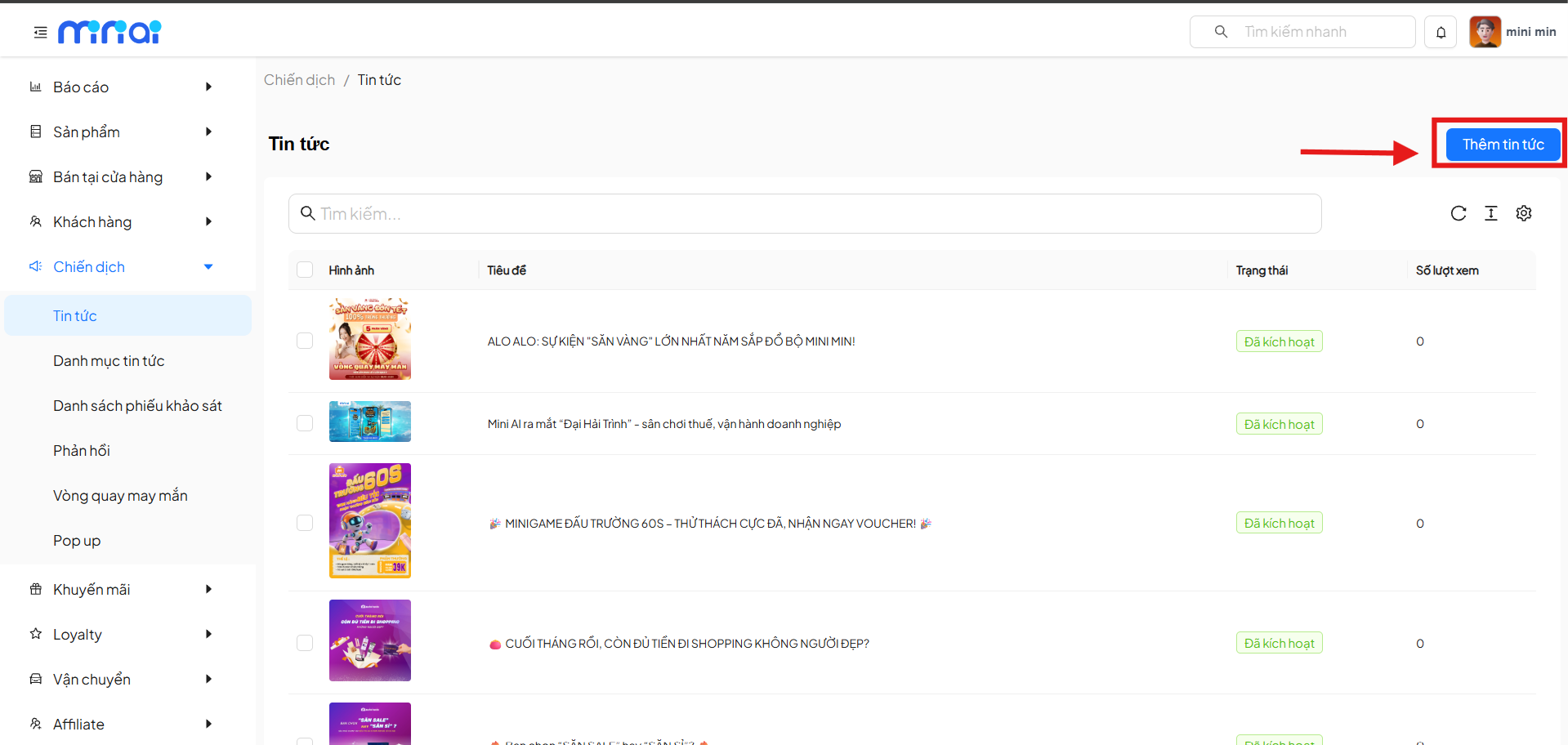
Create News
The Create News screen consists of two main sections: Basic Information and Additional Information.
Basic Information
| Field | Description | Required |
|---|---|---|
| Title | Display title of the article | Yes |
| Content | Detailed content of the article | Yes |
Article Content
- Uses a WYSIWYG editor
- Supports text formatting (bold, italic, underline, etc.)
- Can insert links, images, and extended content
Note
- Article titles should be concise and easy to understand
- Detailed descriptions help users understand the content - required when creating articles
- Thumbnail images make the article stand out when displayed
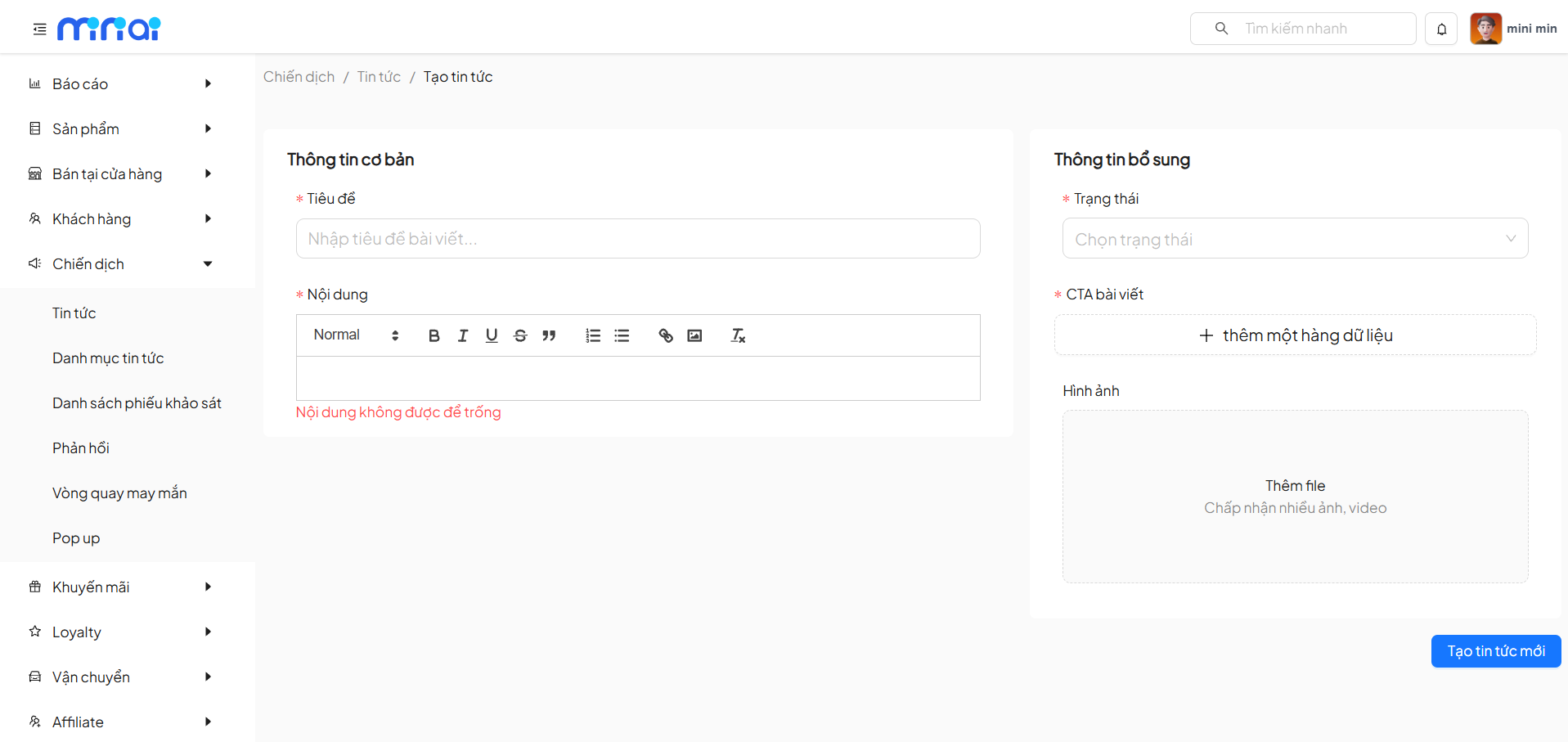
Additional Information
| Field | Description | Required |
|---|---|---|
| Status | Select the article display status | Yes |
| Article CTA | Set up a call-to-action (CTA) button | No |
| Image | Thumbnail image for the article | No |
Article CTA
- Allows adding multiple CTAs
- CTAs are used to direct readers to:
- Promotional pages
- Events
- Other features in the system
Article Image
- Allows uploading images or videos
- Images are used as thumbnails when displaying in the news list
Save and Publish News
- Click Create New News to save the article
- The system validates required data before publishing
Usage Notes
Note
- Titles should be concise, engaging, and match the content
- Content should be clear, easy to read, with key highlights
- Use images to increase interaction rates
- Check the status before publishing the article
Conclusion
Tip
News is an important tool that helps:
- Quickly deliver information to customers
- Support marketing and brand building
- Increase traffic and interaction on the platform
Leverage the News feature to optimize communication effectiveness for your business