Resource Management on MiniAI SCRM
Resource Management is where businesses connect and manage all social media accounts (Zalo OA, personal Zalo, Facebook) through a single interface.
From here, you can:
- Link new social media accounts to the system
- Monitor the connection status of each account
- Manage and unlink accounts when needed
Accessing Resource Management
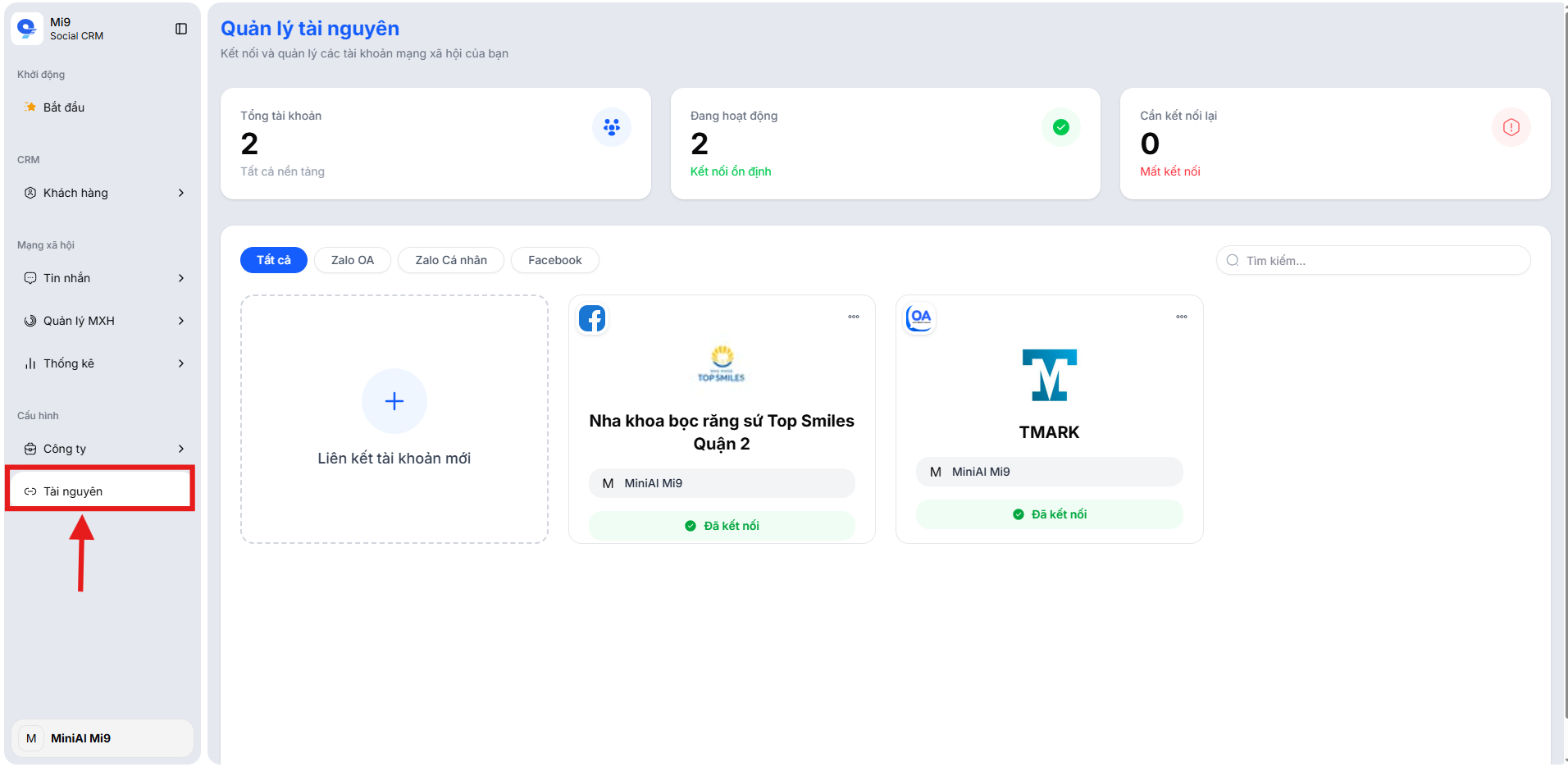
In the left sidebar menu, select Resources under the Configuration section to access the management interface.
Interface Overview
The Resource Management interface consists of two main sections:
Summary Statistics
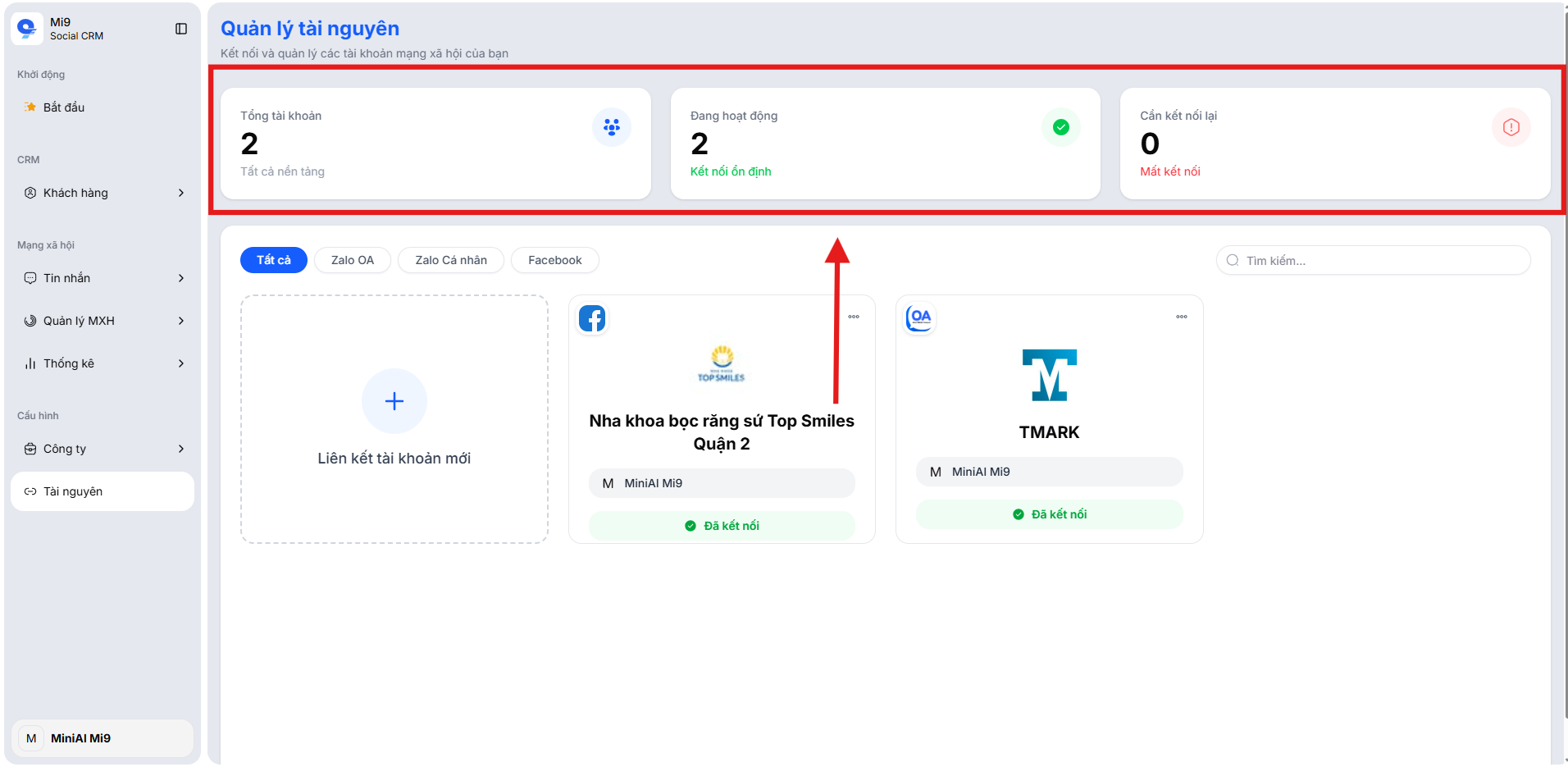
The top section displays 3 key metrics to help you quickly understand the connection status:
- Total Accounts – Total number of social media accounts linked across all platforms
- Active – Number of accounts with a stable connection, ready for operation
- Needs Reconnection – Number of accounts that have lost connection and require reconnection
Linked Accounts List
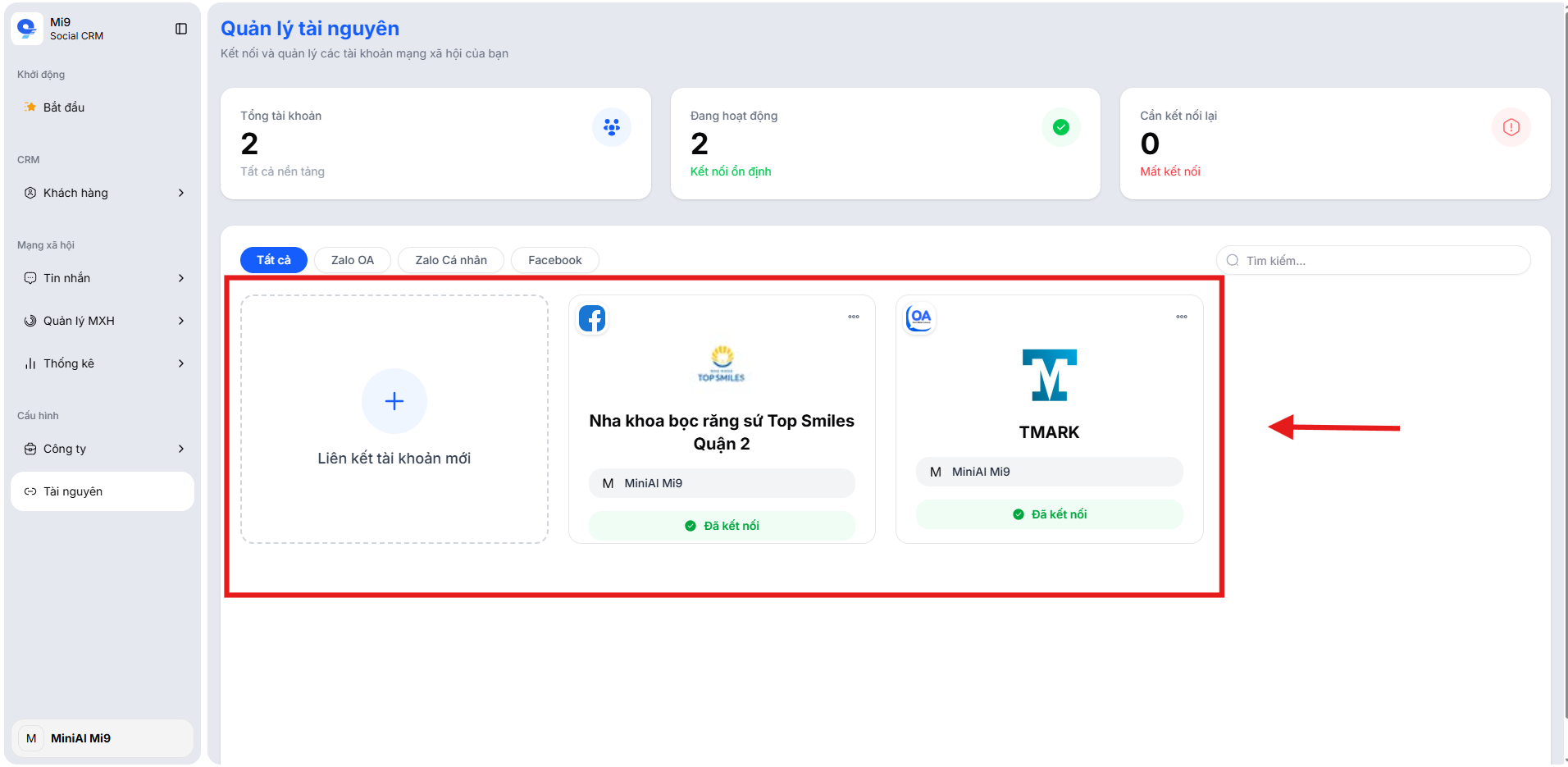
The lower section displays the list of accounts that have been connected to the system, including:
- Profile picture and account name
- Platform (Zalo OA, personal Zalo, Facebook)
- Assigned staff managing the account
- Connection status (Connected / Disconnected)
- Expiration date (for personal Zalo accounts)
You can use the filter tabs (All, Zalo OA, Personal Zalo, Facebook) and the search bar to quickly find the account you need to manage.
How to Link a New Account
To connect a social media account to MiniAI SCRM, follow these steps:
Step 1: Click Link New Account
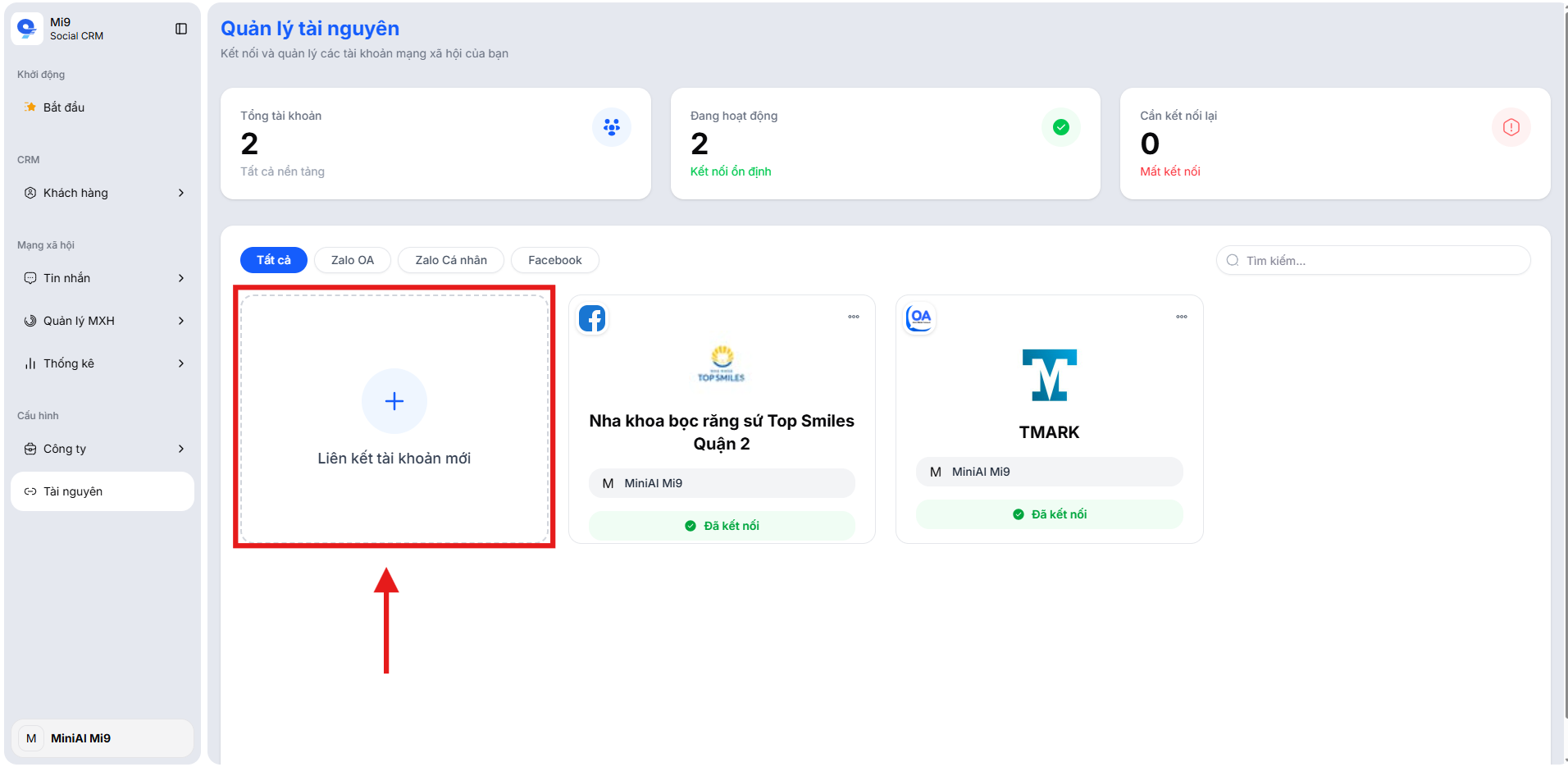
On the Resource Management interface, click the "Link new account" card (the + icon).
Step 2: Select a Platform
The system displays a "Select platform to link" popup with the following options:
- Zalo OA – Link a Zalo Official Account
- Personal Zalo – Link a personal Zalo account
- Facebook – Link a Facebook Fanpage
Each platform shows the current number of links / maximum limit (e.g., 1/10 links).
Click the platform you want to connect to proceed.
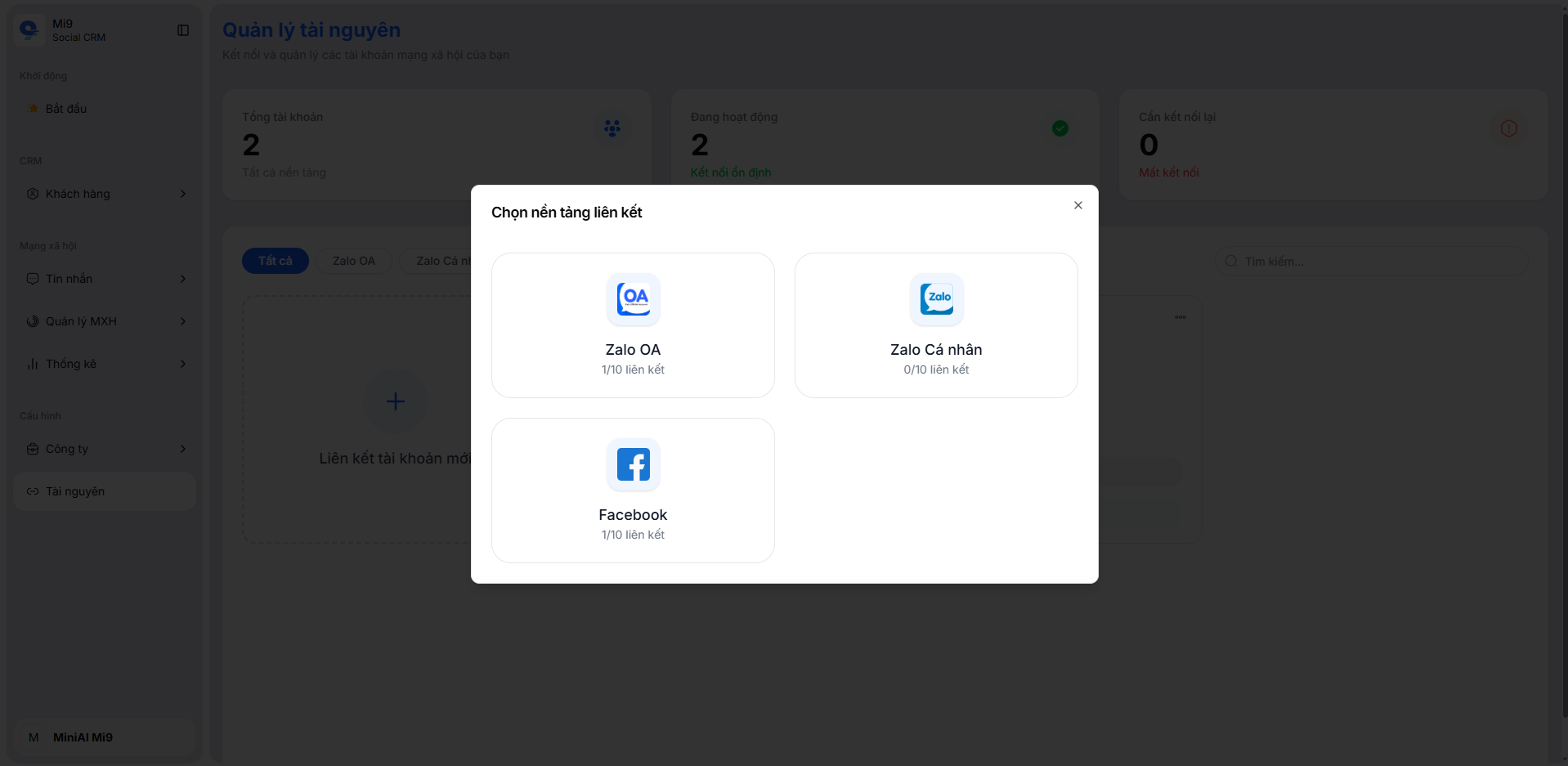
Step 3: Authenticate and Connect
Depending on the selected platform, the system will display the corresponding authentication method:
For personal Zalo:
- The system displays a login QR code with a countdown timer
- Open the Zalo app on your phone → select Scan QR Code
- Scan the QR code on the MiniAI SCRM screen and confirm on your phone
For Zalo OA:
- Log in with the OA admin Zalo account
- Grant MiniAI SCRM permission to access the OA
For Facebook:
- Log in with your Facebook account
- Select the Fanpage to connect and grant permissions
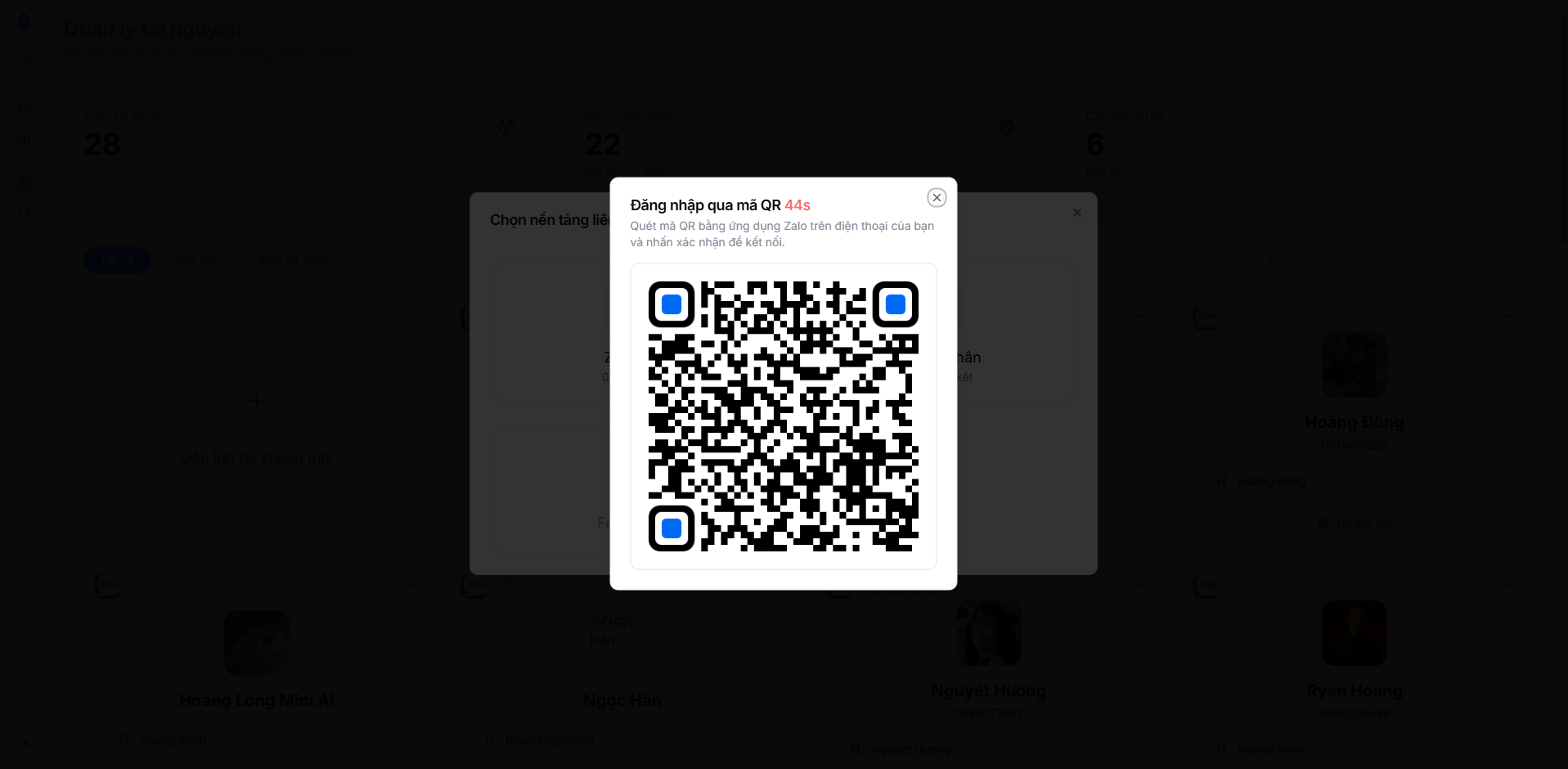
After successful authentication, the social media account will appear in the list with a "Connected" status. The system begins syncing data automatically.
Managing Connected Accounts
On each account card, click the ⋯ (three dots) icon in the top-right corner to perform actions:
- Unlink – Disconnect the account from the MiniAI SCRM system
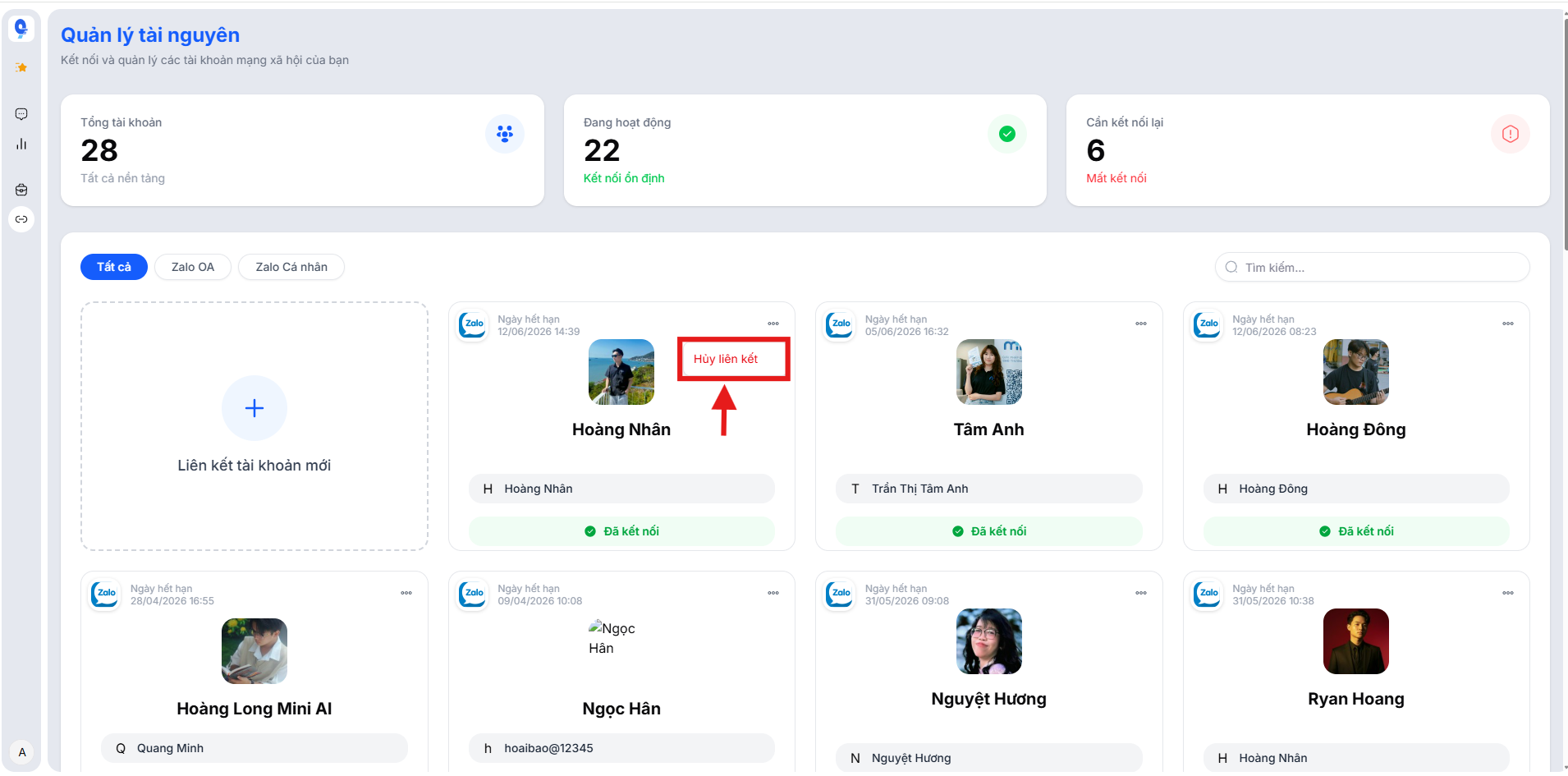
- After unlinking, the system will stop syncing data from that account.
- Conversation data already stored on MiniAI SCRM will remain intact.
- You can reconnect the account at any time by scanning a new QR code.
Important Notes
- Personal Zalo connections have an expiration period. The system displays the expiration date on each account card. When expired, you need to reconnect by scanning a new QR code.
- Do not log in to personal Zalo on Zalo Web simultaneously while connected to MiniAI SCRM to avoid being logged out.
- Each platform has a maximum account limit (default: 10 accounts per platform). Contact the support team if you need to expand.
Benefits of Centralized Resource Management on MiniAI SCRM
The Resource Management feature helps businesses:
- Centralize all communication channels – Manage Zalo OA, personal Zalo, and Facebook on a single platform
- Real-time status monitoring – Quickly identify which accounts are active and which need reconnection
- Flexible scaling – Easily add or remove accounts as your operations grow
- Comprehensive data control – All customer interactions from every channel are recorded and stored centrally