Consultation Requests
Overview
Consultation Requests is a feature that allows businesses to:
- Receive consultation needs from customers
- Manage request lists by status
- Track detailed customer information and request content
- Support the consulting team in processing quickly and accurately
Accessing the Feature
From the left menu, navigate to:
Orders → Consultation Requests
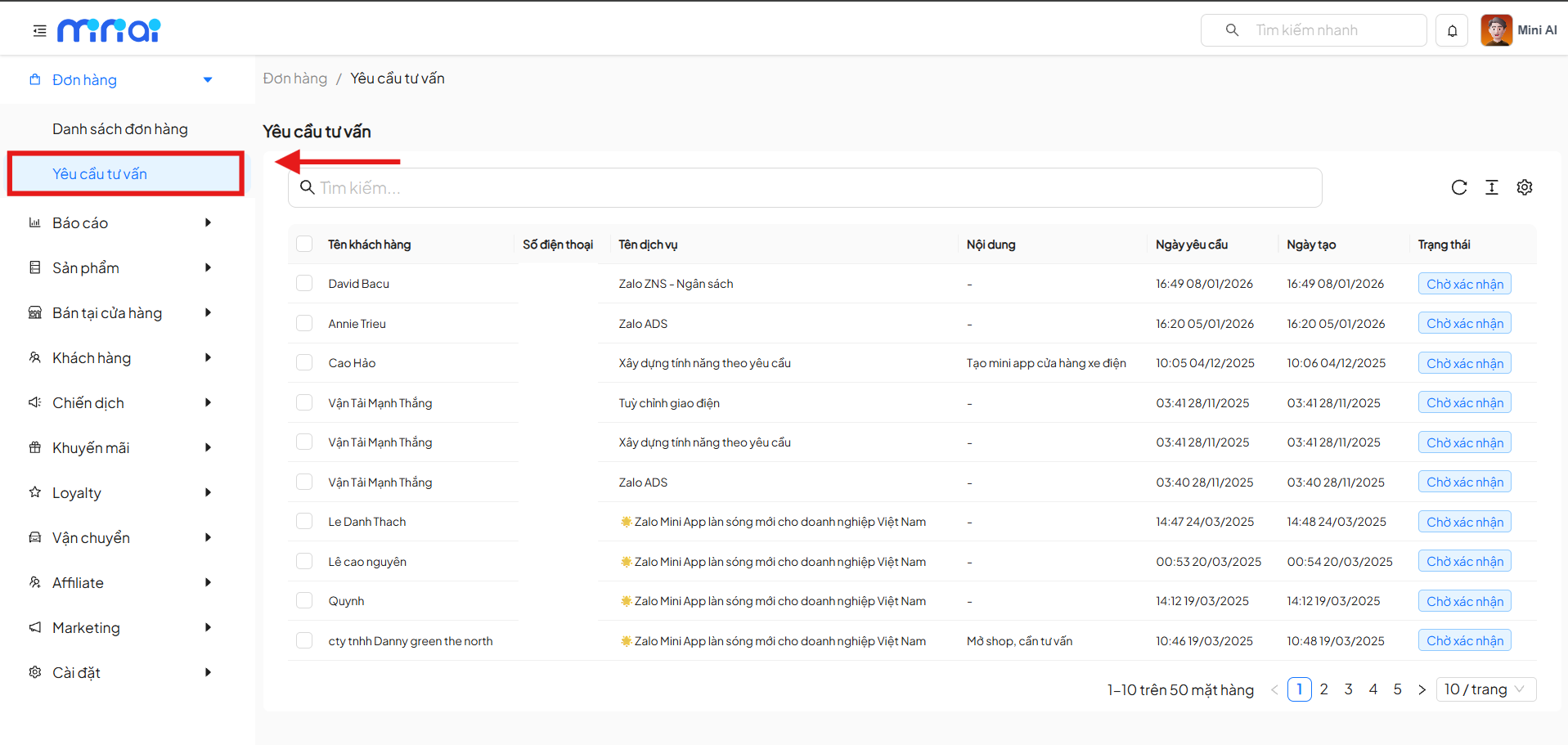
Consultation Request List Interface
The Consultation Request List screen displays all requests submitted by customers.
Main Features
- Quick search for consultation requests
- View list by status
- Track customer information and services of interest
- Paginate the request list
Consultation Request List Table
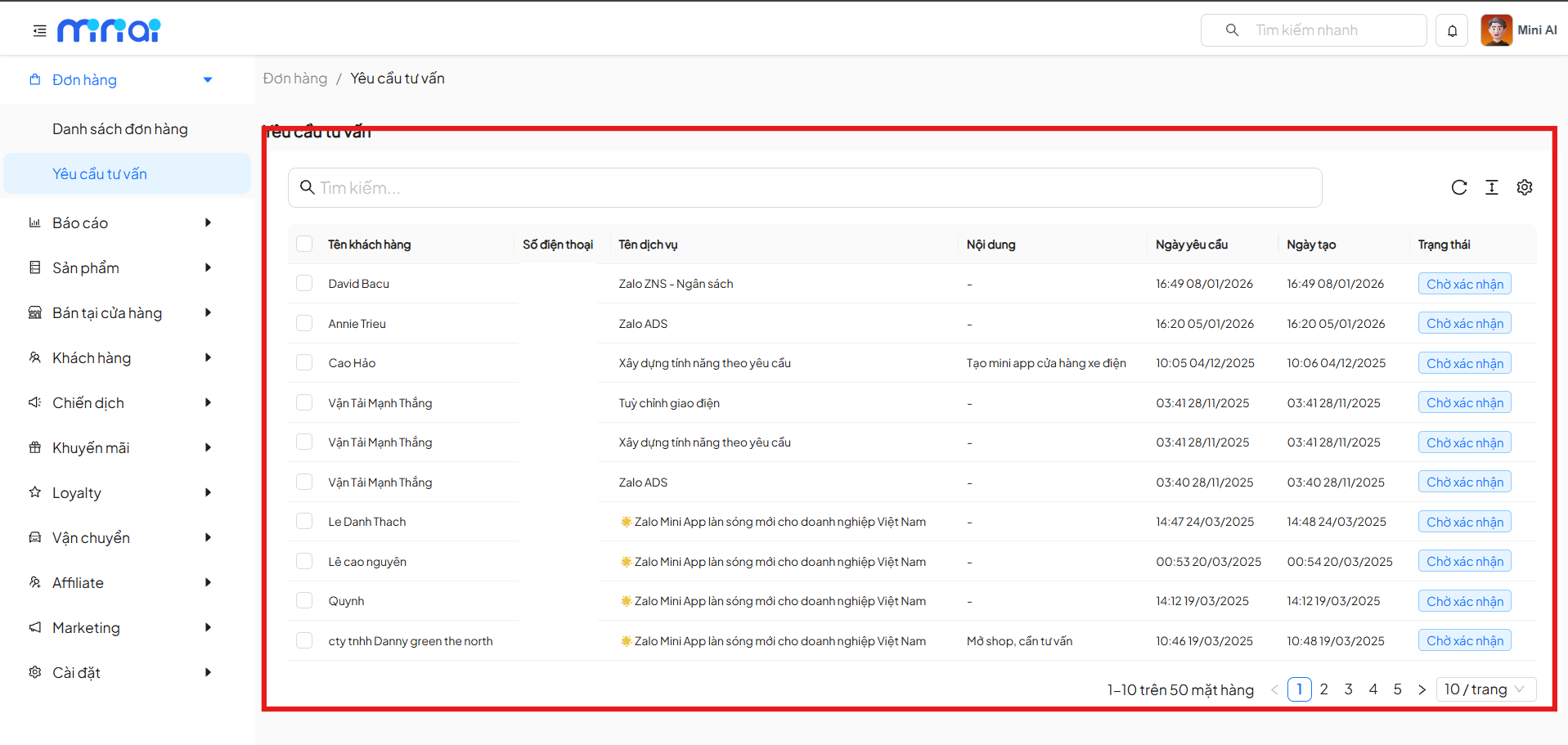
Column Information
| Column | Description |
|---|---|
| Customer Name | Full name of the customer who submitted the request |
| Phone Number | Contact phone number |
| Service Name | Service/product the customer is interested in |
| Content | Consultation request content |
| Request Date | Date the customer wishes to be consulted |
| Created Date | Date the system recorded the request |
| Status | Request processing status |
Consultation Request Statuses
| Status | Meaning |
|---|---|
| Pending Confirmation | New request, not yet processed |
| Confirmed | Request has been received and processed |
| Processing | Request is being consulted |
Statuses help classify and prioritize consultation request processing.
Search & Pagination
- Use the Search box to quickly filter requests
- Supports pagination, displaying the number of requests per page
View Consultation Request Details
Click on a request row to view Consultation Request Details.
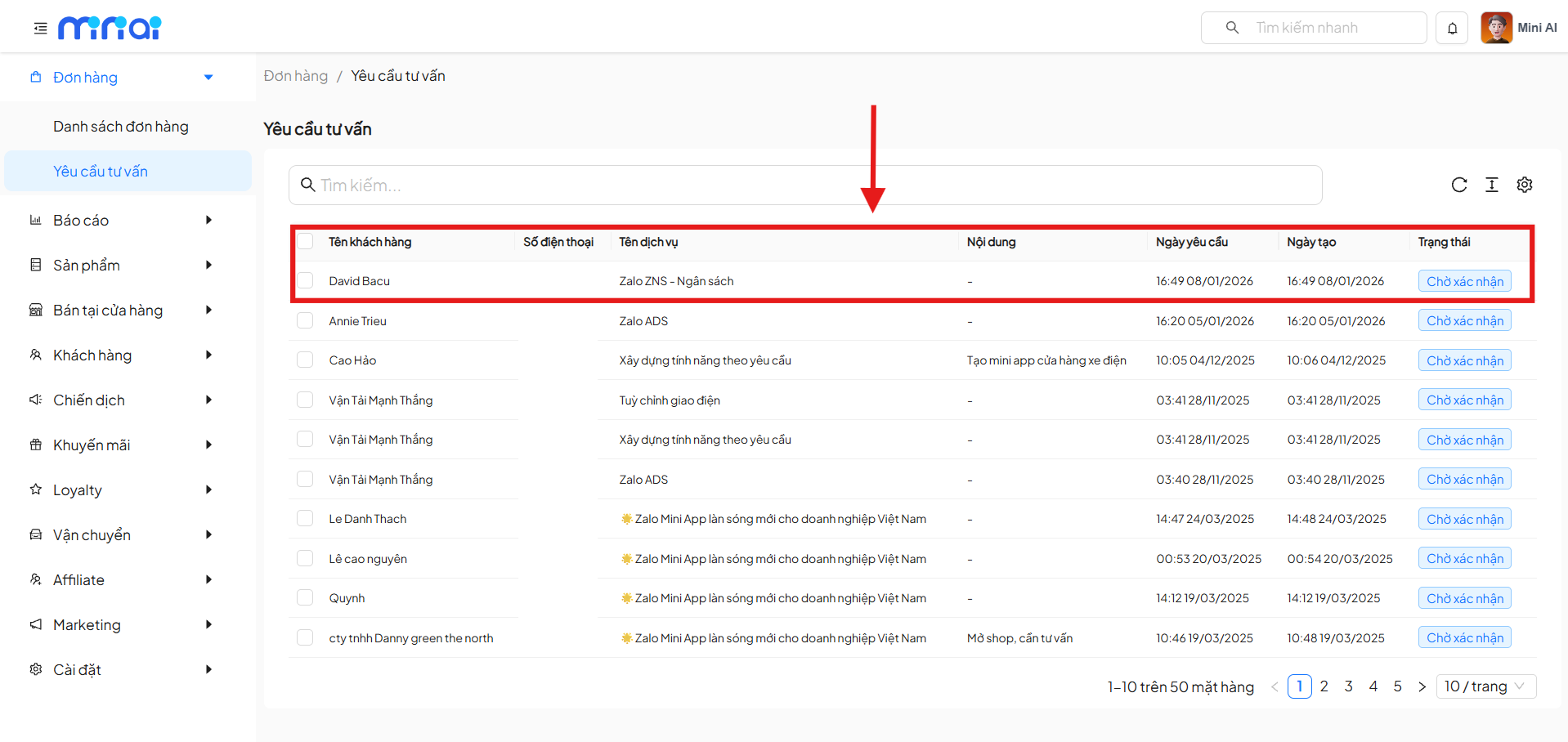
Displayed Information
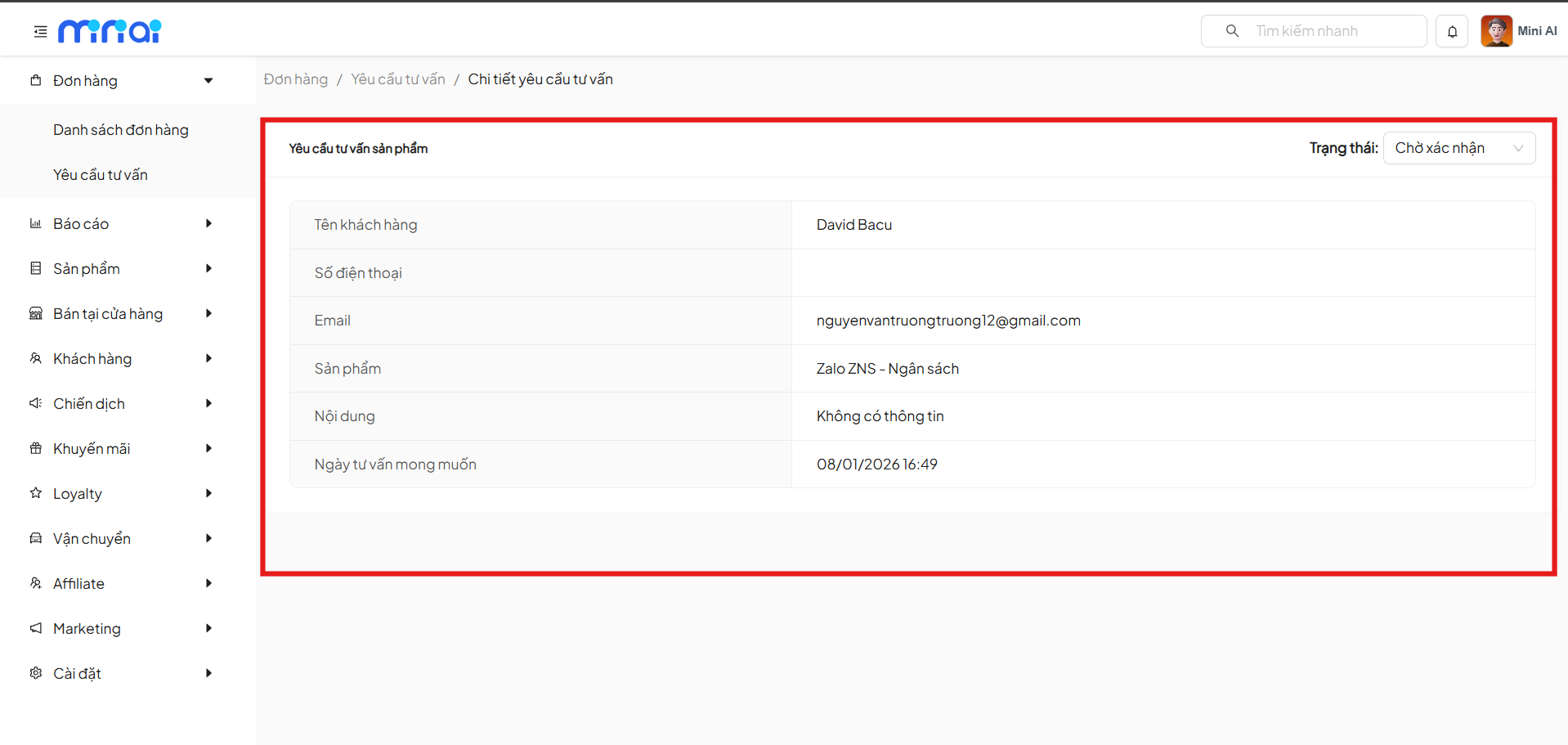
| Field | Description |
|---|---|
| Customer Name | Name of the person who submitted the request |
| Phone Number | Contact information |
| Customer email | |
| Product/Service | Service the customer is interested in |
| Content | Detailed request content |
| Desired Consultation Date | Time proposed by the customer |
| Status | Current processing status |
Update Request Status
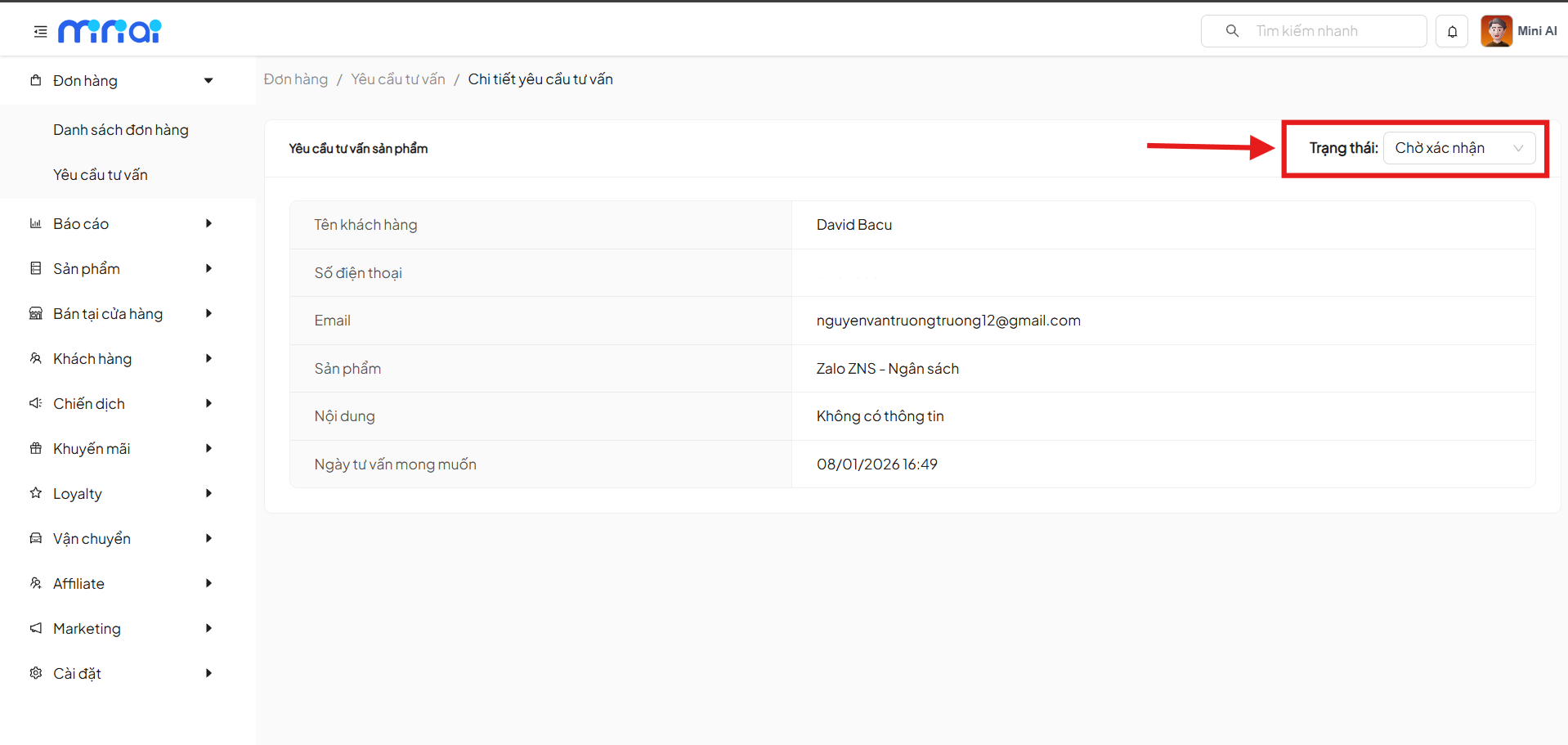
On the detail screen, administrators can:
- Change the consultation request Status
- Mark the request as received or processed
Updating status helps:
- Avoid missing requests
- Manage consultation progress efficiently
Usage Notes
Notes
- Process Pending Confirmation requests early to improve customer experience
- Check contact information thoroughly before consulting
- Update status accurately for convenient tracking
- Use pagination when the number of requests is large
Conclusion
Summary
Consultation Requests is an important tool that helps businesses:
- Proactively approach and care for customers
- Accurately capture consultation needs
- Optimize sales and service processes
Efficient management of consultation requests will contribute to improving conversion rates and customer satisfaction