Pickup Address Configuration
Pickup Address Configuration
The pickup address (store address) is important information used to:
- Determine the pickup point
- Calculate shipping fees
- Synchronize with shipping carriers
- Display store information to customers
1. Accessing the Address Configuration Screen
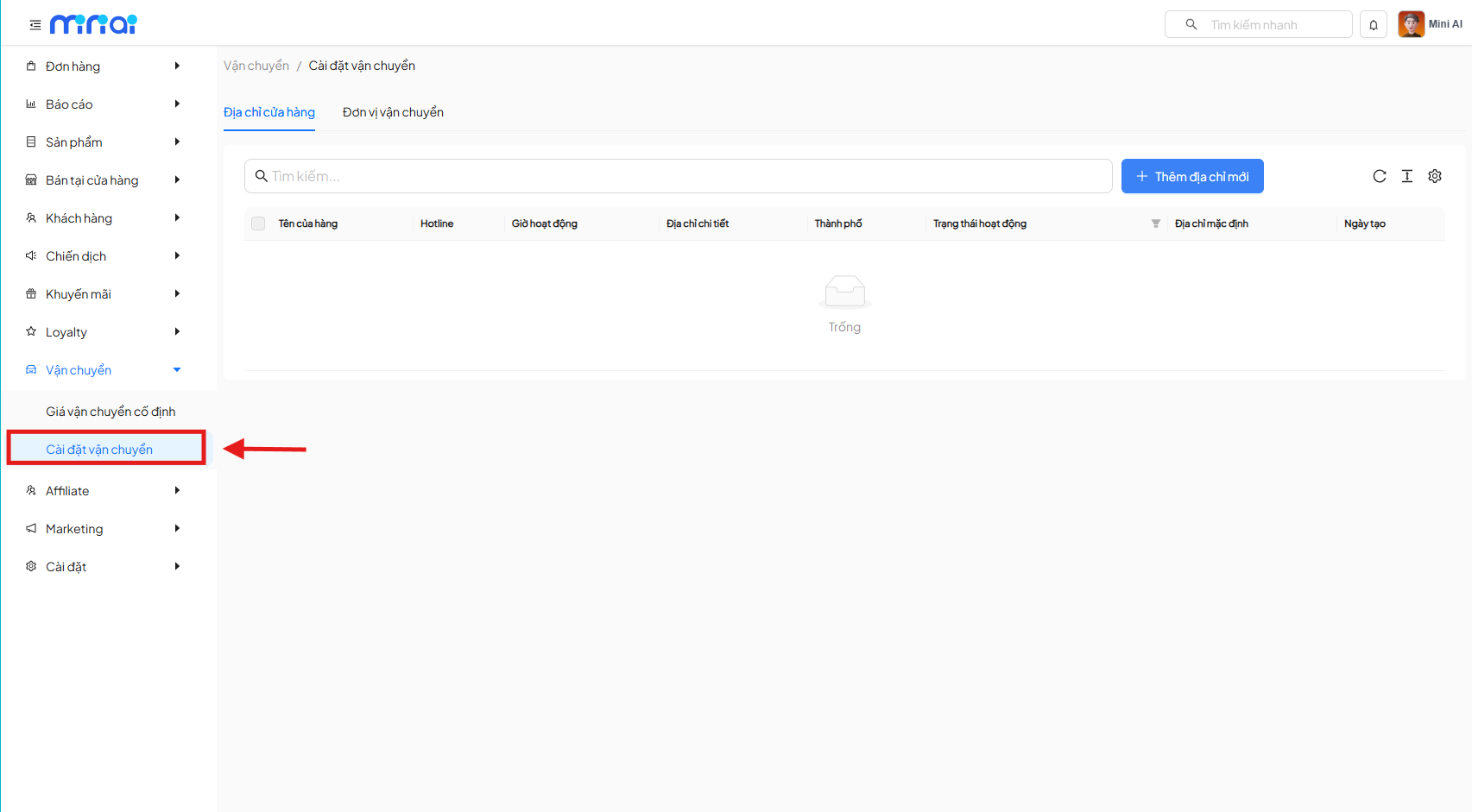
From the left menu, follow the path:
Delivery → Delivery Settings
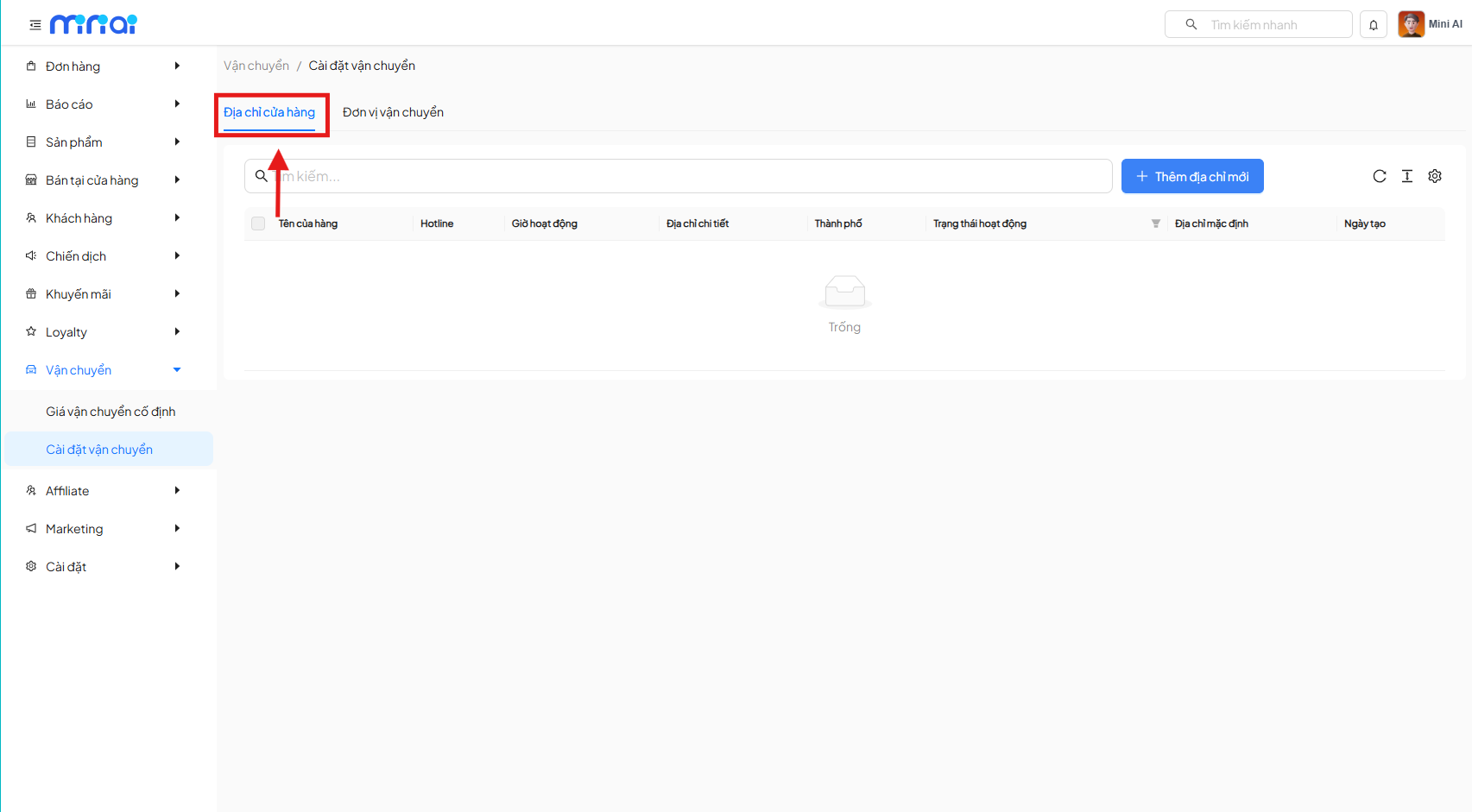
On the Delivery Settings screen, select the tab:
Store Address
This is where you manage all pickup/shipping addresses of the shop. You can add multiple different store addresses.
2. Adding a New Store Address
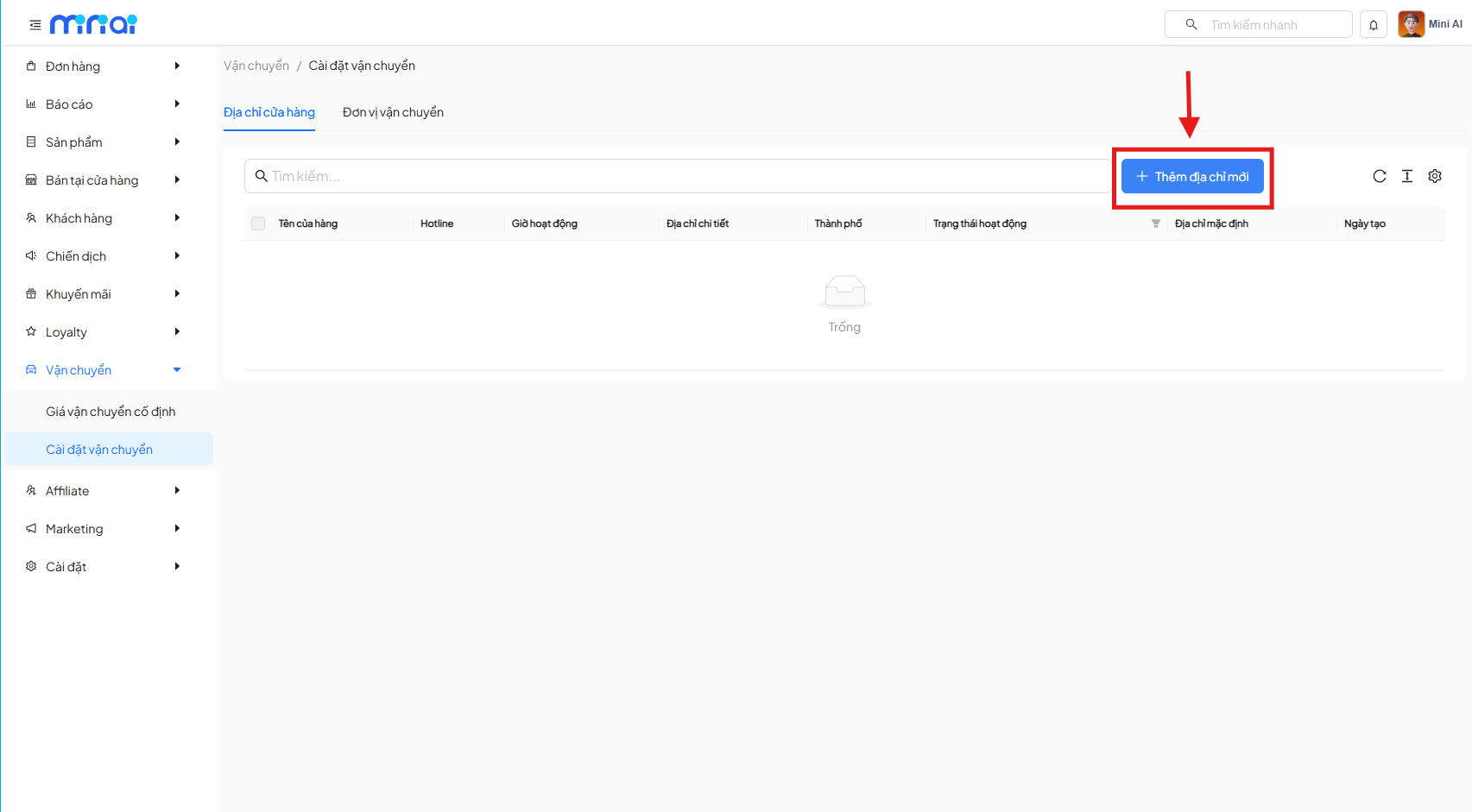
On the Store Address screen, click the button:
+ Add New Address
The system will navigate to the new store address creation screen.
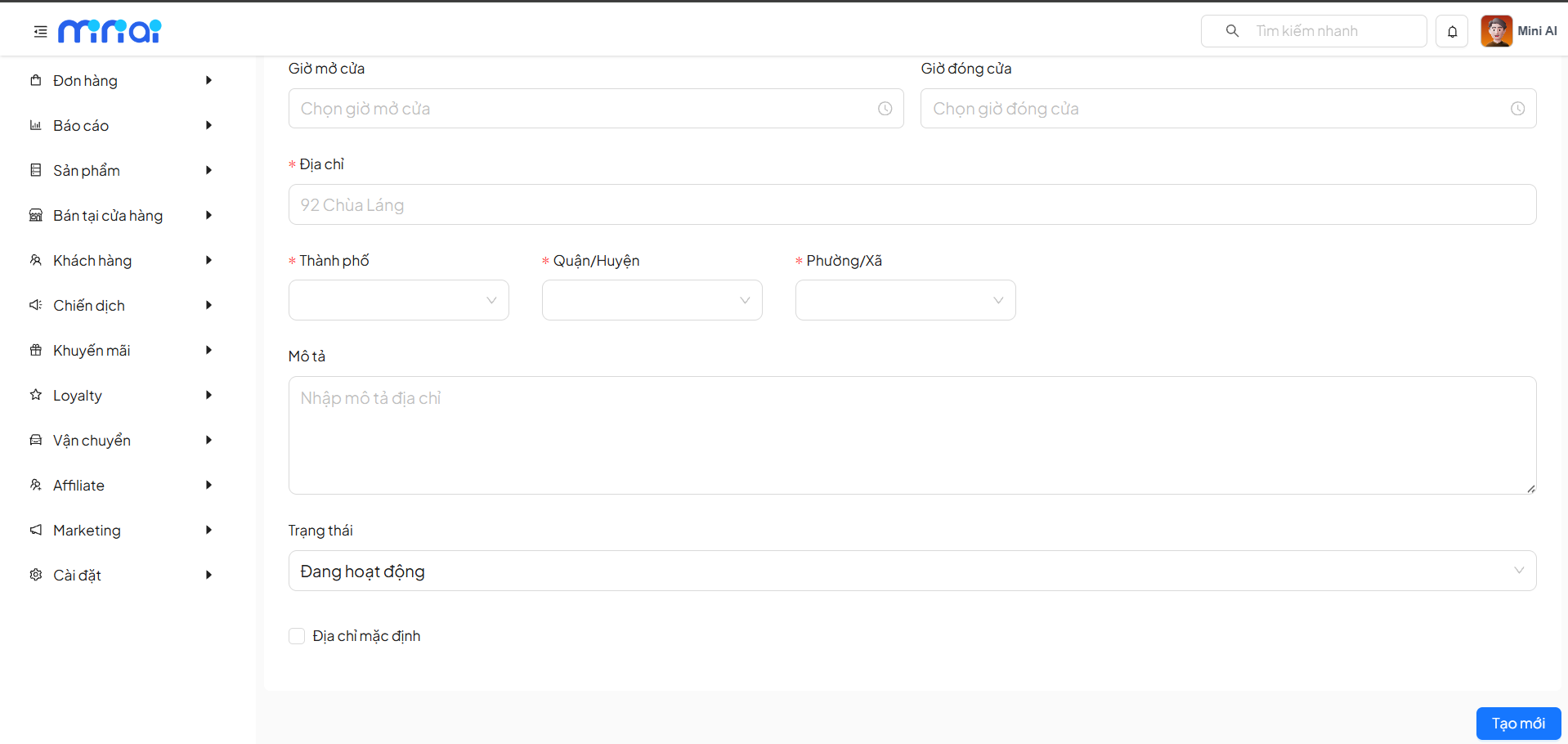
3. Entering Store Address Information
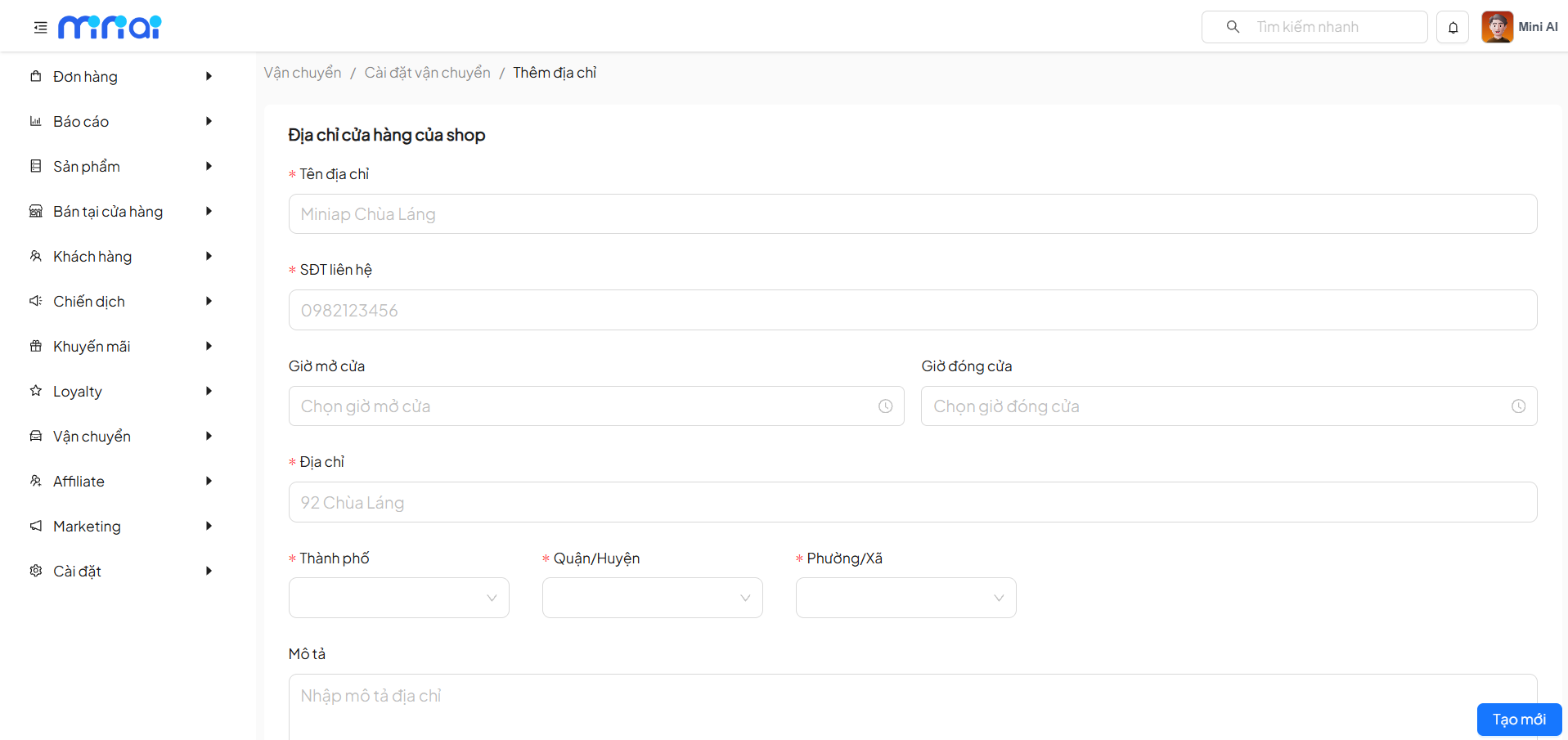
On the Store Address form, users need to fill in the following information:
| Information Group | Field | Required | Description | Example |
|---|---|---|---|---|
| Basic Information | Address Name | Yes | Used to distinguish between different store addresses | Miniap Chua Lang |
| Contact Phone | Yes | Phone number for shipping carriers to contact during pickup | 0982123456 | |
| Operating Hours | Opening Time | No | Start time for receiving/shipping goods during the day | 08:00 |
| Closing Time | No | End time for receiving/shipping goods during the day | 21:00 | |
| Detailed Address | Address | Yes | Detailed address of the store/warehouse | 92 Chua Lang |
| City | Yes | City where the store operates | Hanoi | |
| District | Yes | District of the store | Dong Da | |
| Ward | Yes | Ward of the store | Lang Thuong | |
| Description | Address Description | No | Additional information to help locate the position | Near the intersection, opposite the bank |
Shipping Carrier Integration
The Shipping Carrier Integration feature allows the shop to connect directly with delivery partners, helping to:
- Synchronize orders
- Automatically create shipping orders
- Track delivery status
- Optimize order processing workflow
1. Accessing the Shipping Carrier Integration Screen
From the left menu, navigate to:
Delivery → Delivery Settings → Shipping Carriers
Here, the system displays a list of currently supported shipping carriers.
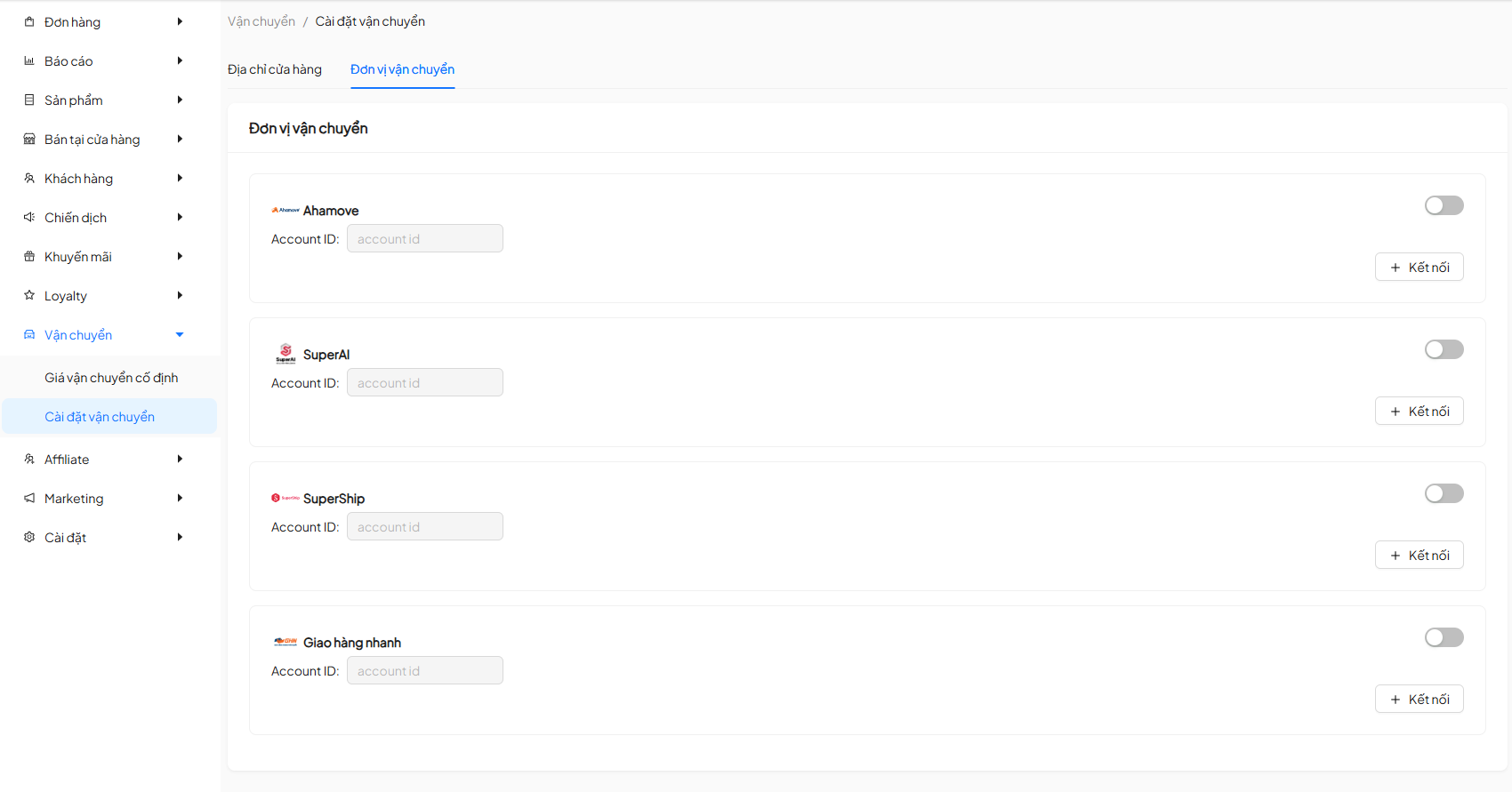
2. Supported Shipping Carriers List
| Shipping Carrier | Status | Function |
|---|---|---|
| Ahamove | Not Connected / Connected | Intra-city express delivery |
| SuperAI | Not Connected / Connected | Delivery within Super ecosystem |
| SuperShip | Not Connected / Connected | Standard delivery |
| Giao Hang Nhanh | Not Connected / Connected | Nationwide delivery |
3. Connecting a Shipping Carrier
For each shipping carrier, click the button:
+ Connect
The system will display a connection popup.
4. Entering Connection Information
On the Connect Shipping Carrier popup, users need to enter:
When connecting with Ahamove
| Field | Required | Description |
|---|---|---|
| Registered Phone | Yes | Phone number registered with the shipping carrier |
When connecting with SuperShip, SuperAI
| Field | Required | Description |
|---|---|---|
| Phone/Email | Yes | Phone number registered with the shipping carrier |
| Password | Yes | Account password registered with the shipping carrier |
When connecting with Giao Hang Nhanh (GHN)
| Field | Required | Description |
|---|---|---|
| Registered Phone | Yes | Phone number registered with the shipping carrier |
| API Token | Yes | Token for integration with the shipping carrier |
After entering all information, click Connect to complete.
5. Enable/Disable Shipping Carriers
After successful integration:
- Toggle the Enable/Disable switch to activate or deactivate a shipping carrier
- Only enabled carriers will be displayed when creating orders
6. Important Notes
- Each shipping carrier requires valid registration information
- If a shipping carrier is disabled:
- It will not be displayed when creating orders
- It will not affect previously created orders
- You can integrate multiple shipping carriers simultaneously for flexible selection
7. Usage Tips
- It is recommended to enable at least 1 shipping carrier to ensure the order creation process
- Prioritize selecting a shipping carrier based on:
- Delivery area
- Delivery speed
- Shipping cost